
Our Short List of 3

- Processor: Snapdragon X Elite X1E-78-100, 12 cores, as listed
- Ports: 3x USB-C (USB4 40Gbps) with USB PD 3.1 and DisplayPort 1.4, as listed
- Memory: 32GB LPDDR5X
- Storage: 1TB SSD
- Processor: Snapdragon X Elite, as listed
- Ports: 2x USB-C / USB4 with charging, data transfer, and DisplayPort 1.4a, as Microsoft lists
- Charging: fast charging with a minimum 65W power supply via USB-C or Surface Connect, as Microsoft lists
- Memory: 16GB

- Processor: AMD Ryzen 7 PRO 8840U, 8 cores, as listed
- Ports: 2x Thunderbolt 4 / USB4 40Gbps Type-C with Power Delivery and DisplayPort, as listed
- Other ports: 2x USB-A 3.2 Gen 1, HDMI 2.1, RJ-45 Ethernet, as listed
- Memory: 32GB DDR5
All 4 Picks at a Glance
| Product | Specs | Action |
|---|---|---|
| Lenovo Yoga Slim 7x |
| Check price on Amazon |
| Microsoft Surface Pro 11 |
| Check price on Amazon |
| Lenovo ThinkPad T14 Gen 5 |
| Check price on Amazon |
 Lenovo Legion 5 Gen 10 |
| Check price on Amazon |
A USB4 port is the one socket that can run a whole desk. A single cable can carry data to fast storage, send a picture to an external display, and feed power back into the laptop at the same time, so a small dock or one monitor cable is enough for a tidy setup. For anyone who moves between a desk and the road, that one-cable habit is the main reason to shop by port first.
The catch is that port labels vary between brands and even between configurations of the same model. One listing spells out USB4 in plain words, the next hides it behind a combined label, and a third uses a plain USB-C name for a slower port on the same machine. The five picks below are models whose own listings name USB4, and each section sticks to what that listing states. As an Amazon Associate, we earn from qualifying purchases.
How to Choose a USB4 Laptop
Start with the port line in the listing, not the headline. Count a port as USB4 only where the listing itself uses the USB4 name, alone or inside a combined label such as Thunderbolt 4 / USB4. A plain USB-C port, even a fast one, is a different thing, and a Thunderbolt 4 port should be called Thunderbolt 4 unless the listing also names USB4. Thunderbolt 5 is a newer label again, and where a listing names it, that is how it should be described.
Bandwidth and display support deserve the same care. Listings here state USB4 at 40Gbps where they give a figure, and display output is named through DisplayPort support on the port. Charging notes vary just as much: some listings state Power Delivery on the USB4 ports, others put the charging figure on a separate port or name a minimum adapter wattage. Read those lines as written, and confirm the port specification on the exact configuration before ordering, because ports can change between builds of one model name.
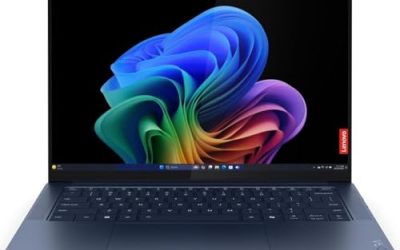
Lenovo Yoga Slim 7x
- Processor: Snapdragon X Elite X1E-78-100, 12 cores, as listed
- Ports: 3x USB-C (USB4 40Gbps) with USB PD 3.1 and DisplayPort 1.4, as listed
- Memory: 32GB LPDDR5X
- Storage: 1TB SSD
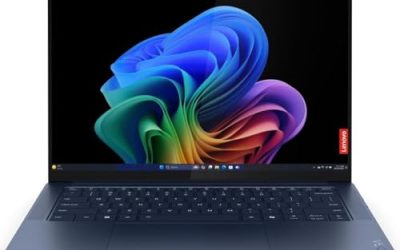
The Yoga Slim 7x is the clearest USB4 story here: its listing names three USB-C ports, every one USB4 at 40Gbps, with USB PD 3.1 and DisplayPort 1.4 support. There is no slower Type-C socket, so a dock, a display, and a fast drive can each take a full-speed port, and any of the three can feed the machine power.
Around those ports sits a Snapdragon X Elite machine with 32GB of memory, a 1TB SSD, a 14.5-inch 3K OLED touch screen, and a 70Wh battery in a body listed at 2.82 lb. Because it runs Windows on a Snapdragon chip, check that your programs and dock accessories support that platform first.
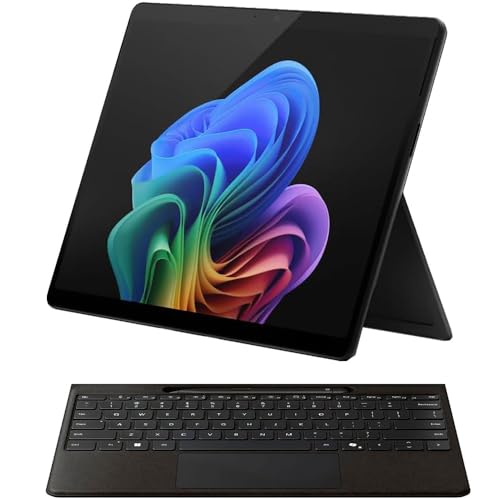
Microsoft Surface Pro 11
- Processor: Snapdragon X Elite, as listed
- Ports: 2x USB-C / USB4 with charging, data transfer, and DisplayPort 1.4a, as Microsoft lists
- Charging: fast charging with a minimum 65W power supply via USB-C or Surface Connect, as Microsoft lists
- Memory: 16GB
The Surface Pro 11 takes the opposite approach: just two ports, but both are USB-C / USB4 sockets that Microsoft lists for charging, data transfer, and DisplayPort 1.4a output. Microsoft also states that fast charging works with a minimum 65W power supply through the USB-C ports or the Surface Connect port, so one cable to a dock can hold the tablet, drive a monitor, and keep the battery fed.
This listing bundles the Snapdragon X Elite build with 16GB of memory, a 1TB SSD, and the Surface Pro Keyboard, with a 13-inch OLED touch screen at 2880 x 1920. The screen is pen-ready, and the listing does not include a pen, so plan on adding one separately if handwriting matters.
Lenovo ThinkPad T14 Gen 5
- Processor: AMD Ryzen 7 PRO 8840U, 8 cores, as listed
- Ports: 2x Thunderbolt 4 / USB4 40Gbps Type-C with Power Delivery and DisplayPort, as listed
- Other ports: 2x USB-A 3.2 Gen 1, HDMI 2.1, RJ-45 Ethernet, as listed
- Memory: 32GB DDR5
The ThinkPad T14 Gen 5 is the business pick, and its listing names two Thunderbolt 4 / USB4 40Gbps Type-C ports with Power Delivery and DisplayPort output. That combined label is why the port line needs reading in full: the same machine also carries two USB-A ports, HDMI 2.1, and an RJ-45 Ethernet socket, so older desk gear plugs in directly while the USB4 pair handles the dock and the fast drive.
This configuration pairs a Ryzen 7 PRO 8840U with 32GB of DDR5 memory and a 1TB SSD behind a 14-inch WUXGA IPS touch screen, with a fingerprint reader and Windows 11 Pro.
Lenovo Legion 5 Gen 10
- Processor: AMD Ryzen 7 260, as listed
- Graphics: NVIDIA GeForce RTX 5060, 8GB GDDR7, as listed
- Ports: 1x USB-C (USB4 40Gbps) with DisplayPort 1.4; 1x USB-C 10Gbps with USB PD 65-100W and DisplayPort 2.1, as listed
- Other ports: 3x USB-A, HDMI 2.1, RJ-45 Ethernet, as listed
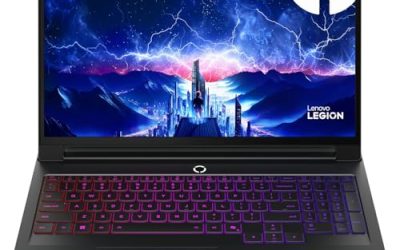
The Legion 5 Gen 10 is the gaming entry, and its port mix shows why each socket must be judged on its own listing line. One USB-C port is named as USB4 40Gbps with DisplayPort 1.4, while a second USB-C port runs at 10Gbps and carries the charging support, listed at USB PD 65-100W with DisplayPort 2.1. Three USB-A ports, HDMI 2.1, and Ethernet complete the set.
That layout still serves a one-cable setup well: the USB4 port takes the fast drive or the dock, and the charging port keeps power separate. Behind it sits a Ryzen 7 260 with RTX 5060 graphics, 16GB of memory, and a 1TB SSD.
ASUS Zenbook 14 OLED
The Zenbook 14 OLED listing names two Thunderbolt 4 / USB4 40Gbps Type-C ports with Power Delivery and DisplayPort output, plus a USB-A port and HDMI 2.1, in a body listed at 2.82 lb with a 75Wh battery. For a light machine, that is a complete desk story: dock on one port, charger or display on the other.
This listing is a seller-configured build with a Core Ultra 5 125H, 8GB of memory, and a 512GB SSD, so it fits light office work and travel rather than heavy multitasking; the modest memory is the honest trade-off here. Read the configuration lines carefully before ordering, since seller builds vary.
Specs
- Processor: Intel Core Ultra 5 125H, as listed
- Ports: 2x Thunderbolt 4 / USB4 40Gbps Type-C with Power Delivery and DisplayPort, as listed
- Other ports: 1x USB-A 3.2 Gen 1, HDMI 2.1, as listed
- Memory: 8GB LPDDR5, as listed
- Storage: 512GB SSD
- Display: 14-inch WUXGA touch screen, as listed
- Battery: 75Wh, as listed
- Weight: 2.82 lb, as listed
- Operating system: Windows 11 Home
- ASIN: B0DFHNMW43
Comparison Table
| Product | Best for | Key spec |
|---|---|---|
| Lenovo Yoga Slim 7x | One-cable travel setups | 3x USB-C (USB4 40Gbps) ports, as listed |
| Microsoft Surface Pro 11 | Tablet-first desk setups | 2x USB-C / USB4 ports with DisplayPort 1.4a, as listed |
| Lenovo ThinkPad T14 Gen 5 | Office desks with wired gear | 2x Thunderbolt 4 / USB4 ports plus Ethernet, as listed |
| Lenovo Legion 5 Gen 10 | Gaming and docking in one | 1x USB-C (USB4 40Gbps) port plus RTX 5060, as listed |
| ASUS Zenbook 14 OLED | Light carry with full ports | 2x Thunderbolt 4 / USB4 ports at 2.82 lb, as listed |
FAQ
Is USB4 the same thing as Thunderbolt 4?
They are closely related, and many listings print the two names together on the same port. They are not identical labels, though, so trust the exact wording on the listing rather than assuming one name guarantees the other.
Can one USB4 cable really run a whole desk?
A USB4 port can carry data, a display signal, and power on one cable, which is what makes a single-cable dock setup possible. What a setup delivers depends on the dock, the monitor, and the charging figures the listing states.
Why do listings for the same model name show different ports?
Port sets can change between configurations, chip options, and seller-built versions of one model, which is why this guide quotes the port line from each specific listing.
Conclusion
USB4 is worth shopping for when one cable needs to run the desk, but the label only counts where the listing prints it. The Yoga Slim 7x offers the most USB4 ports, the Surface Pro 11 and Zenbook 14 OLED keep things light with a pair each, the ThinkPad T14 Gen 5 mixes USB4 with the wired ports an office expects, and the Legion 5 Gen 10 adds gaming graphics beside its single USB4 socket. Pick by the port line first, then by the machine around it.
More from Amazon
Programs that pair well with the guide above. Offers and eligibility are set by Amazon and may change.
A free business account with business pricing and bulk-buying tools for work, shop or home office.
Create a business accountFree shipping on eligible items, Prime Video and more. Eligible new members can start with a free trial.
Start a Prime free trialAudiobooks and podcasts to listen to on the go. Eligible new members can start with a free trial.
Try Audible freeAd-free music streaming. Eligible new subscribers can start with a free trial.
Try Music Unlimited freeAs an Amazon Associate we earn from qualifying purchases.
Write Your Review
No reviews yet. Be the first to share your experience!