
Our Short List of 3

- Processor: Apple M4 (10-core)
- Memory: 16GB unified memory
- Storage: 256GB SSD
- Display: 13.6-inch Liquid Retina, 2560 x 1664

- Processor: Intel Core Ultra 7 258V
- Memory: 32GB LPDDR5X
- Storage: 1TB SSD
- Display: 13.4-inch 3K OLED touch, 2880 x 1800

- Processor: Snapdragon X Elite X1E-78-100 (12-core)
- Memory: 32GB LPDDR5X
- Storage: 1TB SSD
- Display: 14.5-inch 3K OLED touch, 2944 x 1840, 90Hz
All 4 Picks at a Glance
| Product | Specs | Action |
|---|---|---|
| Apple MacBook Air 13 (M4) |
| Check price on Amazon |
| Dell XPS 13 9350 |
| Check price on Amazon |
| Lenovo Yoga Slim 7x |
| Check price on Amazon |
 ASUS Zenbook 14 OLED (UX3405) |
| Check price on Amazon |
Notion asks very little of a laptop. It runs in a browser tab or a small desktop app, syncing notes, docs, and project boards in the background. That honesty matters, because it means the best laptop for Notion is not the fastest machine on the shelf. It is the one you forget you are carrying: light in the bag, calm on the desk, and still awake when the last meeting note gets typed that evening.
So this guide scores what actually shapes a note-taking day: weight first, then battery claims read as the makers state them, then the screen, the keyboard, and enough memory for Notion alongside a browser full of tabs. All five picks run Notion smoothly; they differ in how pleasant they make the hours around it.
As an Amazon Associate, we earn from qualifying purchases.
How to Choose a Laptop for Notion
Weight first. Every laptop in this guide lists at under three pounds, and that is deliberate. A note-taking laptop earns its keep by being present — in the meeting room, on the train, at the kitchen table. Small differences add up over a week of carrying.
Battery claims, read honestly. Each maker measures battery life in a lab, usually playing video or browsing lightly at modest brightness. Those figures are ceilings, not schedules. A real day lands well below them, so this guide repeats each claim as stated and leans on battery size, in watt-hours, as the steadier clue.
Screen and keyboard. You will read this screen for hours, so resolution and shape matter: taller 3:2 and 16:10 panels show more of a page than wide ones. For the keyboard, look for a quiet, comfortable action for typing in meetings.
Memory and storage. Notion needs little, but your browser does not. 16GB is the comfortable floor for notes plus tabs and chat; 32GB suits heavy multitaskers. Because notes live in the cloud, 256GB of storage is workable; larger drives help with big local files.
Apple MacBook Air 13 (M4)
- Processor: Apple M4 (10-core)
- Memory: 16GB unified memory
- Storage: 256GB SSD
- Display: 13.6-inch Liquid Retina, 2560 x 1664
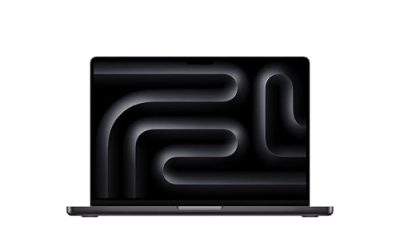
The MacBook Air is the default answer for a reason. It has no fan, so a long writing session stays silent, and the M4 chip treats Notion, a browser, and a wall of tabs as light work. The 13.6-inch Liquid Retina screen renders text at 2560 by 1664, crisp enough that small fonts in a dense database stay readable.
Apple claims up to 18 hours of battery life, a video playback figure, with up to 15 hours claimed for wireless web use; plan on a full workday rather than the headline number. At 2.73 pounds as listed, it disappears into a tote. Trade-offs: two Thunderbolt 4 ports and a 256GB drive, fine for cloud notes, tighter for local media.
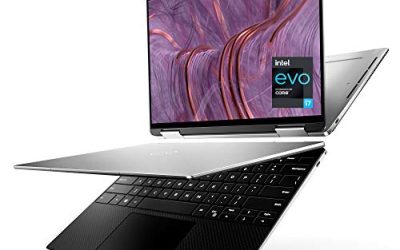
Dell XPS 13 9350
- Processor: Intel Core Ultra 7 258V
- Memory: 32GB LPDDR5X
- Storage: 1TB SSD
- Display: 13.4-inch 3K OLED touch, 2880 x 1800
The XPS 13 9350 is the pick for readers. Its 13.4-inch OLED touchscreen runs at 2880 by 1800, the sharpest panel in this group, and body text in long Notion pages looks close to print. The Core Ultra 7 258V and 32GB of memory leave generous headroom for a browser full of research tabs beside your notes.
One caution belongs on the battery claim: Dell’s up-to-26-hour figure for the 9350 line was measured on the FHD+ screen streaming video. This OLED build draws more power, so expect a solid workday, not the headline number. At 2.7 pounds as listed, it is the lightest Windows option here.
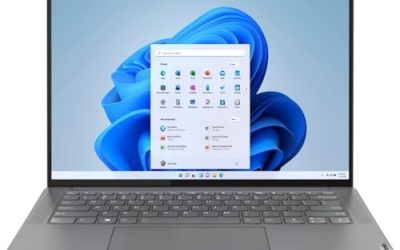
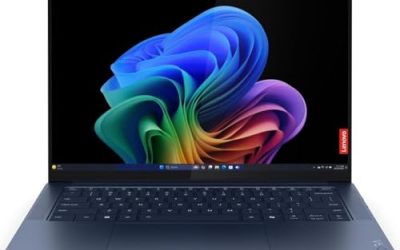
Lenovo Yoga Slim 7x
- Processor: Snapdragon X Elite X1E-78-100 (12-core)
- Memory: 32GB LPDDR5X
- Storage: 1TB SSD
- Display: 14.5-inch 3K OLED touch, 2944 x 1840, 90Hz
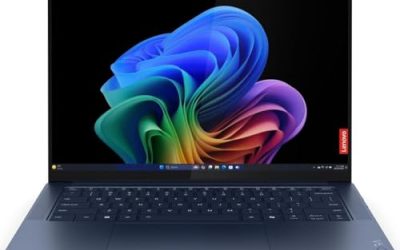
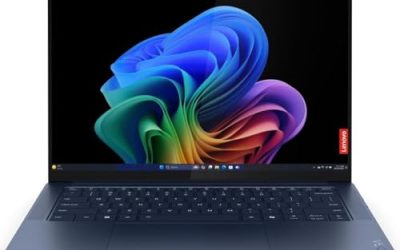
The Yoga Slim 7x gives note-takers the most screen room. The 14.5-inch OLED touchscreen at 2944 by 1840 fits a Notion page and a source document side by side. The Snapdragon X Elite and 32GB of memory keep the desktop app and a heavy browser session feeling unhurried.
Lenovo fits a 70Wh battery and claims up to 23.5 hours of video playback; read it as a best case, though the large cell is reassuring on travel days. At 2.82 pounds as listed it stays easy to carry. It runs Windows on ARM, so check any niche desktop app you depend on.
Microsoft Surface Laptop 7
The Surface Laptop 7 is the keyboard pick. Its keys have a comfortable, quiet action for fast meeting typing, and the 13.8-inch PixelSense touchscreen uses a 3:2 shape at 2304 by 1536, which shows more lines of a page at once than a wide screen. The Snapdragon X Elite and 16GB of memory handle Notion and everyday tabs easily.
Microsoft claims up to 20 hours of battery life for local video playback, as listed; a mixed day of browsing and calls will land below it. The 1080p camera and Windows Hello face sign-in speed up joining calls. At 2.96 pounds as listed, it is the heaviest here, though still firmly portable.
Specs
- Processor: Snapdragon X Elite (12-core)
- Memory: 16GB LPDDR5x
- Storage: 1TB SSD
- Display: 13.8-inch PixelSense touch, 2304 x 1536, 120Hz
- Weight: 2.96 pounds as listed
- Battery claim: up to 20 hours as Microsoft claims (local video playback)
- Ports: 2x USB-C (USB4), 1x USB-A, Surface Connect
- Extras: Wi-Fi 7, Windows Hello face sign-in, Windows 11 Home, Copilot+ PC
- ASIN: B0CXKQYNPD
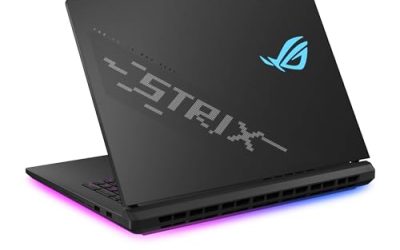
ASUS Zenbook 14 OLED (UX3405)
- Processor: Intel Core Ultra 9 285H
- Memory: 32GB
- Storage: 2TB SSD
- Display: 14-inch OLED touch, 1920 x 1200
The Zenbook 14 OLED is the multitasker’s pick. The Core Ultra 9 285H, 32GB of memory, and a roomy 2TB drive mean Notion can share the screen with large spreadsheets, design files, and a browser that never gets pruned. The 14-inch OLED touchscreen at 1920 by 1200 is the softest panel here, but text stays clean.
The listing claims up to 18 hours from its 75Wh battery; treat that as a maker figure, with a long workday the realistic expectation. At 2.82 pounds as listed, with two Thunderbolt 4 ports, HDMI, and USB-A, it is the easiest here to plug into a desk setup, no adapters needed.
Comparison Table
| Product | Best for | Key spec |
|---|---|---|
| Apple MacBook Air 13 (M4) | Silent all-day notes | 2.73 lb, up to 18 hours claimed |
| Dell XPS 13 9350 | Reading long pages | 2880 x 1800 OLED, 2.7 lb |
| Lenovo Yoga Slim 7x | Side-by-side work | 14.5-inch 3K OLED, 70Wh battery |
| Microsoft Surface Laptop 7 | Typing in meetings | 3:2 touchscreen, quiet keyboard |
| ASUS Zenbook 14 OLED | Heavy multitasking | 32GB memory, 2TB storage |
FAQ
Do I need a fast processor for Notion?
No. Notion is a light app, and every laptop here is far stronger than it requires. Spend your attention on the screen, keyboard, weight, and battery; those shape a note-taking day far more than chip speed does.
How much memory is enough for Notion and browser tabs?
16GB is comfortable for Notion alongside a normal set of tabs, mail, and chat. Choose 32GB if you keep dozens of tabs open, run video calls at the same time, or work with large spreadsheets and files next to your notes.
Can I use Notion offline on these laptops?
Partly. Notion is built around syncing; the desktop apps keep recently opened pages available, but full offline editing is limited. Before a flight, open the pages you need so they are cached and ready.
Conclusion
Notion itself will run happily on any of these five, so choose by the day you want to have. Pick the MacBook Air for silence and simplicity, the XPS 13 for the sharpest reading screen, the Yoga Slim 7x for space, the Surface Laptop 7 for its keyboard, or the Zenbook 14 for headroom. Read every battery figure as a maker claim; the right pick is the one whose weight you will not notice by Friday.
More from Amazon
Programs that pair well with the guide above. Offers and eligibility are set by Amazon and may change.
A free business account with business pricing and bulk-buying tools for work, shop or home office.
Create a business accountFree shipping on eligible items, Prime Video and more. Eligible new members can start with a free trial.
Start a Prime free trialAudiobooks and podcasts to listen to on the go. Eligible new members can start with a free trial.
Try Audible freeAd-free music streaming. Eligible new subscribers can start with a free trial.
Try Music Unlimited freeAs an Amazon Associate we earn from qualifying purchases.
Write Your Review
No reviews yet. Be the first to share your experience!