
Our Short List of 3

- Processor: Snapdragon X Elite X1E-78-100, 12 cores, up to 3.4 GHz as listed
- NPU: Qualcomm Hexagon, up to 45 TOPS as listed
- Memory: 32GB LPDDR5X, soldered
- Storage: 1TB SSD

- Processor: Snapdragon X Elite (12 core), X1E-78-100 as listed
- Memory: 16GB LPDDR5x
- Storage: 1TB SSD
- Display: 13.8″ PixelSense Flow touch, 2304 x 1536, up to 120Hz as listed

- Processor: Snapdragon X Elite (12 core) as listed
- Memory: 32GB
- Storage: 1TB SSD
- Display: 13″ OLED PixelSense touch, 2880 x 1920, 120Hz as listed
All 3 Picks at a Glance
| Product | Specs | Action |
|---|---|---|
| Lenovo Yoga Slim 7x |
| Check price on Amazon |
| Microsoft Surface Laptop 7 |
| Check price on Amazon |
| Microsoft Surface Pro 11 |
| Check price on Amazon |
Snapdragon laptops run Windows on ARM chips from Qualcomm instead of the Intel and AMD processors most Windows buyers know. The pitch is simple: phone-like habits in a laptop body. These machines wake the moment you open the lid, sip power while they sit in a bag, and carry battery claims that stretch past a full workday. They suit travelers, students, and office workers whose day lives in a browser, documents, mail, and video calls.
Every pick below runs a Snapdragon X series chip, in Elite or Plus form, exactly as its listing states. Battery figures are quoted as each maker prints them, never as tested results. Memory and storage are fixed at purchase on most of these designs, so each section names the exact configuration we verified. Check your must-have apps against the compatibility notes below before you commit.
As an Amazon Associate, we earn from qualifying purchases.
How to Choose a Snapdragon Laptop
Start with the chip tier. Snapdragon X Elite models carry 12 cores, while X Plus models carry 10 or 8 cores, and each listing names the exact part. For documents, browsing, and calls, even the 8-core Plus feels quick. Pick an Elite if you keep dozens of tabs and several apps open all day.
Treat battery numbers as maker claims. Each brand measures its own figure, often with local video playback at set brightness, so a claim of 20-plus hours describes that test, not a day of video calls and cloud work. Compare claims loosely across brands.
Only some models in this class skip the fan. Where a listing states a fanless build we say so; where it stays silent, assume a small fan you will rarely hear.
Compatibility deserves honesty. Windows on ARM runs many popular apps natively and others through built-in emulation. Some drivers, niche tools, and older peripherals still lag. List your essential apps and check each publisher’s ARM notes before buying.
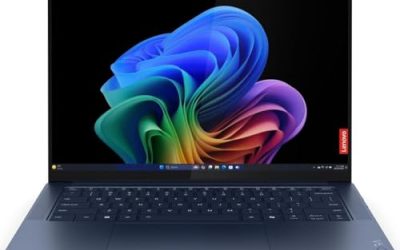
Lenovo Yoga Slim 7x
- Processor: Snapdragon X Elite X1E-78-100, 12 cores, up to 3.4 GHz as listed
- NPU: Qualcomm Hexagon, up to 45 TOPS as listed
- Memory: 32GB LPDDR5X, soldered
- Storage: 1TB SSD
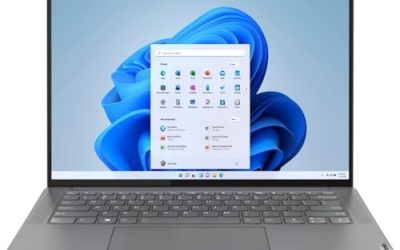
The Yoga Slim 7x is the screen-first pick. Its 14.5-inch 3K OLED touch panel runs at 2944 x 1840 and 90Hz as listed, a panel made for photo work and long reading sessions. The Snapdragon X Elite X1E-78-100 inside pairs 12 cores with a Hexagon NPU the listing puts at up to 45 TOPS.
Lenovo lists up to 23.5 hours of video playback from the 70Wh battery. At 2.82 pounds with three USB-C USB4 ports and Wi-Fi 7, it travels light and docks easily. The 32GB memory and 1TB SSD in this configuration leave headroom for big tab counts, and the FHD IR camera handles face sign-in.
Microsoft Surface Laptop 7
- Processor: Snapdragon X Elite (12 core), X1E-78-100 as listed
- Memory: 16GB LPDDR5x
- Storage: 1TB SSD
- Display: 13.8″ PixelSense Flow touch, 2304 x 1536, up to 120Hz as listed
The Surface Laptop 7 is the straightforward recommendation for most buyers. This Sapphire configuration runs the 12-core Snapdragon X Elite with 16GB of memory and a 1TB SSD, behind a 13.8-inch PixelSense Flow touch display at 2304 x 1536 and up to 120Hz as listed. The haptic touchpad and tall 3:2 screen suit document work well.
Microsoft lists up to 20 hours of local video playback and up to 13 hours of active web usage for this size, and we quote both because the gap between them is the honest part of the claim. The 54Wh battery and 2.96-pound build keep it bag-friendly, and the Windows Hello face camera signs you in on open.
Microsoft Surface Pro 11
- Processor: Snapdragon X Elite (12 core) as listed
- Memory: 32GB
- Storage: 1TB SSD
- Display: 13″ OLED PixelSense touch, 2880 x 1920, 120Hz as listed
The Surface Pro 11 is the detachable of the group. The tablet pairs the 12-core Snapdragon X Elite with 32GB of memory and 1TB of storage, behind a 13-inch OLED PixelSense screen at 2880 x 1920 and 120Hz as listed. The sealed tablet body has no fan, so it works in silence, and the built-in kickstand holds it at a desk or on a tray table.
Microsoft lists up to 14 hours of video playback for this model, the most modest claim here. The pen-ready screen suits notes and markups, though the pen and the keyboard cover are separate purchases. Two USB-C ports with USB4 handle docks and drives, and the tablet alone weighs 1.97 pounds as listed.
Dell XPS 13 9345
The XPS 13 9345 is Dell’s take on the formula, and it leans on endurance. This configuration pairs the Snapdragon X Elite X1E-80-100 with 32GB of LPDDR5X memory and a 1TB SSD, and prints a battery claim of up to 27 hours, the longest figure in this roundup. Treat it as Dell’s own test result, but the 55Wh battery behind it is genuinely large for a 13-inch shell.
The 13.4-inch FHD+ panel runs 1920 x 1200 at up to 120Hz with an anti-glare finish as listed, a sensible pick for bright rooms. At 2.62 pounds as listed, it is the lightest clamshell here. You get two USB4 ports, Wi-Fi 7, an IR webcam for face sign-in, and a fingerprint reader in the power button.
Specs
- Processor: Snapdragon X Elite X1E-80-100, 12 cores, boost up to 4.0 GHz as listed
- NPU: up to 45 TOPS as listed
- Memory: 32GB LPDDR5X
- Storage: 1TB PCIe NVMe SSD
- Display: 13.4″ FHD+ 1920 x 1200, up to 120Hz, anti-glare as listed
- Battery: 55Wh; up to 27 hours as Dell lists it
- Ports: 2x USB4 Type-C with DisplayPort and Power Delivery as listed
- Weight: 2.62 lb as listed
- ASIN: B0DJM69JDV
HP OmniBook 5 14
The OmniBook 5 14 is the value-minded route into Snapdragon Windows. Its Snapdragon X Plus X1P-42-100 carries 8 cores, and HP pairs it with 16GB of LPDDR5x memory and a 1TB SSD. The 14-inch OLED display is the surprise at this end of the line, with deep blacks and sharp text for documents and video.
Its 45 TOPS NPU still runs the Copilot+ features the listing names on-device. For browsing, mail, office files, and calls, the 8-core part keeps up well; heavy multitaskers should look at the Elite models above. The Adreno graphics handle everyday display work and casual playback rather than demanding games.
Specs
- Processor: Snapdragon X Plus X1P-42-100, 8 cores, up to 3.4 GHz as listed
- NPU: 45 TOPS as listed
- Memory: 16GB LPDDR5x
- Storage: 1TB SSD
- Display: 14″ OLED as listed
- Graphics: Qualcomm Adreno GPU as listed
- Operating system: Windows 11 Home
- Color: Glacier Silver as listed
- ASIN: B0F4GTHHCZ
Comparison Table
| Product | Best for | Key spec |
|---|---|---|
| Lenovo Yoga Slim 7x | Screen quality | 14.5″ 3K OLED touch, 90Hz as listed |
| Microsoft Surface Laptop 7 | Most buyers | Snapdragon X Elite, 13.8″ touch as listed |
| Microsoft Surface Pro 11 | Detachable use | 13″ OLED, 32GB memory as listed |
| Dell XPS 13 9345 | Battery claim | Up to 27 hours as Dell lists it |
| HP OmniBook 5 14 | Entry point | Snapdragon X Plus, 14″ OLED as listed |
FAQ
Will my Windows apps run on a Snapdragon laptop?
Many popular apps now ship in native ARM versions, and Windows runs most other Intel and AMD apps through built-in emulation. Some drivers, older peripherals, and niche tools still lag. Check the publisher’s notes for your essential apps before you buy.
Do these laptops really last as long as the claims say?
The figures in this roundup are maker claims from each brand’s own tests, usually local video playback at fixed brightness. A day of calls, cloud apps, and bright screens lands lower. Treat the claims as a way to compare models, not as a promise for your workload.
How much memory should I choose?
Memory is soldered on every pick here, so the amount in the listing is permanent. 16GB covers browsing, documents, and calls. Pick 32GB if you keep many apps open at once or plan to keep the laptop for years.
Conclusion
Snapdragon laptops trade a little software certainty for battery life and light builds. The Surface Laptop 7 is the safe default, the Yoga Slim 7x wins on screen, the XPS 13 9345 posts the biggest battery claim, the Surface Pro 11 detaches, and the OmniBook 5 14 lowers the entry point. Match the chip and memory to your apps first.
More from Amazon
Programs that pair well with the guide above. Offers and eligibility are set by Amazon and may change.
A free business account with business pricing and bulk-buying tools for work, shop or home office.
Create a business accountFree shipping on eligible items, Prime Video and more. Eligible new members can start with a free trial.
Start a Prime free trialAudiobooks and podcasts to listen to on the go. Eligible new members can start with a free trial.
Try Audible freeAd-free music streaming. Eligible new subscribers can start with a free trial.
Try Music Unlimited freeAs an Amazon Associate we earn from qualifying purchases.
Write Your Review
No reviews yet. Be the first to share your experience!