
Our Short List of 3

- Processor: Intel Core Ultra 9 275HX
- Graphics: NVIDIA GeForce RTX 5080
- Memory: 32GB DDR5-5600
- Storage: 2TB PCIe Gen 4 SSD

- Processor: Apple M4 Max, 16-core CPU as listed
- Graphics: 40-core GPU as listed
- Memory: 64GB unified memory
- Storage: 1TB SSD

- Processor: Intel Core i9-14900HX
- Graphics: NVIDIA GeForce RTX 5070
- Memory: 32GB DDR5
- Storage: 1TB NVMe SSD
All 4 Picks at a Glance
| Product | Specs | Action |
|---|---|---|
| ASUS ROG Strix SCAR 18 |
| Check price on Amazon |
| Apple MacBook Pro 16 (M4 Max) |
| Check price on Amazon |
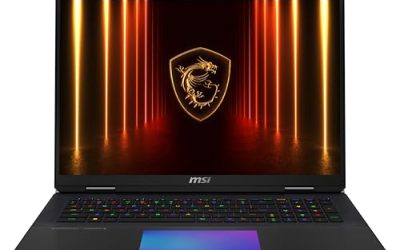
| MSI Katana 15 HX |
| Check price on Amazon |
 Lenovo Legion 5 Gen 10 |
| Check price on Amazon |
Our Top Picks
Rust is a survival game played on big shared servers, and it asks more of a laptop than its simple look suggests. A single session can mean crossing a huge procedurally built island, loading in sprawling player bases, and keeping track of hundreds of other players while the world streams in around you. Memory and storage speed shape how those long sessions feel, and a laptop that looks fine on paper can feel strained once a busy server fills up.
The five laptops below were picked with that workload in mind: generous memory, fast SSD storage, and graphics hardware with real headroom. As an Amazon Associate, we earn from qualifying purchases. Each pick lists its hardware as the seller states it, so check the page configuration before you order.
How to Choose a Laptop for Rust
Rust runs on Windows and macOS, so both kinds of machine appear in this guide. The Mac version is a native build, and Windows is the platform most community guides assume, but either can join the same style of shared servers.
Memory matters more here than in most games. Large servers hold big maps, dense bases, and long entity lists in RAM, so 32GB is a comfortable target and 64GB gives multitaskers breathing room for a browser and voice chat beside the game. Storage speed matters too: an NVMe SSD is the baseline worth having, because the game pulls in terrain and structures constantly as you travel.
For graphics, look at the GPU tier and its memory rather than any headline claim. A midrange or better dedicated GPU handles the coastline, forests, and monuments at native resolution with room to raise settings, while integrated graphics call for lower settings. A bigger, sharper screen helps you spot movement at distance. Finally, check the ports: a wired Ethernet socket gives the steadiest link to a server, while Wi-Fi 6E or Wi-Fi 7 as listed covers wireless play.
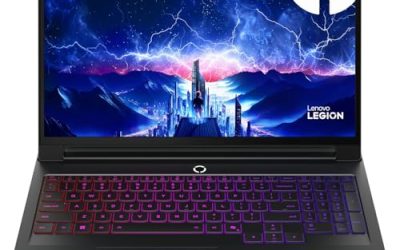
Lenovo Legion Pro 7i Gen 10
The Legion Pro 7i Gen 10 is the heavyweight pick for players who load into the largest community servers and keep everything else running at the same time. Its listing pairs a 24-core Intel Core Ultra 9 275HX with 64GB of DDR5 memory, headroom that suits huge maps, dense monument areas, and background apps during a long session.
Graphics come from an RTX 5080 with 16GB of GDDR7 memory as listed, and the 16-inch OLED screen runs at 2560 x 1600 with a 240Hz refresh figure as listed. Storage is 2TB across two SSDs as listed, leaving room for Rust, its staging branch, and other games. Note that this is a seller-configured listing, so confirm the page configuration matches the figures here before ordering.
Specs
- Processor: Intel Core Ultra 9 275HX, 24 cores, up to 5.4 GHz as listed
- Graphics: NVIDIA GeForce RTX 5080, 16GB GDDR7
- Memory: 64GB DDR5
- Storage: 2TB SSD (2 x 1TB as listed)
- Display: 16-inch OLED, 2560 x 1600, 240Hz as listed
- Connectivity: Wi-Fi 7, RJ-45 Ethernet, Thunderbolt 4, HDMI 2.1 as listed
- Operating system: Windows 11 Pro
- Weight: 5.99 lb as listed
- ASIN: B0F9FTQ4C3
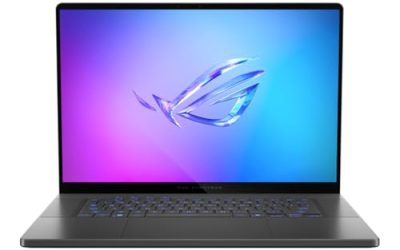
ASUS ROG Strix SCAR 18
- Processor: Intel Core Ultra 9 275HX
- Graphics: NVIDIA GeForce RTX 5080
- Memory: 32GB DDR5-5600
- Storage: 2TB PCIe Gen 4 SSD
The Strix SCAR 18 is built around the biggest screen in this guide, an 18-inch Nebula HDR panel at 2560 x 1600 with a 240Hz refresh figure as listed. For a game where spotting a distant player on a beach matters, that extra screen area is a genuine gain, and the Mini LED backlight keeps dark nights readable.
Inside, the listing names an Intel Core Ultra 9 275HX and an RTX 5080, backed by 32GB of DDR5-5600 memory and a 2TB PCIe Gen 4 SSD. That memory figure sits right at the comfortable target for large servers, and the storage is roomy enough for Rust plus other titles. The trade-off is size: this is a desk-bound machine, which suits players who game in one spot.
Apple MacBook Pro 16 (M4 Max)
- Processor: Apple M4 Max, 16-core CPU as listed
- Graphics: 40-core GPU as listed
- Memory: 64GB unified memory
- Storage: 1TB SSD
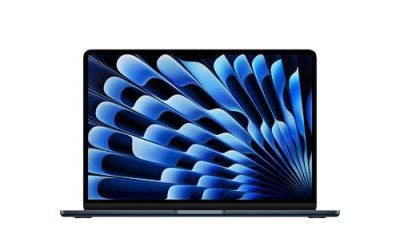
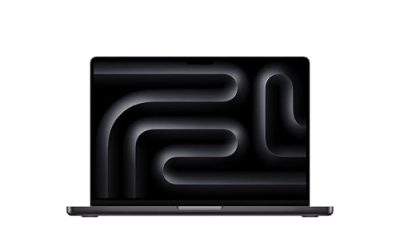
Rust has a native macOS version, and this MacBook Pro 16 is the Mac pick for playing it. The listing describes the M4 Max chip in its 16-core CPU and 40-core GPU configuration, paired with 64GB of unified memory and a 1TB SSD, in Silver. That memory pool is shared between processor and graphics, which suits a game that keeps a large world resident in RAM.
The 16.2-inch Liquid Retina XDR display runs at 3456 x 2234 with up to 1600 nits peak brightness as Apple lists. Honest framing matters here: the Mac build is the same game, but Windows is where most of the community, server tooling, and troubleshooting advice lives, and settings expectations should stay sensible on any laptop GPU. In return you get a quiet, cool machine with three Thunderbolt 5 ports, HDMI, and an SDXC slot as listed, plus battery life no Windows gaming laptop here approaches.
MSI Katana 15 HX
- Processor: Intel Core i9-14900HX
- Graphics: NVIDIA GeForce RTX 5070
- Memory: 32GB DDR5
- Storage: 1TB NVMe SSD
The Katana 15 HX covers the middle ground: a 15.6-inch gaming laptop whose listing names an Intel Core i9-14900HX, an RTX 5070, 32GB of DDR5 memory, and a 1TB NVMe SSD. That is a well-matched set for Rust, with memory at the comfortable mark for big servers and a GPU tier that handles native-resolution play at its QHD+ panel.
The screen is a 2560 x 1440 panel with a 165Hz refresh figure as listed. Port selection includes an RJ-45 Ethernet socket as listed, exactly what you want for a wired link during a raid defense, alongside Wi-Fi 6E. The keyboard is a 4-zone RGB backlit unit as listed.
Lenovo Legion 5 Gen 10
- Processor: AMD Ryzen 7 260, up to 5.1 GHz as listed
- Graphics: NVIDIA GeForce RTX 5060, 8GB GDDR7
- Memory: 16GB DDR5, up to 32GB as listed
- Storage: 1TB SSD
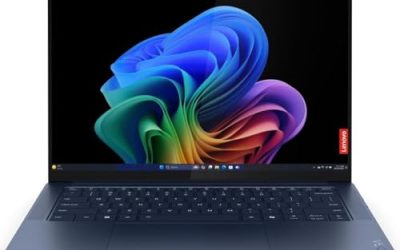
The Legion 5 Gen 10 is the lightest machine here, at about 4.1 lb as listed in seller material, and it still covers the Rust basics well. Its listing names an AMD Ryzen 7 260, an RTX 5060 with 8GB of GDDR7 memory, and a 1TB SSD, driving a 15.1-inch OLED at 2560 x 1600 with a 165Hz refresh figure as listed.
The listed configuration carries 16GB of DDR5 memory, and the listing states support for up to 32GB, so an upgrade path exists if a busy server starts to feel tight. The 80Wh battery as listed is generous for a gaming laptop, and the port mix includes Ethernet as listed for a wired desk connection. For players who carry their laptop between places, this is the easiest pick to live with.
Comparison Table
| Product | Best for | Key spec |
|---|---|---|
| Lenovo Legion Pro 7i Gen 10 | Largest servers, heavy multitasking | 64GB DDR5 memory as listed |
| ASUS ROG Strix SCAR 18 | Big-screen desk play | 18-inch 2560 x 1600 display as listed |
| Apple MacBook Pro 16 (M4 Max) | Mac players | 64GB unified memory as listed |
| MSI Katana 15 HX | Balanced wired play | 32GB DDR5 memory as listed |
| Lenovo Legion 5 Gen 10 | Carrying between places | 15.1-inch OLED at about 4.1 lb as listed |
FAQ
Does Rust run on a Mac, or do I need Windows?
Rust runs on both Windows and macOS, and this guide includes a Mac pick for that reason. Windows is the platform most community advice assumes, but Mac players join the same style of shared servers.
How much memory does Rust actually want?
The game is happiest with room to spare on large servers, where maps and player bases grow all wipe long. A 32GB configuration is a comfortable target, 64GB suits heavy multitaskers, and a 16GB machine with an upgrade path can grow into the role.
Is a wired connection worth it for Rust?
A wired Ethernet link is the steadiest option for long sessions, and several picks here list an RJ-45 socket. Wireless play works well too, especially on Wi-Fi 6E or Wi-Fi 7 hardware as listed, but a cable removes one variable.
Conclusion
For Rust, memory headroom, fast storage, and a steady connection matter as much as raw graphics power. The Legion Pro 7i Gen 10 leads on memory, the SCAR 18 on screen size, the MacBook Pro 16 covers Mac players, and the Katana 15 HX and Legion 5 Gen 10 round out the list for balanced and portable play. Match the pick to the servers you join, and each will serve long wipes well.
More from Amazon
Programs that pair well with the guide above. Offers and eligibility are set by Amazon and may change.
A free business account with business pricing and bulk-buying tools for work, shop or home office.
Create a business accountFree shipping on eligible items, Prime Video and more. Eligible new members can start with a free trial.
Start a Prime free trialAudiobooks and podcasts to listen to on the go. Eligible new members can start with a free trial.
Try Audible freeAd-free music streaming. Eligible new subscribers can start with a free trial.
Try Music Unlimited freeAs an Amazon Associate we earn from qualifying purchases.
Write Your Review
No reviews yet. Be the first to share your experience!