
Our Short List of 3

- Processor: Intel Core Ultra 9 275HX, 24 cores
- Graphics: NVIDIA GeForce RTX 5080, 16GB GDDR7
- Memory: 64GB DDR5
- Storage: 2TB SSD

- Processor: Intel Core Ultra 9 285H
- Graphics: NVIDIA GeForce RTX 5070 Ti, 12GB GDDR7
- Memory: 32GB LPDDR5X
- Storage: 2TB SSD

- Processor: Intel Core i9-14900HX, 24 cores, up to 5.8 GHz as listed
- Graphics: NVIDIA GeForce RTX 5070, 8GB GDDR7
- Memory: 32GB DDR5
- Storage: 1TB NVMe SSD
All 5 Picks at a Glance
| Product | Specs | Action |
|---|---|---|
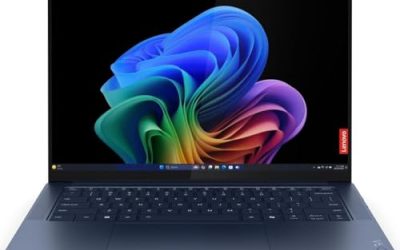
| Lenovo Legion Pro 7i Gen 10 |
| Check price on Amazon |
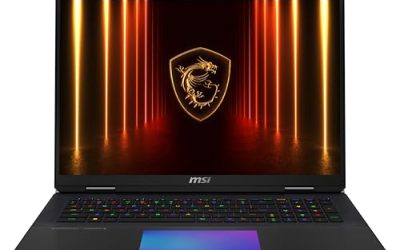
| ASUS ROG Zephyrus G16 (2025) |
| Check price on Amazon |
| MSI Katana 15 HX |
| Check price on Amazon |
 HP Victus 15 |
| Check price on Amazon |
 Lenovo Legion 5 Gen 10 |
| Check price on Amazon |
Lost Ark fills the screen like few other games. A legion raid can put a full party of players, a giant boss, waves of adds, and layers of skill effects in the same arena at once, while a busy city hub crowds dozens of characters into one plaza. A laptop that feels fine in a quiet solo zone can feel very different in those moments, so the hardware underneath matters more here.
The five Windows laptops below range from a flagship 16-inch machine with headroom to spare to lighter picks that still carry a current dedicated graphics chip. Each was chosen for graphics strength, memory, storage room for the large install and its updates, and a screen that keeps the action readable. As an Amazon Associate, we earn from qualifying purchases.
How to Choose a Laptop for Lost Ark
First, one plain fact: the PC version of Lost Ark is Windows-only. There is no Mac version, so every pick here runs Windows, and Mac owners would need a separate Windows machine to play.
Graphics headroom is the first thing to weigh. Raids and world events pile effects on top of each other, and a dedicated graphics chip with its own memory handles that load far better than integrated graphics. The picks here run from an RTX 5060 up to an RTX 5080, and stepping up buys more room for higher settings in the busiest fights.
Storage deserves attention too. Lost Ark is a large install, and regular updates keep adding to it, so a 1TB drive is a sensible floor and 2TB is comfortable if you keep other games beside it. Fast solid-state storage also shortens the many loading screens between zones, islands, and dungeons.
Memory and screen round out the choice. 16GB is the working minimum for the game alongside a browser and voice chat, while 32GB or more leaves generous room for everything at once. A fast refresh panel as listed keeps motion smooth, and a 15.6-inch or 16-inch panel gives the interface and party frames room.
Lenovo Legion Pro 7i Gen 10
- Processor: Intel Core Ultra 9 275HX, 24 cores
- Graphics: NVIDIA GeForce RTX 5080, 16GB GDDR7
- Memory: 64GB DDR5
- Storage: 2TB SSD
The Legion Pro 7i Gen 10 is the flagship pick, built around an Intel Core Ultra 9 275HX with 24 cores and an NVIDIA GeForce RTX 5080 with 16GB of GDDR7 memory. That pairing is the strongest in this guide, aimed at players who run legion raids at high settings and want graphics to be the last thing they think about.
The rest of the configuration matches that ambition. It carries 64GB of DDR5 memory and a 2TB SSD, so the game, its updates, and a library of other titles fit without juggling, and the 16-inch OLED panel runs at 2560×1600 with a 240Hz refresh rate as listed. This is a seller-configured listing, so confirm the page configuration matches the figures below before ordering. At 5.99 pounds it is a desk-first machine running Windows 11 Home.
ASUS ROG Zephyrus G16 (2025)
- Processor: Intel Core Ultra 9 285H
- Graphics: NVIDIA GeForce RTX 5070 Ti, 12GB GDDR7
- Memory: 32GB LPDDR5X
- Storage: 2TB SSD
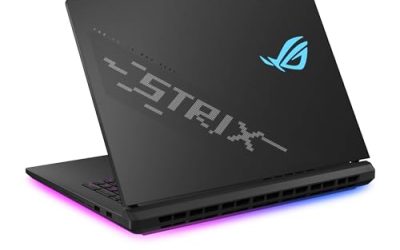
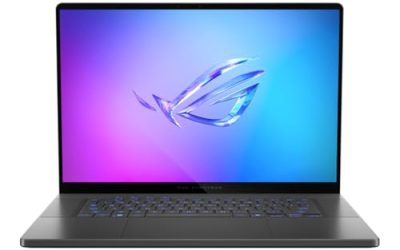
The Zephyrus G16 takes a different route: nearly flagship power in a slim aluminum body weighing only 4.30 pounds. Its Intel Core Ultra 9 285H pairs with an NVIDIA GeForce RTX 5070 Ti with 12GB of GDDR7 memory, a strong match for raid content at native resolution.
That panel is a 16-inch OLED at 2560×1600 with a 240Hz refresh rate and G-SYNC as listed, so screen tearing stays out of fast-moving fights. Inside, 32GB of LPDDR5X memory and a 2TB SSD cover the game and everything around it, and Thunderbolt 4 makes a one-cable desk setup easy. It runs Windows 11 Pro, suiting players who also use the machine for work.
MSI Katana 15 HX
- Processor: Intel Core i9-14900HX, 24 cores, up to 5.8 GHz as listed
- Graphics: NVIDIA GeForce RTX 5070, 8GB GDDR7
- Memory: 32GB DDR5
- Storage: 1TB NVMe SSD
The Katana 15 HX (model B14WGK-016US) leans on raw processor count. Its Intel Core i9-14900HX brings 24 cores and 32 threads, which helps when the game, voice chat, a browser, and background apps all compete during a raid night. The NVIDIA GeForce RTX 5070 with 8GB of GDDR7 memory handles the graphics side.
Its 15.6-inch display runs at 2560×1440 with a 165Hz refresh rate, a sharp, fast combination for ability effects and boss telegraphs. Memory is 32GB of DDR5 and storage is a 1TB NVMe SSD. An RGB keyboard and Windows 11 Home round out a performance-first package.
HP Victus 15
- Processor: AMD Ryzen AI 7 350
- Graphics: NVIDIA GeForce RTX 5060, 8GB GDDR7
- Memory: 32GB DDR5
- Storage: 1TB SSD
The Victus 15 is the accessible entry point in this lineup, and its configuration is sensibly chosen for the game. An AMD Ryzen AI 7 350 processor pairs with an NVIDIA GeForce RTX 5060 with 8GB of GDDR7 memory, while 32GB of DDR5 memory is generous at this level and leaves room for the apps that run beside a raid session.
The 15.6-inch Full HD panel refreshes at 144Hz as listed, which suits the RTX 5060 well, and a 1TB SSD holds the install with room to grow. An RJ-45 Ethernet port allows a wired connection on raid night. This listing bundles a USB-C hub with the laptop, and it runs Windows 11 Home.
Lenovo Legion 5 Gen 10
- Processor: AMD Ryzen 7 260
- Graphics: NVIDIA GeForce RTX 5060, 8GB GDDR7
- Memory: 16GB DDR5-5600, up to 32GB as listed
- Storage: 1TB SSD
The Legion 5 Gen 10 is the pick for players who carry their laptop between home, school, and friends’ places. Its AMD Ryzen 7 260 and NVIDIA GeForce RTX 5060 with 8GB of GDDR7 memory cover the game’s demands, and the machine stays relatively light for a gaming laptop.
The screen is the highlight: a 15.1-inch OLED at 2560×1600 with a 165Hz refresh rate and 500 nits of brightness as listed, so port cities and raid arenas look rich and clear. Memory is 16GB of DDR5 as listed, with support for up to 32GB, and storage is a 1TB SSD. A 24-zone RGB backlit keyboard, an 80Wh battery, and Windows 11 Home complete it.
Comparison Table
| Product | Best for | Key spec |
|---|---|---|
| Lenovo Legion Pro 7i Gen 10 | Maximum headroom for raids | RTX 5080 16GB, 64GB memory |
| ASUS ROG Zephyrus G16 (2025) | Power in a slim body | RTX 5070 Ti, 4.30 lb |
| MSI Katana 15 HX | Many-core multitasking | i9-14900HX, 32GB memory |
| HP Victus 15 | An accessible starting point | RTX 5060, 32GB memory |
| Lenovo Legion 5 Gen 10 | Carrying to play anywhere | 15.1-inch OLED 165Hz |
FAQ
Can I play Lost Ark on a Mac?
No. The PC version of Lost Ark is Windows-only, with no Mac release. Every laptop in this guide runs Windows for that reason.
How much storage does Lost Ark need?
The game is a large install and grows with each update, so plan with headroom rather than the bare minimum. A 1TB SSD is a sensible floor, and the 2TB configurations here leave comfortable room for other titles too.
Is 16GB of memory enough for Lost Ark?
16GB covers the game itself, but raid nights usually add voice chat, a browser, and guides on another tab. 32GB removes the juggling, which is why most picks here carry 32GB or more, and the Legion 5 lists an upgrade path to 32GB.
Conclusion
For Lost Ark, buy graphics headroom first, then storage, then memory. The Legion Pro 7i Gen 10 leads for players who want the busiest raids fully covered, the Zephyrus G16 delivers similar intent in a far lighter body, and the Katana 15 HX, Victus 15, and Legion 5 Gen 10 step down sensibly from there. Any of the five will take you from your first continent to the latest legion raid.
More from Amazon
Programs that pair well with the guide above. Offers and eligibility are set by Amazon and may change.
A free business account with business pricing and bulk-buying tools for work, shop or home office.
Create a business accountFree shipping on eligible items, Prime Video and more. Eligible new members can start with a free trial.
Start a Prime free trialAudiobooks and podcasts to listen to on the go. Eligible new members can start with a free trial.
Try Audible freeAd-free music streaming. Eligible new subscribers can start with a free trial.
Try Music Unlimited freeAs an Amazon Associate we earn from qualifying purchases.
Write Your Review
No reviews yet. Be the first to share your experience!