
Our Short List of 3

- Processor: Apple M4 Pro with 14-core CPU and 20-core GPU
- Memory: 48GB unified memory
- Storage: 1TB SSD
- Display: 14.2-inch Liquid Retina XDR, up to 1600 nits peak brightness as listed

- Processor: Intel Core i9-13950HX vPro, 24 cores, up to 5.5 GHz as listed
- Graphics: NVIDIA RTX 2000 Ada Generation, 8GB GDDR6
- Memory: 64GB LPCAMM2 DDR5
- Storage: 2TB SSD

- Processor: Intel Core i7-13700HX, 16 cores and 24 threads as listed
- Graphics: NVIDIA GeForce RTX 4070, 8GB GDDR6
- Memory: 32GB DDR5
- Storage: 1TB PCIe NVMe SSD
All 3 Picks at a Glance
| Product | Specs | Action |
|---|---|---|
| Apple MacBook Pro 14 (M4 Pro) |
| Check price on Amazon |
| Dell Precision 7680 |
| Check price on Amazon |
| Lenovo Legion Pro 5i Gen 8 |
| Check price on Amazon |
Rhino 3D work asks a lot of a laptop. A single session can move from loose NURBS surface modeling to a dense Grasshopper definition, then into a rendered view for a client check, all without closing the file. The machine has to keep viewports fluid while geometry grows and hold large models in memory at the same time.
The five laptops below were picked for the hardware that matters most: graphics cards with their own memory, fast processors, 32GB of memory or more, quick storage, and screens whose color behavior is described plainly by their makers. As an Amazon Associate, we earn from qualifying purchases.
How to Choose a Laptop for Rhino 3D
Start with the graphics card, and go by the exact name and memory figure printed on the listing. Rhino’s display modes lean on the graphics hardware, and the raytraced viewport benefits from a dedicated card with generous video memory. The Windows picks here list NVIDIA GeForce RTX or RTX Ada cards, while the Apple entry uses the 20-core GPU inside its M4 Pro chip.
The processor drives modeling responsiveness. Much of Rhino’s core geometry work runs on a single thread, so high clock speeds help everyday commands feel instant, while extra cores pay off in rendering and Grasshopper work. Memory is the third pillar: 32GB is the sensible floor for detailed models, and the 48GB and 64GB options below give headroom for dense meshes.
For the screen, trust only what the listing states. One pick lists a 4K OLED touchscreen, another a 400-nit IPS panel, and those printed figures are the honest basis for judging color work. Finally, look at cooling and storage: long renders hold the machine at full load, and project folders fill a drive quickly.
Apple MacBook Pro 14 (M4 Pro)
- Processor: Apple M4 Pro with 14-core CPU and 20-core GPU
- Memory: 48GB unified memory
- Storage: 1TB SSD
- Display: 14.2-inch Liquid Retina XDR, up to 1600 nits peak brightness as listed
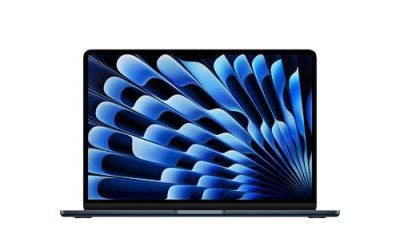
The MacBook Pro 14 pairs Apple’s M4 Pro chip, in the configuration listed here with a 14-core CPU and 20-core GPU, with 48GB of unified memory and a 1TB SSD. Unified memory is shared between processor and graphics, so a large model draws from one deep pool instead of two smaller ones.
Apple lists the 14.2-inch Liquid Retina XDR display with up to 1600 nits of peak brightness, a strong screen for checking materials in rendered views. Rhino runs natively on macOS, so files move between this laptop and a Windows workstation easily. One honest note: a handful of Grasshopper add-ons remain Windows-only, so check your plug-in list first.
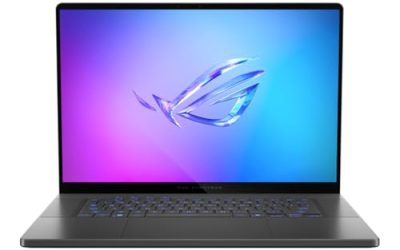
ASUS ProArt P16
The ProArt P16 is built around the screen. Its listing names a 16-inch 4K OLED touchscreen at 3840 x 2400 with 400 nits of brightness and a 500-nit HDR peak, which ASUS describes as delivering precise color accuracy for proofing. For Rhino users who present rendered views straight off the laptop, the display does double duty as canvas and showroom.
Underneath, the listed configuration runs an AMD Ryzen AI 9 HX 370 with 12 cores, an NVIDIA GeForce RTX 4060 with 8GB of GDDR6 memory, 32GB of RAM, and a 2TB SSD. The port mix suits 3D work: the listing names an SD Express 7.0 card reader, HDMI 2.1, and USB4 for reference photos and external monitors.
Specs
- Processor: AMD Ryzen AI 9 HX 370, 12 cores, up to 5.1 GHz as listed
- Graphics: NVIDIA GeForce RTX 4060, 8GB GDDR6
- Memory: 32GB RAM
- Storage: 2TB PCIe SSD
- Display: 16-inch 4K OLED touchscreen, 3840 x 2400, 400 nits as listed
- Ports: SD Express 7.0 card reader, HDMI 2.1, USB4 as listed
- Operating system: Windows 11 Pro
- ASIN: B0DSLGDGB9
Dell Precision 7680
- Processor: Intel Core i9-13950HX vPro, 24 cores, up to 5.5 GHz as listed
- Graphics: NVIDIA RTX 2000 Ada Generation, 8GB GDDR6
- Memory: 64GB LPCAMM2 DDR5
- Storage: 2TB SSD
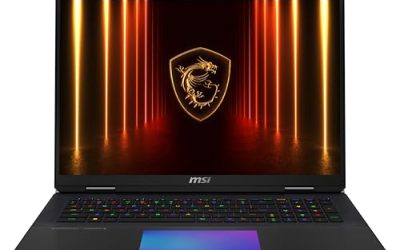
The Precision 7680 is the true workstation entry here, built for modelers whose Rhino files sit alongside engineering tools. The listed configuration runs an Intel Core i9-13950HX vPro processor with 24 cores, an NVIDIA RTX 2000 Ada Generation graphics card with 8GB of GDDR6 memory, 64GB of LPCAMM2 DDR5 memory, and a 2TB SSD. That memory figure is the headline: huge assemblies and supporting applications stay open together.
Dell’s listing details a 16-inch FHD+ display and a 6-cell 83Wh battery. It is a desk-first machine: the larger chassis buys cooling capacity for long renders and room for serious project work.
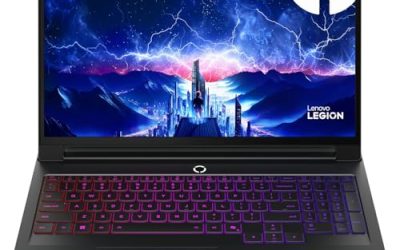
Lenovo Legion Pro 5i Gen 8
- Processor: Intel Core i7-13700HX, 16 cores and 24 threads as listed
- Graphics: NVIDIA GeForce RTX 4070, 8GB GDDR6
- Memory: 32GB DDR5
- Storage: 1TB PCIe NVMe SSD
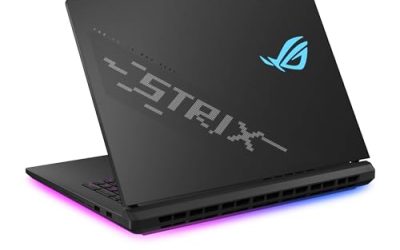
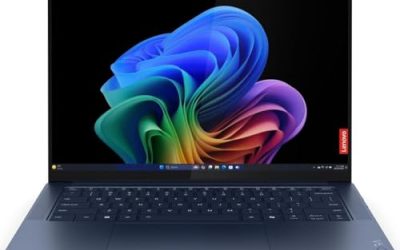
Lenovo’s Legion Pro 5i Gen 8 is the gaming-bred workhorse of this group, and its hardware translates directly to Rhino work. The listing specifies an Intel Core i7-13700HX with 16 cores and 24 threads, an NVIDIA GeForce RTX 4070 with 8GB of GDDR6 memory, 32GB of DDR5 RAM, and a 1TB PCIe NVMe SSD. The RTX 4070 gives the raytraced viewport real muscle, and the HX chip keeps large Grasshopper definitions solving quickly.
The 16-inch WQXGA display runs at 165Hz as listed, which keeps viewport orbiting feeling smooth. The port selection includes USB-C, HDMI, and an RJ-45 Ethernet jack. It ships with Windows 11 Home rather than Pro, worth noting for office deployments, and its gaming styling is bolder than the workstation picks here.
HP ZBook Studio 16 G11
The ZBook Studio 16 G11 is HP’s creator-focused workstation, and the listed configuration pairs an Intel Core Ultra 7 165H vPro processor with an NVIDIA RTX 1000 Ada GPU carrying 6GB of memory, 32GB of DDR5-5600 RAM, and a 1TB SSD. Its graphics sit in NVIDIA’s professional RTX line rather than the gaming line, suiting modelers who split time between design tools.
Its 16-inch display is listed at 2560 x 1600 with an IPS anti-glare panel and 400 nits of brightness, a practical panel for long modeling sessions under office lighting. The listing also names a fingerprint reader and a spill-resistant backlit keyboard. In a slim frame, this is the pick for freelancers who want workstation manners without the bulk.
Specs
- Processor: Intel Core Ultra 7 165H vPro, up to 5.0 GHz as listed
- Graphics: NVIDIA RTX 1000 Ada, 6GB GDDR6
- Memory: 32GB DDR5-5600
- Storage: 1TB PCIe Gen4 NVMe SSD
- Display: 16-inch, 2560 x 1600, IPS anti-glare, 400 nits as listed
- Security: Fingerprint reader as listed
- Operating system: Windows 11 Pro
- ASIN: B0FHJ5NQDN
Comparison Table
| Product | Best for | Key spec |
|---|---|---|
| Apple MacBook Pro 14 (M4 Pro) | Portable power with deep shared memory | 48GB unified memory, 20-core GPU |
| ASUS ProArt P16 | Color-led presenting and proofing | 4K OLED touchscreen, RTX 4060 8GB |
| Dell Precision 7680 | The largest models and multitasking | 64GB LPCAMM2 DDR5, RTX 2000 Ada |
| Lenovo Legion Pro 5i Gen 8 | GPU rendering muscle on a desk setup | RTX 4070 8GB, i7-13700HX |
| HP ZBook Studio 16 G11 | Pro graphics in a slim workstation | RTX 1000 Ada 6GB, 400-nit IPS panel |
FAQ
How much memory does Rhino 3D need on a laptop?
For serious modeling, treat 32GB as the working floor, which is why every Windows pick here lists at least that much. Large models, dense meshes, and Grasshopper definitions with many components all eat memory quickly. If your files are especially heavy, the 48GB MacBook Pro and 64GB Dell Precision give headroom to keep working without splitting models apart.
Does Rhino use the graphics card for rendering?
Yes. Rhino’s raytraced mode and render engine work the graphics hardware hard, and the listings here name the exact chips involved: NVIDIA GeForce RTX and RTX Ada cards in the Windows machines, and a 20-core GPU inside Apple’s M4 Pro. Check the listing for the card name and memory figure, since those shape how large a scene the GPU can hold in a rendered view.
Can a laptop handle long Rhino renders?
It can, provided the cooling keeps up. Long renders hold the processor and graphics chip at full load for extended stretches, so larger designs like the Legion Pro 5i and Precision 7680 suit that workload. Keep vents clear, work on a hard surface, and plug in for final renders.
Conclusion
Match the machine to your heaviest model, not your lightest one. Modelers who travel will lean toward the MacBook Pro 14 or the slim ZBook Studio, presenters should look hard at the ProArt P16 and its 4K OLED screen, and desk-bound users get the most memory and cooling from the Precision 7680.
More from Amazon
Programs that pair well with the guide above. Offers and eligibility are set by Amazon and may change.
A free business account with business pricing and bulk-buying tools for work, shop or home office.
Create a business accountFree shipping on eligible items, Prime Video and more. Eligible new members can start with a free trial.
Start a Prime free trialAudiobooks and podcasts to listen to on the go. Eligible new members can start with a free trial.
Try Audible freeAd-free music streaming. Eligible new subscribers can start with a free trial.
Try Music Unlimited freeAs an Amazon Associate we earn from qualifying purchases.
Write Your Review
No reviews yet. Be the first to share your experience!