
Our Short List of 3

- Processor: Snapdragon X Elite X1E-78-100 (12 cores)
- Graphics: Integrated Qualcomm Adreno GPU
- Memory: 32GB LPDDR5X
- Storage: 1TB SSD

- Processor: AMD Ryzen 7 8840HS
- Graphics: AMD Radeon 780M integrated graphics
- Memory: 16GB LPDDR5X
- Storage: 512GB NVMe PCIe 4.0 SSD

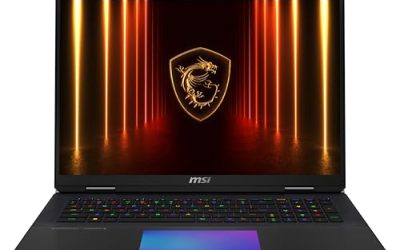
- Processor: AMD Ryzen 7 170 (8 cores, up to 4.75GHz)
- Graphics: NVIDIA GeForce RTX 4050, 6GB GDDR6
- Memory: 16GB DDR5
- Storage: 512GB PCIe SSD
All 3 Picks at a Glance
| Product | Specs | Action |
|---|---|---|
| Lenovo Yoga Slim 7x |
| Check price on Amazon |
| ASUS Zenbook 14 OLED |
| Check price on Amazon |
| Lenovo LOQ 15 |
| Check price on Amazon |
Celeste is a precise, demanding 2D platformer about Madeline, a young woman determined to climb Celeste Mountain one screen at a time. Its hundreds of hand-built rooms mix tight jumps, air dashes, and hazards that punish sloppy inputs, yet the game asks remarkably little from the computer running it. That mismatch is good news: you do not need a bulky gaming rig to enjoy this beloved platformer.
Because the hardware bar sits so low, the best laptop for Celeste is the one that fits the rest of your life. A crisp screen makes the pixel artwork look sharp, a light build travels easily between desk, couch, and train, and strong battery life keeps a climb going unplugged. Every pick below runs the game comfortably, each for a different kind of player, from Mac loyalists to fans of bigger action titles.
As an Amazon Associate, we earn from qualifying purchases.
How to Choose a Laptop for Celeste
Start with the platform. Celeste runs on both Windows and macOS, with native builds for each, so Mac picks are every bit as fair as Windows ones. Choose the operating system you already prefer for work and your wider game library; the game will not force the decision either way.
Next, relax about graphics. Celeste is a lightweight 2D title built for modest hardware, and its store pages list undemanding minimum requirements. Modern integrated graphics, the kind built into current Intel, AMD, and Apple chips, are genuinely enough to play it well. A dedicated graphics card only matters if you also plan to play heavier 3D games on the same machine.
Look instead at the screen, the weight, and the battery. The hand-drawn artwork rewards a sharp, bright panel, and higher resolution keeps the pixel art looking clean. A light chassis suits short sessions around the house. Battery figures need care, though: makers test under their own gentle conditions, so treat headline numbers as best-case claims rather than promises, and expect real climbs to land below them. Finally, any recent solid-state drive loads rooms quickly, and a Bluetooth controller pairs easily with every pick.
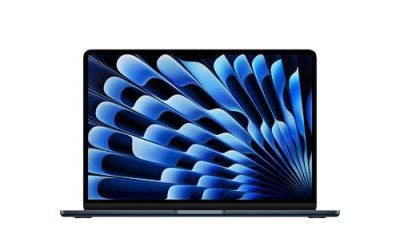
Apple MacBook Air 13 (M4)
The MacBook Air is the natural starting point for Mac players. Celeste has a native macOS build, so the game runs directly on Apple silicon with no translation layer, and the M4 chip treats this featherweight title as light exercise. The fanless design also means total silence during tense late-night attempts at a stubborn room.
At roughly 2.7 pounds, the Air slips into a bag and disappears, suiting a game built around short, repeatable sessions. The 13.6-inch Liquid Retina screen renders the snowy artwork with rich color, and Apple quotes up to 18 hours of battery life, a maker figure measured under gentle conditions. Expect less in actual play, but still plenty for a long evening of climbing.
Specs
- Processor: Apple M4 chip
- Graphics: Integrated Apple GPU
- Memory: 32GB unified memory
- Storage: Solid-state drive
- Display: 13.6-inch Liquid Retina (2560 x 1664)
- Battery: Up to 18 hours (maker claim)
- Weight: About 2.7 pounds
- Operating System: macOS
- ASIN: B0FZLRD8T5
Dell XPS 13 9350
Dell’s XPS 13 9350 is the Windows counterpart to the Air: a compact aluminum ultraportable built around Intel’s Core Ultra 7 258V. Its Arc 140V integrated graphics are far stronger than this game requires, so Celeste feels effortless while the machine stays slim and quiet. The 120Hz FHD+ screen also keeps motion looking smooth during fast dash sequences.
Battery is the headline. Dell quotes up to 26 hours for the FHD+ configuration under its own lab conditions, a maker claim rather than a guarantee, but even a healthy slice of that figure covers days of short sessions. The trade-offs are the two-port design and soldered memory, so choose your configuration carefully.
Specs
- Processor: Intel Core Ultra 7 258V
- Graphics: Intel Arc 140V integrated graphics
- Memory: 32GB LPDDR5x
- Storage: 1TB PCIe SSD
- Display: 13.4-inch FHD+ (1920 x 1200), 120Hz, 500 nits
- Battery: 55Wh; up to 26 hours (maker claim)
- Ports: 2x Thunderbolt 4 (USB-C)
- Operating System: Windows 11 Pro
- ASIN: B0H5TKFRVM
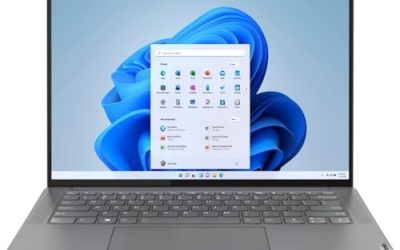
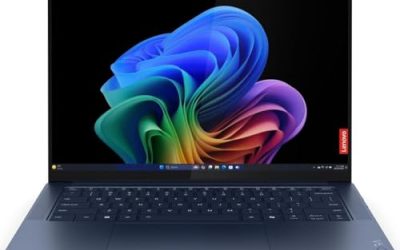
Lenovo Yoga Slim 7x
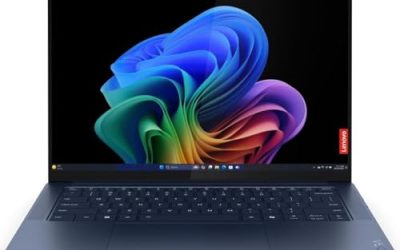
- Processor: Snapdragon X Elite X1E-78-100 (12 cores)
- Graphics: Integrated Qualcomm Adreno GPU
- Memory: 32GB LPDDR5X
- Storage: 1TB SSD
The Yoga Slim 7x tempts with the prettiest screen in this roundup, a 14.5-inch 3K OLED touch panel that makes Celeste’s painted skies and caverns glow. Its Snapdragon X Elite chip is efficient and quick for everyday work, and at only 2.82 pounds it travels as easily as the Air.
One honest caution matters here. This is a Windows on ARM laptop, and Celeste’s Windows build was written for traditional x86 machines, so compatibility runs through a translation layer and can change with updates. Check the game’s current ARM guidance and recent player reports before buying this one for Celeste, and favor the other picks if certainty matters most.
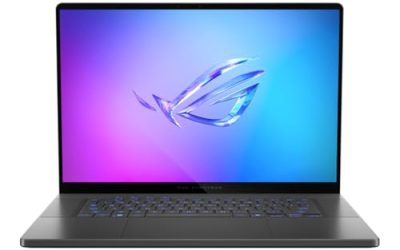
ASUS Zenbook 14 OLED
- Processor: AMD Ryzen 7 8840HS
- Graphics: AMD Radeon 780M integrated graphics
- Memory: 16GB LPDDR5X
- Storage: 512GB NVMe PCIe 4.0 SSD
The Zenbook 14 OLED pairs a Ryzen 7 8840HS with Radeon 780M integrated graphics, generous headroom for a 2D platformer and enough muscle for photo editing or heavier indie games afterward. Its 14-inch OLED touchscreen delivers deep blacks that flatter the game’s shadowy caves, all in a Jade Black shell that weighs about 2.65 pounds.
A 75Wh battery sits inside, and ASUS quotes up to 15 hours of video playback from it, a maker figure gathered under light use rather than gameplay. Port selection is a quiet strength, with USB4, HDMI 2.1, and a USB-A socket for older controllers, making this the easiest pick to live with as an only computer.
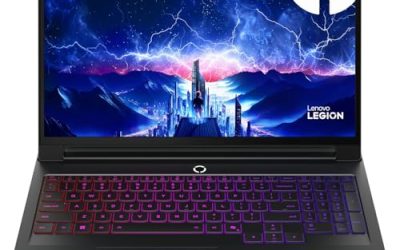
Lenovo LOQ 15
- Processor: AMD Ryzen 7 170 (8 cores, up to 4.75GHz)
- Graphics: NVIDIA GeForce RTX 4050, 6GB GDDR6
- Memory: 16GB DDR5
- Storage: 512GB PCIe SSD
The LOQ 15 is the outlier here: a full gaming laptop with a Ryzen 7 170 and a dedicated RTX 4050 graphics card. Celeste barely warms it up, so buy this one only if your library also includes modern 3D titles that genuinely need the extra hardware. In return you get a big 15.6-inch screen with a 144Hz refresh rate.
That larger panel makes the tiny sprite work easy to read, and the full-size keyboard with numeric keypad suits players who split time between games and spreadsheets. The trade for the power is bulk, at roughly 5.3 pounds, plus fan noise under load in heavier games. For a desk-bound player who wants one machine for everything, it covers the widest ground.
Comparison Table
| Product | Best for | Key spec |
|---|---|---|
| Apple MacBook Air 13 (M4) | Mac players and travelers | Apple M4 chip in a fanless 2.7 lb build |
| Dell XPS 13 9350 | Windows battery life | 13.4-inch FHD+ 120Hz screen; up to 26 hours (maker claim) |
| Lenovo Yoga Slim 7x | Screen quality | 14.5-inch 3K OLED touch display |
| ASUS Zenbook 14 OLED | All-round daily use | Ryzen 7 8840HS with Radeon 780M graphics |
| Lenovo LOQ 15 | Players with bigger libraries | RTX 4050 dedicated graphics, 144Hz display |
FAQ
Does Celeste run on Mac laptops?
Yes. The game has a native macOS version, and Apple silicon machines like the MacBook Air above run it directly on the hardware. Save files and progress carry the same structure as the Windows edition, so switching platforms later is painless.
Do I need a dedicated graphics card for Celeste?
No. It was designed for modest hardware, and current integrated graphics from Intel, AMD, and Apple handle it comfortably. A dedicated card only earns its keep if you also play demanding 3D games on the same laptop.
Will Celeste work on a Snapdragon Windows laptop?
It can, but check first. Snapdragon machines run Windows on ARM, while the game’s Windows build targets x86 hardware, so it relies on translation whose support can shift with updates. Check the game’s current ARM guidance and recent player reports before choosing one.
Conclusion
Celeste rewards patience and precision, not expensive hardware. Pick the MacBook Air for silent portability, the XPS 13 for Windows endurance, or the LOQ 15 if your library reaches far beyond one mountain, and start climbing.
More from Amazon
Programs that pair well with the guide above. Offers and eligibility are set by Amazon and may change.
A free business account with business pricing and bulk-buying tools for work, shop or home office.
Create a business accountFree shipping on eligible items, Prime Video and more. Eligible new members can start with a free trial.
Start a Prime free trialAudiobooks and podcasts to listen to on the go. Eligible new members can start with a free trial.
Try Audible freeAd-free music streaming. Eligible new subscribers can start with a free trial.
Try Music Unlimited freeAs an Amazon Associate we earn from qualifying purchases.
Write Your Review
No reviews yet. Be the first to share your experience!