
Our Short List of 3

- Best for: Buyers choosing one powerful laptop for a whole library, who want the finest screen of the five for text-heavy strategy games.
- Processor: AMD Ryzen 7 260, 3.80 GHz up to 5.10 GHz
- Graphics: NVIDIA GeForce RTX 5060 Laptop GPU, 8 GB GDDR7
- Memory: 16 GB DDR5-5600 SODIMM, expandable to 32 GB
- Storage: 1 TB SSD M.2 2242 PCIe Gen4 TLC

- Best for: Players who also run demanding action titles and want memory and storage upgrades available down the line.
- Processor: Intel Core i9-13900H
- Graphics: NVIDIA GeForce RTX 4060 Laptop GPU
- Memory: 16 GB DDR5, two slots, maximum 32 GB
- Storage: 1 TB PCIe Gen 4 SSD, two M.2 slots

- Best for: Players who travel light and want a premium 14-inch OLED laptop for work and turn-based games alike.
- Processor: AMD Ryzen 7 8840HS, up to 5.1 GHz
- Graphics: Integrated AMD Radeon 780M
- Memory: 16 GB LPDDR5X RAM
- Storage: 512 GB M.2 NVMe PCIe 4.0 SSD
All 3 Picks at a Glance
| Product | Specs | Action |
|---|---|---|
| Lenovo Legion 5 Gen 10 |
| Check price on Amazon |
| Acer Nitro V 15 |
| Check price on Amazon |
| ASUS Zenbook 14 OLED |
| Check price on Amazon |
Trials of Fire asks very little of a laptop on paper, yet its published block leaves one big question open: the minimum names a DX11 dedicated graphics card, while the recommended tier prints nothing beyond the 64-bit preamble. The real decision is whether to match that modest floor with a light machine or to buy dedicated graphics headroom anyway, because no higher published bar exists to aim at.
This guide is for players of Whatboy Games’ tactical deck-building roguelite who are choosing a Windows laptop for the ruined wasteland of Ashe. Every pick below clears the published minimum by a wide margin, and the five were chosen from the processor, memory, graphics and display lines printed on their own product pages. One further point before the picks: Steam sells this game for Windows only, with no Mac or Linux edition, so every machine here runs Windows.
Quick Picks
As an Amazon Associate we earn from qualifying purchases
| Product | Best for | Key spec from title |
|---|---|---|
| HP Victus 15 | A dedicated card and generous memory in one gaming chassis | Radeon RX 6550M 4GB GDDR6 |
| Lenovo Legion 5 Gen 10 | The strongest graphics and sharpest screen of the five | RTX 5060 8GB GDDR7 |
| Acer Nitro V 15 | A high-refresh panel with room to grow inside | RTX 4060 Laptop GPU |
| MSI Katana 15 | A straightforward mid-range card with a terabyte of storage | RTX 4050 6GB GDDR6 |
| ASUS Zenbook 14 OLED | Carrying the game in a slim 14-inch OLED machine | Integrated Radeon 780M |
How to Choose
Read the Minimum Block Literally
The published minimum is the only complete tier Steam prints: OS “Windows 7/8/10 64-bit”, processor “Core:i5 2.8 Ghz” with the missing space after “Core:” exactly as the page shows it, memory “4 GB RAM”, graphics “Nvidia GTX 660 or AMD Radeon HD 7870 equivalent DX11 GPU”, storage “3 GB available space”, and an Additional Notes line reading “64-bit OS only”. Treat those six lines as the whole contract. Anything a store page, forum post or video adds beyond them is not part of what the developer published, so judge each laptop against the lines above and nothing else.
Treat the Empty Recommended Tier as a Stop Sign
The recommended tier on the Steam page prints only the line “Requires a 64-bit processor and operating system” and nothing else: no processor, no memory figure, no graphics card, no storage figure. That shape matters because it removes the usual reason to overspend. With no higher published target, a buyer cannot point to a recommended graphics card and justify a bigger machine for this game alone. The sensible move is to clear the minimum comfortably, then let screen quality, keyboard feel and the rest of your library decide how far up the range you go.
Decide How Much the DX11 Line Matters to You
The one demanding word in the minimum is “dedicated”: the graphics line names two desktop cards from a decade ago and calls for an equivalent DX11 GPU. Four picks here carry dedicated laptop cards that sit far beyond that class. The fifth, the Zenbook, relies on integrated Radeon 780M graphics, which support DX11 as a technology but share system memory instead of using their own. If you want the published wording matched in kind, pick a dedicated card. If portability matters more and you accept that one honest compromise, the Zenbook section explains the trade in full.
Check the Operating System and the Install Size
Two smaller lines catch buyers out. The Additional Notes line insists on a 64-bit OS only, and every pick here ships with a 64-bit Windows 11 edition, so that box is ticked. The Steam page also carries a footnote saying the Steam Client itself supports only Windows 10 and later, which makes the older Windows 7 and 8 names in the minimum unusable in practice. Storage is the easy part: the game needs “3 GB available space”, a figure every SSD below exceeds many times over, leaving room for the rest of a library beside it.
The 5 Best Options
HP Victus 15
This Victus pairs a six-core Ryzen 5 7535HS with a dedicated Radeon RX 6550M, so it answers the published graphics line in kind rather than by approximation. Its 32 GB of DDR5 memory is eight times the published 4 GB figure, and the 1 TB SSD swallows the 3 GB install without thought. The 144Hz anti-glare panel suits long sessions of reading cards and planning movement across the overworld map. For a buyer who wants one gaming chassis that covers this game and heavier titles besides, this is the balanced route in.
Specs
- Processor: AMD Ryzen 5 7535HS, 6 cores and 12 threads, up to 4.55 GHz
- Graphics: AMD Radeon RX 6550M with 4 GB GDDR6 dedicated memory
- Memory: 32 GB DDR5 RAM
- Storage: 1 TB NVMe SSD
- Display: 15.6-inch FHD 144Hz IPS anti-glare
- Operating system: Windows 11 Pro
- Connectivity: Wi-Fi 6, HDMI, backlit keyboard with numeric pad
- Colour and weight: Mica Silver, 5.06 lb
Best for: Players who want a dedicated graphics card, ample memory and a high-refresh screen in a single mid-size gaming laptop.
Watch out for: This configuration is a seller-upgraded unit, with the listing describing the 32 GB memory and 1 TB drive as upgrades fitted before shipping; confirm the exact specification on the product page before ordering.
ASIN: B0DK1JHG13
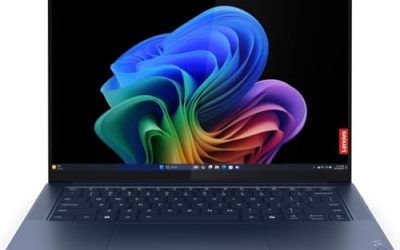
Lenovo Legion 5 Gen 10
- Best for: Buyers choosing one powerful laptop for a whole library, who want the finest screen of the five for text-heavy strategy games.
- Processor: AMD Ryzen 7 260, 3.80 GHz up to 5.10 GHz
- Graphics: NVIDIA GeForce RTX 5060 Laptop GPU, 8 GB GDDR7
- Memory: 16 GB DDR5-5600 SODIMM, expandable to 32 GB
- Storage: 1 TB SSD M.2 2242 PCIe Gen4 TLC
Buyers choosing one powerful laptop for a whole library, who want the finest screen of the five for text-heavy strategy games.
The listing’s technical table prints an item weight of 7.09 pounds, which reads as a packaged figure rather than the machine itself; check the weight that matters to you on the page before ordering.
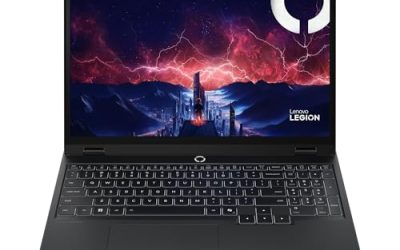
The Legion is the overpowered option, and it knows it. Its Ryzen 7 260 and RTX 5060 Laptop GPU with 8 GB of GDDR7 memory sit generations beyond the GTX 660 class named in the minimum, while 16 GB of DDR5-5600 memory quadruples the published figure. What justifies it here is not this game but everything around it: the 15.1-inch WQXGA OLED panel at 2560×1600 with 500 nits makes the hand-drawn art and dense card text look superb, and USB4 plus HDMI 2.1 cover desk setups. Buy it as a long-term machine, not as a Trials of Fire requirement.
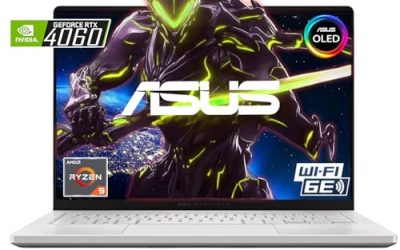
Acer Nitro V 15
- Best for: Players who also run demanding action titles and want memory and storage upgrades available down the line.
- Processor: Intel Core i9-13900H
- Graphics: NVIDIA GeForce RTX 4060 Laptop GPU
- Memory: 16 GB DDR5, two slots, maximum 32 GB
- Storage: 1 TB PCIe Gen 4 SSD, two M.2 slots
Players who also run demanding action titles and want memory and storage upgrades available down the line.
One paragraph of the listing text drifts into describing a Nitro V 16; confirm the model code ANV15-51-99XD on the page so the 15.6-inch machine described in the specification table is the one you order.
The Nitro V 15 brings a Core i9-13900H and an RTX 4060 Laptop GPU to a game whose minimum asks for a Core i5-class chip and a GTX 660, so the published bar is cleared with room to spare in every line. Its 180Hz IPS panel is the fastest screen in this roundup, and the chassis leaves doors open later: two memory slots accept up to 32 GB and two M.2 slots accept a second drive. Thunderbolt 4 adds a single-cable desk option. It suits a buyer who plays faster games too and values upgrade paths.
MSI Katana 15
The Katana is the plainest match to the brief: a Core i7-13620H, an RTX 4050 with 6 GB of GDDR6 memory, 16 GB of DDR5-4800 and a 1 TB NVMe SSD behind a 15.6-inch Full HD IPS 144Hz screen. Every published minimum line is beaten several times over, with no unusual features to weigh and no missing pieces to work around. For someone who wants a conventional gaming laptop that runs this deck-builder and similar strategy titles without fuss, the Katana keeps the decision simple and the specification sheet easy to verify line by line.
Specs
- Processor: Intel Core i7-13620H
- Graphics: NVIDIA GeForce RTX 4050, 6 GB GDDR6 per the listing bullet text
- Memory: 16 GB DDR5-4800 RAM
- Storage: 1 TB NVMe SSD
- Display: 15.6-inch Full HD IPS 144Hz
- Ports: USB Type-C, Windows 11 Home
- Model: Katana 15 B13VEK-277US, Black
- Operating system: Windows 11 Home
Best for: Buyers who want a no-drama gaming laptop whose headline parts each map cleanly onto the game’s published minimum.
Watch out for: The listing disagrees with itself on graphics memory: the bullet text says 6 GB GDDR6 while the technical table prints a graphics card ram size of 16 GB. Go by the bullet figure and confirm on the page before ordering.
ASIN: B0BZBN3857
ASUS Zenbook 14 OLED
- Best for: Players who travel light and want a premium 14-inch OLED laptop for work and turn-based games alike.
- Processor: AMD Ryzen 7 8840HS, up to 5.1 GHz
- Graphics: Integrated AMD Radeon 780M
- Memory: 16 GB LPDDR5X RAM
- Storage: 512 GB M.2 NVMe PCIe 4.0 SSD
Players who travel light and want a premium 14-inch OLED laptop for work and turn-based games alike.
The integrated graphics share system memory rather than carrying a dedicated pool, so this pick does not match the published dedicated-card line in kind; if that wording matters to you, choose one of the four dedicated-card machines instead.
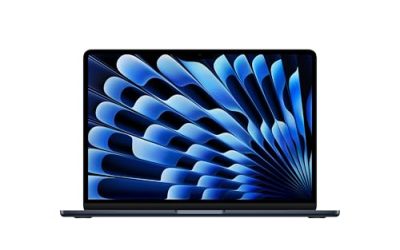
The Zenbook is the honest exception in this list. Its Ryzen 7 8840HS and 16 GB of LPDDR5X memory beat the processor and memory lines easily, and its 512 GB SSD ignores the 3 GB install size. The compromise is graphics: the Radeon 780M is integrated, sharing system memory, while the published line calls for a dedicated DX11 card of the GTX 660 class. The 780M supports the DX11 technology the game names, yet it is not the same kind of hardware, so choose this only if the slim 14-inch OLED build matters more than matching the wording exactly.
Which One Fits Your Situation
You Play Mostly Turn-Based and Card Games
Pick the HP Victus 15. Its dedicated RX 6550M matches the published graphics line in kind, the 32 GB of memory keeps a browser, a guide and the game open together, and the 144Hz panel keeps overworld movement feeling crisp during long evening sessions in Ashe with all three heroes on screen.
You Want One Laptop for Every Genre You Own
Pick the Lenovo Legion 5 Gen 10. Nothing in this game’s block justifies its RTX 5060 on its own, but across a mixed library the OLED WQXGA screen, USB4 port and strong processor make it the machine you keep longest, and Trials of Fire simply comes along for the ride.
Your Desk Has One Cable for Everything
Pick the Acer Nitro V 15. Thunderbolt 4 lets a single cable carry display and data at a desk, its second M.2 slot and spare memory capacity give the machine a future, and the 180Hz screen serves the faster titles you play between deck-building runs across the ruined wasteland.
You Want the Game on the Train, Not at a Desk
Pick the ASUS Zenbook 14 OLED. It is the only 14-inch machine here, its OLED panel flatters the game’s art, and its processor and memory clear the published lines easily. Accept the integrated-graphics compromise knowingly, or take the Victus if the dedicated-card wording is a hard line for you.
Common Mistakes
- Hunting for a recommended specification that does not exist: the recommended tier prints only the 64-bit preamble, so any fuller list you find elsewhere was not published by the developer.
- Assuming a Mac or Linux version exists because other indie games have one: Steam lists Windows only for this title, with no Mac or Linux requirements block at all.
- Correcting the processor line in your notes and then searching for the wrong chip: the page prints “Core:i5 2.8 Ghz” with no space after “Core:”, and that odd spelling is the developer’s own.
- Buying a huge drive for this game: the published storage line is “3 GB available space”, so capacity should be chosen for the rest of your library, not for Ashe.
- Treating integrated graphics as identical to the dedicated card the minimum names: the technology overlaps, but shared memory and a dedicated pool are different hardware, as the Zenbook section states plainly.
Frequently Asked Questions
Is Trials of Fire available for Mac or Linux?
No. The Steam page publishes a Windows requirements block only, and no Mac or Linux block appears beside it. The game left Early Access and reached its full release in 2021 as a Windows title, so plan on a Windows laptop such as the five above rather than waiting for another edition.
Why does the recommended tier list almost nothing?
Because that is how the developer published it. The recommended section repeats the single line “Requires a 64-bit processor and operating system” and adds no processor, memory, graphics or storage figures. Read it as an absence of guidance, not as a hidden specification, and let the complete minimum tier drive your choice instead.
Can a laptop with integrated graphics run this game?
The published minimum names a dedicated DX11 card of the GTX 660 or HD 7870 class, so integrated graphics sit outside the letter of that line. Modern integrated parts such as the Zenbook’s Radeon 780M support DX11, yet they share system memory. If matching the published wording exactly matters, choose a dedicated-card pick from this list.
Is this the same game as Trials Fusion?
No. Trials of Fire is a tactical deck-building roguelite from Whatboy Games, where a party of three heroes crosses the wasteland of Ashe building decks as they go. Trials Fusion is a motorcycle stunt game from a different studio. The shared first word is the whole connection, so check the title page carefully before buying either one.
More from Amazon
Programs that pair well with the guide above. Offers and eligibility are set by Amazon and may change.
A free business account with business pricing and bulk-buying tools for work, shop or home office.
Create a business accountFree shipping on eligible items, Prime Video and more. Eligible new members can start with a free trial.
Start a Prime free trialAudiobooks and podcasts to listen to on the go. Eligible new members can start with a free trial.
Try Audible freeAd-free music streaming. Eligible new subscribers can start with a free trial.
Try Music Unlimited freeAs an Amazon Associate we earn from qualifying purchases.



Write Your Review
No reviews yet. Be the first to share your experience!