
Our Short List of 3

- Best for: Mac players who want the native edition in the lightest package here.
- Apple M4 chip
- 16GB unified memory
- 256GB SSD storage
- 13.6-inch Liquid Retina display

- Best for: Mac players who play mostly in one place and want the bigger screen for the map.
- Apple M4 chip
- 16GB unified memory
- 512GB SSD storage
- 15.3-inch Liquid Retina display

- Best for: Windows players who want a premium screen and long battery life and accept the translation-layer note.
- Snapdragon X Elite X1E-78-100, 12 cores, up to 3.4 GHz
- Integrated Qualcomm Adreno graphics
- 32GB LPDDR5X memory, soldered
- 1TB SSD, M.2 2242 PCIe Gen4
All 4 Picks at a Glance
| Product | Specs | Action |
|---|---|---|
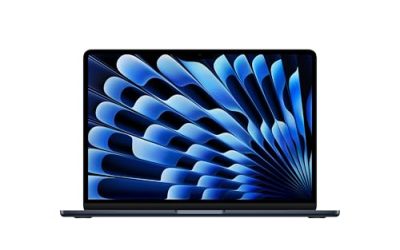
| Apple MacBook Air 13 M4 |
| Check price on Amazon |
| Apple MacBook Air 15 M4 |
| Check price on Amazon |
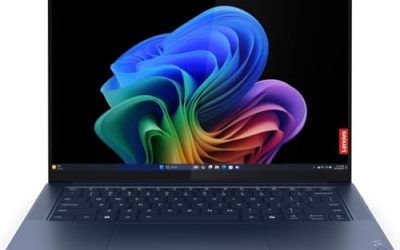
| Lenovo Yoga Slim 7x |
| Check price on Amazon |
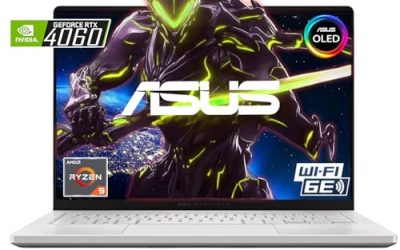
 ASUS Zenbook 14 OLED |
| Check price on Amazon |
Rebel Inc: Escalation asks very little of a laptop on paper: the Windows minimum names a dual-core processor, 2 GB of memory and integrated Intel HD Graphics 530, and the game needs 2 GB of storage. The real decision is not power but platform. The Mac edition requires macOS 12 Monterey or later, so an older Intel MacBook that cannot update past an earlier system is shut out, while every laptop in this guide clears the published hardware lines with room to spare.
This guide serves three kinds of buyer: Mac players who want the native edition, Windows players who want a light everyday machine, and players who want one laptop that also handles heavier games. The picks are the MacBook Air 13 and 15 with the M4 chip and 16GB of unified memory, the Lenovo Yoga Slim 7x with its Snapdragon X Elite and 3K OLED touch display, the ASUS Zenbook 14 OLED with a Ryzen 7 8840HS, and the HP Victus 15 with dedicated Radeon graphics.
Quick Picks
As an Amazon Associate we earn from qualifying purchases
| Product | Best for | Key spec from title |
|---|---|---|
| Apple MacBook Air 13 M4 | Mac players who carry their laptop every day | M4 chip with 16GB unified memory |
| Apple MacBook Air 15 M4 | Mac players who want a larger map view | 15.3-inch Liquid Retina display |
| Lenovo Yoga Slim 7x | Windows players who put screen and battery first | 14.5-inch 3K OLED touch display |
| ASUS Zenbook 14 OLED | Windows players wanting a light all-rounder | Ryzen 7 8840HS with 16GB memory |
| HP Victus 15 | Players who also run much heavier games | Radeon RX 6550M dedicated graphics |
How to Choose
Start With the Edition You Will Actually Play
Rebel Inc: Escalation ships in two editions, and they do not overlap. The Windows edition needs Windows 10 64-bit at minimum. The Mac edition needs macOS 12 Monterey or later, and there is no Linux edition at all. That single fact decides the shortlist before any hardware is compared. A Mac buyer should confirm the machine runs a current macOS, which every Apple silicon laptop does. A Windows buyer should note that one pick below, the Yoga Slim 7x, runs Windows on an ARM chip rather than the x86 processors the publisher’s requirement lines describe, which changes how the game runs on it.
Read Both Memory Lines, Not Just the Smaller One
The two editions publish different memory figures, and reading only one of them misleads. The Windows minimum asks for 2 GB of RAM and the recommended line asks for 4 GB. The Mac edition starts higher: 4 GB at minimum and 8 GB recommended. Every laptop in this guide carries at least 16 GB, so all five sit at double the highest recommended figure or beyond. Memory is therefore not the deciding factor for this game alone, but it matters for everything else the laptop does, from browser tabs during a long campaign to the other programs a buyer keeps open alongside the game.
Treat Integrated Graphics as the Published Baseline
The publisher’s own minimum lines name integrated graphics outright. On Windows, the minimum lists the Intel HD Graphics 530 alongside two entry-level dedicated cards, the GeForce GT 630 and Radeon HD 6670. On Mac, both tiers name integrated Intel Iris parts. So an integrated GPU is not a compromise here; it is the baseline the requirements were written around. The honest caveat runs the other way: the recommended Windows line names a dedicated GeForce GTX 660 or Radeon R9 270X, and integrated graphics such as the Zenbook’s Radeon 780M share system memory rather than carrying their own, so they should not be presented as the same thing as a dedicated card for other games.
Weigh the Rest of the Machine, Because the Game Is Tiny
The install needs 2 GB of storage, a figure every SSD in this guide passes many times over. Once the requirement lines are cleared this easily, the sensible way to choose is by the machine itself. Screen size decides how much of the region map is visible at once, which matters in a game spent reading zones and menus. Weight decides whether the laptop travels or stays on one desk. Battery capacity decides how long a session lasts away from a socket. Those everyday qualities, not the requirement block, are what separate the five picks below.
The 5 Best Options
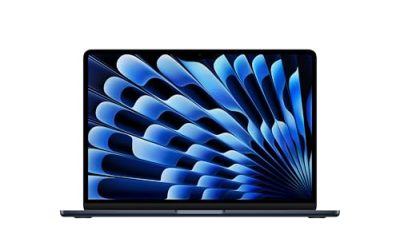
Apple MacBook Air 13 M4
- Best for: Mac players who want the native edition in the lightest package here.
- Apple M4 chip
- 16GB unified memory
- 256GB SSD storage
- 13.6-inch Liquid Retina display
Mac players who want the native edition in the lightest package here.
the 256GB SSD is the smallest storage in this guide and neither memory nor storage can be changed after purchase, so confirm the listing shows model MW123LL/A with 16GB and 256GB selected before ordering.
This is the straightforward native route. The Mac edition of Rebel Inc: Escalation requires macOS 12 or later, and the M4 Air runs a current macOS well past that floor. Its 16GB of unified memory doubles the Mac recommended line of 8 GB, and the 256GB SSD holds the 2 GB install without any planning. At 2.73 pounds it is the lightest machine here, which suits players who move between rooms or carry the laptop all day. The 13.6-inch Liquid Retina display keeps the region map and its menus sharp, and the fanless design stays silent through long, slow campaign sessions.
Apple MacBook Air 15 M4
- Best for: Mac players who play mostly in one place and want the bigger screen for the map.
- Apple M4 chip
- 16GB unified memory
- 512GB SSD storage
- 15.3-inch Liquid Retina display
Mac players who play mostly in one place and want the bigger screen for the map.
this laptop’s page family also covers 24GB memory and other storage sizes under near-identical titles, so check that the listing in front of you shows 16GB of memory and a 512GB SSD in Midnight before ordering.
The 15-inch Air runs the same native Mac edition on the same M4 chip, and the differences are the ones that matter during play: a 15.3-inch Liquid Retina display and a 512GB SSD. Rebel Inc is a map-and-menus game, and the larger panel shows more of the region at once with less zooming in and out. The 16GB of unified memory again doubles the Mac recommended figure, and the listing states up to 18 hours of battery life, which covers long sessions away from a desk. It stays fanless and silent, like the 13-inch model, while giving the strategy view more room.
Lenovo Yoga Slim 7x
- Best for: Windows players who want a premium screen and long battery life and accept the translation-layer note.
- Snapdragon X Elite X1E-78-100, 12 cores, up to 3.4 GHz
- Integrated Qualcomm Adreno graphics
- 32GB LPDDR5X memory, soldered
- 1TB SSD, M.2 2242 PCIe Gen4
Windows players who want a premium screen and long battery life and accept the translation-layer note.
the memory is soldered and the ARM chip means other Windows programs also run translated or need ARM versions, so confirm the listing shows the 32GB and 1TB configuration, since near-identical titles cover 16GB versions.
The Yoga Slim 7x is the Windows pick with the strongest screen and the one honest caveat here. Its Snapdragon X Elite is an ARM processor, so it plays the Windows edition through the Windows translation layer rather than natively, and it cannot run the Mac edition at all. In short, this is a translated Windows experience, not a native one. What the machine offers in return is a 14.5-inch 3K OLED touch display at 2944 x 1840, 32GB of memory, a 1TB SSD and a 70Wh battery in a 2.82-pound body, a generous amount of hardware for a game whose recommended memory line is 4 GB.
ASUS Zenbook 14 OLED
- Best for: Windows players who want native x86 running in a slim, light everyday laptop.
- AMD Ryzen 7 8840HS, up to 5.1 GHz
- Integrated AMD Radeon 780M graphics
- 16GB LPDDR5X memory
- 512GB M.2 NVMe PCIe 4.0 SSD
Windows players who want native x86 running in a slim, light everyday laptop.
integrated graphics share system memory, so heavier games in a buyer’s library will not see dedicated-card behaviour from this machine; confirm the model number UM3406HA-WS74T on the listing before ordering.
The Zenbook is the conventional Windows route: an x86 Ryzen 7 8840HS, so the Windows edition runs natively with no translation layer involved. Its Radeon 780M graphics are integrated and share the 16GB of system memory rather than holding a separate pool, and that should be framed honestly. It is not the equal of the dedicated card in the Victus below, and this guide does not present it as one. Against this particular game it sits comfortably: the publisher’s Windows minimum itself names integrated Intel HD Graphics 530. The 14-inch WUXGA OLED touchscreen, Wi-Fi 6E and 512GB SSD round out a light, general-purpose machine.
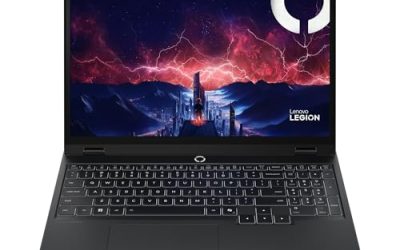
HP Victus 15
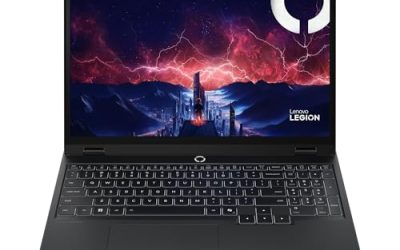
The Victus is the pick for buyers whose library extends well past this game. Its Radeon RX 6550M is a dedicated graphics card with its own 4 GB of GDDR6 memory, which puts it in a different class from every integrated solution above and lines up with the kind of hardware the publisher’s recommended tier describes. The configuration used here pairs it with a six-core Ryzen 5 7535HS, 32GB of DDR5 memory and a 1TB SSD, on a 15.6-inch Full HD screen with a 144Hz refresh rate. At 5.06 pounds it is the heaviest laptop here, so it suits a fixed desk rather than a daily carry.
Specs
- AMD Ryzen 5 7535HS, 6 cores, up to 4.55 GHz
- AMD Radeon RX 6550M graphics, 4 GB GDDR6 dedicated
- 32GB DDR5 memory
- 1TB NVMe SSD
- 15.6-inch Full HD display, 144Hz, IPS, anti-glare
- Windows 11 Pro
- Color: Mica Silver
- Weight: 5.06 pounds
Best for: Players who want one machine for Rebel Inc and for far more demanding games besides.
Watch out for: this listing is a seller-upgraded configuration, with the memory and storage raised from the base build and the box opened to fit them, so read the exact configuration on the page carefully and confirm it matches the specification list above before ordering.
ASIN: B0DK1JHG13
Which One Fits Your Situation
You Play on a Mac and Want No Fuss
Choose one of the two Airs. Both run the native Mac edition on a current macOS, and both carry double the recommended memory. The 13-inch model is the one to carry around; the 15-inch model is the one to sit with, because its larger display shows more of the region map at once. Neither needs any workaround, translation layer or second operating system, which makes them the simplest purchases in this guide for a Mac household.
You Travel With Your Laptop Most Days
The MacBook Air 13 is the lightest machine here at 2.73 pounds, and the Yoga Slim 7x is close behind at 2.82 pounds with a 70Wh battery and a 1TB SSD. Pick the Air if you are in the Mac edition’s camp. Pick the Yoga if you are a Windows user who values the OLED screen and storage, while accepting that the game runs through the translation layer on its ARM chip rather than natively.
You Want One Windows Laptop for Work and Play
The Zenbook 14 OLED is the balanced answer. Its Ryzen 7 processor runs the Windows edition natively, its 16GB of memory covers the game’s recommended line four times over, and the OLED touchscreen and slim Jade Black body suit a machine that also handles documents, browsing and media all day. The Yoga Slim 7x is the alternative if the sharper 3K display and larger memory matter more to you than native x86 running.
Your Library Includes Much Heavier Games
Take the Victus 15. Rebel Inc alone would never justify a dedicated graphics card, but a library that also holds demanding 3D titles changes the calculation. The RX 6550M carries its own 4 GB of graphics memory, the 32GB of system memory and 1TB SSD leave room for a large library, and the 144Hz panel suits faster games. The trade is weight: at just over five pounds, this is a desk machine, not a commuter.
Common Mistakes
- Buying an older Intel MacBook that cannot update to macOS 12, which leaves the Mac edition unable to run at all despite the hardware looking adequate on paper.
- Assuming the Yoga Slim 7x runs the game natively; its ARM chip plays the Windows edition through a translation layer, and it cannot run the Mac edition.
- Reading only the Windows memory minimum of 2 GB and missing that the Mac edition asks for 4 GB at minimum and 8 GB recommended.
- Ordering the wrong configuration under a near-identical listing title, since both the MacBook Air and Yoga Slim 7x pages cover several memory and storage combinations.
- Looking for a Linux edition or planning to run the game there; the published requirement blocks cover Windows and macOS only.
Frequently Asked Questions
Does Rebel Inc: Escalation run natively on a Mac?
Yes. The publisher ships a Mac edition alongside the Windows one. Its minimum line asks for macOS 12 Monterey or later, 4 GB of memory and Intel Iris Pro Graphics 6200, and its recommended line asks for 8 GB of memory and Intel Iris Plus Graphics 655. Both MacBook Airs here run macOS and carry 16GB of memory, so they meet those lines, with no translation layer involved.
Can the Lenovo Yoga Slim 7x play the game?
It plays the Windows edition, with one condition. The Yoga Slim 7x uses a Snapdragon X Elite ARM processor running Windows 11 Pro 64 ARM, so the game runs through the Windows translation layer rather than natively, and the laptop cannot run the Mac edition. Its 32GB of memory and 1TB SSD exceed the Windows figures. For native x86 running, look at the Zenbook or the Victus instead.
How much memory and storage does the game actually need?
Very little. Both editions need 2 GB of storage space. Memory depends on the edition: the Windows minimum is 2 GB of RAM with 4 GB recommended, while the Mac minimum is 4 GB with 8 GB recommended. Every laptop in this guide carries at least 16 GB of memory and at least 256GB of storage, so all five clear the highest published figure.
Is there a Linux version of Rebel Inc: Escalation?
No. The published system requirements cover two platforms only: Windows, at Windows 10 64-bit minimum, and macOS, at macOS 12 Monterey or later. The Linux requirement list for the game is empty, so there is no Linux edition to buy for. Linux users would need one of the two supported platforms: the Windows machines or the MacBook Airs covered in this guide.
More from Amazon
Programs that pair well with the guide above. Offers and eligibility are set by Amazon and may change.
A free business account with business pricing and bulk-buying tools for work, shop or home office.
Create a business accountFree shipping on eligible items, Prime Video and more. Eligible new members can start with a free trial.
Start a Prime free trialAudiobooks and podcasts to listen to on the go. Eligible new members can start with a free trial.
Try Audible freeAd-free music streaming. Eligible new subscribers can start with a free trial.
Try Music Unlimited freeAs an Amazon Associate we earn from qualifying purchases.



Write Your Review
No reviews yet. Be the first to share your experience!