
Our Short List of 3

- Best for: players who want one high-end laptop for Monaco and demanding current titles alike.
- Processor: AMD Ryzen 7 260, 3.80 GHz up to 5.10 GHz
- Graphics: NVIDIA GeForce RTX 5060 Laptop GPU, 8 GB GDDR7
- Display: 15.1-inch WQXGA OLED (2560 x 1600), 500 nits, non-touch
- Memory: 16 GB DDR5-5600 SODIMM, up to 32 GB

- Best for: a fixed desk where the laptop doubles as the main gaming and work machine.
- Processor: Intel Core i9-13900H
- Graphics: NVIDIA GeForce RTX 4060 Laptop GPU
- Display: 15.6-inch FHD IPS, 180Hz
- Memory: 16 GB DDR5, two slots, up to 32 GB

- Best for: players who carry their laptop daily and play lighter games on the move.
- Processor: AMD Ryzen 7 8840HS, up to 5.1 GHz
- Graphics: integrated AMD Radeon 780M
- Display: 14-inch WUXGA OLED touchscreen (1920 x 1200)
- Memory: 16 GB LPDDR5X
All 3 Picks at a Glance
| Product | Specs | Action |
|---|---|---|
| Lenovo Legion 5 Gen 10 |
| Check price on Amazon |
| Acer Nitro V 15 |
| Check price on Amazon |
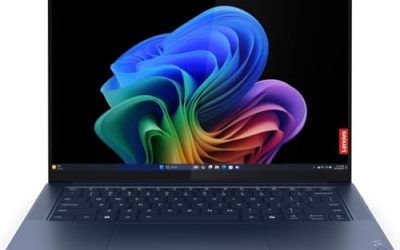
| ASUS Zenbook 14 OLED |
| Check price on Amazon |
Monaco: What’s Yours Is Mine is a 2013 heist game with tiny published Windows requirements: a 1.2GHz processor, a graphics card with Pixel Shader 2.0 support, and 500 MB of hard drive space. The decision is not power but platform. The Mac block is a minimum-only Snow Leopard-era listing, and the page carries the notice “This product is not compatible with macOS 10.15 Catalina or above,” so treat this as a Windows purchase. What remains is how you play: solo at a desk, same-screen co-op, or on the move.
This guide serves returning players, co-op groups of up to four, and anyone replacing an old machine with one that handles current games too. The five picks come from checked listings: a seller-upgraded HP Victus 15 with dedicated Radeon graphics, a Lenovo Legion 5 Gen 10 with an OLED screen, a Core i9 Acer Nitro V 15, an MSI Katana 15, and an ASUS Zenbook 14 OLED whose integrated graphics get an honest reading.
Quick Picks
As an Amazon Associate we earn from qualifying purchases
| Product | Best for | Key spec from title |
|---|---|---|
| HP Victus 15 | Same-screen co-op nights | Radeon RX 6550M |
| Lenovo Legion 5 Gen 10 | One laptop for current games too | RTX 5060 8GB GDDR7 |
| Acer Nitro V 15 | A fixed desk setup | Intel Core i9-13900H |
| MSI Katana 15 | A midrange gaming desk | RTX 4050 6GB GDDR6 |
| ASUS Zenbook 14 OLED | Playing away from home | Radeon 780M integrated graphics |
How to Choose
Start With the Platform Decision
Monaco publishes three platform blocks, and they are not equal. Windows gets minimum and recommended tiers. The Mac block is minimum-only, opens with “OS X version Snow Leopard 10.6.3, or later.”, and the page carries the notice “This product is not compatible with macOS 10.15 Catalina or above.” Linux is minimum-only as well. Treat the Mac and Linux listings as historical records rather than buying routes, and shop for a Windows machine: every pick in this article runs Windows 11. The page also notes that from January 1st, 2024, the Steam Client supports only Windows 10 and later, whatever the XP-era OS lines say.
Read the Shader Line, Because There Is No Memory Line
Neither Windows tier prints a memory line, so do not go looking for one or accept a figure copied from another game. The graphics bar is written as a feature instead: minimum asks for a card that supports Pixel Shader 2.0 and Vertex Shader 2.0, recommended raises that to Pixel Shader 3.0, and both tiers name DirectX 9.0. Judge a laptop by whether its graphics support those features. The four dedicated cards below are far newer designs. The Zenbook’s Radeon 780M is integrated and shares system memory, which is a different arrangement, covered plainly in its section.
Storage Is Solved; Library Habits Are Not
The storage line is the least demanding on the page: 500 MB HD space at both Windows tiers. Every pick below carries an SSD between 512 GB and 1 TB, so Monaco itself will never strain any of them. The useful check is the rest of your library. The Legion and the Nitro leave room to grow, with memory ceilings and spare drive slots in their listings, while the Zenbook’s 512 GB drive and LPDDR5X memory are set at purchase. Buy the capacity that suits the collection you already own, not this one small install.
Plan for Co-op Before You Buy
The store page describes Monaco as a single player or co-op heist game for up to four people, online or on the same screen. That shapes the hardware check. Same-screen sessions put everyone in front of one display, so the 15.6-inch panels on the Victus, Nitro and Katana are easier to share than the Zenbook’s 14-inch screen, and the Victus, Legion and Nitro listings name an HDMI port for moving the picture to a television. Online sessions lean on the network connection instead, so check whether your setup uses Wi-Fi or a wired socket.
The 5 Best Options
HP Victus 15
The Victus is the straightforward gaming pick here: a 15.6-inch 144Hz screen sized for same-screen co-op, dedicated Radeon RX 6550M graphics that sit generations beyond the published Pixel Shader wording, and a Ryzen 5 processor far past the 1.4GHz recommended line. Its listing is a seller-upgraded configuration with 32 GB of memory and a 1 TB drive, so there is ample room for a wider library beside Monaco’s 500 MB install. It runs Windows 11 Pro, the supported route for this game, and keeps a numeric pad for everyday work.
Specs
- Processor: AMD Ryzen 5 7535HS, 6 cores and 12 threads, up to 4.55 GHz
- Graphics: AMD Radeon RX 6550M, 4 GB GDDR6 dedicated
- Display: 15.6-inch FHD (1920 x 1080), 144 Hz, IPS, micro-edge, anti-glare
- Memory: 32 GB DDR5 (seller-upgraded configuration)
- Storage: 1 TB NVMe SSD
- Operating system: Windows 11 Pro
- Keyboard: backlit, with integrated numeric pad
- Connectivity: Wi-Fi 6, HDMI
- Weight: 5.06 lb; colour Mica Silver
Best for: players who want a gaming laptop first and a Monaco machine second, with room for a growing library.
Watch out for: the memory and storage are seller upgrades, so confirm the exact configuration on the listing before ordering.
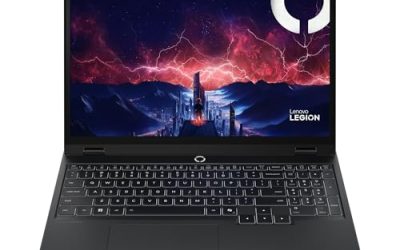
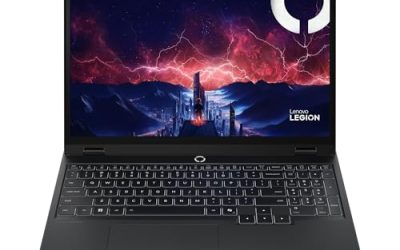
Lenovo Legion 5 Gen 10
- Best for: players who want one high-end laptop for Monaco and demanding current titles alike.
- Processor: AMD Ryzen 7 260, 3.80 GHz up to 5.10 GHz
- Graphics: NVIDIA GeForce RTX 5060 Laptop GPU, 8 GB GDDR7
- Display: 15.1-inch WQXGA OLED (2560 x 1600), 500 nits, non-touch
- Memory: 16 GB DDR5-5600 SODIMM, up to 32 GB
players who want one high-end laptop for Monaco and demanding current titles alike.
Legion 5 Gen 10 listings vary in memory and storage, so confirm this listing’s 16 GB and 1 TB configuration; the printed item weight of 7.09 pounds also reads as a packaged figure.
The Legion is the pick for buyers whose library extends well past a 2013 heist game. Its RTX 5060 graphics and Ryzen 7 260 processor are far beyond anything Monaco’s block asks for, and the 15.1-inch WQXGA OLED panel gives the game’s top-down floors a sharp, high-contrast picture. The listing pairs 16 GB of DDR5 memory with a 1 TB SSD, names USB4 and HDMI 2.1 among its ports, and includes an Ethernet socket for wired online sessions. For Monaco alone it is more machine than required, bought for everything else you play.
Watch out for: Legion 5 Gen 10 listings vary in memory and storage, so confirm this listing’s 16 GB and 1 TB configuration; the printed item weight of 7.09 pounds also reads as a packaged figure.
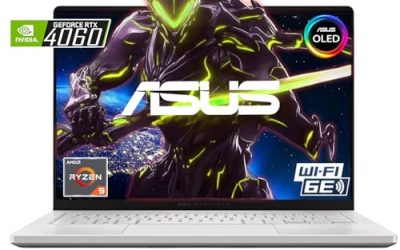
Acer Nitro V 15
- Best for: a fixed desk where the laptop doubles as the main gaming and work machine.
- Processor: Intel Core i9-13900H
- Graphics: NVIDIA GeForce RTX 4060 Laptop GPU
- Display: 15.6-inch FHD IPS, 180Hz
- Memory: 16 GB DDR5, two slots, up to 32 GB
a fixed desk where the laptop doubles as the main gaming and work machine.
the listing names the RTX 4060 without printing a graphics memory figure in its headline text, and its copy mentions a Nitro V 16 in places — confirm the model code ANV15-51-99XD and the full details on the page.
The Nitro V 15 is the desk-bound power pick. A Core i9-13900H and RTX 4060 graphics put it far beyond the recommended tier’s 1.4GHz processor line, and its 180Hz FHD panel is the fastest-refresh screen in this group. The listing gives 16 GB of DDR5 memory across two slots and a 1 TB Gen 4 SSD with a second M.2 slot, so upgrades stay open. Thunderbolt 4, HDMI 2.1 and Ethernet cover a fixed desk with a monitor and wired network. It is a full-size gaming laptop whose hardware sits far above this game’s published lines.
Watch out for: the listing names the RTX 4060 without printing a graphics memory figure in its headline text, and its copy mentions a Nitro V 16 in places — confirm the model code ANV15-51-99XD and the full details on the page.
MSI Katana 15
The Katana 15 is the middle path: a 13th Gen Core i7, RTX 4050 graphics and a 144Hz Full HD screen in a conventional 15.6-inch gaming chassis. Against Monaco’s block, the dedicated card answers the Pixel Shader 3.0 recommended wording by generation, and the 1 TB SSD leaves the 500 MB install invisible. Its listing’s own figures need one careful read, covered in the check below. Choose it if you want a mainstream gaming laptop from a long-running line, with Windows 11 Home installed and no ultraportable compromises in the keyboard deck.
Specs
- Processor: Intel Core i7-13620H
- Graphics: NVIDIA GeForce RTX 4050, 6 GB GDDR6 (per the listing’s bullet text)
- Display: 15.6-inch Full HD IPS, 144Hz
- Memory: 16 GB DDR5-4800
- Storage: 1 TB NVMe SSD
- Ports: USB Type-C
- Operating system: Windows 11 Home
- Model: B13VEK-277US, Black
Best for: buyers who want a mainstream gaming laptop that covers this game and a shelf of similar-era titles.
Watch out for: the listing’s technical table prints a graphics card ram size of 16 GB against the 6 GB GDDR6 in its own bullet text — the bullet figure is the one used here; check the page before ordering.
ASUS Zenbook 14 OLED
- Best for: players who carry their laptop daily and play lighter games on the move.
- Processor: AMD Ryzen 7 8840HS, up to 5.1 GHz
- Graphics: integrated AMD Radeon 780M
- Display: 14-inch WUXGA OLED touchscreen (1920 x 1200)
- Memory: 16 GB LPDDR5X
players who carry their laptop daily and play lighter games on the move.
the listing describes a touchscreen while the maker’s spec sheet for this model line also lists a non-touch panel — confirm the screen on this listing, and remember the graphics share system memory.
The Zenbook is the portability pick, and the one that needs the honest paragraph. Its Radeon 780M graphics are integrated: they share the 16 GB of system memory rather than holding a dedicated pool, unlike the four cards above. Monaco’s Windows wording asks for Pixel Shader 3.0 support rather than a named card, and the 780M is a modern design that provides that feature level; the trade is graphics headroom for newer games, not this one. In return you get a 14-inch OLED touchscreen, a 75Wh battery and a thin Jade Black chassis that travels easily.
Watch out for: the listing describes a touchscreen while the maker’s spec sheet for this model line also lists a non-touch panel — confirm the screen on this listing, and remember the graphics share system memory.
Which One Fits Your Situation
Playing Solo at a Desk
One player at a desk needs nothing exotic: any pick clears the published block, so choose by the rest of your week. The Nitro’s 180Hz screen, Thunderbolt 4 and Ethernet suit a fixed setup with a monitor, while the Katana offers the same 15.6-inch view in a mainstream package. Both keep memory and storage upgrade paths open in their listings.
Same-Screen Co-op With Friends
Monaco supports up to four people on the same screen, and that favours the bigger panels. The Victus and Legion give you 15.6 and 15.1 inches with fast refresh rates, and the Victus, Legion and Nitro listings all name an HDMI port, so the picture can move to a television when the group outgrows the laptop screen. Wired Ethernet on the Legion and Nitro also steadies online sessions.
One Laptop for Newer Games as Well
If Monaco is one stop in a library of current releases, the Legion 5 Gen 10 is the honest answer: RTX 5060 graphics, a WQXGA OLED screen and a 1 TB SSD are bought for those games, with this one along for the ride. The Nitro runs it close on processor and graphics, with a faster-refresh FHD panel instead of the OLED.
Playing Away From Home
For trains, trips and café tables, the Zenbook is the natural fit: a 14-inch OLED screen, a 75Wh battery and a slim chassis, with integrated graphics that match the game’s published shader wording. Accept the trade plainly — its 512 GB drive is the smallest here and its graphics share memory — and it rewards you with the easiest carry in the group.
Common Mistakes
- Treating the Mac block as a current edition — it is minimum-only, Snow Leopard-era, and the store page carries a Catalina incompatibility notice.
- Hunting for a Windows memory figure — neither Windows tier prints one, so any number attached to this game came from somewhere else.
- Reading Monaco 2’s requirements for this game — the sequel is a separate app with its own block, and none of it applies here.
- Taking the Mac block’s line about Intel integrated graphics as a verdict on Windows laptops — that warning belongs to the Mac listing; the Windows wording is a shader feature check.
- Expecting LAN play to work the same on every platform — the Mac and Linux blocks both print that LAN is not supported there, while online play runs through Steamworks.
Frequently Asked Questions
Can I play Monaco on a current Mac?
Not through the edition on this page. The Mac block is minimum-only and Snow Leopard-era, and the page states: “This product is not compatible with macOS 10.15 Catalina or above.” Steam also notes its client stopped supporting 32-bit games and macOS 10.14 or lower in February 2024. The practical route is a Windows laptop like the five above.
How much memory does Monaco need on Windows?
The published Windows block does not say. Neither the minimum nor the recommended tier prints a memory line, and that absence is part of the published shape — the Mac block prints “2 GB RAM” and the Linux block prints “2 GB”, but no Windows figure exists to quote. Every laptop here carries 16 GB or 32 GB regardless.
Does Monaco support co-op play?
Yes. The store page describes a single player or co-op heist game and says you can play with up to four people online or on the same screen. Platform wording differs underneath: the Mac and Linux blocks both state that LAN is not supported on those systems and that online play requires Steamworks, so check the block for your platform.
Is Monaco 2 covered by this guide?
No. Monaco 2 is a separate app with its own store page and its own requirements block, and nothing from it is used here. This guide covers the original Monaco: What’s Yours Is Mine only, using the block printed on that game’s page — Windows minimum and recommended tiers, plus the minimum-only Mac and Linux listings.
More from Amazon
Programs that pair well with the guide above. Offers and eligibility are set by Amazon and may change.
A free business account with business pricing and bulk-buying tools for work, shop or home office.
Create a business accountFree shipping on eligible items, Prime Video and more. Eligible new members can start with a free trial.
Start a Prime free trialAudiobooks and podcasts to listen to on the go. Eligible new members can start with a free trial.
Try Audible freeAd-free music streaming. Eligible new subscribers can start with a free trial.
Try Music Unlimited freeAs an Amazon Associate we earn from qualifying purchases.



Write Your Review
No reviews yet. Be the first to share your experience!