
Our Short List of 3

- Best for: Players who want Flotsam to look its best and the same machine to handle demanding new releases.
- Processor: AMD Ryzen 7 260, 3.80 GHz up to 5.10 GHz
- Graphics: NVIDIA GeForce RTX 5060 Laptop GPU, 8 GB GDDR7
- Memory: 16 GB DDR5-5600 SODIMM, 32 GB maximum
- Storage: 1 TB SSD M.2 2242 PCIe Gen4 TLC

- Best for: Desk-based players who value a fast screen now and open slots for memory and storage later.
- Processor: Intel Core i9-13900H
- Graphics: NVIDIA GeForce RTX 4060 Laptop GPU
- Memory: 16 GB DDR5, two slots, 32 GB maximum
- Storage: 1 TB PCIe Gen 4 SSD, two M.2 slots

- Best for: Players who carry their laptop daily and want Flotsam sessions away from a fixed desk.
- Processor: AMD Ryzen 7 8840HS, up to 5.1 GHz
- Graphics: Integrated AMD Radeon 780M, shared memory
- Memory: 16 GB LPDDR5X
- Storage: 512 GB M.2 NVMe PCIe 4.0 SSD
All 3 Picks at a Glance
| Product | Specs | Action |
|---|---|---|
| Lenovo Legion 5 Gen 10 |
| Check price on Amazon |
| Acer Nitro V 15 |
| Check price on Amazon |
| ASUS Zenbook 14 OLED |
| Check price on Amazon |
Flotsam asks very little of a laptop, and that is exactly where buyers trip up. Pajama Llama Games publishes one minimum tier and no recommended tier, so the real decision is how much headroom above that single short list you want for a town that keeps growing as you salvage, build and sail. The published floor reads: Windows 7 SP1+, an Intel Core i5 or equivalent, 8 GB RAM, an NVIDIA GeForce GTX 650 or equivalent, and 600 MB of storage. Every current Windows laptop clears it, so the choice turns on screen, memory headroom and build.
It suits players who want one dependable Windows machine for Flotsam and similar light builders, plus anyone replacing an ageing laptop. The picks come from their listing names and specification pages: an HP Victus 15 with Radeon RX 6550M graphics, a Lenovo Legion 5 Gen 10 with an RTX 5060, an Acer Nitro V 15, an MSI Katana 15 with an RTX 4050, and a slim ASUS Zenbook 14 OLED on integrated graphics.
Quick Picks
As an Amazon Associate we earn from qualifying purchases
| Product | Best for | Key spec from title |
|---|---|---|
| HP Victus 15 | Long building sessions settled at one desk | Radeon RX 6550M, 32GB DDR5 RAM |
| Lenovo Legion 5 Gen 10 | Players who also run demanding new releases | RTX 5060, 15.1-inch WQXGA OLED |
| Acer Nitro V 15 | A large screen with memory you can extend later | Intel Core i9-13900H, 180Hz display |
| MSI Katana 15 | A straightforward mid-range gaming machine | RTX 4050, 1TB NVMe SSD |
| ASUS Zenbook 14 OLED | Playing on the move, away from a desk | Radeon 780M integrated, about 2.82 lb |
How to Choose
Read the Single Minimum Tier Correctly
Most games publish two lists, and buyers aim at the higher one. Flotsam publishes only a minimum: Windows 7 SP1+, an Intel Core i5 or equivalent, 8 GB RAM, a GeForce GTX 650 or equivalent, and 600 MB of storage. There is no recommended tier hiding elsewhere on the page, and the Mac and Linux requirement lists are empty, so treat this as a Windows-only purchase. Read the five lines as a floor to clear comfortably rather than a target to hit exactly, then judge each laptop on how much room it leaves above them.
Memory: Treat 8 GB as the Floor
The requirement line asks for 8 GB RAM, and every pick here doubles that or better. The Victus and its seller-fitted 32 GB sit at one extreme, while the Legion, Nitro and Katana carry 16 GB. Memory matters in a builder because a late-game town holds hundreds of objects, drifters and production chains on screen at once, and the operating system plus a browser compete for the same pool. Check whether the memory can grow later: the Nitro lists two slots and a 32 GB maximum, while the Zenbook’s LPDDR5X is fixed at purchase.
Graphics: Dedicated Card or Integrated Design
Four picks carry a dedicated graphics card with its own memory: the RX 6550M in the Victus, the RTX 5060 in the Legion, the RTX 4060 in the Nitro and the RTX 4050 in the Katana. The Zenbook takes the other route with an integrated Radeon 780M that shares system memory and owns no separate pool. The game’s own minimum names a GTX 650 or equivalent, an old desktop card, so integrated graphics are a legitimate route here rather than a compromise to hide. Decide by the rest of your library, not by this one gentle game.
Storage and Screen for a Growing Town
At 600 MB, Flotsam itself barely registers on any modern drive, so storage choice is really about everything else you install. Each pick ships a solid-state drive of 512 GB or 1 TB, which leaves room for a wider library and for save files that grow with your town. Screens split the field more sharply: the Legion’s 15.1-inch WQXGA OLED at 2560 x 1600 shows a wide stretch of ocean and town at once, the 15.6-inch 144Hz and 180Hz panels favour motion, and the Zenbook’s 14-inch OLED suits small desks and travel bags.
The 5 Best Options
HP Victus 15
This Victus configuration pairs a Ryzen 5 7535HS with a dedicated Radeon RX 6550M, then doubles the memory and storage a buyer might expect at this level: 32 GB of DDR5 RAM and a 1 TB NVMe SSD against a game asking for 8 GB and 600 MB. The 15.6-inch Full HD panel refreshes at 144Hz, the keyboard is backlit, and Windows 11 Pro is fitted. For a floating town that grows building by building over long sessions, the appeal is simple: nothing in the published requirements comes close to troubling this hardware, and the spare capacity serves the rest of a game library too.
Specs
- Processor: AMD Ryzen 5 7535HS, 6 cores and 12 threads, up to 4.55 GHz
- Graphics: AMD Radeon RX 6550M, 4 GB GDDR6 dedicated
- Memory: 32 GB DDR5 RAM
- Storage: 1 TB NVMe SSD
- Display: 15.6-inch FHD 144Hz IPS, micro-edge, anti-glare
- Operating system: Windows 11 Pro
- Colour and weight: Mica Silver, 5.06 lb
Best for: Builders who keep one machine for years and want memory headroom they never think about again.
Watch out for: This is a seller-upgraded configuration, so the box has been opened to fit the upgrades; confirm the 32 GB and 1 TB figures on the listing before ordering.
ASIN: B0DK1JHG13
Lenovo Legion 5 Gen 10
- Best for: Players who want Flotsam to look its best and the same machine to handle demanding new releases.
- Processor: AMD Ryzen 7 260, 3.80 GHz up to 5.10 GHz
- Graphics: NVIDIA GeForce RTX 5060 Laptop GPU, 8 GB GDDR7
- Memory: 16 GB DDR5-5600 SODIMM, 32 GB maximum
- Storage: 1 TB SSD M.2 2242 PCIe Gen4 TLC
Players who want Flotsam to look its best and the same machine to handle demanding new releases.
The listing’s 7.09 lb item weight reads as a packaged figure rather than the machine alone; check the configuration summary against the title before ordering.
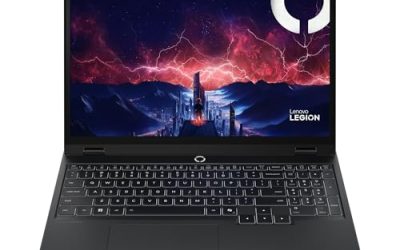
The Legion is the strongest all-rounder in this set. Its Ryzen 7 260 processor and RTX 5060 laptop GPU with 8 GB of GDDR7 sit far above a minimum written around a GTX 650, and the 15.1-inch WQXGA OLED display at 2560 x 1600 with 500 nits gives Flotsam’s painted ocean and cluttered raft decks a sharp, bright canvas. Memory is 16 GB of DDR5-5600 in a SODIMM slot with a 32 GB maximum, storage is a 1 TB SSD, and the port set runs to USB4, HDMI 2.1 and Ethernet. It suits a buyer whose library reaches well beyond one gentle builder.
Acer Nitro V 15
- Best for: Desk-based players who value a fast screen now and open slots for memory and storage later.
- Processor: Intel Core i9-13900H
- Graphics: NVIDIA GeForce RTX 4060 Laptop GPU
- Memory: 16 GB DDR5, two slots, 32 GB maximum
- Storage: 1 TB PCIe Gen 4 SSD, two M.2 slots
Desk-based players who value a fast screen now and open slots for memory and storage later.
The listing copy drifts into Nitro V 16 wording in places, and its headline names the RTX 4060 without a graphics memory figure; match the model code ANV15-51-99XD before ordering.
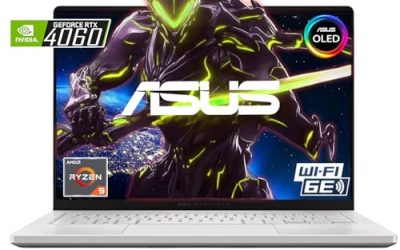
Acer’s Nitro V 15 in the ANV15-51-99XD configuration leads with an Intel Core i9-13900H, a processor tier well beyond the Core i5 the game names, backed by an RTX 4060 laptop GPU. The 15.6-inch FHD IPS display runs at 180Hz, memory is 16 GB of DDR5 across two slots with a 32 GB maximum, and the 1 TB PCIe Gen 4 SSD sits in one of two M.2 slots, so a second drive can join later. Thunderbolt 4, Wi-Fi 6 and a backlit keyboard round out a machine built for long sessions at a desk, with clear upgrade paths when a library outgrows it.
MSI Katana 15
The Katana 15 B13VEK-277US is the plain, direct option: an Intel Core i7-13620H, an RTX 4050 with 6 GB of GDDR6, 16 GB of DDR5-4800 memory and a 1 TB NVMe SSD behind a 15.6-inch Full HD IPS screen at 144Hz. Against requirements written for a GTX 650 and 8 GB of memory, every line carries comfortable margin without chasing the top of the range. USB Type-C and Windows 11 Home complete a specification that reads like a checklist for this job. Buyers who want a gaming laptop first and a Flotsam machine as part of that wider role will find the balance sensible.
Specs
- Processor: Intel Core i7-13620H
- Graphics: NVIDIA GeForce RTX 4050, 6 GB GDDR6
- Memory: 16 GB DDR5-4800 RAM
- Storage: 1 TB NVMe SSD
- Display: 15.6-inch Full HD IPS 144Hz
- Model number: B13VEK-277US
- Operating system: Windows 11 Home
Best for: Buyers who want one mid-range gaming laptop where Flotsam is an easy, undemanding part of the library.
Watch out for: Many Katana variants share near-identical titles with different processors and graphics; confirm the page names model B13VEK-277US and the RTX 4050 before ordering.
ASIN: B0BZBN3857
ASUS Zenbook 14 OLED
- Best for: Players who carry their laptop daily and want Flotsam sessions away from a fixed desk.
- Processor: AMD Ryzen 7 8840HS, up to 5.1 GHz
- Graphics: Integrated AMD Radeon 780M, shared memory
- Memory: 16 GB LPDDR5X
- Storage: 512 GB M.2 NVMe PCIe 4.0 SSD
Players who carry their laptop daily and want Flotsam sessions away from a fixed desk.
The listing describes a touchscreen while the maker’s sheet for this model line also lists non-touch panels; confirm the panel type, and note the memory is fixed at 16 GB.
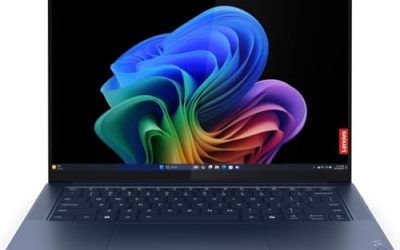
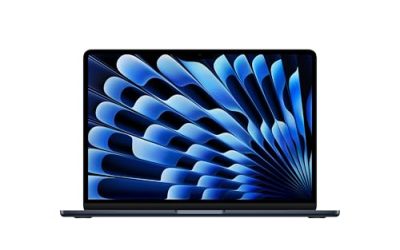
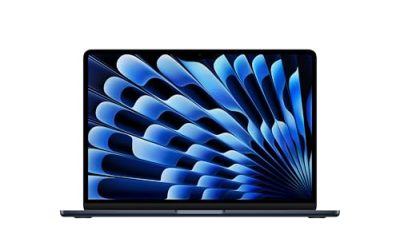
The Zenbook is the honest exception in this lineup: a slim 14-inch machine whose Radeon 780M graphics are integrated into the Ryzen 7 8840HS, sharing the 16 GB of LPDDR5X memory rather than holding a dedicated pool. That framing matters, and so does the game’s own minimum, which asks only for a GTX 650 or equivalent. What the Zenbook adds is portability and screen quality: a WUXGA OLED touchscreen at 1920 x 1200, a 512 GB PCIe 4.0 SSD, Wi-Fi 6E and a listed weight near 2.82 lb. For Flotsam on a train, in a café or at a small desk, it is the natural pick.
Which One Fits Your Situation
Your Old Laptop Is Being Retired
If the machine being replaced predates the game’s Windows 7 SP1+ line or struggles with 8 GB of memory, any pick here is a clean break. The Victus makes the strongest case as a long-term replacement: 32 GB of memory and a 1 TB drive mean the specification will not feel tight for years, and its dedicated RX 6550M covers a broad library beyond this one builder.
Flotsam Is One Game in a Bigger Library
Players whose shelves include demanding recent releases should weight graphics first. The Legion 5 Gen 10 pairs its RTX 5060 with the sharpest screen in this set, and the Nitro V 15 answers with an RTX 4060, a 180Hz panel and open slots for later upgrades. The Katana sits between them as the steady mid-range choice. Flotsam itself asks little of all three; the rest of the library decides.
You Play Away From a Desk
For building sessions in transit, on a sofa or at a kitchen table, the Zenbook 14 OLED is the pick shaped for the job: about 2.82 lb, a 14-inch OLED screen and a 75Wh battery. Its integrated graphics match the scale of this game’s published minimum, and the slim build means the laptop travels instead of anchoring one room.
You Want Room to Grow Into
A town that sails for dozens of hours accumulates saves, screenshots and neighbouring games on the same drive. The Nitro V 15 suits planners: two memory slots to 32 GB and a second M.2 slot keep expansion simple. The Victus skips the planning entirely by shipping 32 GB and 1 TB from day one, which suits buyers who never open a laptop’s underside.
Common Mistakes
- Hunting for a recommended tier that does not exist; the store page publishes a minimum only, so judge laptops against that single list.
- Buying exactly 8 GB of memory because the requirement line says so, leaving nothing for the operating system and everything running beside the game.
- Assuming a Mac or Linux edition exists; the platforms line and the empty requirement lists say Windows only.
- Ordering a near-identical variant by title alone, whether that is a different Katana model code or a Nitro listing whose copy wanders into another model’s name.
- Dismissing integrated graphics outright, or overselling them; the game’s minimum names a GTX 650-class card, so read the Zenbook’s shared-memory design against that line honestly.
Frequently Asked Questions
Does Flotsam run on Mac or Linux?
No. The store page lists Windows as the only platform, and the Mac and Linux requirement sections are empty. The published block covers Windows alone, starting at Windows 7 SP1+, and every laptop in this roundup ships with Windows 11 Home or Pro fitted, so the game installs and runs within its stated platform.
Is Flotsam still in Early Access?
No. The game spent years in Early Access after its 2019 arrival and has since fully released, with the current store record showing a release date of December 4, 2025 and no Early Access label. Buyers are looking at the finished town builder, and the published requirements describe that released version rather than a moving target.
How much storage does Flotsam actually need?
The published requirement is 600 MB of available space, a tiny figure beside the 512 GB and 1 TB solid-state drives fitted across these five laptops. Storage choice here is really about the rest of your library and the save files a long-running town produces, not about fitting the game itself onto the drive.
Can integrated graphics handle a game like this?
The game’s own minimum line asks for an NVIDIA GeForce GTX 650 or equivalent, which sets a modest bar. The Zenbook’s Radeon 780M is an integrated design that shares system memory instead of holding a dedicated pool, and it is presented here on exactly those terms. Buyers who prefer a separate graphics card have four dedicated options above.
More from Amazon
Programs that pair well with the guide above. Offers and eligibility are set by Amazon and may change.
A free business account with business pricing and bulk-buying tools for work, shop or home office.
Create a business accountFree shipping on eligible items, Prime Video and more. Eligible new members can start with a free trial.
Start a Prime free trialAudiobooks and podcasts to listen to on the go. Eligible new members can start with a free trial.
Try Audible freeAd-free music streaming. Eligible new subscribers can start with a free trial.
Try Music Unlimited freeAs an Amazon Associate we earn from qualifying purchases.



Write Your Review
No reviews yet. Be the first to share your experience!