
Our Short List of 3

- Processor: Snapdragon X Elite X1E-78-100, 12 cores as listed
- Memory: 32GB LPDDR5X
- Storage: 1TB SSD
- Display: 14.5-inch 3K OLED touch, 2944 x 1840, 90Hz as listed

- Processor: Intel Core i7-13700HX, 16 cores as listed
- Graphics: NVIDIA GeForce RTX 4070, 8GB GDDR6 as listed
- Memory: 32GB DDR5
- Storage: 1TB SSD

- Processor: Apple M4 Pro, 14-core CPU and 20-core GPU as listed
- Memory: 48GB unified memory
- Storage: 1TB SSD
- Display: 14.2-inch Liquid Retina XDR, 3024 x 1964 as listed
All 4 Picks at a Glance
| Product | Specs | Action |
|---|---|---|
| Lenovo Yoga Slim 7x |
| Check price on Amazon |
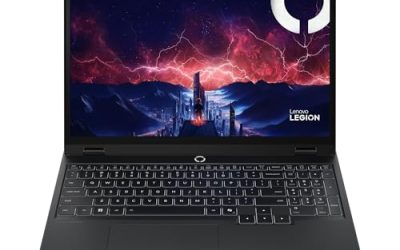
| Lenovo Legion Pro 5i Gen 8 |
| Check price on Amazon |
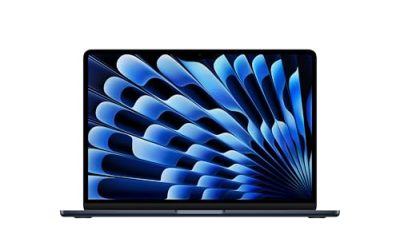
| Apple MacBook Pro 14 (M4 Pro) |
| Check price on Amazon |
 Lenovo ThinkPad T14 Gen 5 |
| Check price on Amazon |
A TradingView session rarely stays small. One chart becomes four, a watchlist sits open beside them, alerts fire in the background, and a second window holds news and a journal. The laptop underneath needs a screen that keeps dense charts readable, enough memory for the tab pile, and ports for extra monitors as the desk setup grows.
The five laptops below cover that range: a light travel machine with a 3K OLED panel, a port-loaded 16-inch desk anchor, a 48GB memory pick, a 4K OLED option, and a business laptop with wired networking built in.
As an Amazon Associate, we earn from qualifying purchases.
How to Choose a Laptop for TradingView
TradingView runs in a web browser, and its optional desktop app wraps the same charts, so honesty first: almost any modern laptop opens it. The hardware case rests on everything around the charts. A sharp screen matters most, because candlesticks and indicator panes stay legible on a 2560 x 1600 or higher panel long after a basic 1080p screen turns a four-chart layout into guesswork.
Memory is the second factor. Every browser tab and chart window takes its own slice of RAM, and a session with several charts and research tabs open leans hard on 16GB. The 32GB configurations below leave real headroom, and the 48GB pick suits people who keep dozens of windows alive all day.
Ports decide how far the setup grows. HDMI feeds one external monitor directly, while Thunderbolt and USB-C ports with DisplayPort support run larger screens or a dock. Wired Ethernet, where a listing names it, keeps a desk connection steady. A fast chip keeps tab switching snappy, but no laptop here changes what the market does.
Lenovo Yoga Slim 7x
- Processor: Snapdragon X Elite X1E-78-100, 12 cores as listed
- Memory: 32GB LPDDR5X
- Storage: 1TB SSD
- Display: 14.5-inch 3K OLED touch, 2944 x 1840, 90Hz as listed
The Yoga Slim 7x is the travel pick that gives up nothing on the screen. Its listing names a 14.5-inch 3K OLED touch display at 2944 x 1840 with a 90Hz refresh figure, more pixels than most 16-inch machines offer. A multi-chart layout stays crisp, and the slim body at about 2.82 pounds as listed slips into a bag easily.
Inside, the Snapdragon X Elite chip pairs with 32GB of LPDDR5X memory and a 1TB SSD, so a browser full of charts has room to breathe. Three USB-C 4.0 ports with DisplayPort 1.4 support, as listed, each drive an external monitor or a dock, and Wi-Fi 7 handles the wireless side. With no built-in Ethernet or HDMI, a wired desk setup runs through a USB-C hub.
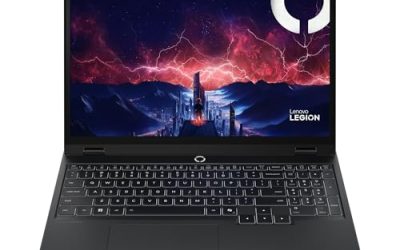
Lenovo Legion Pro 5i Gen 8
- Processor: Intel Core i7-13700HX, 16 cores as listed
- Graphics: NVIDIA GeForce RTX 4070, 8GB GDDR6 as listed
- Memory: 32GB DDR5
- Storage: 1TB SSD
The Legion Pro 5i Gen 8 is the desk anchor of this group, built around a 16-inch WQXGA screen at 2560 x 1600 with a 165Hz figure as listed. That panel fits a four-chart grid with a watchlist column beside it, and the Core i7-13700HX with 16 cores keeps a heavy browser session feeling light. The RTX 4070 is far more than charting asks for, but it harms nothing.
Connectivity is the real reason this machine makes the list. The listing names an HDMI port, an RJ-45 Ethernet socket, two USB-C ports, and four USB-A ports, so two external monitors and a wired connection plug straight in with no dock in between. At 5.51 pounds as listed, it lives on the desk rather than in a bag.
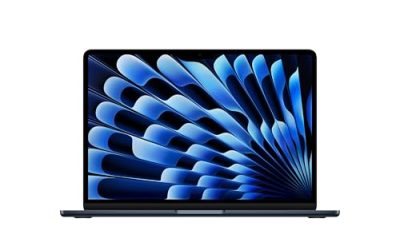
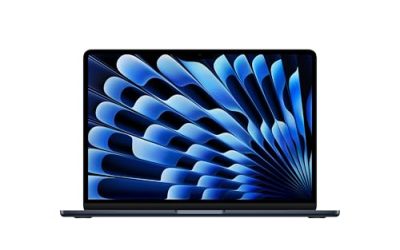
Apple MacBook Pro 14 (M4 Pro)
- Processor: Apple M4 Pro, 14-core CPU and 20-core GPU as listed
- Memory: 48GB unified memory
- Storage: 1TB SSD
- Display: 14.2-inch Liquid Retina XDR, 3024 x 1964 as listed
The MacBook Pro 14 with the M4 Pro chip is the memory pick. This configuration lists 48GB of unified memory and a 1TB SSD, the largest memory figure in this roundup, for traders who keep several chart windows, a journal, and research tabs open all day.
The 14.2-inch Liquid Retina XDR display runs at 3024 x 1964 as listed, so fine chart lines stay sharp at laptop distance. Three Thunderbolt 4 ports and an HDMI port, as listed, cover external monitors with or without a dock. TradingView runs in the browser on macOS as it does anywhere else, and the listed 14-core CPU and 20-core GPU leave charting feeling effortless.
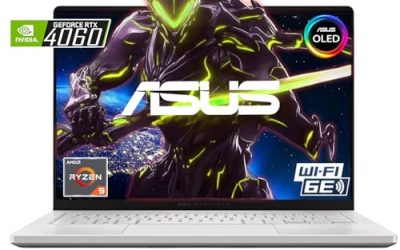
ASUS ProArt P16
The ProArt P16 brings the sharpest screen in this group: a 16-inch 4K OLED touch panel at 3840 x 2400 as listed. That means more visible chart history per window and clean text when four layouts share the screen. The Ryzen AI 9 HX 370 and 32GB of LPDDR5X memory keep a loaded browser responsive through long sessions.
Port selection is generous. The listing names a USB4 Type-C port with display support, a second USB 3.2 Gen 2 Type-C port, two USB-A ports, HDMI 2.1, and an SD Express 7.0 card reader, plus Wi-Fi 7. One cable into the USB4 port runs a large external monitor while HDMI covers a second. The RTX 4060 is creator hardware that charting barely touches, and the 2TB SSD as listed holds saved layouts and journals.
Specs
- Processor: AMD Ryzen AI 9 HX 370, 12 cores as listed
- Graphics: NVIDIA GeForce RTX 4060, 8GB GDDR6 as listed
- Memory: 32GB LPDDR5X
- Storage: 2TB PCIe SSD as listed
- Display: 16-inch 4K OLED touch, 3840 x 2400 as listed
- Ports: USB4 Type-C with display support, USB 3.2 Gen 2 Type-C, 2x USB 3.2 Gen 2 Type-A, HDMI 2.1, SD Express 7.0 reader as listed
- Wireless: Wi-Fi 7 as listed
- ASIN: B0DSLGDGB9
Lenovo ThinkPad T14 Gen 5
- Processor: AMD Ryzen 7 PRO 8840U, 8 cores as listed
- Graphics: AMD Radeon 780M integrated as listed
- Memory: 32GB DDR5
- Storage: 1TB SSD
The ThinkPad T14 Gen 5 is the business pick, and its strength is wired connectivity in a portable body. The listing names an RJ-45 Ethernet port and an HDMI 2.1 port alongside two Thunderbolt 4 ports, so it docks into a two-monitor desk with a steady wired connection and no adapters. That mix is rare at this size.
The Ryzen 7 PRO 8840U and 32GB of DDR5 memory handle a multi-chart browser session comfortably, and the 14-inch WUXGA IPS touch screen at 1920 x 1200 as listed is the modest panel here: fine for a main chart with a watchlist, better paired with an external monitor for a full grid. Wi-Fi 6E and a fingerprint reader round out a machine built for long workdays.
FAQ
Does TradingView need a dedicated graphics card?
No. TradingView runs in a browser or its desktop app, and integrated graphics handle charts without trouble. The dedicated chips in two picks here are headroom for other work, not a charting requirement.
How much memory does a charting laptop need?
A light session fits in 16GB, but several chart windows plus watchlists and research tabs push past it. The 32GB configurations here are the comfortable point, and the 48GB MacBook Pro suits people who never close a window.
Can these laptops run two external monitors?
Yes, in different ways. The Legion Pro 5i pairs HDMI with USB-C, the ProArt P16 pairs HDMI 2.1 with USB4, and the ThinkPad T14 Gen 5 pairs HDMI 2.1 with Thunderbolt 4. The Yoga Slim 7x uses USB-C or a dock, having no HDMI socket.
Conclusion
For TradingView, buy the screen, the memory, and the ports, in that order. The Yoga Slim 7x suits traders on the move, the Legion Pro 5i Gen 8 anchors a dock-free desk, the MacBook Pro 14 carries the heaviest tab loads, the ProArt P16 shows the most chart detail, and the ThinkPad T14 Gen 5 brings wired networking in a portable body.
More from Amazon
Programs that pair well with the guide above. Offers and eligibility are set by Amazon and may change.
A free business account with business pricing and bulk-buying tools for work, shop or home office.
Create a business accountFree shipping on eligible items, Prime Video and more. Eligible new members can start with a free trial.
Start a Prime free trialAudiobooks and podcasts to listen to on the go. Eligible new members can start with a free trial.
Try Audible freeAd-free music streaming. Eligible new subscribers can start with a free trial.
Try Music Unlimited freeAs an Amazon Associate we earn from qualifying purchases.



Write Your Review
No reviews yet. Be the first to share your experience!