
Our Short List of 3

- Best for: A player who wants the sharpest screen in the set and power held in reserve for far heavier strategy titles.
- Processor: AMD Ryzen 7 260, 3.80 GHz up to 5.10 GHz
- Graphics: NVIDIA GeForce RTX 5060 Laptop GPU, 8 GB GDDR7
- Memory: 16 GB DDR5-5600 SODIMM, 32 GB maximum as listed
- Storage: 1 TB SSD M.2 2242 PCIe Gen4 TLC

- Best for: A player whose laptop lives on a desk and drives a bigger monitor for long sessions.
- Processor: Intel Core i9-13900H
- Graphics: NVIDIA GeForce RTX 4060 Laptop GPU
- Memory: 16 GB DDR5, two slots, 32 GB maximum as listed
- Storage: 1 TB PCIe Gen 4 SSD, two M.2 slots as listed

- Best for: A player who carries the laptop daily and plays Circle Empires in short sittings away from a desk.
- Processor: AMD Ryzen 7 8840HS, 8 cores and 16 threads, up to 5.1 GHz as listed
- Graphics: AMD Radeon 780M, integrated
- Memory: 16 GB LPDDR5X
- Storage: 512 GB Gen 4 SSD
All 3 Picks at a Glance
| Product | Specs | Action |
|---|---|---|
| Lenovo Legion 5 Gen 10 |
| Check price on Amazon |
| Acer Nitro V 15 |
| Check price on Amazon |
| ASUS Zenbook 14 OLED |
| Check price on Amazon |
Circle Empires asks little of a laptop: the minimum names integrated graphics with 1GB VRAM, 3 GB of memory and a dual core processor, so nearly any current Windows machine clears the block. The real decision is which kind of laptop you want around the game. One platform line comes first, though: the store page carries the notice “This product is not compatible with macOS 10.15 Catalina or above.”, so every pick here is a Windows laptop, despite the Mac block.
It serves players who need one light machine for this game and daily work, players building a strategy library, and players who want headroom to spare. The picks come from their listings: a Victus 15 with a dedicated Radeon RX 6550M, a Legion 5 Gen 10 with an RTX 5060 Laptop GPU, a Nitro V 15 with an Intel Core i9-13900H, a Katana 15 with an RTX 4050, and a Zenbook 14 OLED whose integrated Radeon 780M matches the minimum line’s own class.
Quick Picks
As an Amazon Associate we earn from qualifying purchases
| Product | Best for | Key spec from title |
|---|---|---|
| HP Victus 15 | A gaming laptop that covers this game and a wider library | Radeon RX 6550M dedicated graphics |
| Lenovo Legion 5 Gen 10 | The strongest all-round pick for strategy collections | RTX 5060 Laptop GPU 8GB GDDR7 |
| Acer Nitro V 15 | Desk play with an external monitor attached | Intel Core i9-13900H and RTX 4060 |
| MSI Katana 15 | A dedicated-card machine in a plainer shell | RTX 4050 6GB GDDR6 |
| ASUS Zenbook 14 OLED | Short sessions on a light, quiet notebook | Ryzen 7 8840HS with Radeon 780M |
How to Choose
Settle the Platform Question First
Circle Empires publishes Windows, Mac and Linux blocks, yet only the Windows edition is a safe purchase today. The page carries the Catalina notice quoted in the introduction, which closes the Mac edition on current macOS versions even though a Mac minimum and recommended block still print. A Linux block also exists, with the operating system line printing just “Linux”. Every laptop in this article runs Windows, so the requirement you are matching is the Windows block: minimum first, recommended as the comfort line, with each platform’s notes line warning that requirements may be subject to change.
Read the Graphics Line Literally
The minimum graphics line prints “Intel/AMD Integrated Graphics, 1GB VRAM”, which is unusual honesty from a publisher: integrated graphics are a named minimum option, not a gap to guess at. The recommended line steps up to a “NVIDIA GeForce GT 1030 2GB / AMD Radeon HD 6850 2GB”. Four picks here carry dedicated cards well past that line, while the Zenbook’s integrated Radeon 780M sits in the class the minimum itself names and shares system memory rather than holding its own pool. Match the wording to your comfort level instead of assuming a dedicated card is mandatory.
Check Memory and Storage Against Small Fixed Figures
The memory line moves from “3 GB RAM” at minimum to “4 GB RAM” at recommended, and storage prints “1 GB available space” at both tiers, so no pick here is stretched: the smallest memory figure in the set is 16 GB and the smallest drive is 512 GB. The processor lines need a careful read instead. The minimum prints “1,7GHz dual core” and the recommended prints “Intel Core i3 2100 3,1GHz”, decimal commas included, exactly as the record publishes them. Treat those commas as the publisher’s own formatting, not as misprints to correct.
Match the Screen and Weight to Your Sessions
Battles in Circle Empires resolve quickly and the map is a chain of small circles, so panel size and carry weight shape the purchase more than raw power does. The gaming laptops here list 144Hz or 180Hz Full HD panels, the Legion lists a sharper 15.1-inch WQXGA OLED screen, and the Zenbook lists a 14-inch OLED touchscreen in a body its listing puts at about 2.82 pounds. A player who carries the laptop daily and plays in short sittings reads those lines differently from a player whose machine lives on a desk beside a monitor.
The 5 Best Options
HP Victus 15
The Victus is the pick for a buyer who wants a proper gaming laptop in the hand without paying for power this game will never touch. Its listing pairs a Ryzen 5 7535HS with a dedicated Radeon RX 6550M carrying 4 GB of GDDR6, which clears the recommended graphics line naming a GT 1030 2GB outright rather than by interpretation. The 32 GB of DDR5 and 1 TB SSD are far beyond the published 4 GB and 1 GB figures, so the machine’s value here is the wider library it opens, not this one title. Its 144Hz panel suits the game’s fast battles.
Specs
- Processor: AMD Ryzen 5 7535HS, 6 cores and 12 threads, up to 4.55 GHz as listed
- Graphics: AMD Radeon RX 6550M, 4 GB GDDR6 dedicated
- Memory: 32 GB DDR5
- Storage: 1 TB NVMe SSD
- Display: 15.6-inch FHD 144Hz IPS anti-glare
- Operating system: Windows 11 Pro
- Weight: 5.06 lb as listed, Mica Silver
Best for: A buyer who wants one gaming laptop that treats Circle Empires as the lightest title in a larger collection.
Watch out for: This configuration is seller-upgraded, with the memory and storage fitted by the seller, so confirm the exact configuration on the listing before ordering.
ASIN: B0DK1JHG13
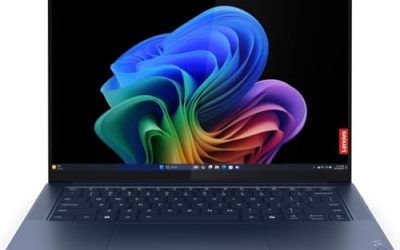
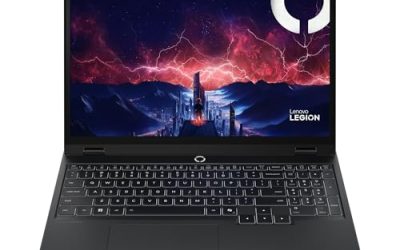
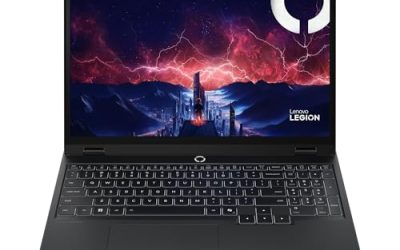
Lenovo Legion 5 Gen 10
- Best for: A player who wants the sharpest screen in the set and power held in reserve for far heavier strategy titles.
- Processor: AMD Ryzen 7 260, 3.80 GHz up to 5.10 GHz
- Graphics: NVIDIA GeForce RTX 5060 Laptop GPU, 8 GB GDDR7
- Memory: 16 GB DDR5-5600 SODIMM, 32 GB maximum as listed
- Storage: 1 TB SSD M.2 2242 PCIe Gen4 TLC
A player who wants the sharpest screen in the set and power held in reserve for far heavier strategy titles.
The listing prints an item weight of 7.09 pounds, which reads as a packaged figure rather than the machine itself, so check the weight on the product page before relying on it for travel.
The Legion is the strongest machine in this set and the one to choose when Circle Empires is a single entry in a growing strategy library. Its listing names a Ryzen 7 260 processor and an NVIDIA GeForce RTX 5060 Laptop GPU with 8 GB of GDDR7, hardware that sits far above the recommended block’s GT 1030 line. The 15.1-inch WQXGA OLED display at 2560 x 1600 is also the sharpest panel here, which suits a game built from small linked circles and dense little battles. Memory is 16 GB of DDR5-5600 in a SODIMM slot, with the listing stating a 32 GB maximum.
Acer Nitro V 15
- Best for: A player whose laptop lives on a desk and drives a bigger monitor for long sessions.
- Processor: Intel Core i9-13900H
- Graphics: NVIDIA GeForce RTX 4060 Laptop GPU
- Memory: 16 GB DDR5, two slots, 32 GB maximum as listed
- Storage: 1 TB PCIe Gen 4 SSD, two M.2 slots as listed
A player whose laptop lives on a desk and drives a bigger monitor for long sessions.
The listing copy drifts into “Nitro V 16” wording in places and names the RTX 4060 without a graphics memory figure in its headline text, so match the model code ANV15-51-99XD when you order.
The Nitro V 15 is the desk player’s pick, built around an Intel Core i9-13900H and an RTX 4060 Laptop GPU. Against a recommended block that asks for an Intel Core i3 2100 and a GT 1030, that processor is several generations of headroom, and the listing’s Thunderbolt 4 port and HDMI 2.1 output make it the natural choice for playing on a larger external monitor. Memory is 16 GB of DDR5 across two slots with a stated 32 GB maximum, and storage is a 1 TB PCIe Gen 4 SSD with a second M.2 slot named in the listing, against a game that asks for a single gigabyte.
MSI Katana 15
The Katana 15 is the plainer route to a dedicated graphics card. Its listing names an Intel Core i7-13620H and an RTX 4050 with 6 GB of GDDR6 in its bullet text, well past the recommended line’s GT 1030 2GB, alongside 16 GB of DDR5-4800 and a 1 TB NVMe SSD. The 15.6-inch Full HD IPS panel runs at 144Hz, and the chassis keeps a USB Type-C port alongside the usual gaming-laptop connections. For a game whose whole block fits in a few lines, the appeal is simple: every published figure is cleared by a named, dedicated part.
Specs
- Processor: Intel Core i7-13620H
- Graphics: NVIDIA GeForce RTX 4050, 6 GB GDDR6 per the listing bullet text
- Memory: 16 GB DDR5-4800
- Storage: 1 TB NVMe SSD
- Display: 15.6-inch Full HD IPS 144Hz
- Operating system: Windows 11 Home
- Colour: Black
- Model: B13VEK-277US
Best for: A buyer who wants a dedicated card and a high-refresh panel without stepping up to the Legion’s specification.
Watch out for: The listing’s technical table prints a graphics card ram size of 16 GB against the 6 GB GDDR6 in its own bullet text, so work from the bullet figure and confirm the configuration before ordering.
ASIN: B0BZBN3857
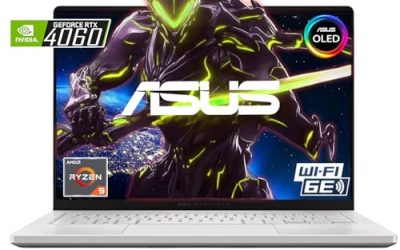
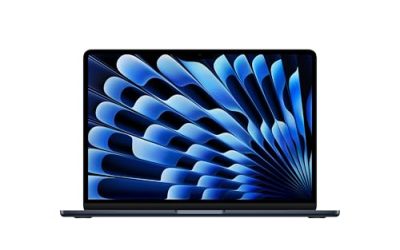
ASUS Zenbook 14 OLED
- Best for: A player who carries the laptop daily and plays Circle Empires in short sittings away from a desk.
- Processor: AMD Ryzen 7 8840HS, 8 cores and 16 threads, up to 5.1 GHz as listed
- Graphics: AMD Radeon 780M, integrated
- Memory: 16 GB LPDDR5X
- Storage: 512 GB Gen 4 SSD
A player who carries the laptop daily and plays Circle Empires in short sittings away from a desk.
This listing describes a touchscreen while the maker’s sheet for the same model line also lists non-touch panels, so confirm the panel type on the product page before ordering.
The Zenbook is the honest lightweight in this set, and Circle Empires is one of the rare games where its integrated graphics need no apology: the published minimum line names “Intel/AMD Integrated Graphics, 1GB VRAM” itself. The listing’s Ryzen 7 8840HS carries a Radeon 780M integrated GPU, which shares system memory with no dedicated pool, so it answers the minimum wording rather than the recommended tier’s dedicated GT 1030. In exchange you get a 14-inch WUXGA OLED touchscreen, a 75Wh battery the listing puts at up to 17 hours, and a body of about 2.82 pounds for carrying between short sessions.
Which One Fits Your Situation
You Only Need a Machine for This Game and Everyday Work
Take the Zenbook 14 OLED. The game’s own minimum line names integrated graphics, and the Radeon 780M in its listing answers that wording directly, while the 16 GB of memory quadruples the recommended figure. What you are really buying is the light body, the OLED touchscreen and the long battery figure for everything else you do on the machine.
You Are Building a Wider Strategy Library
Take the Legion 5 Gen 10. Circle Empires alone would never justify an RTX 5060 Laptop GPU, but a library that grows into heavier real-time and turn-based titles will use it, and the WQXGA OLED panel is the clearest screen here for reading dense maps. Its memory can also be raised to the listing’s stated 32 GB maximum later.
Your Laptop Lives on a Desk With a Second Screen
Take the Nitro V 15. Its listing names Thunderbolt 4 and HDMI 2.1, so the game can run on a larger monitor while the laptop stays put, and the second M.2 slot gives the storage room a growing library needs. The Core i9-13900H is far beyond anything this title asks for, which is the point of a desk machine.
You Want a Dedicated Card Without the Flagship Specification
Take the Victus 15 or the Katana 15. Both clear the recommended graphics line with a named dedicated card, the RX 6550M in the Victus listing and the RTX 4050 in the Katana listing, and both pair it with a 144Hz panel. Choose the Victus for its 32 GB of memory as listed, or the Katana for its simpler single configuration.
Common Mistakes
- Buying a Mac for this game: the store page carries the Catalina notice quoted above, so the Mac block still printing on the page is not a sold route onto current macOS versions.
- Reading “1,7GHz dual core” as a misprint and hunting for a corrected block: the decimal comma is the record’s own formatting, and the recommended line uses the same style in “Intel Core i3 2100 3,1GHz”.
- Checking requirements on the page for Circle Empires 2 or the Rivals and Tactics follow-ups: those are separate apps with their own blocks, and none of their figures belong to this game.
- Assuming the Windows recommended tier repeats every minimum line: on the current page the recommended block prints no DirectX line, while the minimum names DirectX Version 11.
- Skipping the notes line: every tier on every platform prints “System requirements may be subject to change.”, so re-check the block on the store page before you buy.
Frequently Asked Questions
Can I play Circle Empires on a Mac?
Not on a current Mac through Steam. The store page carries the notice “This product is not compatible with macOS 10.15 Catalina or above.”, even though a Mac minimum and recommended block still print on the page. That block names Mac OS X 10.9+ and period hardware such as the Radeon HD 6970M 1GB, so treat it as a record of the older edition and buy for Windows.
Does Circle Empires need a dedicated graphics card?
No. The published minimum graphics line prints “Intel/AMD Integrated Graphics, 1GB VRAM”, so integrated graphics are a named option in the publisher’s own wording. The recommended tier names dedicated cards, the “NVIDIA GeForce GT 1030 2GB / AMD Radeon HD 6850 2GB”, which is why four picks here carry dedicated cards and the Zenbook is presented honestly against the minimum line instead.
Are the processor figures on the store page misprints?
No. The minimum processor line prints “1,7GHz dual core” and the recommended line prints “Intel Core i3 2100 3,1GHz”, using decimal commas exactly as the record publishes them. The Mac and Linux blocks repeat the same style. Read them as 1.7 GHz and 3.1 GHz class figures in the publisher’s formatting, and do not go looking for a second, corrected block elsewhere.
Does this article cover Circle Empires 2?
No. Circle Empires 2 and the Rivals and Tactics follow-ups are separate apps with their own store pages and their own requirement blocks. Every figure quoted here comes from the original 2018 game’s page: 3 GB of memory at minimum, 4 GB at recommended, 1 GB of storage, and the integrated graphics line at minimum. Check the follow-up’s own page before buying a laptop for it.
More from Amazon
Programs that pair well with the guide above. Offers and eligibility are set by Amazon and may change.
A free business account with business pricing and bulk-buying tools for work, shop or home office.
Create a business accountFree shipping on eligible items, Prime Video and more. Eligible new members can start with a free trial.
Start a Prime free trialAudiobooks and podcasts to listen to on the go. Eligible new members can start with a free trial.
Try Audible freeAd-free music streaming. Eligible new subscribers can start with a free trial.
Try Music Unlimited freeAs an Amazon Associate we earn from qualifying purchases.



Write Your Review
No reviews yet. Be the first to share your experience!