
Our Short List of 3

- Best for: one machine for a wide, mixed library where the display matters daily.
- AMD Ryzen 7 260, 3.80 GHz up to 5.10 GHz
- NVIDIA GeForce RTX 5060 Laptop GPU with 8 GB GDDR7
- 16 GB DDR5-5600 SODIMM, 32 GB maximum as listed
- 1 TB SSD M.2 2242 PCIe Gen4 TLC

- Best for: a desk-bound setup you plan to upgrade and keep for years.
- Intel Core i9-13900H
- NVIDIA GeForce RTX 4060 Laptop GPU
- 15.6-inch FHD IPS 180Hz display as listed
- 16 GB DDR5, two slots, 32 GB maximum as listed

- Best for: carrying the game, and your documents, from room to room.
- AMD Ryzen 7 8840HS, up to 5.1 GHz as listed
- Integrated AMD Radeon 780M graphics
- 16 GB LPDDR5X
- 512 GB M.2 NVMe PCIe 4.0 SSD
All 3 Picks at a Glance
| Product | Specs | Action |
|---|---|---|
| Lenovo Legion 5 Gen 10 |
| Check price on Amazon |
| Acer Nitro V 15 |
| Check price on Amazon |
| ASUS Zenbook 14 OLED |
| Check price on Amazon |
Costume Quest asks very little of a laptop on paper: the published Windows minimum names a 1.4 GHz dual core processor, 1 GB RAM and a 256 MB video card from the GeForce 7600GS era, and every pick below clears it easily. The real decision is which current Windows laptop fits the rest of your library, and whether you hoped to play on a Mac: the store page carries the notice “This product is not compatible with macOS 10.15 Catalina or above.”
This article is for players returning to Double Fine’s 2011 Halloween adventure, grown-ups setting it up for younger trick-or-treaters, and anyone folding it into a mixed library on one shared machine. The five picks come from their listings: a Victus with a Radeon RX 6550M, a Legion with an RTX 5060 and an OLED panel, a Nitro with a Core i9, a Katana with an RTX 4050, and a Zenbook whose integrated Radeon 780M matches the class of card the requirements themselves name.
Quick Picks
As an Amazon Associate we earn from qualifying purchases
| Product | Best for | Key spec from title |
|---|---|---|
| HP Victus 15 | A household machine that also plays newer games | Radeon RX 6550M 4GB GDDR6 |
| Lenovo Legion 5 Gen 10 | A sharp OLED screen for the whole library | RTX 5060 8GB GDDR7 |
| Acer Nitro V 15 | The strongest processor in this set | Intel Core i9-13900H |
| MSI Katana 15 | A full-size gaming laptop for one desk | RTX 4050 6GB GDDR6 |
| ASUS Zenbook 14 OLED | Carrying the game between rooms | Radeon 780M integrated graphics |
How to Choose
Start With the Windows-Only Reality
The store page still prints Mac and Linux blocks, and reading them at face value leads buyers astray. The Mac block is Snow Leopard-era, opens with “Snow Leopard 10.6.8, or later”, and the page carries the Catalina notice quoted in the intro, so no current Mac is a route into this game through Steam. The Linux block is minimum-only and Ubuntu 12.04-era. Every pick in this article is a Windows laptop, and the page’s own footnote adds that the Steam Client supports only Windows 10 and later, whatever the older OS lines say.
Read the Two Windows Tiers Closely
The Windows block holds two quirks worth knowing before you compare machines. First, the memory line prints “1 GB RAM” at both the minimum and the recommended tier, so there is no higher memory target to aim at. Second, the recommended tier drops the storage line entirely: the only storage figure anywhere is the minimum’s “1.0 GB free hard drive space”. The graphics field is also named “Video Card” rather than graphics, and neither tier prints a DirectX or sound line, so do not go hunting for figures the publisher never published.
Match Graphics to a 256 MB-Era Bar
The minimum Video Card line reads “256 MB GeForce 7600GS, Radeon X1600, or Intel HD Graphics”, and the recommended line reads “256 MB GeForce 220, Radeon 4550, Intel HD 3000 Graphics”. Two of the named options are integrated graphics, which is why the Zenbook below is a legitimate pick rather than a compromise smuggled in. The dedicated cards in the Victus, Legion, Nitro and Katana sit far above this bar and earn their place through the rest of your library, not through anything this game demands of them.
Weigh Screen and Storage for a Tiny Install
With a 1.0 GB published install size, storage capacity barely matters for this game alone, so the deciding factors shift to the screen and the chassis. A 15.6-inch panel suits a fixed desk and younger players sharing a view, while the 14-inch Zenbook trades size for a lighter carry between rooms. Where storage does matter is headroom for everything else you own: the Nitro’s second M.2 slot and the Legion’s 1 TB drive serve a growing library, and that, not Costume Quest, is what justifies them.
The 5 Best Options
HP Victus 15
For a household buying one laptop that a child plays Costume Quest on today and an older sibling loads heavier games onto tomorrow, this seller-upgraded Victus is the natural starting point. Its Radeon RX 6550M is a dedicated card with its own memory, far beyond the 256 MB Video Card lines, and the 32 GB of memory and 1 TB drive mean the machine never becomes the bottleneck for a family library. The 144Hz panel and backlit keyboard with a numeric pad suit a shared desk.
Specs
- AMD Ryzen 5 7535HS, 6 cores and 12 threads, up to 4.55 GHz as listed
- AMD Radeon RX 6550M graphics with 4 GB GDDR6 dedicated memory
- 32 GB DDR5 RAM
- 1 TB NVMe SSD
- 15.6-inch FHD 144Hz IPS anti-glare display
- Wi-Fi 6 and Bluetooth 5.3 as listed
- Backlit keyboard with numeric pad
- Windows 11 Pro
- 5.06 lb, Mica Silver
Best for: a shared family laptop that has to cover far more than this one game.
Watch out for: this listing is a seller-upgraded configuration, so the memory and storage were fitted by the seller rather than at the factory; confirm the exact configuration on the page before ordering.
ASIN: B0DK1JHG13
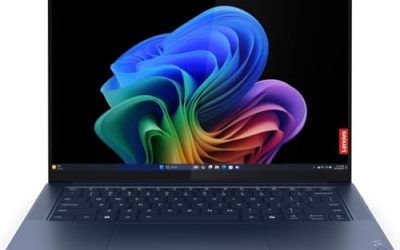
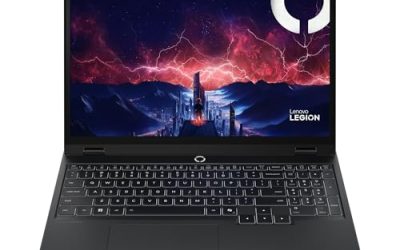
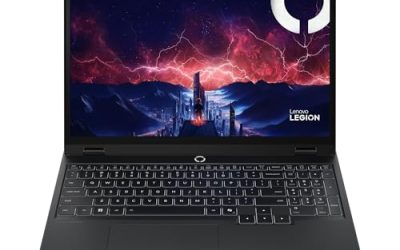
Lenovo Legion 5 Gen 10
- Best for: one machine for a wide, mixed library where the display matters daily.
- AMD Ryzen 7 260, 3.80 GHz up to 5.10 GHz
- NVIDIA GeForce RTX 5060 Laptop GPU with 8 GB GDDR7
- 16 GB DDR5-5600 SODIMM, 32 GB maximum as listed
- 1 TB SSD M.2 2242 PCIe Gen4 TLC
one machine for a wide, mixed library where the display matters daily.
the listing’s 7.09-pound item weight reads as a packaged figure rather than the bare machine, so check Lenovo’s own weight before judging how it carries.
The Legion is the pick for a player whose library stretches well past 2011 and who wants the screen to show it. Its RTX 5060 carries 8 GB of GDDR7 memory, the Ryzen 7 260 runs from 3.80 GHz up to 5.10 GHz, and the 15.1-inch WQXGA OLED panel is the sharpest display in this set. Against a game whose recommended Video Card line names a GeForce 220, all of that is headroom bought for other titles, and the article treats it that way rather than as a requirement.
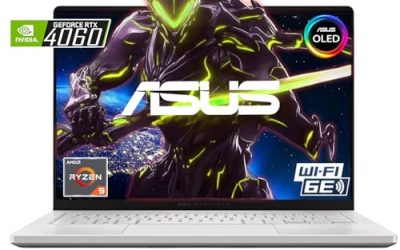
Acer Nitro V 15
- Best for: a desk-bound setup you plan to upgrade and keep for years.
- Intel Core i9-13900H
- NVIDIA GeForce RTX 4060 Laptop GPU
- 15.6-inch FHD IPS 180Hz display as listed
- 16 GB DDR5, two slots, 32 GB maximum as listed
a desk-bound setup you plan to upgrade and keep for years.
the listing names the RTX 4060 without printing a graphics-memory figure in its headline text, so confirm that figure on the page before ordering.
This Nitro is the processor-heavy option: its Core i9-13900H is the strongest chip in the set, paired with an RTX 4060 and a 180Hz panel. Nothing in Costume Quest’s published block asks for any of that, so the honest reason to choose it is a library and a workload that reach further, plus the upgrade paths. The listing gives the memory two slots with a 32 GB maximum and the storage two M.2 slots, which makes this the easiest pick here to extend later.
MSI Katana 15
The Katana is the straightforward full-size gaming laptop of the group: a Core i7-13620H, an RTX 4050 whose bullet text gives 6 GB of GDDR6 memory, and a 15.6-inch 144Hz panel. It answers the game’s Video Card lines with a dedicated card and plenty of margin, and its 1 TB drive swallows a family library without thought. Buyers who want a recognised gaming chassis with a numeric-pad-free, gaming-first layout and no ultrabook compromises will find this the most conventional choice here.
Specs
- Intel Core i7-13620H
- NVIDIA GeForce RTX 4050 with 6 GB GDDR6 per the listing bullet text
- 16 GB DDR5-4800
- 1 TB NVMe SSD
- 15.6-inch Full HD IPS 144Hz display
- USB Type-C port
- Windows 11 Home
- Black, model B13VEK-277US
Best for: a conventional gaming laptop that lives on one desk.
Watch out for: the listing prints DDR5-4800 memory while MSI’s own spec sheet for the B13V line prints DDR5-5600, so confirm which memory the shipped unit carries.
ASIN: B0BZBN3857
ASUS Zenbook 14 OLED
- Best for: carrying the game, and your documents, from room to room.
- AMD Ryzen 7 8840HS, up to 5.1 GHz as listed
- Integrated AMD Radeon 780M graphics
- 16 GB LPDDR5X
- 512 GB M.2 NVMe PCIe 4.0 SSD
carrying the game, and your documents, from room to room.
the listing describes a touchscreen while the maker’s spec sheet for the UM3406HA model line also lists a non-touch panel, so confirm the panel on the exact listing before ordering.
The Zenbook is the honest lightweight pick, and the requirements themselves make the case for it: the minimum Video Card line names Intel HD Graphics as an accepted option, so an integrated Radeon 780M is squarely within the class of hardware the publisher listed. What you give up is a dedicated card for newer games; what you gain is a 14-inch OLED machine that is easy to carry, with a 75Wh battery the listing puts at up to 17 hours, for a game that asks for 1 GB of memory and 1.0 GB of space.
Which One Fits Your Situation
A Household Laptop Everyone Shares
The Victus fits a family machine best. Its dedicated Radeon card and 32 GB of memory cover the spread from a young player’s Halloween adventure to an older child’s newer library, the numeric pad helps with homework, and the 15.6-inch screen is easy for two viewers to share during the trick-or-treat routes.
One Machine for a Big Mixed Library
Choose the Legion when Costume Quest is one stop in a large and varied collection of games old and new. The OLED panel flatters everything from story games to films, the RTX 5060 covers demanding modern titles, and the 1 TB drive avoids the shuffle of uninstalling games to make room each month.
A Desk Setup With Room to Grow
The Nitro suits a fixed desk and a keeper’s mindset: two M.2 slots and a 32 GB memory ceiling let the machine grow with your library. The Katana is the alternative in the same spirit if you prefer its chassis and layout, with the same full-size screen and a 1 TB drive from the start.
Playing Wherever You Happen to Sit
The Zenbook is the one to carry to a sofa, a kitchen table or another house. Its integrated graphics match the class of hardware the published requirements name, the OLED screen keeps the game’s colours rich, and the long battery figure the listing claims suits evenings away from a charger.
Common Mistakes
- Buying a Mac for the Steam version: the page carries the Catalina notice and the Mac block is Snow Leopard-era, so a current Mac is not a route in.
- Reading the Mac block’s second tier as a second minimum: both Mac tiers are headed “Minimum:”, and the second is the recommended tier mislabeled, with a Core i Series processor and 4 GB RAM.
- Assuming the recommended Windows tier lists storage: it omits the line entirely, and the minimum’s 1.0 GB figure is the only storage number published.
- Mixing in Costume Quest 2: the sequel is a separate app with its own requirements, and none of its figures belong in a decision about the 2011 original.
- Treating the Windows XP and Windows 7 OS lines as current guidance: the page’s footnote states the Steam Client supports only Windows 10 and later.
Frequently Asked Questions
Can I play Costume Quest on a Mac?
Not through a current Mac purchase. The store page carries the notice “This product is not compatible with macOS 10.15 Catalina or above.”, and the printed Mac block is a Snow Leopard-era one, opening with “Snow Leopard 10.6.8, or later”. A Windows laptop from the picks above is the supported route.
Does the PC version include the Grubbins on Ice DLC?
Yes. The store page states that the Grubbins on Ice DLC pack is included free in the PC version, bringing additional quests, costumes, battle stamps and creepy treat cards. There is nothing separate to track down, and the published requirements on the page cover the game as sold.
Why does the Mac block show two tiers both called Minimum?
It is a labeling quirk on the page itself. The first tier names an Intel Core Duo Processor with 2 GB RAM, while the second names an Intel Core i Series Processor with 4 GB RAM and a card with at least 512 MB VRAM. Read the second as the recommended tier wearing the wrong heading.
Is Costume Quest 2 the same purchase?
No. Costume Quest 2 is a separate app with its own store page and its own requirements, and it is not the topic of this article. Everything here, from the 1 GB memory lines to the two Windows tiers, describes the original 2011 game only.
More from Amazon
Programs that pair well with the guide above. Offers and eligibility are set by Amazon and may change.
A free business account with business pricing and bulk-buying tools for work, shop or home office.
Create a business accountFree shipping on eligible items, Prime Video and more. Eligible new members can start with a free trial.
Start a Prime free trialAudiobooks and podcasts to listen to on the go. Eligible new members can start with a free trial.
Try Audible freeAd-free music streaming. Eligible new subscribers can start with a free trial.
Try Music Unlimited freeAs an Amazon Associate we earn from qualifying purchases.



Write Your Review
No reviews yet. Be the first to share your experience!