
Our Short List of 3

- Chip: Apple M4 Pro, 12-core CPU, 16-core GPU
- Memory: 24GB unified memory
- Storage: 512GB SSD
- Display: 14.2-inch Liquid Retina XDR, 3024 x 1964

- Processor: AMD Ryzen 7 PRO 8840U, 8 cores
- Graphics: AMD Radeon 780M integrated
- Memory: 32GB DDR5
- Storage: 1TB NVMe SSD

- Processor: Intel Core Ultra 7 258V
- Memory: 32GB LPDDR5X
- Storage: 1TB SSD
- Display: 13.4-inch 3K OLED touch, 2880 x 1800 as listed
All 5 Picks at a Glance
| Product | Specs | Action |
|---|---|---|
| Apple MacBook Pro 14 (M4 Pro) |
| Check price on Amazon |
| Lenovo ThinkPad T14 Gen 5 |
| Check price on Amazon |
| Dell XPS 13 9350 |
| Check price on Amazon |
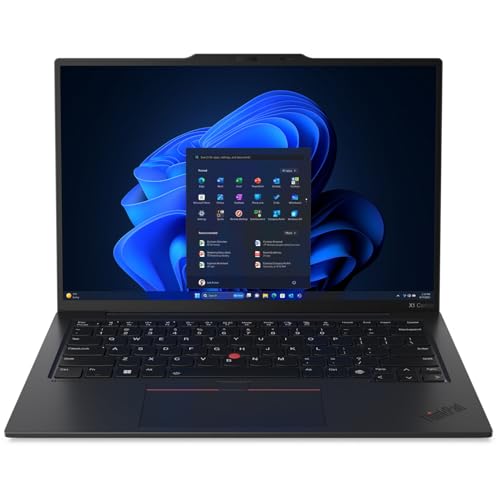 Lenovo ThinkPad X1 Carbon Gen 13 |
| Check price on Amazon |
 ASUS Zenbook 14 OLED |
| Check price on Amazon |
For many developers, Visual Studio Code is the desk itself: the editor sits in the middle, ringed by extensions, a dev server, a terminal, and a browser window or two. Add a container stack and a chat app for the team, and a laptop that felt quick in a shop demo can begin to feel crowded. The right machine keeps that whole arrangement feeling light, from the first file search to the last commit.
As an Amazon Associate, we earn from qualifying purchases.
This guide gathers five laptops that suit that daily mix. Each one pairs a fast modern chip with at least 24GB of memory, a sharp screen for dense code, and fast storage for projects and tooling. Some lean portable, some lean durable, and one brings Apple’s silicon and its quiet manners. None of them needs a discrete graphics card for editing work, and all five run the editor, its extensions, and the usual supporting cast at the same time.
How to Choose a Laptop for VS Code
Begin with an honest point: VS Code itself is a light program, and a plain editor window asks very little of any modern laptop. The hardware case comes from everything around the editor. Language servers index your project in the background, extensions add linting and smart completion help, a dev server rebuilds on every save, and containers hold the database and services your app expects. Memory is what lets all of that coexist, which is why every pick here carries 24GB or 32GB.
After memory, look at the chip. More cores help when tests run while you type, and quick single-core speed keeps search, autocomplete, and file switching feeling instant. Screens matter more than spec sheets suggest: a 14-inch panel at 1920 x 1200 or higher shows more lines of code and keeps small text crisp. Keyboards earn their keep too: travel, spacing, and a sensible layout matter on a machine you type on all day. Storage and ports finish the picture: 1TB holds many projects and container images comfortably, and Thunderbolt or USB4 makes a single-cable desk dock simple.
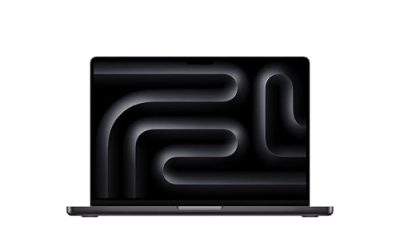
Apple MacBook Pro 14 (M4 Pro)
- Chip: Apple M4 Pro, 12-core CPU, 16-core GPU
- Memory: 24GB unified memory
- Storage: 512GB SSD
- Display: 14.2-inch Liquid Retina XDR, 3024 x 1964
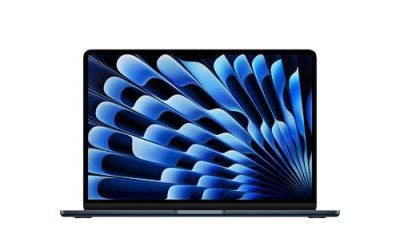
The MacBook Pro 14 with the M4 Pro chip is the pick for developers who want strong performance in a calm, quiet shell. Its 12-core CPU and 16-core GPU handle language servers, local builds, and a container stack without the fans becoming part of the meeting, and the 24GB of unified memory gives extensions and services room to breathe.
The 14.2-inch Liquid Retina XDR screen is the sharpest here, with text that stays crisp at small sizes, and the keyboard and large trackpad suit long editing days. Three Thunderbolt 5 ports make a one-cable desk setup easy; the 512GB SSD is the figure to check against your project library.
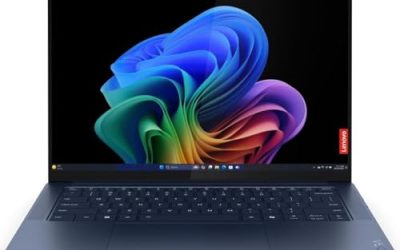
Lenovo ThinkPad T14 Gen 5
- Processor: AMD Ryzen 7 PRO 8840U, 8 cores
- Graphics: AMD Radeon 780M integrated
- Memory: 32GB DDR5
- Storage: 1TB NVMe SSD
The ThinkPad T14 Gen 5 is the workhorse of the group. The Ryzen 7 PRO 8840U brings eight cores to background indexing and test runs, while 32GB of DDR5 memory and a 1TB SSD give big repositories and several containers room to run side by side.
Its 14-inch WUXGA touchscreen keeps code readable, and the keyboard is the one many programmers ask for by name, with the TrackPoint in the middle for cursor nudges that never leave the home row. Two Thunderbolt 4 ports, HDMI, and wired Ethernet make office and home docking simple, and the build is made to be serviced.
Dell XPS 13 9350
- Processor: Intel Core Ultra 7 258V
- Memory: 32GB LPDDR5X
- Storage: 1TB SSD
- Display: 13.4-inch 3K OLED touch, 2880 x 1800 as listed
The XPS 13 9350 is the smallest machine here, built for developers who code in more places than a desk. The Core Ultra 7 258V is an efficiency-first chip, yet with 32GB of memory and a 1TB SSD it still carries the editor, a dev server, and a browser stack without complaint, all in a body that weighs 2.7 pounds as listed.
The 13.4-inch 3K OLED touchscreen packs a lot of crisp text into a small frame, which helps when a train table is your office. You get two Thunderbolt 4 ports and little else, so a dock is part of the plan at a desk, and the fingerprint reader in the power button keeps sign-in quick.
Lenovo ThinkPad X1 Carbon Gen 13
- Processor: Intel Core Ultra 7 258V
- Memory: 32GB LPDDR5X
- Storage: 2TB PCIe Gen 5 SSD
- Display: 14-inch 2.8K OLED, 2880 x 1800
The ThinkPad X1 Carbon Gen 13 is the traveler’s ThinkPad: a 14-inch machine that weighs 2.4 pounds as listed, yet still carries a Core Ultra 7 258V, 32GB of memory, and a 2TB Gen 5 SSD. That matters for developers who keep many repositories, virtual machines, and container images locally.
The 2.8K OLED screen is sharp enough for small code fonts, and the keyboard keeps the deep, quiet travel ThinkPad owners expect. Wi-Fi 7 as listed and a 1080p IR camera round out a machine aimed at people who join standups from anywhere, then settle in and write code for hours.
ASUS Zenbook 14 OLED
- Processor: Intel Core Ultra 9 285H, 16 cores
- Memory: 32GB DDR5
- Storage: 2TB SSD
- Display: 14-inch FHD+ OLED touch, 1920 x 1200
The Zenbook 14 OLED is the screen-first pick. Its Core Ultra 9 285H brings sixteen cores, the most in this group, so indexing, tests, and a local stack share the work easily, and the listed configuration pairs that chip with 32GB of memory and a 2TB SSD.
The 14-inch OLED touchscreen keeps code sharp and colors true for anyone who also checks design work, and the listing names an 18-hour battery figure, which suits long days away from a charger. Two Thunderbolt 4 ports, HDMI, and USB-A cover desk gear without extra adapters.
Comparison Table
| Product | Best for | Key spec |
|---|---|---|
| Apple MacBook Pro 14 (M4 Pro) | Quiet power | 24GB unified memory, Thunderbolt 5 |
| Lenovo ThinkPad T14 Gen 5 | All-round workhorse | 32GB DDR5, 1TB SSD |
| Dell XPS 13 9350 | Smallest carry | 3K OLED touch, 2.7 lb as listed |
| Lenovo ThinkPad X1 Carbon Gen 13 | Lightest travel pick | 2TB Gen 5 SSD, 2.4 lb as listed |
| ASUS Zenbook 14 OLED | Most cores | Ultra 9 285H, 16 cores |
FAQ
How much memory does VS Code really need?
The editor alone runs on far less, but the setup around it is the hungry part. With containers, a dev server, language servers, and a browser open, 16GB feels tight, and the 24GB to 32GB range covered by every pick here leaves headroom.
Do I need a discrete graphics card for coding?
For editing, terminal work, and everyday tooling, no. Integrated graphics drive the editor and external monitors fine. A discrete card earns its place for game development, heavy 3D, or local machine-learning jobs, which this guide does not target.
Can I use one of these laptops with a desk dock?
Yes. Every pick here has Thunderbolt 4, Thunderbolt 5, or USB4 ports, so a single cable can carry display, keyboard, mouse, and charging at a desk. The XPS 13 leans on that setup the most, since its two ports are its only connections.
Conclusion
VS Code rewards balance more than brute force: enough memory for the stack around the editor, a fast chip for the tooling, a sharp screen, and a keyboard you can live on. The MacBook Pro 14 brings quiet power, the two ThinkPads split the difference between durability and travel weight, the XPS 13 goes smallest, and the Zenbook 14 brings the most cores. Pick the shape of your working day, and the editor will feel light on any of them.
More from Amazon
Programs that pair well with the guide above. Offers and eligibility are set by Amazon and may change.
A free business account with business pricing and bulk-buying tools for work, shop or home office.
Create a business accountFree shipping on eligible items, Prime Video and more. Eligible new members can start with a free trial.
Start a Prime free trialAudiobooks and podcasts to listen to on the go. Eligible new members can start with a free trial.
Try Audible freeAd-free music streaming. Eligible new subscribers can start with a free trial.
Try Music Unlimited freeAs an Amazon Associate we earn from qualifying purchases.
Write Your Review
No reviews yet. Be the first to share your experience!