
Our Short List of 3
All 5 Picks at a Glance
| Product | Specs | Action |
|---|---|---|
 Apple MacBook Pro 14 (M4 Pro) | Check price on Amazon | |
 Lenovo Legion Pro 7i Gen 10 | Check price on Amazon | |
 Dell XPS 13 9350 | Check price on Amazon | |
 ASUS ROG Zephyrus G16 (2025) | Check price on Amazon | |
 Lenovo Legion 5 Gen 10 | Check price on Amazon |
Stellaris is a grand strategy game about building a space empire, and it asks something different from a laptop than most games do. Early campaigns feel light, but a big late-game galaxy means hundreds of ships, colonies, and pops for the processor to track, and that load is where weaker machines feel slow. The right laptop is the one whose chip and memory keep a campaign responsive from the first survey ship onward.
As an Amazon Associate, we earn from qualifying purchases.
This guide picks five laptops that suit the way Stellaris actually plays. A MacBook Pro and a compact Dell prove the game runs happily on Windows and macOS alike, while three gaming laptops bring stronger chips, bigger screens, and more memory for huge galaxies and heavy mod lists. Every pick was chosen for processor strength and memory first.
How to Choose a Laptop for Stellaris
Start with the platform, because Stellaris is flexible here: the game runs natively on Windows and macOS, so Mac laptops are fair picks too. What matters most is the processor. Stellaris simulates its galaxy on the CPU, and much of that work leans on single-core speed, so strong per-core performance serves a long campaign better than many slower cores. Memory comes next: 16GB is a workable floor, while 32GB or more gives big galaxies more room.
The graphics card matters less than in a shooter. Stellaris draws a map, menus, and ship models rather than fast action, so integrated graphics can run it at modest settings, and a midrange gaming GPU is more than enough for high settings at native resolution. A bigger, sharper screen helps, because the interface packs menus and long lists. Fast SSD storage keeps the game and expansions loading quickly and makes mod packs painless.
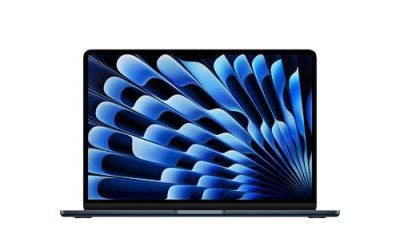
Apple MacBook Pro 14 (M4 Pro)
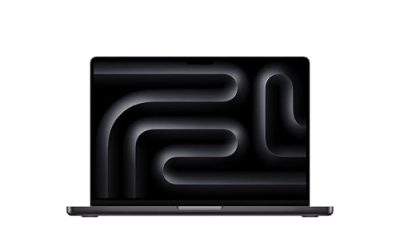
The MacBook Pro 14 is the natural Mac pick, and it starts with the M4 Pro chip. Its 12-core CPU mixes performance and efficiency cores, and the strong single-core speed is exactly what a growing galaxy asks for. The 24GB of unified memory sits above the game’s comfortable floor. The macOS version runs natively on Apple silicon, with no translation layer in the way.
The 14.2-inch Liquid Retina XDR screen shows the dense interface at 3024×1964, so menus and system lists stay readable without zooming. Storage is the honest trade: 512GB fills quickly if many games are installed, so treat this as a focused machine. The listing claims up to 22 hours of battery life, and at 3.4 lb it travels between desk and couch.
Lenovo Legion Pro 7i Gen 10
The Legion Pro 7i Gen 10 is the brute-force pick, built around Intel’s Core Ultra 9 275HX, a 24-core chip whose performance cores boost up to 5.4 GHz as listed. That per-core speed is what a huge late-game galaxy leans on, and its 64GB of DDR5 memory is the most in this guide, giving enormous empires real headroom.
The RTX 5080 and the 16-inch OLED screen at 2560×1600 and 240Hz go far beyond what Stellaris draws, which means it shrugs at every other game in a library too. Two SSDs give 2TB in total. One honest note: this is a seller-configured listing, so confirm the configuration before ordering, and at a starting weight of 5.67 lb it is a desk machine.
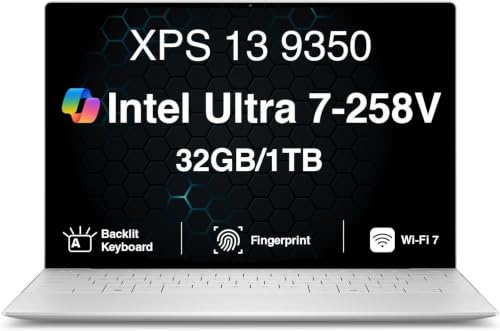
Dell XPS 13 9350
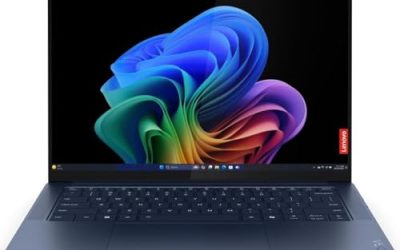
The XPS 13 9350 is the honest ultraportable pick, and its case rests on the processor rather than the graphics. The Core Ultra 7 258V boosts up to 4.8 GHz as listed, and its single-core pace is the part Stellaris actually uses. The 32GB doubles the comfortable floor, so a modded campaign and open apps can share it easily.
Be clear about the trade: the Intel Arc 140V graphics are integrated, so this pick suits the map and the menus at modest settings, not pushing every effect. You get a 13.4-inch FHD+ screen in a body of about 2.6 lb, a 1TB SSD, and a listing that claims up to 26 hours of battery life — a laptop that treats Stellaris as one light job among many.
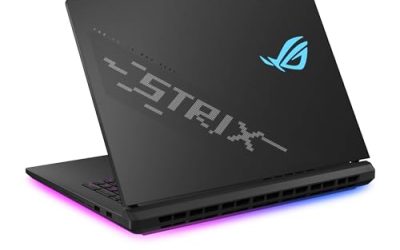
ASUS ROG Zephyrus G16 (2025)
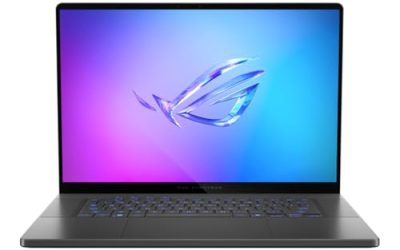
The Zephyrus G16 splits the difference between the heavy Legion and the light Dell. Its Core Ultra 9 285H brings strong per-core speed, and 32GB of memory gives a big galaxy room to grow. The RTX 5070 Ti is more graphics than Stellaris asks for, so the game can sit at high settings while the chip does the real work.
That screen is a 16-inch OLED at 2560×1600 with a 240Hz refresh rate as listed, and the extra space suits the dense interface. The 2TB SSD swallows the game, its expansions, and a mod folder without housekeeping. At 4.30 lb in an aluminum body, it is the gaming pick that still feels reasonable to carry.
Lenovo Legion 5 Gen 10
The Legion 5 Gen 10 is the value-minded gaming pick, and it still leads with the right part: the Ryzen 7 260 boosts up to 5.1 GHz as listed, the kind of per-core speed a late-game galaxy leans on. Its 16GB of DDR5 sits in slots and can grow to 32GB as listed, so memory can grow as campaigns get bigger.
The 15.1-inch OLED screen runs at 2560×1600 and 165Hz with 500 nits as listed, a sharp fit for an interface full of small text. The RTX 5060 handles the game’s ship models at native resolution with room to spare, and a 1TB SSD plus USB4, HDMI 2.1, and Ethernet make it an easy desk anchor at about 4.1 lb.
FAQ
Does Stellaris run on a Mac?
Yes. The game runs natively on macOS as well as Windows, and the MacBook Pro 14 plays the Apple silicon version directly. Saves travel between the two platforms, so a campaign started on one can continue on the other.
How much memory does Stellaris need?
Treat 16GB as the floor for a comfortable campaign, especially with expansions and mods installed. A 32GB machine gives a large late-game galaxy more room, and the Legion Pro 7i goes to 64GB for enormous galaxies and mod lists.
Do I need a gaming graphics card for Stellaris?
No. The game renders a map and menus rather than fast action, so integrated graphics like the Dell’s Intel Arc 140V can run it at modest settings. A gaming GPU earns its place for high settings at a big screen’s native resolution.
Conclusion
For Stellaris, shop for the chip and the memory first and let the graphics card follow. The MacBook Pro 14 is the Mac route, the Legion Pro 7i Gen 10 is the headroom champion, the XPS 13 9350 proves an ultraportable can run a campaign, the Zephyrus G16 balances screen and strength, and the Legion 5 Gen 10 keeps things sensible.
More from Amazon
Programs that pair well with the guide above. Offers and eligibility are set by Amazon and may change.
A free business account with business pricing and bulk-buying tools for work, shop or home office.
Create a business accountFree shipping on eligible items, Prime Video and more. Eligible new members can start with a free trial.
Start a Prime free trialAudiobooks and podcasts to listen to on the go. Eligible new members can start with a free trial.
Try Audible freeAd-free music streaming. Eligible new subscribers can start with a free trial.
Try Music Unlimited freeAs an Amazon Associate we earn from qualifying purchases.
Write Your Review
No reviews yet. Be the first to share your experience!