
Our Short List of 3
All 5 Picks at a Glance
| Product | Specs | Action |
|---|---|---|
 Apple MacBook Pro 14 (M4 Pro) | Check price on Amazon | |
 Lenovo Legion Pro 7i Gen 10 | Check price on Amazon | |
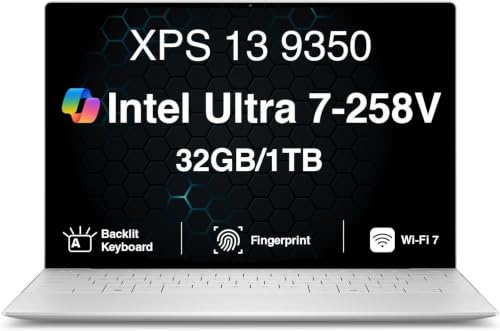 Dell XPS 13 9350 | Check price on Amazon | |
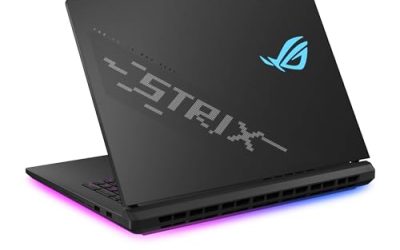
 ASUS ROG Zephyrus G16 (2025) | Check price on Amazon | |
 Lenovo Legion 5 Gen 10 | Check price on Amazon |
Hearts of Iron IV is a grand strategy game that can swallow a whole weekend. You steer a nation through the late 1930s and the war years, juggling factories, research, diplomacy, and front lines on one map. Sessions stretch for hours, saves grow with every expansion, and the campaign becomes a simulation workload that asks more of a laptop than its map screen suggests.
The good news: this game does not demand a flagship graphics card. What it rewards is a strong processor, enough memory for the game plus everything you keep open, quick storage for saves, and a screen big enough to read the map and its panels without squinting. The five laptops below cover that spread, from a native Mac option to full-size Windows machines.
As an Amazon Associate, we earn from qualifying purchases.
How to Choose a Laptop for Hearts of Iron IV
First, the platform question is easy: Hearts of Iron IV runs natively on both Windows and macOS, and the Mac version is the full game rather than a cut-down port. Apple hardware is a fair pick here, and Windows players lose nothing either. Both sides are buying for the same job: a simulation that calculates the world rather than drawing it.
That workload shapes every pick below. The simulation leans hardest on single-core processor strength, so fast cores matter more than a long core count or a huge graphics card. Memory comes next: 16GB is a workable floor, while 24GB or 32GB leaves room for a browser, chat apps, and a wiki beside a campaign. Storage should be a quick SSD, since long saves and expansions add up. A 15- or 16-inch display is easier on the eyes over a long evening; a smaller panel keeps the bag light.
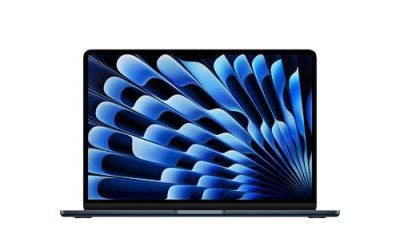
Apple MacBook Pro 14 (M4 Pro)
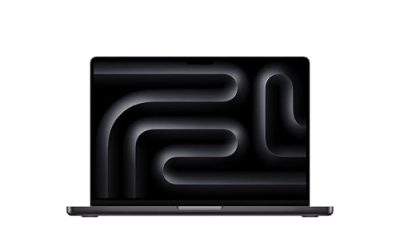
The MacBook Pro 14 suits players who want the native macOS version. The M4 Pro pairs a 12-core CPU with strong single-core pace — exactly the muscle this simulation leans on — and 24GB of unified memory keeps a long campaign, a browser of wiki tabs, and your messages open without feeling crowded.
The 14.2-inch Liquid Retina XDR screen is smaller than the Windows machines here, but its 3024 x 1964 resolution keeps map text and panels crisp, and ProMotion up to 120Hz as listed keeps panning smooth. The 512GB SSD holds the game and its expansions comfortably. HDMI and an SDXC slot are built in, as listed.
Lenovo Legion Pro 7i Gen 10
The Legion Pro 7i Gen 10 is the heavy artillery of this list. Its Core Ultra 9 275HX boosts up to 5.4 GHz as listed, and its 64GB of DDR5 memory is double what most players will ask of this game — headroom that suits big mod lists and a dozen programs open beside the game.
The RTX 5080 is far beyond what this game asks for, so treat it as headroom for the rest of your library. The 16-inch OLED screen at 2560 x 1600 gives the map real presence, and 2TB of storage across two drives swallows expansions whole. One honest note: this is a seller-configured listing, so confirm the page configuration matches what you expect before ordering.
Dell XPS 13 9350
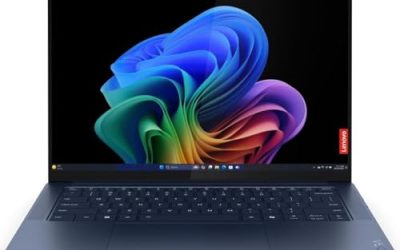
The XPS 13 9350 looks like an odd pick for a strategy game until you remember what the game stresses. Its Core Ultra 7 258V is built around fast, efficient cores — the single-core strength this simulation trades in. Its 32GB of memory is generous for a 13-inch machine, and the 1TB SSD loads saves quickly.
The honest trade is screen and graphics: the 13.4-inch FHD+ panel is sharp as listed, but the dense map panels feel snug on it, and the integrated Intel Arc 140V graphics mean modest settings rather than maximum detail. In return you get a machine of about 2.6 lb as listed, with the listing claiming up to 26 hours of battery — a figure to treat as a best-case claim.
ASUS ROG Zephyrus G16 (2025)
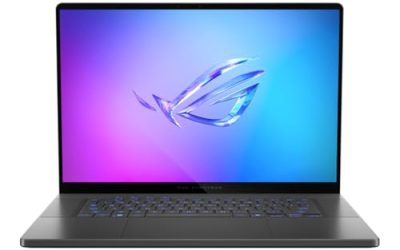
The Zephyrus G16 splits the difference between a gaming laptop and an all-day work machine. The Core Ultra 9 285H brings strong cores for the simulation, 32GB of memory covers a campaign plus everything beside it, and the 2TB SSD means the game, its expansions, and your saves never fight for space.
Its 16-inch OLED display runs at 2560 x 1600 with a 240Hz refresh rate and G-SYNC as listed, and the RTX 5070 Ti is generous headroom for heavier games in your library. All of it sits in a 4.30 lb chassis as listed — light for a 16-inch machine — the natural pick if one laptop has to do everything.
Lenovo Legion 5 Gen 10
The Legion 5 Gen 10 is the balanced Windows pick: strong where this game needs it, sensible everywhere else. The Ryzen 7 260 boosts up to 5.1 GHz as listed, which suits a simulation that cares about fast cores, and its 16GB of DDR5 memory can grow to 32GB as listed if a future setup demands more.
The 15.1-inch OLED screen (2560 x 1600, 165Hz, 500 nits as listed) is a comfortable size for the map, and the 1TB SSD leaves room for expansions. The RTX 5060 is more graphics than this title requires — headroom for heavier games later. The 24-zone RGB backlit keyboard, as listed, is a pleasant extra for late-night sessions.
Comparison Table
| Product | Best for | Key spec |
|---|---|---|
| Apple MacBook Pro 14 (M4 Pro) | Mac players who want quiet power | M4 Pro 12-core CPU, 24GB unified memory |
| Lenovo Legion Pro 7i Gen 10 | Heaviest campaigns and big mod lists | Core Ultra 9 275HX, 64GB DDR5 |
| Dell XPS 13 9350 | Travel and small desks | Core Ultra 7 258V in a 2.6 lb build |
| ASUS ROG Zephyrus G16 (2025) | One machine for work and play | Core Ultra 9 285H, 16-inch OLED |
| Lenovo Legion 5 Gen 10 | Balanced everyday pick | Ryzen 7 260, 15.1-inch OLED |
FAQ
Does Hearts of Iron IV run on a Mac?
Yes — the game has a native macOS version sold alongside the Windows one, and it is the full game, so the MacBook Pro above is a fair pick. Check the store page’s current system notes before buying.
What matters more, the processor or the graphics card?
The processor, and it is not close: the simulation spends its time calculating the world, so fast cores and enough memory matter far more than graphics muscle. Integrated graphics can run the game at modest settings; a big card is headroom for other games, not a need here.
How much storage and memory should I look for?
The base game is compact, but expansions and community mods add up, so 512GB is a comfortable starting point. For memory, 16GB is a workable floor; 24GB or 32GB is safer if you keep a browser and other apps open beside a campaign.
Conclusion
Hearts of Iron IV rewards the unglamorous parts of a laptop: fast cores, generous memory, quick storage, and a readable screen. The MacBook Pro 14 suits Mac players, the Legion Pro 7i is the no-compromise Windows machine, the XPS 13 travels lightest, the Zephyrus G16 does a bit of everything, and the Legion 5 keeps the balance sensible. Pick the one that fits your desk.
More from Amazon
Programs that pair well with the guide above. Offers and eligibility are set by Amazon and may change.
A free business account with business pricing and bulk-buying tools for work, shop or home office.
Create a business accountFree shipping on eligible items, Prime Video and more. Eligible new members can start with a free trial.
Start a Prime free trialAudiobooks and podcasts to listen to on the go. Eligible new members can start with a free trial.
Try Audible freeAd-free music streaming. Eligible new subscribers can start with a free trial.
Try Music Unlimited freeAs an Amazon Associate we earn from qualifying purchases.
Write Your Review
No reviews yet. Be the first to share your experience!