
Our Short List of 3
All 5 Picks at a Glance
| Product | Specs | Action |
|---|---|---|
 Apple MacBook Air 13 (M4) | Check price on Amazon | |
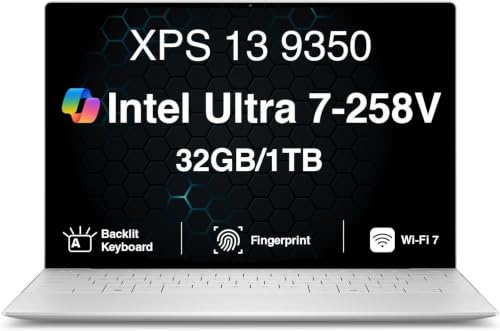 Dell XPS 13 9350 | Check price on Amazon | |
 ASUS ROG Zephyrus G14 (2024) | Check price on Amazon | |
 HP Victus 15 | Check price on Amazon | |
 Lenovo LOQ 15 | Check price on Amazon |
Cuphead is a run-and-gun boss-rush game drawn by hand in the style of 1930s cartoons, with watercolor backdrops, rubber-hose animation, and a big-band soundtrack. Nearly every stage is a boss fight, so play is a string of short attempts: learn a pattern, mistime one jump, dive back in. The Delicious Last Course expansion adds a second island of bosses, and both parts reward quick restarts far more than raw computing muscle.
That makes the laptop hunt simple. Cuphead is a 2D game with modest demands, so the real questions are the screen, how fast the game loads between attempts, and whether the machine is light enough to carry to a friend’s couch for co-op. The five laptops below run from a silent fanless ultraportable to full gaming machines.
As an Amazon Associate, we earn from qualifying purchases.
How to Choose a Laptop for Cuphead
First, the platform picture is friendly: Cuphead runs on Windows and macOS alike, sold through the usual PC game stores for both systems. Mac picks are completely fair in this roundup — just confirm the store page for your system before you buy the game.
Second, be honest about the graphics load. Cuphead is a light-to-moderate 2D game: its hand-drawn frames are gorgeous, but they do not push a graphics chip like a modern 3D title does. Current integrated graphics, including the GPU in Apple silicon and Intel’s Arc graphics, handle it comfortably, and a dedicated gaming GPU is headroom for the rest of your library, not a requirement here. We make no frame-rate promises for any pick.
What shapes the experience is the display and the drive. OLED and wide-gamut panels make the watercolor backgrounds and inked outlines look their best. A solid-state drive keeps the loop tight, because Cuphead’s rhythm is attempt, fail, retry — and quick loading keeps that fun instead of frustrating. A light machine also travels far more willingly than a heavy gaming brick.
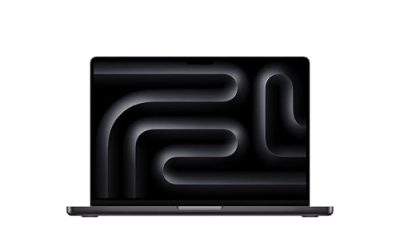
Apple MacBook Air 13 (M4)
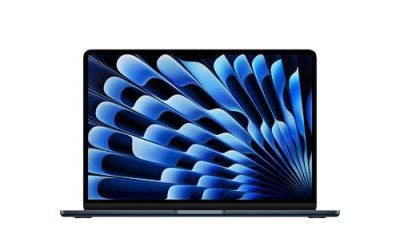
The MacBook Air is the natural home for Cuphead on the Mac side. The game runs natively on macOS, and the M4 chip’s integrated graphics are far stronger than a 2D title asks for, so Inkwell Isle loads quickly and the animation stays smooth. The fanless design means total silence, suiting a game whose jazz soundtrack deserves to be heard without a fan humming underneath it.
The 13.6-inch Liquid Retina display supports a billion colors as listed, so the watercolor washes look rich rather than flat. At about 2.7 pounds as listed, with battery life the listing puts at up to 18 hours, it is the pick to carry between rooms, then plug into a TV for co-op with Mugman.
Dell XPS 13 9350
The XPS 13 is the Windows counterpart to the Air: a slim, light ultraportable whose Intel Arc 140V integrated graphics handle Cuphead without breaking a sweat. Nobody should buy it only for Cuphead, but the game runs happily on the laptop you already carry for documents and calls, and a 1TB SSD leaves the whole library room alongside your files.
Its 13.4-inch FHD+ panel runs at 120Hz with 500 nits of brightness as listed, keeping the linework crisp in a bright room. The listing claims up to 26 hours of battery, a maker figure to treat as a best case, and the fingerprint reader makes sign-in quick. Confirm the page configuration matches this description before ordering.
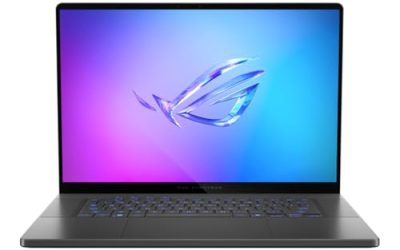
ASUS ROG Zephyrus G14 (2024)
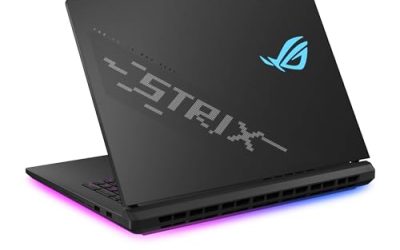
The Zephyrus G14 is the pick for players who want Cuphead’s art shown off at its best, with a real gaming GPU for heavier games. Its 14-inch OLED panel pairs a 2880×1800 resolution with a 120Hz refresh rate, so outlines stay razor sharp and watercolor backgrounds glow with deep OLED contrast.
Underneath, the Ryzen 9 chip and RTX 4060 graphics are far beyond anything Cuphead requests: buy it for the demanding titles, and Cuphead comes along for the ride. At about 3.31 pounds it stays travel-friendly, with a memory card slot as listed.
HP Victus 15
The Victus 15 is the big-screen, full-power option for a desk or gaming corner. Its RTX 5060 graphics card is serious overkill for a 2D boss-rush game, but it covers the rest of a growing library too, and Cuphead loads in a blink from the 1TB SSD. The 15.6-inch FHD screen refreshes at 144Hz, giving the parry-and-dash action a large, fluid canvas.
Practical touches suit long sessions: an RGB backlit keyboard as listed for dim rooms, an RJ-45 Ethernet port as listed for a wired connection, and 32GB of memory. The listing bundles a 7-in-1 USB-C hub; confirm the page details match before ordering.
Lenovo LOQ 15
The LOQ 15 rounds out the list as the straightforward gaming laptop: a dedicated RTX 4050, a 144Hz screen, and a full-size keyboard with a numeric keypad as listed, all in a 15.6-inch chassis. For Cuphead it is comfortably more machine than the game needs, and it steps up happily for 3D titles afterward.
The 512GB SSD keeps load times short, and the listing notes the memory can be upgraded to 64GB later, a rare bit of future-proofing here. The panel covers 100% sRGB at 300 nits as listed, so the cartoon palette looks faithful. At about 3.97 pounds as listed it is the heaviest pick here — a desk-first machine.
Comparison Table
| Product | Best for | Key spec |
|---|---|---|
| Apple MacBook Air 13 (M4) | Silent, light Mac play | 13.6-inch Liquid Retina, fanless |
| Dell XPS 13 9350 | Windows ultraportable | Intel Arc 140V integrated graphics |
| ASUS ROG Zephyrus G14 (2024) | Best screen for the art | 14-inch OLED 2880×1800, 120Hz |
| HP Victus 15 | Big screen, most headroom | RTX 5060, 15.6-inch FHD 144Hz |
| Lenovo LOQ 15 | Desk-first gaming value | RTX 4050, memory upgradable as listed |
FAQ
Does Cuphead run on a Mac, or do I need Windows?
Both work. Cuphead is sold for Windows and macOS, so a Mac like the MacBook Air above plays the native Mac edition and a Windows laptop plays the Windows edition. Check the store page for your system before buying.
Do I need a gaming laptop with a dedicated graphics card for Cuphead?
No. Cuphead is a 2D game with modest demands, and current integrated graphics — Apple silicon or Intel Arc — run it well. A dedicated card like the RTX 4060 or RTX 5060 here is worth choosing only when the rest of your library includes heavier 3D games.
What should I look for in a screen for this game?
Vivid, accurate color matters more than size here, because the appeal is the hand-drawn watercolor art. OLED and wide-gamut panels show it off best, a higher refresh rate keeps the action feeling fluid, and enough brightness keeps the linework readable in a bright room.
Conclusion
Cuphead asks very little of a laptop, so choose on screen quality, storage speed, and weight rather than graphics muscle. The MacBook Air and XPS 13 cover the light, quiet end; the Zephyrus G14 adds the finest display and a real gaming GPU; and the Victus 15 and LOQ 15 bring big screens and headroom for a wider library. Any of the five will have you back in the boss fight within seconds of a knockout.
More from Amazon
Programs that pair well with the guide above. Offers and eligibility are set by Amazon and may change.
A free business account with business pricing and bulk-buying tools for work, shop or home office.
Create a business accountFree shipping on eligible items, Prime Video and more. Eligible new members can start with a free trial.
Start a Prime free trialAudiobooks and podcasts to listen to on the go. Eligible new members can start with a free trial.
Try Audible freeAd-free music streaming. Eligible new subscribers can start with a free trial.
Try Music Unlimited freeAs an Amazon Associate we earn from qualifying purchases.
Write Your Review
No reviews yet. Be the first to share your experience!