
Our Short List of 3
All 5 Picks at a Glance
| Product | Specs | Action |
|---|---|---|
 Apple MacBook Air 13 (M4) | Check price on Amazon | |
 Dell XPS 13 9350 | Check price on Amazon | |
 Lenovo Legion 5 Gen 10 | Check price on Amazon | |
 ASUS Zenbook 14 OLED | Check price on Amazon | |
 Lenovo ThinkPad T14 Gen 5 | Check price on Amazon |
Building a 2D role-playing game in RPG Maker is patient, absorbing work: painting maps tile by tile, wiring up event pages, writing dialogue, then walking your hero through the scene to see whether the moment lands. The editor is light software that asks little of a modern laptop, so the buying decision is not about raw muscle. It is about the screen you stare at for hours, the storage your asset folders eat, and the keyboard under long scripting sessions.
As an Amazon Associate, we earn from qualifying purchases.
The five laptops below span both platforms the current editions run on, from a fanless ultraportable to a gaming chassis with headroom for companion art and audio tools — one each for the traveler, the asset collector, the keyboard devotee, and the trailer maker.
How to Choose a Laptop for RPG Maker
Start with the screen. Map editing is detail work — tilesets, event markers, and dense database windows reward resolution and a panel that stays clear at small text sizes. A sharp display makes those long sessions easier to judge at a glance.
Storage matters more than most first-time makers expect. A project folder stays small, yet tileset packs, music libraries, voice clips, plugins, and archived builds pile up over a year. Treat 512GB as a comfortable floor, and look kindly on any machine listing 1TB or more.
Keyboard comfort is the third point. Event scripting, conditional branches, and dialogue entry mean thousands of keystrokes between playtests, so a keyboard with honest travel earns its place. Memory and chip strength come last: 16GB handles the editor plus an image editor and an audio tool side by side; anything beyond that is headroom, not a requirement. Ports for a second screen or a gamepad round out the list, since playtesting on a controller is how players meet the game.
Apple MacBook Air 13 (M4)
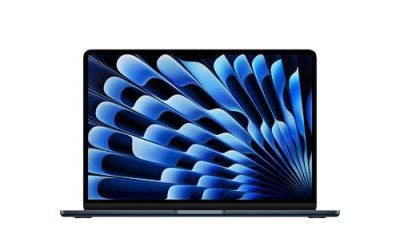
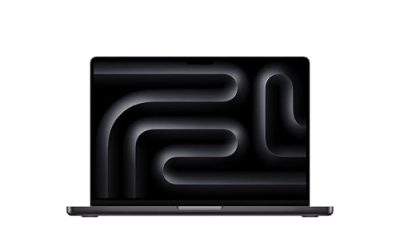
The MacBook Air is the quiet companion pick: its fanless design means total silence at the desk, which suits makers recording voice lines or sound effects in the same room. The current RPG Maker editions run natively on macOS, so the editor, database windows, and playtest loop live here without workarounds, and the Liquid Retina screen renders map detail crisply.
The honest limit is storage: 256GB fills faster than expected once music packs and archived builds accumulate, so plan on an external drive. In exchange you get a 2.7 lb machine with battery life Apple lists at up to 18 hours of video playback — enough to turn cafés and trains into map-editing studios.
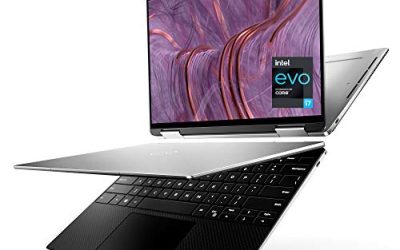
Dell XPS 13 9350
The XPS 13 is the sharp-screen Windows pick. This listing pairs a Core Ultra 7 258V with 32GB of memory and a 1TB SSD behind a 13.4-inch 3K OLED touch panel, so database windows and event lists stay legible in a chassis that slips into a small bag. The extra memory lets the editor, an image editor, and a browser of documentation coexist.
Two Thunderbolt 4 ports are the whole port selection, so a dock or hub joins the setup if you want a second screen and gamepad wired in at once. Its fingerprint reader sits in the power button as listed, and at 2.7 lb it carries like the MacBook Air with four times the storage.
Lenovo Legion 5 Gen 10
The Legion 5 is the headroom pick, built for makers whose projects spill into heavier companion tools. The RTX 5060 earns its place outside the editor — rendering a trailer, touching up promotional art, or cutting a devlog video all lean on it — while the 15.1-inch OLED panel shows maps at 2560 x 1600 with 500 nits as listed. RPG Maker itself will never trouble this hardware — precisely the point.
Practical touches suit long sessions: USB4, HDMI 2.1, and RJ-45 Ethernet cover a desk without a dock, the 5MP camera carries an e-shutter, and memory can grow to 32GB later as listed. The trade is size — an 80Wh stay-at-the-desk machine, not a café companion.
ASUS Zenbook 14 OLED
The Zenbook 14 answers the storage question most directly: this listing carries a 2TB SSD — the largest drive here — behind a Core Ultra 9 285H and 32GB of memory. Years of tilesets, soundtracks, and plugin archives fit with no external drive in the conversation, and the OLED touch panel keeps map work vivid.
At 2.82 lb as listed it stays portable, with up to 18 hours of battery life as ASUS lists — a maker claim, not a promise. Two Thunderbolt 4 ports plus HDMI 2.1 cover a monitor and accessories. The FHD+ panel is the one modest note: text is less crisp than on the 3K panels above, though the 16:10 shape suits tall database windows.
Lenovo ThinkPad T14 Gen 5
The ThinkPad T14 is the keyboard pick, and for event scripting that matters more than any benchmark. The TrackPoint and deep ThinkPad key feel suit hours of dialogue entry and conditional-branch logic, while the WUXGA touchscreen lets you tap through playtests directly. A Ryzen 7 PRO 8840U with 32GB of memory and a 1TB SSD gives the toolchain comfortable room.
Port selection is the most complete here: two Thunderbolt 4 / USB4 ports, HDMI 2.1, RJ-45 Ethernet, and USB-A for the gamepads, tablets, and drives that accumulate around a project. A fingerprint reader, 52.5Wh battery, and Windows 11 Pro complete a machine that feels less like a showcase and more like a workshop bench — exactly what a long RPG project needs.
Comparison Table
| Product | Best for | Key spec |
|---|---|---|
| Apple MacBook Air 13 (M4) | Silent, portable map editing | Fanless M4, 13.6-inch Liquid Retina |
| Dell XPS 13 9350 | Sharpest small Windows screen | 13.4-inch 3K OLED touch, 1TB SSD |
| Lenovo Legion 5 Gen 10 | Trailers and heavy companion tools | RTX 5060, 15.1-inch OLED 165Hz |
| ASUS Zenbook 14 OLED | The biggest asset libraries | 2TB SSD, 32GB memory |
| Lenovo ThinkPad T14 Gen 5 | Long scripting sessions | ThinkPad keyboard, full port set |
FAQ
Does RPG Maker need a gaming laptop?
No. The editor and its playtest loop run comfortably on modest hardware, including integrated graphics. A gaming laptop earns its place only when your wider workflow — trailers, rendered art, video devlogs — needs a dedicated graphics chip.
Should I choose Mac or Windows for RPG Maker?
Both work — the current editions run natively on macOS and Windows. The tiebreaker is your plugin shelf: some community plugins appear for Windows first, so check the tools your project depends on before choosing.
How much storage does an RPG project really need?
The project folder stays small, often well under a gigabyte. The growth comes from everything around it — tileset and music packs, voice clips, archived builds — which is why 512GB feels comfortable and 256GB asks for an external drive habit.
Conclusion
RPG Maker rewards patience more than hardware, so buy for the hours: a sharp screen for maps, storage that swallows asset packs, and a keyboard you enjoy at midnight. The MacBook Air and XPS 13 serve makers who move around, the Zenbook 14 swallows the largest libraries, the Legion 5 covers the video work around a launch, and the ThinkPad T14 remains the quiet workshop choice. Pick the one that matches your habits.
More from Amazon
Programs that pair well with the guide above. Offers and eligibility are set by Amazon and may change.
A free business account with business pricing and bulk-buying tools for work, shop or home office.
Create a business accountFree shipping on eligible items, Prime Video and more. Eligible new members can start with a free trial.
Start a Prime free trialAudiobooks and podcasts to listen to on the go. Eligible new members can start with a free trial.
Try Audible freeAd-free music streaming. Eligible new subscribers can start with a free trial.
Try Music Unlimited freeAs an Amazon Associate we earn from qualifying purchases.
Write Your Review
No reviews yet. Be the first to share your experience!