
Our Short List of 3
All 5 Picks at a Glance
| Product | Specs | Action |
|---|---|---|
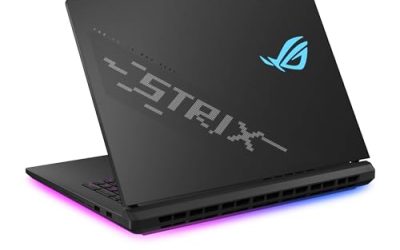
 Razer Blade 16 (2026) | Check price on Amazon | |
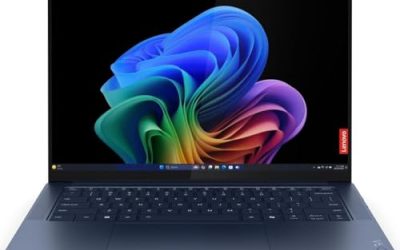
 Lenovo Legion Pro 5i Gen 8 | Check price on Amazon | |
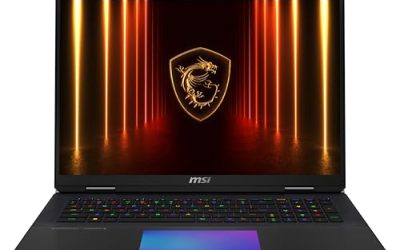
 Acer Predator Helios 16 | Check price on Amazon | |
 HP Victus 15 | Check price on Amazon | |
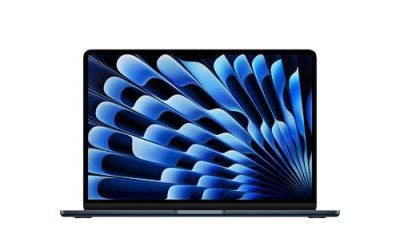
 Apple MacBook Air 13 (M4) | Check price on Amazon |
Streaming with Streamlabs asks one laptop to do two jobs at once. Underneath, a game or a camera feed has to keep running smoothly. On top of that, Streamlabs layers scenes, overlays, animated alerts, browser sources, and a chat dock, then encodes the whole mix and sends it out live. A machine that feels quick in everyday play can feel very different under that load.
The five picks below fall into two camps. Four are gaming laptops whose GeForce RTX graphics can play a game and handle the encoding work in parallel. The fifth is a light, fanless machine for camera-only shows — talk streams, podcasts, and co-working sessions.
As an Amazon Associate, we earn from qualifying purchases.
How to Choose a Laptop for Streamlabs
Start with the encoder. Streamlabs can hand video encoding to dedicated graphics hardware instead of the main processor: on the GeForce RTX chips named in these listings, that hardware encoder is NVENC, and using it leaves the processor cores free for the game itself. Headroom still matters, because the game, the app, a browser of dashboard tabs, and chat tools compete for the same cores.
Memory is the next check. Sixteen gigabytes is a workable floor for a single-game stream, while 32GB lets overlays, alert sources, a browser, and recording software coexist. For ports, count what your setup plugs in: a USB camera or capture device, a microphone or audio interface, and ideally a wired Ethernet connection where a listing names an RJ-45 port. Cooling matters more than in short gaming sessions, because a stream holds the hardware under load for hours.
Razer Blade 16 (2026)
The Blade 16 is the flagship pick for playing and broadcasting from one thin machine. Its listing pairs an Intel Core Ultra 9 386H with a GeForce RTX 5070 Ti carrying 12GB of GDDR7 memory, so the game renders on the graphics chip while its hardware encoder handles the outgoing stream. It sits in a CNC aluminum body just 14.9 mm thin, with vapor chamber cooling for long sessions.
The 16-inch QHD+ OLED screen runs at 240Hz as listed. Thunderbolt 5 and Thunderbolt 4 ports give capture gear, docks, and fast drives plenty of bandwidth, and a full-size SD reader suits camera cards. One honest caveat from the listing: the 32GB of memory is soldered, so the configuration you order is the one you keep.
Lenovo Legion Pro 5i Gen 8
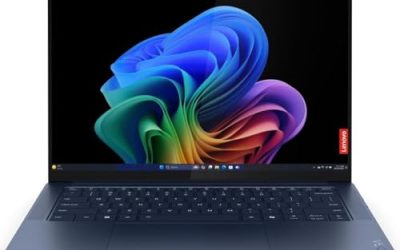
The Legion Pro 5i Gen 8 is the desk-bound workhorse of this group. Its Core i7-13700HX brings 16 cores, which suits a stream juggling the game, Streamlabs, voice chat, and a browser, and the GeForce RTX 4070 gives the encoder a dedicated home away from the processor. The 32GB of memory means overlays and browser sources are not fighting the game for room.
Port selection is where this machine quietly shines. The listing names four USB-A and two USB-C ports for cameras, capture devices, and interfaces, plus an RJ-45 Ethernet jack for a wired upload path. The 16-inch WQXGA display runs at 165Hz as listed, and at 5.51 lb this laptop mostly lives on the desk — exactly right for a fixed streaming setup.
Acer Predator Helios 16
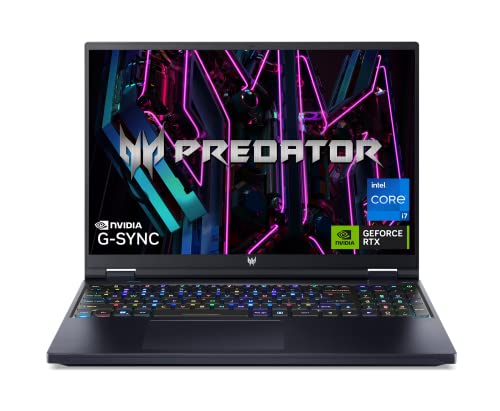
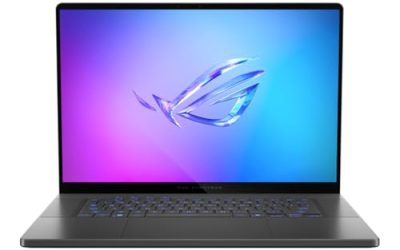
The Predator Helios 16 takes a different route: a GeForce RTX 4060 and a Core i7-13700HX now, with room to grow later. Its listing states two memory slots supporting up to 32GB and two M.2 slots for storage, so an expanding scene collection, recordings, and game library can gain capacity instead of replacing the machine. The RTX 4060 carries the same style of hardware encoder as its bigger siblings, the feature that matters most for a one-box stream.
The 16-inch 2560 x 1600 panel runs at 165Hz with G-SYNC as listed, keeping gameplay tear-free, and Killer Wi-Fi 6E is a sensible wireless option when a cable run is not possible. At 5.73 lb it is another desk-first design, with cooling built for sustained loads rather than short bursts.
HP Victus 15
The Victus 15 is the current-generation pick for a game streamer who does not need a 16-inch flagship. This configuration lists a Ryzen AI 7 350 beside a GeForce RTX 5060 with 8GB of GDDR7 memory, so the encoding hardware is fully modern, and its 32GB of memory is generous for overlays and a browser alongside the game.
Its 15.6-inch Full HD screen runs at 144Hz as listed, which suits fast-paced titles, and the port layout keeps streamers in mind: an RJ-45 Ethernet jack for a wired connection. Its plain, compact design fits a smaller desk or a shared room where the streaming corner packs away neatly.
Apple MacBook Air 13 (M4)
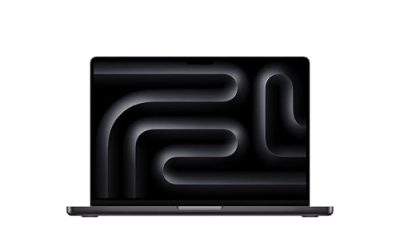
This last pick comes with an honest boundary: the MacBook Air is not a game-capture machine, and it is here for camera-only streaming. For talk shows, podcasts, and co-working streams, its strengths line up well. Streamlabs offers a macOS build that runs natively on Apple silicon, the M4 chip carries a built-in media engine for video encoding, and the fanless body stays completely silent next to a microphone.
The built-in 12MP Center Stage camera is genuinely useful for a simple setup. Two Thunderbolt 4 ports are the limit of its connections, so a camera and an audio interface will likely share a hub, and the 256GB of storage fills quickly with recordings. In return you get a light machine that streams quietly from anywhere.
Comparison Table
| Product | Best for | Key spec |
|---|---|---|
| Razer Blade 16 (2026) | Thin flagship game streaming | RTX 5070 Ti, 12GB GDDR7 as listed |
| Lenovo Legion Pro 5i Gen 8 | Fixed desk streaming setups | 16-core i7-13700HX, RJ-45 Ethernet as listed |
| Acer Predator Helios 16 | Streamers who upgrade over time | Two memory slots and two M.2 slots as listed |
| HP Victus 15 | Compact game streaming | RTX 5060 with 32GB memory as listed |
| Apple MacBook Air 13 (M4) | Camera-only talk and podcast streams | Fanless design, 12MP Center Stage camera as listed |
FAQ
Does Streamlabs need a gaming laptop?
Only if the same machine also runs the game. That combination — a game plus an encoded stream — is what the RTX graphics in the first four picks are for. A camera-only show — talking, podcasting, screen sharing — asks far less, which is why the fanless MacBook Air appears here with that limit stated.
Should the encoding run on the graphics chip or the processor?
On the graphics hardware, whenever it is available. The GeForce RTX picks here can hand encoding to their built-in hardware encoder, leaving every processor core for the game and the app. Processor encoding is the fallback, and it competes with everything else the laptop is doing. The MacBook Air takes the same idea in a different form, using the M4 chip’s media engine for its camera-only workload.
Is a wired connection better than Wi-Fi for streaming?
A wired Ethernet link is the steadier upload path, because it removes wireless interference from the equation. Two picks here, the Legion Pro 5i and the Victus 15, list an RJ-45 port for exactly that. Wi-Fi 6E and Wi-Fi 7 machines can stream well too, but results depend on your router, room, and connection — no specification can promise how a stream will perform.
Conclusion
Match the laptop to the show you actually run. If a game and a stream share one machine, pick from the RTX models: the Blade 16 for thin flagship power, the Legion Pro 5i for ports and cores, the Predator Helios 16 for room to grow, and the Victus 15 for a compact current-generation setup. If your stream is a camera and a conversation, the silent MacBook Air is the honest tool for that job. Either way, check your camera, capture, and audio gear against the listed ports before you order.
More from Amazon
Programs that pair well with the guide above. Offers and eligibility are set by Amazon and may change.
A free business account with business pricing and bulk-buying tools for work, shop or home office.
Create a business accountFree shipping on eligible items, Prime Video and more. Eligible new members can start with a free trial.
Start a Prime free trialAudiobooks and podcasts to listen to on the go. Eligible new members can start with a free trial.
Try Audible freeAd-free music streaming. Eligible new subscribers can start with a free trial.
Try Music Unlimited freeAs an Amazon Associate we earn from qualifying purchases.
Write Your Review
No reviews yet. Be the first to share your experience!