
Our Short List of 3
All 5 Picks at a Glance
| Product | Specs | Action |
|---|---|---|
 ASUS ROG Zephyrus G16 (2025) | Check price on Amazon | |
 Lenovo Legion 5 Gen 10 | Check price on Amazon | |
 Apple MacBook Pro 14 (M4 Pro) | Check price on Amazon | |
 MSI Vector 16 HX AI | Check price on Amazon | |
 ASUS ROG Zephyrus G14 (2024) | Check price on Amazon |
Streaming from a laptop asks one machine to do two heavy jobs at once. The game or camera feed has to render cleanly while OBS Studio compresses that picture into an outgoing broadcast for hours at a time. A laptop that feels quick can still fall behind when the encoder, a game, and a browser full of dashboards compete for the same silicon.
The five laptops here were picked for that double workload. Each pairs a fast processor with graphics hardware OBS can hand encoding work to, plus the ports a capture card, camera, and audio setup need. The group runs from a light 14-inch travel machine to a 16-inch desk anchor.
As an Amazon Associate, we earn from qualifying purchases.
How to Choose a Laptop for OBS
Start with the encoder. OBS Studio can hand encoding to graphics hardware instead of the processor alone, and that split keeps a game responsive while a broadcast runs. Match the chip named in a listing against the hardware encoder options in OBS settings: current NVIDIA GeForce RTX chips and Apple silicon both give OBS a hardware encoding path.
Processor cores come next. Scenes with overlays and several inputs still draw on the CPU even with hardware encoding, so more cores give a busy layout more room. Memory matters too: 16GB is a workable floor for a game plus OBS, while 32GB suits creators with editing tools and dashboards open too.
Ports decide how your gear connects. A capture card for a console or second PC wants a fast USB or Thunderbolt port, cameras and interfaces take more, and wired Ethernet keeps the upload path steady. Weigh cooling too: broadcasts hold a machine near full tilt for hours, so a chassis built for sustained loads outlasts one tuned for short bursts.
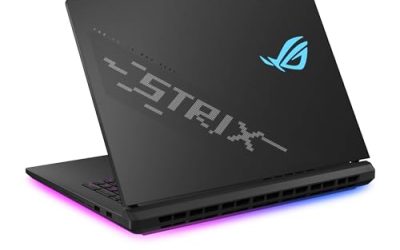
ASUS ROG Zephyrus G16 (2025)
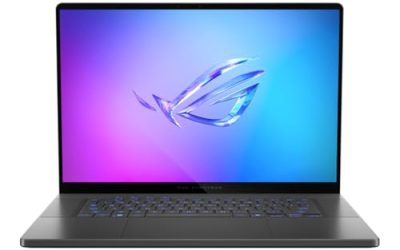
The Zephyrus G16 is the balanced pick for gaming and streaming on one machine. Its Intel Core Ultra 9 285H and GeForce RTX 5070 Ti divide the work well: the game renders on the graphics chip, the RTX hardware encoder path handles the outgoing stream, and the processor keeps scenes moving.
The 16-inch OLED panel runs at 2560 x 1600 with a 240Hz refresh rate as listed, so gameplay stays sharp while a second screen handles chat. Thunderbolt 4 and USB ports leave room for a capture card, camera, and interface, and the CNC aluminum chassis weighs 4.30 pounds as listed, so it still travels well.
Lenovo Legion 5 Gen 10
The Legion 5 Gen 10 is the wired-desk pick for a fixed, wired setup. The AMD Ryzen 7 260 brings eight cores, and the GeForce RTX 5060 gives OBS a current hardware encoder while it renders the game. Its 15.1-inch OLED screen runs at 2560 x 1600 and 165Hz as listed.
Connectivity is the strong suit here. The listing names a USB4 port at 40Gbps for a capture card, a second USB-C with DisplayPort 2.1, HDMI 2.1, and an RJ-45 Ethernet jack for steady uploads. Memory is 16GB as listed, enough for a game plus OBS, with support for up to 32GB if your scene stack grows.
Apple MacBook Pro 14 (M4 Pro)
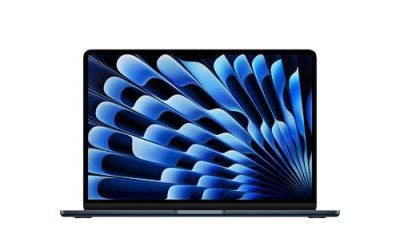
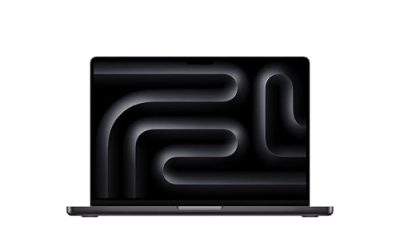
The 14-inch MacBook Pro with M4 Pro is the natural OBS machine. OBS Studio runs natively on Apple silicon, and this M4 Pro pairs a 12-core CPU with a 16-core GPU, so scene handling and the chip’s video encode hardware split the broadcast workload. Its 24GB of unified memory leaves room for a capture feed, dashboards, and editing tools at once.
The 14.2-inch Liquid Retina XDR display runs at 3024 x 1964 with up to 1600 nits peak brightness as listed, keeping overlays easy to check. Three Thunderbolt 5 ports take a capture card, storage, and a dock, while HDMI and an SDXC slot cover a camera and card reader. At 3.52 pounds as listed, it doubles as an away-from-desk streaming kit.
MSI Vector 16 HX AI
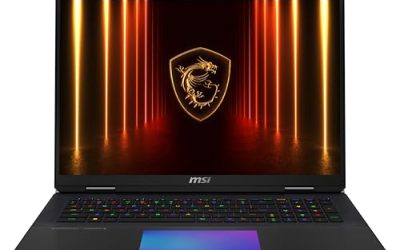
The Vector 16 HX AI is the headroom pick, a desk-first machine for demanding games and busy scenes. Its Intel Core Ultra 9 275HX carries 24 cores, the most here, and the GeForce RTX 5080 with 16GB of memory gives the game and the OBS encoder the most room. That guarantees no specific result, but the hardware ceiling sits well above a typical setup.
The 16-inch QHD+ IPS panel runs at 2560 x 1600 and 240Hz with 100% DCI-P3 coverage as listed. Two Thunderbolt 5 ports, HDMI 2.1, an RJ-45 Ethernet jack, and an SD Express card reader cover capture cards, wired uploads, and camera media. A 4TB SSD holds recordings, and at 5.95 pounds as listed it belongs parked on a desk.
ASUS ROG Zephyrus G14 (2024)
The Zephyrus G14 is the travel pick for streaming away from home. It weighs 3.31 pounds as listed, yet still carries an AMD Ryzen 9 8945HS and a GeForce RTX 4060, so OBS gets a hardware encoder and the game a real graphics chip. For console capture through a card, or PC titles at sensible settings, it covers the job.
The 14-inch OLED screen runs at 2880 x 1800 and 120Hz as listed, sharp enough to read an OBS layout without a second monitor. A microSD slot pulls footage from a camera card, and the 76Wh battery helps on the road. Memory is 16GB as listed and not expandable, the honest limit; for a focused setup, it is plenty.
Comparison Table
| Product | Best for | Key spec |
|---|---|---|
| ASUS ROG Zephyrus G16 (2025) | Gaming and streaming on one slim machine | RTX 5070 Ti with 32GB memory |
| Lenovo Legion 5 Gen 10 | A wired streaming desk | USB4 port and RJ-45 Ethernet |
| Apple MacBook Pro 14 (M4 Pro) | Mac-based capture and streaming | M4 Pro with three Thunderbolt 5 ports |
| MSI Vector 16 HX AI | Maximum headroom at a fixed desk | RTX 5080 with a 24-core processor |
| ASUS ROG Zephyrus G14 (2024) | Travel and event streaming | 3.31 lb chassis with RTX 4060 |
FAQ
Can one laptop really game and stream at the same time?
Yes, that is the setup this guide targets. The key is the encoder split: when OBS hands encoding to graphics hardware, the processor keeps more capacity for the game. Results depend on the game, your scene stack, and your settings, so treat these picks as headroom, not a promise.
Do I need a capture card with these laptops?
Only for sources outside the laptop, such as a console or a second PC. If the game runs on the same machine as OBS, no card is needed. When you add one, it uses the fast USB, USB4, and Thunderbolt ports listed above.
How much memory does an OBS setup need?
OBS itself is light; the total load is what counts. A game, a browser with dashboards, and chat tools beside the broadcast fit in 16GB, while 32GB gives a busier desk more room. The G16 and Vector carry 32GB as listed; the other picks carry 16GB or 24GB.
Conclusion
A good OBS laptop is two machines in one chassis: a renderer for the game or camera feed, and an encoder for the broadcast. The Zephyrus G16 balances both jobs, the Legion 5 Gen 10 anchors a wired desk, the MacBook Pro 14 covers Mac streamers, the Vector 16 HX AI offers the most headroom, and the Zephyrus G14 keeps the kit portable.
More from Amazon
Programs that pair well with the guide above. Offers and eligibility are set by Amazon and may change.
A free business account with business pricing and bulk-buying tools for work, shop or home office.
Create a business accountFree shipping on eligible items, Prime Video and more. Eligible new members can start with a free trial.
Start a Prime free trialAudiobooks and podcasts to listen to on the go. Eligible new members can start with a free trial.
Try Audible freeAd-free music streaming. Eligible new subscribers can start with a free trial.
Try Music Unlimited freeAs an Amazon Associate we earn from qualifying purchases.
Write Your Review
No reviews yet. Be the first to share your experience!