
The HP Elite c1030 Chromebook Enterprise was HP’s flagship business Chromebook: a premium aluminum convertible with a tall 3:2 touchscreen, 10th-generation Intel Core processors, and enterprise security hardware that most Chromebooks still do not match. The short verdict is that the hardware has aged gracefully and remains excellent for browser-based work, but buying one in November 2026 is a different decision from buying one at launch, because the model is discontinued and the buying route has changed completely.
That buying route needs stating plainly up front. HP no longer sells the c1030 as a new retail product, and on Amazon US it is now sold as a Renewed listing by third-party sellers: refurbished units that have been inspected and cleaned before resale, rather than factory-sealed stock. The current Amazon listing is for the high configuration, with a Core i7-10610U processor, 16GB of memory, and a 128GB SSD. This review is based on that Amazon listing and on HP’s manufacturer-stated specifications for the model, and it is written for professionals, IT buyers, and home users who want premium Chromebook hardware and are comfortable with a refurbished purchase.
Quick Picks
As an Amazon Associate we earn from qualifying purchases.
| Product | Best for | Key spec |
|---|---|---|
| HP Elite c1030 Chromebook Enterprise (Renewed) | Premium ChromeOS work from a refurbished flagship | 13.5-inch 3:2 touchscreen, Core i7-10610U, 16GB RAM |
How to Choose
Confirm the configuration inside the listing
The c1030 was sold with Core i3, i5, and i7 processors, 8GB or 16GB of memory, and 128GB or 256GB of storage, and those parts are soldered or fixed for the life of the machine. The current Amazon Renewed listing is the Core i7-10610U with 16GB of RAM and a 128GB SSD, which is the combination to look for: the memory figure matters most, because 16GB is what keeps a Chromebook with dozens of tabs and a video call open feeling fast, and it cannot be added later.
Understand what Renewed means before ordering
Because this is a discontinued model, the Amazon listing is a Renewed one, and the condition expectations should be set accordingly. Renewed units are pre-owned devices that have been inspected and tested by the seller, and they may show light signs of previous use. Battery health on a machine of this age will not match a new unit, so check the listing’s stated condition grade, what accessories are included, and the return terms that apply to that seller before ordering.
Check the ChromeOS update horizon
Every Chromebook stops receiving automatic updates on a set date. HP’s datasheet for the Elite c1030 lists automatic updates through June 2028, which leaves a reasonable support window from late 2026 but not an open-ended one. If your planning horizon is longer than that, factor the date into the decision; if two more years of updates cover your use, the remaining window is workable.
Plan around the port selection
The c1030 carries two USB-C ports, one USB-A port, an HDMI output, a microSD card reader, and a headphone jack. That is a sensible set for a thin convertible, and USB-C handles charging, external displays, and docking through a single cable. Presenters and desk workers should still expect to carry a USB-C hub if they rely on wired Ethernet or several legacy peripherals at once.
Decide whether you need the Enterprise features
The Enterprise in the name refers to management and security hardware: a fingerprint reader, a webcam privacy shutter, HP’s optional Sure View privacy screen on some configurations, and readiness for Chrome Enterprise management through the Google Admin console. A business deploying several units will use those features daily. A home buyer gets the build quality and screen either way, but should not pay extra for a configuration whose management features they will never touch.
Full Review
HP Elite c1030 Chromebook Enterprise

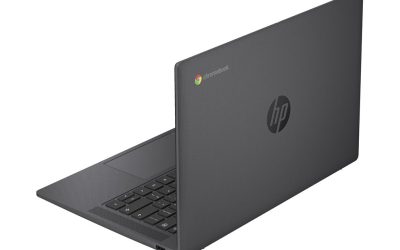
Design and build are where the c1030 still embarrasses newer mid-range Chromebooks. The chassis is aluminum, thin at roughly two-thirds of an inch, and light at just under three pounds, with the solid, flex-free feel of HP’s Elite Windows line rather than the plastic construction typical of ChromeOS machines. HP also built the model with recycled materials, including recycled aluminum in the top cover, and put the chassis through military-standard durability testing. The 360-degree hinge converts the machine between laptop, tent, stand, and tablet modes, and the keyboard is backlit and spill-resistant, two details that matter in shared offices and classrooms.
The display is the other headline feature. The 13.5-inch touchscreen uses a 3:2 aspect ratio at 1920 by 1280 resolution, which shows noticeably more of a document, spreadsheet, or web page than a widescreen panel of similar size. Text stays sharp at normal working distances, touch input is standard across the range, and some configurations added HP Sure View, an integrated privacy screen that narrows viewing angles at the press of a key for anyone working in public spaces. For the document-and-browser work this machine is built for, the tall panel remains its single most persuasive feature.
Performance, on the listed configuration, is well beyond what ChromeOS needs. The Core i7-10610U is a quad-core processor with a 1.8 GHz base clock and turbo speeds up to 4.9 GHz, paired with 16GB of DDR4 memory and a PCIe NVMe SSD. In practical terms that combination keeps large numbers of tabs, Google Workspace documents, and simultaneous video calls running smoothly, and it gives the Linux environment and Android apps real headroom. The honest caveat is that none of this hardware is upgradeable: memory is onboard, so the configuration in the listing is the configuration for the machine’s whole life.
Everyday usability details are strong. The 720p webcam includes a physical privacy shutter, the fingerprint reader makes sign-in quick, and the glass touchpad and keyboard are a clear step above typical Chromebook inputs. HP rated the 50 Wh battery for up to 12 hours when the model was new; a Renewed unit’s real endurance depends on the health of its individual battery, so treat that figure as the design target rather than a promise. Connectivity covers Wi-Fi 6 and Bluetooth, and the port set listed earlier means a single USB-C dock can drive a full desk setup.
Security is the area where the Enterprise name is earned. ChromeOS brings verified boot, sandboxing, and automatic updates as standard, and the c1030 layers on the fingerprint reader, the camera shutter, and management support that lets an IT department enroll, configure, and retire the device remotely. For a school or business buying refurbished units in small numbers, that manageability is the difference between this and a consumer Chromebook of similar age.
Specs
- Display: 13.5-inch WUXGA+ touchscreen, 1920 x 1280, 3:2 aspect ratio, 360-degree hinge
- Processor: Intel Core i7-10610U (1.8 GHz base, up to 4.9 GHz turbo, 4 cores)
- Memory: 16GB DDR4-2666, onboard and not upgradeable
- Storage: 128GB PCIe NVMe SSD
- Graphics: Intel UHD Graphics
- Ports: 2 USB-C, 1 USB-A, 1 HDMI, 1 microSD card reader, 1 headphone and microphone combo jack
- Wireless: Wi-Fi 6, Bluetooth
- Security: fingerprint reader, webcam privacy shutter, Chrome Enterprise management support
- Battery: 50 Wh, rated up to 12 hours when new
- Weight: from 2.87 lb
- Operating system: ChromeOS, automatic updates listed by HP through June 2028
- Listing condition: Renewed, sold by third-party sellers on Amazon US
Best for: Professionals and IT buyers who want flagship Chromebook build quality, a tall 3:2 screen, and enterprise security, and who accept a refurbished unit.
Watch out for: It is a discontinued model sold as Renewed, so condition and battery health vary by unit, memory cannot be upgraded, and the ChromeOS update window closes in June 2028.
Which One Fits Your Situation
If you work in Google Workspace, Microsoft 365 on the web, and browser tools all day, this listed configuration fits well: the Core i7 and 16GB of memory are more than ChromeOS asks for, and the screen and keyboard make long sessions comfortable.
If you manage a small fleet for a school or business, the c1030 fits because of its management support and security hardware, provided the June 2028 update horizon matches your replacement cycle.
If you are a home user who wants a premium-feeling Chromebook for browsing, documents, and video, it fits as long as you are comfortable buying refurbished and checking the individual listing’s condition notes.
If you depend on Windows desktop applications, heavy local photo or video editing, or PC gaming, look elsewhere: ChromeOS runs web, Android, and Linux apps, but it is not a substitute for a Windows laptop, and no configuration of this model changes that.
Common Mistakes
- Assuming the listing is for a new product, when the model is discontinued and Amazon units are Renewed refurbished stock.
- Buying a lower-memory configuration elsewhere without checking, then discovering the RAM is soldered and cannot be upgraded.
- Ignoring the June 2028 end of automatic updates when planning to keep the machine for many years.
- Expecting the battery in a refurbished unit to match the up-to-12-hour figure HP quoted when the model was new.
- Forgetting to confirm which charger and accessories the individual seller includes with a Renewed unit.
Frequently Asked Questions
Is the HP Elite c1030 still sold new?
No. HP has discontinued the model, and the Amazon US listing is a Renewed one from third-party sellers, with refurbished units of the Core i7 configuration with 16GB of memory and a 128GB SSD. Anyone who needs a factory-sealed machine with a full manufacturer warranty should shop for a current Chromebook instead.
How long will the c1030 keep getting ChromeOS updates?
HP’s datasheet lists automatic updates through June 2028. The machine remains usable after that date, but it stops receiving security patches and new ChromeOS versions, which is why the date matters for business and school deployments.
Can the memory or storage be upgraded later?
The 16GB of memory is onboard and cannot be changed. Storage is a PCIe NVMe SSD, but the practical answer for most buyers is to choose the right configuration at purchase time, since opening a slim convertible to swap parts is not the simple job it is on a larger laptop.
Does it run Windows programs or Android apps?
It does not run Windows itself. Like other Chromebooks, it runs web applications, Android apps from the Play Store, and Linux applications in the built-in Linux environment, which covers office suites, communication tools, and light development work for most users.
What should I check when a Renewed unit arrives?
Confirm the configuration matches the listing, check the screen and hinge through their full range of motion, test every port, and run the battery through a normal workday to see how it holds up. Doing this inside the return window protects you if the individual unit’s condition is worse than described.
Closing
The Elite c1030 remains what it was at launch: one of the best-built Chromebooks ever sold, with a screen shape and security set that still feel current. Buying one now means buying refurbished, checking the listing carefully, and accepting a support window that ends in June 2028. For the right buyer, one who values the hardware and works in the browser, that is a sensible trade. For anyone who needs new stock and a long update runway, a current Chromebook is the better path.
More from Amazon
Programs that pair well with the guide above. Offers and eligibility are set by Amazon and may change.
A free business account with business pricing and bulk-buying tools for work, shop or home office.
Create a business accountFree shipping on eligible items, Prime Video and more. Eligible new members can start with a free trial.
Start a Prime free trialAudiobooks and podcasts to listen to on the go. Eligible new members can start with a free trial.
Try Audible freeAd-free music streaming. Eligible new subscribers can start with a free trial.
Try Music Unlimited freeAs an Amazon Associate we earn from qualifying purchases.
Write Your Review
No reviews yet. Be the first to share your experience!