

Our Top Picks
A $150 Chromebook budget is a strange place to shop. It is $50 more than our under-$100 guide, but it does not buy a new Chromebook with a Full HD screen at list price — the cheapest new one in November 2026 is the Acer Chromebook 315 at $179 at Walmart. What the extra $50 buys is range: a refurbished 14-inch Full HD machine, a detachable 2-in-1 with a stylus, and a Grade A refurbished machine for less than $60.
Every price here was checked in November 2026 and is a snapshot — check the current price on Amazon before buying, because renewed and clearance prices move in days, not months. The most important number in this guide is not a price. It is the Auto Update Expiration (AUE) date: the month Google stops sending ChromeOS updates. A Chromebook past its AUE date still turns on, but it stops getting security patches — a bad buy for anything that touches a password. Every pick below lists its AUE date.
Our top picks

Best for: Anyone who wants the biggest, sharpest screen $150 can buy
Check price on Amazon
Best for: A second machine, a kid’s first laptop, or a spare that lives on a kitchen counter
Check price on AmazonBest for: Buyers who want the lowest price for a machine in genuinely good condition
Check price on AmazonBest for: The lowest spend on a machine secure until 2029 — a kid’s homework machine or a spare
Check price on Amazon
Best for: Note-takers and tablet users who want the longest runway and the most RAM and storage $150 can buy
Check price on AmazonQuick Picks
| Chromebook | Price (Nov 2026) | Screen | CPU / RAM / Storage | Updates until | Why it wins |
|---|---|---|---|---|---|
| HP Chromebook 14a-na1043cl (Renewed) ★ Top Pick | $115.92 | 14″ Full HD 1920×1080 | Celeron N4500 / 4GB / 64GB | June 2029 | Only Full HD screen under $150 |
| Samsung Chromebook 4 (Renewed, 2021) | $99.00 | 11.6″ HD 1366×768 | Celeron N4020 / 4GB / 32GB | June 2028 | Cheapest name-brand renewed machine |
| Acer Chromebook 311 (Refurbished, Grade A) | $82.99 | 11.6″ HD 1366×768 | Celeron N4000 / 4GB / 32GB | June 2029* | Best condition, lowest honest price |
| Lenovo 100e Chromebook Gen 2 (Refurbished, Grade A) | $54.97 | 11.6″ HD 1366×768 | AMD A4-9120C / 4GB / 32GB | June 2029 | Cheapest pick in the guide |
| ASUS Chromebook CM30 (Refurbished) | $144.97 | 10.5″ WUXGA touch 1920×1200 | Kompanio 520 / 8GB / 128GB | June 2033 | Only 2-in-1 with stylus; longest runway |
* Verify the exact Acer 311 model on Google’s list — the 311 name covers models expiring June 2026 through June 2029.
How to Choose a Chromebook Under $150
1. Check the Auto Update Expiration (AUE) date first
A Chromebook’s AUE date is fixed when its hardware platform ships, and refurbishment does not reset it. A machine updated until June 2029 is a bargain; one whose updates ended in June 2022 is e-waste with a screen. Look up the exact model name before you buy — one name can cover several platforms with different dates. HP’s “Chromebook 14a” is the worst offender: the plain education 14a expired in June 2026, while the 14a-na1 platform in our top pick runs until June 2029.
2. The RAM and storage floor: 4GB and 32GB, no exceptions
Never buy a Chromebook with 2GB of RAM or 16GB of storage. With 2GB, tabs reload every time you switch; with 16GB, one system update can fail for lack of room. The floor is 4GB of RAM and 32GB of storage. The Dell Chromebook 3100 is the cautionary example: some renewed listings ship with 16GB, some with 32GB, and sellers rarely say which.
3. Screen type: Full HD is rare here, and it matters
Four of the five picks have 1366×768 HD screens; at 11.6 inches that is acceptable, though text is a little soft. At 14 inches and above, the same resolution looks noticeably grainy — which is why the top pick’s 1920×1080 Full HD panel leads this guide. A touchscreen is a bonus on a clamshell and essential on a 2-in-1.
4. CPU: Celeron N-series and AMD A4 are the floor, not the ceiling
Every processor here is entry-level: Intel Celeron N4000, N4020 and N4500, AMD’s A4-9120C, and MediaTek’s Kompanio 520. The generation matters: the N4500 is a 2021 chip that runs noticeably faster than the 2019-era N4000, and the Kompanio 520 in the CM30 is the fastest chip here by a clear margin. None of them will edit video or run demanding Android games. They browse, stream, write documents and run video calls — which is the entire job.
5. Battery life: expect 8–10 hours, and distrust the headline number
Manufacturers rate these machines at 10–12.5 hours, measured with the screen dimmed on light video playback. In real use, expect 8–10 hours from a new battery and less from a refurbished one. Grade A units should ship with at least 80% battery health.
6. Keyboard: the part reviewers forget and owners regret
You will touch the keyboard more than any other part of the machine. Education models like the Lenovo 100e have spill-resistant keyboards and reinforced ports. Check the layout is standard US and the trackpad clicks cleanly — a mushy trackpad on a $55 machine is a daily annoyance.
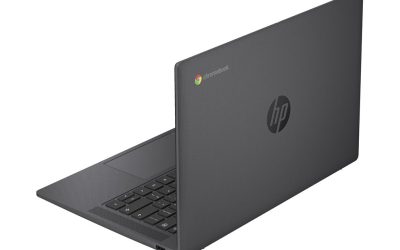
1. HP Chromebook 14a-na1043cl (Renewed) — Our Top Pick
Specs: 14″ Full HD IPS (1920×1080, anti-glare) · Celeron N4500 (2C, up to 2.8 GHz) · 4GB LPDDR4x · 64GB eMMC · Intel UHD · USB-C, 2× USB-A, microSD · ~3.2 lb · ChromeOS, updates through June 2029
Why it wins: It is the only Chromebook under $150 with a Full HD screen. At 14 inches, text is crisp and two windows sit side by side. The N4500 is the newest CPU among the clamshell picks, 64GB is double what most sub-$150 Chromebooks offer, and the price is $115.92 on Amazon Renewed (tracked November 10–16, 2026 by pricehistory.app, after a drop from $199.99). That leaves $34 of headroom.
Pros: Only Full HD display under $150; newest Celeron here; 64GB storage; microSD slot; AUE June 2029.
Cons: Renewed, not new — condition varies by seller, and the price moves fast (it was $199.99 a week earlier); no touchscreen; the dual-core N4500 stutters under heavy multitasking; verify the full model number — the plain education 14a expired in June 2026.
Best for: Anyone who wants the biggest, sharpest screen $150 can buy.
2. Samsung Chromebook 4 (Renewed, 2021) — $99.00
Specs: 11.6″ HD (1366×768) · Celeron N4020 (2C, up to 2.8 GHz) · 4GB · 32GB eMMC · Intel UHD 600 · USB-C, 2× USB-A, microSD · 2.6 lb · ChromeOS, updates through June 2028
Why it is here: It is the cheapest name-brand renewed Chromebook here, and the price is verified: pricehistory.app tracked it at $99.00 on Amazon on November 16, 2026 (average $104.12, lowest ever $64.95). New, it costs $230.40 — the renewed route saves $131. Samsung rates the battery at 12.5 hours; expect 9–10 in real use.
Pros: Verified $99.00 price; Samsung build quality; light at 2.6 lb; microSD slot.
Cons: 11.6-inch HD screen is small and soft; 32GB storage fills fast; AUE June 2028 is the shortest runway here — under two years; the N4020 is a 2019-era chip; new units cost $230.
Best for: A second machine, a kid’s first laptop, or a spare that lives on a kitchen counter.
3. Acer Chromebook 311 (Refurbished, Grade A) — $82.99
Specs: 11.6″ HD (1366×768) · Celeron N4000 (2C, up to 2.6 GHz) · 4GB · 32GB eMMC · Intel UHD 600 · Dual USB-C, USB-A, microSD · 2.6 lb · ChromeOS, updates through June 2029 (extended — verify exact model)
Why it is here: It was the top pick of our under-$100 guide. The Grade A refurbished Acer Chromebook 311 is $82.99 on StackSocial, verified by BleepingComputer on November 5, 2026 (list $199.99). Grade A means near-mint: 4GB of RAM, 32GB of storage, a fanless Celeron N4000 and dual USB-C. It is $17 cheaper than the Samsung and $33 cheaper than the top pick.
Pros: Cheapest honest Chromebook here; Grade A near-mint; fanless and silent; dual USB-C; AUE June 2029 (extended).
Cons: The 311 name covers models expiring June 2026 through June 2029 — verify the exact model, because the base AUE already passed in June 2026; 11.6-inch HD screen; the N4000 is the oldest CPU here; 32GB storage.
Best for: Buyers who want the lowest price for a machine in genuinely good condition.
4. Lenovo 100e Chromebook Gen 2 (Refurbished, Grade A) — $54.97
Specs: 11.6″ HD (1366×768) · AMD A4-9120C (2C, up to 2.6 GHz) · 4GB DDR4 · 32GB eMMC · AMD Radeon R3 · USB-C, 2× USB-A, microSD · 2.68 lb · ChromeOS, updates through June 2029
Why it is here: Cheapest pick here by $28, and a genuinely usable machine. The Grade A refurbished Lenovo 100e Gen 2 is $54.97 on StackSocial (list $199.99), reported by BleepingComputer — a correction to our under-$100 guide, which listed it at $99. Rugged education build, and the AUE runs to June 2029 with no asterisk.
Pros: Cheapest pick by a wide margin; Grade A near-mint; rugged education build; AUE June 2029, no asterisk; 4GB RAM and 32GB storage meet the floor.
Cons: The $54.97 deal was published in August 2026 and is a recurring offer, not a guaranteed live price; 11.6-inch HD screen; AMD A4 is the weakest CPU here; 32GB storage; no touchscreen; confirm it is the Gen 2 (81MA), not the older N3350 model.
Best for: The lowest spend on a machine secure until 2029 — a kid’s homework machine or a spare.
5. ASUS Chromebook CM30 (Refurbished) — $144.97
Specs: 10.5″ WUXGA IPS touchscreen (1920×1200, 300 nits) · Kompanio 520 (8C) · 8GB LPDDR4x · 128GB eMMC · Detachable keyboard, stylus included · Wi-Fi 6, USB-C · ~2.4 lb with keyboard · ChromeOS, updates through June 2033
Why it is here: It was the top pick of our under-$150 2-in-1 guide — the only pick here that is a different kind of machine. The CM30 is a detachable: the screen lifts off to become a tablet, the stylus is in the box, and the 1920×1200 touchscreen is the sharpest display here. It is also the only pick with 8GB of RAM and 128GB of storage, and its AUE runs to June 2033. At $144.97 refurbished on StackSocial (list $369.99), it leaves $5 of headroom.
Pros: Only 2-in-1 here; only 8GB RAM and 128GB storage; sharpest screen (1920×1200 touch); stylus included; AUE June 2033; Wi-Fi 6.
Cons: $144.97 leaves almost no headroom — do not pay a dollar over $150; 10.5-inch screen is small for laptop work; keyboard and battery condition vary; stock comes and goes.
Best for: Note-takers and tablet users who want the longest runway and the most RAM and storage $150 can buy.
What to Avoid
Stale deal headlines. The internet is full of Chromebook “deals” years old that still rank in search. The Acer Chromebook 315 at “$149 at Walmart” is a February 2024 deal — in November 2026 it costs $179 at Walmart (TheStreet, November 6, 2026); the touchscreen version is $199. The Lenovo Chromebook 3 at “$119 at Best Buy” is a 2022 deal; clearance is now $199.99, and it is out of stock. The “$98 HP Chromebook at Walmart” headline traces back to an article roughly four years old. If a deal has no date within the last month, treat the price as fiction.
Expired AUE dates. The Lenovo N23 ($41–$55, June 2022), Dell 3189 ($63, June 2022), Acer C732 (under $45, June 2024) and HP 11 G6 EE (under $55, June 2024) are all cheap, all findable, and all unusable for anything touching a password. The Lenovo Chromebook 3 14-inch (82KN0001US) is subtler — its AUE expired in June 2026, with only a managed-device extension to June 2027 — and the Lenovo 500e (Renewed) under $60 ends updates in June 2027, seven months away.
2GB of RAM and 16GB of storage. These are walk-away specs at any price. The Samsung XE303C12 still shows up in catalog results at $150 with 2GB of RAM and 16GB of storage. The Dell Chromebook 3100’s renewed listings are the same problem in miniature: some ship with 16GB, some with 32GB, and the listing rarely says which.
Inflated marketplace specs. Tabwee, Zonko and their cousins advertise “18GB RAM” (6GB physical plus virtual expansion) and “1080p” screens that are actually 1280×800 — Android tablets with keyboards, not Chromebooks, with no ChromeOS updates at all.
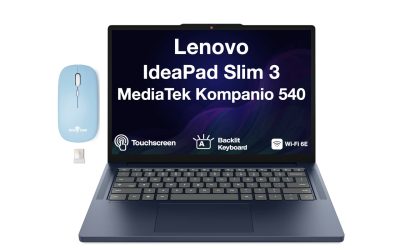
The “just $30 more” trap. The Acer Chromebook 315, Lenovo Chromebook M and Lenovo IdeaPad Slim 3 ($179–$189) are all better machines — and all over budget. If you can stretch to $179, read our under-$200 guide instead.
Frequently Asked Questions
Is a refurbished Chromebook safe to buy?
Yes, if the seller grades it honestly (Grade A or “Certified Refurbished”, not “Fair” or ungraded) and the AUE date is in the future. Buy from a seller with a return policy.
Which Chromebook under $150 has the longest update support?
The ASUS CM30, with updates through June 2033. The HP 14a-na1043cl, Acer 311 and Lenovo 100e Gen 2 all run to June 2029; the Samsung 4 is shortest at June 2028.
Can I get a new Chromebook under $150?
Not at list price. The cheapest new Chromebook in November 2026 is the Acer Chromebook 315 at $179 at Walmart. The only new machine that has ever fit under $150 in this series is the Lenovo Flex 3 at $99 on Black Friday.
Is 4GB of RAM enough for a Chromebook?
Yes, for what Chromebooks do: browsing, streaming, documents and video calls. 4GB is the floor, not the ceiling — with a dozen tabs and a video call open, a 4GB machine slows down and the 8GB CM30 is noticeably smoother. Do not buy 2GB.
What about the Dell Chromebook 3100 at $95.99?
It is a fine machine — PCWorld’s best refurbished Chromebook deal of Black Friday 2026 at $95.00 on Amazon Renewed. We left it out only because the Acer 311 does the same job for $13 less, and some 3100 listings ship with only 16GB of storage. A 32GB listing at $95.99 is a good buy.
Verdict
Buy the HP Chromebook 14a-na1043cl (Renewed) for $115.92 for the best screen and most storage $150 can buy — the only Full HD machine here. Buy the Lenovo 100e Gen 2 (Refurbished) for $54.97 for the lowest spend on a machine secure until 2029 — less than half the top pick’s price. Buy the ASUS CM30 (Refurbished) for $144.97 for a tablet and a laptop in one, with 8GB of RAM, 128GB of storage and updates until 2033. If you cannot confirm the Acer 311’s exact model and AUE date, skip it and buy the Samsung Chromebook 4 at $99.00 instead — verified price, known brand, shorter runway to June 2028.
As an Amazon Associate, we earn from qualifying purchases.
Suggested internal links
- Best Chromebook Under $100 — the Acer Chromebook 311 top pick.
- Best Chromebook Under $200 — the Lenovo Chromebook M top pick.
- Best 2-in-1 Laptop Under $100 — the Dell Chromebook 3100 2-in-1 top pick.
More from Amazon
Programs that pair well with the guide above. Offers and eligibility are set by Amazon and may change.
A free business account with business pricing and bulk-buying tools for work, shop or home office.
Create a business accountFree shipping on eligible items, Prime Video and more. Eligible new members can start with a free trial.
Start a Prime free trialAudiobooks and podcasts to listen to on the go. Eligible new members can start with a free trial.
Try Audible freeAd-free music streaming. Eligible new subscribers can start with a free trial.
Try Music Unlimited freeAs an Amazon Associate we earn from qualifying purchases.


Write Your Review
No reviews yet. Be the first to share your experience!