
Our Short List of 3

- Best for: Mac players who want the native edition on the most portable machine here.
- Processor: Apple M4 chip
- Display: 13.6-inch Liquid Retina
- Memory: 16GB unified memory
- Storage: 256GB SSD

- Best for: Mac players who mostly play at home and want the interviews on a larger screen.
- Processor: Apple M4 chip, 10-core CPU and 10-core GPU as listed
- Display: 15.3-inch Liquid Retina, 2880 by 1864, 500 nits as listed
- Memory: 16GB unified memory
- Storage: 512GB SSD

- Best for: Windows players who prize screen quality and battery life, and accept the translation-layer note.
- Processor: Snapdragon X Elite X1E-78-100, 12 cores, up to 3.4 GHz as listed
- Graphics: integrated Qualcomm Adreno
- Display: 14.5-inch 3K (2944 x 1840) OLED touch, 1000 nits as listed
- Memory: 32GB LPDDR5X-8448MT/s, soldered
All 4 Picks at a Glance
| Product | Specs | Action |
|---|---|---|
| MacBook Air 13 (M4) |
| Check price on Amazon |
| MacBook Air 15 (M4) |
| Check price on Amazon |
| Lenovo Yoga Slim 7x |
| Check price on Amazon |
 ASUS Zenbook 14 OLED |
| Check price on Amazon |
Doctor Dekker asks surprisingly little of a laptop on paper, and that shapes the whole buying decision. Steam publishes minimum-only blocks for this game, with 2 GB of memory and Intel HD3000 or comparable graphics, so almost any current machine clears the printed figures. The real decision is about how the game plays: it is a filmed mystery built from full-screen HD video, and you question suspects by typing your own words, so the screen, the keyboard and the storage figure matter more than raw power.
This guide is for players who want a comfortable machine for long, dialogue-heavy sessions, whether they play the native Mac edition, stay on Windows, or share the laptop with other work. The five picks come from their listing names and specifications: two MacBook Air models for the Mac edition, a Snapdragon-powered Yoga with an honest note about Windows on ARM, a compact Zenbook, and a Victus with dedicated graphics for players whose libraries reach beyond this title.
Quick Picks
As an Amazon Associate we earn from qualifying purchases
| Product | Best for | Key spec from title |
|---|---|---|
| Apple MacBook Air 13 (M4) | Long sessions on the couch or in bed | 13.6-inch Liquid Retina, 16GB unified memory |
| Apple MacBook Air 15 (M4) | Filmed interviews on a bigger screen at home | 15.3-inch Liquid Retina, 512GB SSD storage |
| Lenovo Yoga Slim 7x | A bright OLED panel and a roomy 1TB drive | 14.5-inch 3K OLED touch, 32GB memory |
| ASUS Zenbook 14 OLED | Windows play with an OLED touchscreen | Ryzen 7 8840HS, Radeon 780M graphics |
| HP Victus 15 | One machine that also covers heavier games | Radeon RX 6550M dedicated graphics, 1TB SSD |
How to Choose
Storage, and the Linux figure that differs
Steam prints 20 GB of storage for the Windows block and 20 GB for the Mac block, then prints 40 GB for the Linux block, exactly as published. Nobody explains the gap, so quote it rather than averaging it away. On the MacBook Air 13 below, the 256GB drive holds the Windows or Mac figure many times over, yet that drive can never be enlarged later. The Victus and the Yoga carry 1TB drives, which swallow even the Linux figure alongside a whole library. Check the printed figure for your platform, then leave headroom for updates and other games.
Video playback and the screen
The notes line on every block reads “Must be capable of playing full HD videos”, and that single line tells you where to spend attention. The game is filmed people answering your questions, so a clear 1080p-or-better panel matters more than any graphics chip. The published graphics line is only Intel HD3000 or comparable, which every pick here passes with integrated graphics alone. The Yoga’s 3K OLED and the Zenbook’s OLED panel give the filmed scenes richer contrast, while the Air 15 spreads the same footage across a larger 15.3-inch canvas for easier reading of expressions.
A keyboard you type questions on
Most games ask you to press keys; this one asks you to write sentences. You type free-text questions throughout, and the answers branch from what you ask, so keyboard comfort shapes the whole experience over an evening. Look for a backlit board with clear key legends for dim rooms, and enough key travel that long exchanges stay comfortable. The Victus brings a full gaming keyboard with a numeric pad, the Air models use Apple’s low-profile board, and the Zenbook sits between them. If you play at a desk, any of them pairs happily with a separate keyboard later.
Platform wording and the age of the blocks
Read the Mac block before assuming anything about Apple hardware. It prints “OSX 10.9 onwards” for the operating system and just “Intel” for the processor, wording from 2013 that predates Apple silicon entirely. It prints no Catalina notice and no Apple-silicon exclusion, and there is no recommended tier on any platform to aim at. The Windows block prints “Windows 7,8,10” with a Pentium 4 SSE2 onwards (dual core) processor line. Treat these blocks as a low floor from another era, not as a shopping target, and judge machines by the checks above instead.
The 5 Best Options
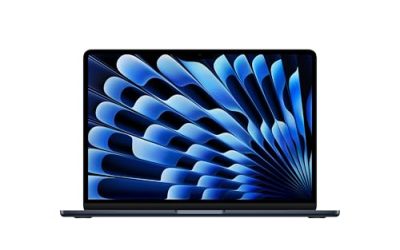
MacBook Air 13 (M4)
- Best for: Mac players who want the native edition on the most portable machine here.
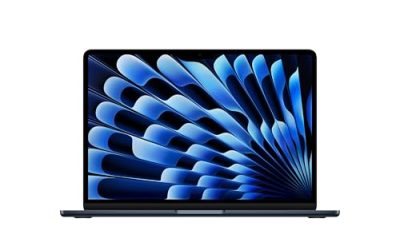
- Processor: Apple M4 chip
- Display: 13.6-inch Liquid Retina
- Memory: 16GB unified memory
- Storage: 256GB SSD
Mac players who want the native edition on the most portable machine here.
the 256GB storage is fixed at purchase and cannot be upgraded later, so confirm this configuration on the page if your library is large.
The native Mac edition is the simplest route into this game, and the 13-inch Air is the lightest way to take it. Steam’s Mac block asks for OSX 10.9 onwards, an Intel processor, 2 GB of memory, Intel HD3000 or comparable graphics and 20 GB of storage; the M4 chip, 16GB of unified memory and 256GB SSD in this listing clear every printed line by a wide margin. The 13.6-inch Liquid Retina panel suits filmed interviews held close, the fanless body stays silent during quiet scenes, and at 2.73 pounds it follows you from desk to couch without complaint.
MacBook Air 15 (M4)
- Best for: Mac players who mostly play at home and want the interviews on a larger screen.
- Processor: Apple M4 chip, 10-core CPU and 10-core GPU as listed
- Display: 15.3-inch Liquid Retina, 2880 by 1864, 500 nits as listed
- Memory: 16GB unified memory
- Storage: 512GB SSD
Mac players who mostly play at home and want the interviews on a larger screen.
memory and storage are set at purchase with no later upgrade path, and the larger panel makes it less of a carry-everywhere machine than the 13-inch model.
If the game lives on your desk or kitchen table rather than your lap, the 15-inch Air stretches the same filmed conversations across a 15.3-inch Liquid Retina panel at 2880 by 1864, which makes faces and subtitles easier to follow from a normal sitting distance. It runs the same native Mac edition against the same modest published Mac block, pairing the M4 chip with 16GB of unified memory and a 512GB SSD that doubles the smaller Air’s room for the 20 GB install and everything around it. Two Thunderbolt 4 ports and a MagSafe charging port keep a desk setup tidy.
Lenovo Yoga Slim 7x
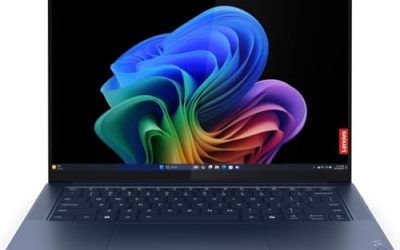
- Best for: Windows players who prize screen quality and battery life, and accept the translation-layer note.
- Processor: Snapdragon X Elite X1E-78-100, 12 cores, up to 3.4 GHz as listed
- Graphics: integrated Qualcomm Adreno
- Display: 14.5-inch 3K (2944 x 1840) OLED touch, 1000 nits as listed
- Memory: 32GB LPDDR5X-8448MT/s, soldered
Windows players who prize screen quality and battery life, and accept the translation-layer note.
the memory is soldered and the ARM platform means older Windows software runs translated, so check your must-have programs before choosing it.
The Yoga Slim 7x owns the finest screen in this group, a 14.5-inch 3K OLED touch panel listed at 1000 nits, and filmed answers look superb on it. One honest note matters, though: this is a Windows on ARM machine, running Windows 11 Pro on a Snapdragon X Elite chip, and the game’s Windows block prints Intel-era wording, a Pentium 4 SSE2 onwards (dual core) processor line. No ARM-native build is published, so the Windows edition runs through the built-in translation layer here. Storage and memory are generous, with a 1TB SSD and 32GB of soldered LPDDR5X.
ASUS Zenbook 14 OLED
- Best for: Windows players who want native x86 play and an OLED panel in a light body.
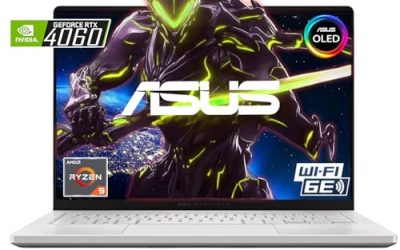
- Processor: AMD Ryzen 7 8840HS, 8 cores and 16 threads, up to 5.1 GHz as listed
- Graphics: integrated AMD Radeon 780M, 12 RDNA 3 compute units as listed
- Display: 14-inch WUXGA OLED touchscreen, 1920 x 1200, 500-nit peak HDR, 100% DCI-P3 as listed
- Memory: 16GB LPDDR5X
Windows players who want native x86 play and an OLED panel in a light body.
the listing describes a touchscreen while the maker’s spec sheet for this model line lists a non-touch panel, and the box is opened for customization, so confirm the exact panel and build on the page.
The Zenbook is the straightforward native Windows pick for readers who want an OLED screen without the ARM question hanging over it. Its Ryzen 7 8840HS runs the standard Windows edition directly, and the integrated Radeon 780M sits generations beyond the Intel HD3000 or comparable line that Steam prints, which is all this game ever asks of a graphics chip. The 14-inch WUXGA OLED touchscreen renders the filmed scenes with deep contrast, and the 512GB SSD holds the 20 GB Windows install many times over. This listing bundles a Mytrix wireless headset, handy for late-night questioning.
HP Victus 15
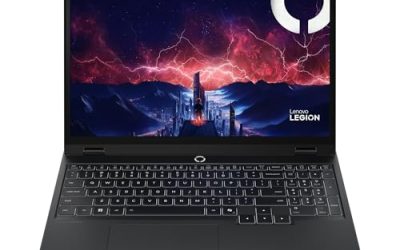
The Victus is the pick for readers whose shelves hold far more than one FMV mystery. Its dedicated Radeon RX 6550M graphics card stands well past the Intel HD3000 or comparable line in the published block, and the 144Hz panel serves faster games that this title never attempts. For Doctor Dekker itself, the useful figures are the 32GB of DDR5 memory and the 1TB SSD, which absorb the 20 GB Windows install, or even the 40 GB Linux figure, without any juggling. The trade is size: at 5.06 pounds this is a desk machine that travels occasionally, not a couch companion.
Specs
- Processor: AMD Ryzen 5 7535HS, 6 cores and 12 threads, up to 4.55 GHz as listed
- Graphics: AMD Radeon RX 6550M, 4 GB GDDR6 dedicated
- Display: 15.6-inch FHD (1920 x 1080), 144 Hz, IPS, micro-edge, anti-glare as listed
- Memory: 32GB DDR5, upgraded by the seller as listed
- Storage: 1TB NVMe SSD, upgraded by the seller as listed
- Keyboard: backlit
- Wireless: Wi-Fi 6
- Operating system: Windows 11 Pro
- Weight: 5.06 pounds
- Color: Mica Silver
Best for: players who want one Windows laptop for this game and a shelf of heavier titles besides.
Watch out for: this configuration is a seller-upgraded build with the memory and storage fitted after the factory, so confirm the exact configuration printed on the page before ordering.
ASIN: B0DK1JHG13
Which One Fits Your Situation
You play on the couch, laptop on your knees
Pick the MacBook Air 13. At 2.73 pounds with a fanless, silent body, it settles onto a lap or a bed for a full evening of questioning without heat or fan noise intruding on quiet scenes. The 13.6-inch screen stays close and readable, the native Mac edition installs in 20 GB of its 256GB drive, and Touch ID gets you back into a session quickly between chapters.
You want the filmed interviews as large as possible
Choose between the MacBook Air 15 and the Yoga Slim 7x. The Air spreads the footage across 15.3 inches and runs the native Mac edition, while the Yoga answers with a brighter 3K OLED panel at 14.5 inches and a 1TB drive. Take the Air for simplicity on macOS; take the Yoga for contrast and storage, accepting its Windows on ARM translation note.
Your other work software is Windows-only
Take the Zenbook 14 OLED. It runs the standard Windows edition natively on an x86 Ryzen processor, so the same machine that plays Doctor Dekker also runs your existing Windows programs without any translation questions. The OLED touchscreen flatters the filmed scenes, the 512GB SSD covers the 20 GB install comfortably, and the bundled headset keeps dialogue clear in a shared room.
You also play demanding games on the same machine
The Victus 15 is built for that double life. Its dedicated Radeon RX 6550M and 144Hz screen serve the faster titles in your library, while 32GB of memory and a 1TB SSD make this game’s modest printed figures an afterthought. You give up the light, silent carry of the Air models, gaining a single desk machine that covers both ends of your shelf.
Common Mistakes
- Hunting for a recommended specification that does not exist: Steam publishes minimum-only blocks for Windows, Mac and Linux, so there is no higher official tier to match a laptop against.
- Assuming every platform needs the same storage: the blocks print 20 GB for Windows and Mac but 40 GB for Linux, exactly as published, so leave the larger figure free if you play on Linux.
- Buying a dedicated graphics card for this game alone: the published graphics line is Intel HD3000 or comparable on all three platforms, and current integrated graphics sit far beyond it.
- Mixing up this 2017 original with its announced sequel: the follow-up has its own store page and is not released yet, so check the title on the page before adding anything to your library.
- Skipping the notes line: every block says the machine must be capable of playing full HD videos, so an old, dim, low-resolution screen undersells a game made entirely of filmed faces.
Frequently Asked Questions
Does Doctor Dekker run on current Apple silicon Macs?
The published Mac block is minimum-only and old: it prints “OSX 10.9 onwards”, a processor line of just “Intel”, 2 GB of memory, Intel HD3000 or comparable graphics and 20 GB of storage. It prints no Catalina notice and no Apple-silicon exclusion. Current Macs exceed every figure it lists, and the two Air models above run the native Mac edition sold today.
How much storage does the game actually need?
Steam prints different figures by platform, and the honest answer keeps them separate: 20 GB on Windows, 20 GB on Mac and 40 GB on Linux, exactly as published. Nobody explains why the Linux figure doubles the others. Any pick in this guide holds even the largest figure easily, though the 256GB Air 13 leaves the least room for everything else.
Do I need a gaming laptop with a dedicated graphics card?
No. The graphics line on all three published blocks reads Intel HD3000 or comparable, an integrated chip from the start of the last decade. The integrated graphics in the MacBook Air, Yoga and Zenbook all sit generations past that line. The Victus earns its place only if your library also holds heavier games that genuinely ask for dedicated graphics.
Is there a recommended tier I should aim for instead?
There is none to aim for. Steam publishes a single minimum block per platform for this game, covering Windows, Mac and Linux, and nothing above it. Heavier figures circulating on other sites are not the publisher’s block. Buy against the checks that matter here instead: enough storage for your platform’s printed figure, a screen that flatters full HD video, and a comfortable keyboard.
More from Amazon
Programs that pair well with the guide above. Offers and eligibility are set by Amazon and may change.
A free business account with business pricing and bulk-buying tools for work, shop or home office.
Create a business accountFree shipping on eligible items, Prime Video and more. Eligible new members can start with a free trial.
Start a Prime free trialAudiobooks and podcasts to listen to on the go. Eligible new members can start with a free trial.
Try Audible freeAd-free music streaming. Eligible new subscribers can start with a free trial.
Try Music Unlimited freeAs an Amazon Associate we earn from qualifying purchases.



Write Your Review
No reviews yet. Be the first to share your experience!