
Our Short List of 3

- Processor: AMD Ryzen 7 8840HS, up to 5.1 GHz
- Graphics: AMD Radeon 780M integrated graphics
- Memory: 16GB LPDDR5X
- Storage: 512GB M.2 NVMe PCIe 4.0 SSD

- Processor: Snapdragon X Elite X1E-78-100
- Graphics: Integrated Qualcomm Adreno GPU
- Memory: 32GB LPDDR5X
- Storage: 1TB SSD

- Processor: AMD Ryzen AI 7 350
- Graphics: NVIDIA GeForce RTX 5060, 8GB GDDR7
- Memory: 32GB DDR5
- Storage: 1TB SSD
All 3 Picks at a Glance
| Product | Specs | Action |
|---|---|---|
| ASUS Zenbook 14 OLED (UM3406HA) |
| Check price on Amazon |
| Lenovo Yoga Slim 7x |
| Check price on Amazon |
| HP Victus 15 (RTX 5060) |
| Check price on Amazon |
Vampire Survivors is a 2D arena survival game built around one simple loop: steer a single character through swarming hordes, gather the gems they drop, and stack weapons and passive items until the screen is a storm of projectiles. Runs last up to thirty minutes, the visuals are plain sprites, and the hardware demands are tiny. As an Amazon Associate, we earn from qualifying purchases.
That lightness changes what a good laptop for this game looks like. You do not need a bulky gaming rig with a dedicated graphics card; a slim ultraportable with integrated graphics genuinely runs Vampire Survivors well, and the picks below lean into battery life, screen quality, and portability instead.
How to Choose a Laptop for Vampire Survivors
Platform comes first, and here the news is simple: Vampire Survivors runs natively on Windows AND macOS, so Mac picks are included fairly alongside Windows machines and neither side needs a workaround. Whichever system you already prefer for daily work is the right one for this game.
Graphics are the easiest part of the decision. This is a 2D sprite game, and modern integrated graphics from Apple, Intel, AMD, and Qualcomm handle it without strain. A dedicated gaming GPU is honest overkill; it only makes sense if the same laptop also carries heavier games.
Battery and weight matter more than raw power, because this is the kind of game you play on a couch, in bed, or on a train. A light machine with a long-lasting battery suits thirty-minute runs far better than a heavy rig that lives plugged into a desk. Storage is a non-issue: the game is a small install.
One caution applies to the Snapdragon pick below: Windows-on-ARM laptops run many x86 games through a built-in translation layer rather than natively. This game is light enough that the route is realistic, but check its current ARM guidance before you buy, and favor the native picks if you want zero question marks.
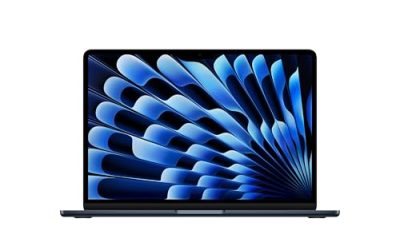
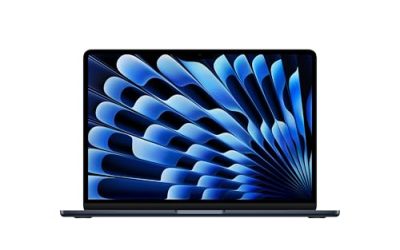
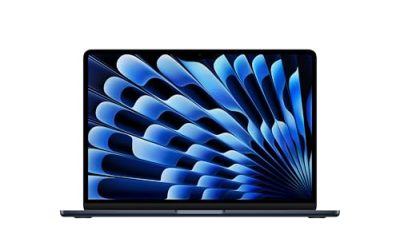
Apple MacBook Air 13 (M4)
The MacBook Air 13 is the natural first pick for Mac players, because Vampire Survivors has a native macOS version and this machine runs it without a fan, without noise, and without compatibility detective work. The listing pairs the Apple M4 chip with 32GB of unified memory, far beyond anything this game asks for, and that headroom keeps the laptop quick for everything else.
Battery is the other headline: the listing states up to 18 hours, and the Air is thin enough, at under half an inch, to disappear into a bag for travel play. The 13.6-inch Liquid Retina display supports one billion colors as listed, keeping dark stages easy to read even when a late run fills the screen.
Specs
- Processor: Apple M4 chip
- Memory: 32GB unified memory
- Storage: SSD
- Display: 13.6-inch Liquid Retina display, supports one billion colors
- Graphics: Integrated
- Battery: Up to 18 hours, as the listing states
- Operating system: macOS
- ASIN: B0FZLRD8T5
Dell XPS 13 9350
The XPS 13 9350 is the premium Windows ultraportable here, built around Intel’s Core Ultra 7 258V with Arc 140V integrated graphics. That integrated GPU is genuinely enough for Vampire Survivors: this is a light 2D game, and the XPS handles it the way it handles everyday work, quietly and without drama.
This configuration lists 32GB of memory, a 1TB SSD, a 13.4-inch FHD+ 1920×1200 screen at 120Hz and 500 nits as listed, and Wi-Fi 7. The listing claims up to 26 hours of battery, a best-case figure under the maker’s own test conditions, so treat it as a ceiling rather than a promise. The trade-off is the two-port design: both connections are Thunderbolt 4, so a hub is a sensible companion for wired accessories.
Specs
- Processor: Intel Core Ultra 7 258V, up to 4.8 GHz as listed
- Graphics: Intel Arc 140V integrated graphics
- Memory: 32GB LPDDR5X
- Storage: 1TB PCIe SSD
- Display: 13.4-inch FHD+ 1920×1200, 120Hz, 500 nits as listed
- Ports: 2x Thunderbolt 4
- Wireless: Wi-Fi 7, as listed
- Battery: Up to 26 hours, as the listing claims
- Weight: About 2.6 lb
- Operating system: Windows 11 Pro
- ASIN: B0H5TKFRVM
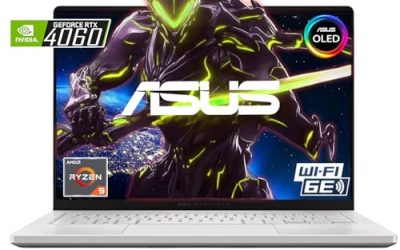
ASUS Zenbook 14 OLED (UM3406HA)
- Processor: AMD Ryzen 7 8840HS, up to 5.1 GHz
- Graphics: AMD Radeon 780M integrated graphics
- Memory: 16GB LPDDR5X
- Storage: 512GB M.2 NVMe PCIe 4.0 SSD
The Zenbook 14 OLED earns its place with the screen. Its 14-inch OLED touchscreen at 1920×1200 gives this dark, moody game deep blacks and punchy color, a size up from the 13-inch picks without making the laptop bulky. At about 2.65 lb with a 75Wh battery, it stays an easy carry for couch and travel sessions.
Inside, the Ryzen 7 8840HS and its Radeon 780M integrated graphics are, again, honestly more than this game needs, and that is the point of this roundup: recent integrated graphics simply run it. The listing pairs them with 16GB of LPDDR5X memory, a 512GB NVMe SSD, Wi-Fi 6E, and a USB4 port.
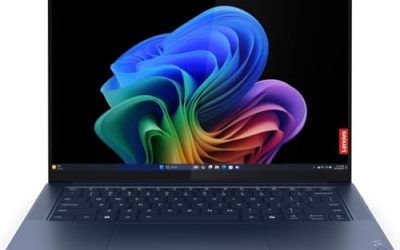
Lenovo Yoga Slim 7x
- Processor: Snapdragon X Elite X1E-78-100
- Graphics: Integrated Qualcomm Adreno GPU
- Memory: 32GB LPDDR5X
- Storage: 1TB SSD
The Yoga Slim 7x is the Snapdragon option, and it needs the honest note up front: it runs Windows on ARM, so the Windows build of the game runs through the built-in translation layer rather than natively. For a game this light that route is workable, but check the game’s current ARM guidance first, and pick a native option above if that caveat bothers you.
Caveat given, the hardware itself is lovely for this use. The listing covers a 14.5-inch 3K OLED touch display at 90Hz, 32GB of LPDDR5X memory, a 1TB SSD, a 70Wh battery, Wi-Fi 7, and three USB-C ports the listing names as USB4, all in a 2.82 lb Cosmic Blue chassis.
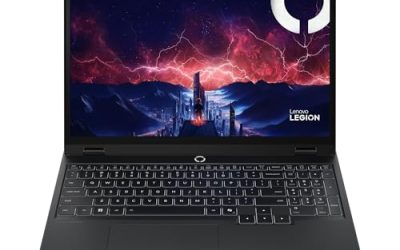
HP Victus 15 (RTX 5060)
- Processor: AMD Ryzen AI 7 350
- Graphics: NVIDIA GeForce RTX 5060, 8GB GDDR7
- Memory: 32GB DDR5
- Storage: 1TB SSD
The Victus 15 is the one true gaming laptop here, included for a specific reader: the one whose library holds much heavier games alongside Vampire Survivors. Its RTX 5060 dedicated GPU is far more than this 2D title will ever touch, so buy it for the rest of your collection.
This listing pairs a Ryzen AI 7 350 with 32GB of DDR5 memory, a 1TB SSD, and a 15.6-inch FHD 144Hz screen, plus an RGB backlit keyboard and RJ-45 Ethernet as listed. It also bundles a 7-in-1 USB-C hub; bundles change, so confirm the page configuration before ordering. The trade-off is size and battery: this is a desk-and-backpack machine, not a couch featherweight.
Comparison Table
| Product | Best for | Key spec |
|---|---|---|
| Apple MacBook Air 13 (M4) | Native Mac play and travel | M4 chip, 32GB memory, up to 18 hours as listed |
| Dell XPS 13 9350 | Premium Windows ultraportable | Core Ultra 7 258V, 32GB memory, 1TB SSD |
| ASUS Zenbook 14 OLED | Screen quality on a budget of space | 14-inch OLED touch, Radeon 780M |
| Lenovo Yoga Slim 7x | Quiet ARM travel machine | Snapdragon X Elite, 14.5-inch 3K OLED touch |
| HP Victus 15 (RTX 5060) | Bigger game libraries | RTX 5060 GPU, 15.6-inch 144Hz screen |
FAQ
Can integrated graphics really run Vampire Survivors?
Yes. The game is drawn in 2D sprites and places very light demands on hardware, so the integrated graphics in current Apple, Intel, AMD, and Qualcomm chips are genuinely enough. Every ultraportable here relies on integrated graphics, and none is a compromise pick.
Does Vampire Survivors run on a Mac?
Yes. The game has a native macOS version, so a MacBook Air plays it directly with no translation layer or workaround involved. That is why the MacBook Air leads this list for Apple users.
Do I need a gaming laptop for Vampire Survivors?
No. A gaming laptop only earns its place here if your library also includes heavier 3D games that need a dedicated GPU, which is exactly the role the Victus 15 fills. If light indie games are your whole library, an ultraportable is the better everyday machine.
Conclusion
Vampire Survivors rewards portability and battery life far more than graphics power, and every laptop here runs it well: the MacBook Air for native Mac play, the XPS 13 and Zenbook 14 for polished Windows portability, the Yoga Slim 7x for quiet ARM travel with one note, and the Victus 15 only if heavier games share your library.
More from Amazon
Programs that pair well with the guide above. Offers and eligibility are set by Amazon and may change.
A free business account with business pricing and bulk-buying tools for work, shop or home office.
Create a business accountFree shipping on eligible items, Prime Video and more. Eligible new members can start with a free trial.
Start a Prime free trialAudiobooks and podcasts to listen to on the go. Eligible new members can start with a free trial.
Try Audible freeAd-free music streaming. Eligible new subscribers can start with a free trial.
Try Music Unlimited freeAs an Amazon Associate we earn from qualifying purchases.


Write Your Review
No reviews yet. Be the first to share your experience!