
Our Short List of 3

- Best for: Mac buyers who want the Mac edition in the lightest current Apple laptop.
- Apple M4 chip
- 16GB unified memory
- 256GB SSD storage
- 13.6-inch Liquid Retina display, 2560 x 1664

- Best for: Mac buyers who want the Mac edition on a bigger built-in screen.
- Apple M4 chip
- 16GB unified memory
- 512GB SSD storage
- 15.3-inch Liquid Retina display, 2880 x 1864

- Best for: Windows users who want the slimmest machine and accept the ARM translation route.
- Snapdragon X Elite X1E-78-100 processor, 12 cores, up to 3.4 GHz
- 32GB LPDDR5X-8448MT/s memory, soldered
- 1TB SSD M.2 2242 PCIe Gen4 TLC
- 14.5-inch 3K OLED touch display, 2944 x 1840, 90Hz, 1000 nits as listed
All 4 Picks at a Glance
| Product | Specs | Action |
|---|---|---|
| Apple MacBook Air 13 (M4) |
| Check price on Amazon |
| Apple MacBook Air 15 (M4) |
| Check price on Amazon |
| Lenovo Yoga Slim 7x |
| Check price on Amazon |
 ASUS Zenbook 14 OLED |
| Check price on Amazon |
Brütal Legend asks almost nothing of a laptop on paper: the published Windows minimum is a Core 2 Duo at 2.2 GHz with 1 GB of RAM and a 512 MB graphics card, figures from another era of hardware. So the real decision is not whether a machine clears the bar, but which edition you will run. Steam still sells a genuine Mac edition alongside the Windows build, so this guide splits between current Macs that run that edition natively and Windows laptops that run the Windows build.
It serves three kinds of buyer: Mac users who want the Mac edition on a current Apple laptop, Windows users who want a slim everyday machine, and players who prefer a gaming laptop with a dedicated graphics card. The picks come straight from current listings: two M4 MacBook Air models for the Mac edition, a Snapdragon-powered Lenovo and a Ryzen ASUS for slim Windows use, and an HP Victus with a dedicated Radeon card for the Windows build.
Quick Picks
As an Amazon Associate we earn from qualifying purchases
| Product | Best for | Key spec from title |
|---|---|---|
| Apple MacBook Air 13 (M4) | The Mac edition in the lightest current Mac | M4 chip with 16GB unified memory |
| Apple MacBook Air 15 (M4) | The Mac edition on a larger screen | 15.3-inch Liquid Retina display |
| Lenovo Yoga Slim 7x | A thin Windows laptop with an OLED touch screen | Snapdragon X Elite with 3K OLED touch display |
| ASUS Zenbook 14 OLED | A compact Windows laptop with an OLED panel | Ryzen 7 8840HS with OLED touchscreen |
| HP Victus 15 | A Windows gaming laptop with dedicated graphics | Radeon RX 6550M with 144Hz display |
How to Choose
Start with the edition, not the hardware
Steam sells Brütal Legend for Windows, macOS and Linux from the same page, and the Mac edition is a live one: Steam’s app record flags the Mac build as 64-bit and notarized, and the page carries no Catalina incompatibility notice. That separates this game from its Double Fine stablemate Costume Quest, which does carry the notice. If you own a current Mac, you can buy the Mac edition with confidence in its status. If you own a Windows laptop, the Windows build is the straightforward route, and every Windows pick here runs that build.
Read the Mac requirements as a 2013 document
The printed Mac block belongs to another age. Its OS line literally prints “: Snow Leopard 10.6.8, or later”, leading colon and all, the processor line names an Intel Core Duo, and a note adds “Leopard is not supported”. The recommended tier asks for 4 GB of RAM and a card with at least 512 MB VRAM. None of this describes a modern Mac, and none of it needs hunting down: both MacBook Air picks exceed every printed figure many times over. Treat the block as proof the Mac edition exists and is old, not as a shopping list to match part by part.
Match the graphics wording to the era
Every platform block names graphics hardware in 2013 terms: 512 MB cards such as the GeForce 220 and Radeon 4550 on Windows, ATI and NVIDIA cards with at least 512 MB VRAM on Mac, and a 256 MB card on the Linux tier. No current laptop ships anything that weak, so the honest question is the graphics type. The Victus carries a dedicated Radeon RX 6550M with its own 4 GB of GDDR6. The Zenbook relies on integrated Radeon 780M graphics, and the Macs and the Lenovo use integrated graphics built into their chips.
Check storage, the broadband line and a controller
Storage is the easiest line to clear: the Windows block asks for “8 GB HD space” and the Mac and Linux blocks ask for 9 GB, so even the smallest SSD in this guide holds the game many times over alongside a working library. Two smaller lines deserve a look before you buy. The Windows block lists “Broadband Internet connection” under Other Requirements, and the game was designed around a gamepad, with Steam listing full controller support, so a controller you already own is worth keeping near whichever laptop you choose.
The 5 Best Options
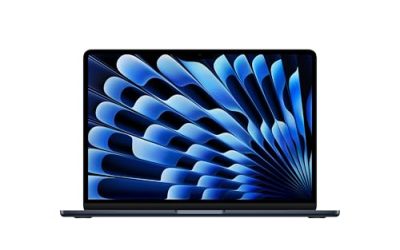
Apple MacBook Air 13 (M4)
- Best for: Mac buyers who want the Mac edition in the lightest current Apple laptop.
- Apple M4 chip
- 16GB unified memory
- 256GB SSD storage
- 13.6-inch Liquid Retina display, 2560 x 1664
Mac buyers who want the Mac edition in the lightest current Apple laptop.
Memory and storage are fixed at purchase on this model, so confirm that 16GB and 256GB suit your wider library before ordering; the game is light, but your other files are not.
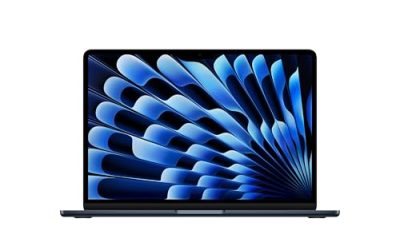
The 13-inch MacBook Air is the cleanest way to own the Mac edition today. Its M4 chip and 16GB of unified memory sit far beyond the printed Mac block, which asks for an Intel Core Duo and 2 GB of RAM, and the fanless body keeps a 2013 game night quiet. Because Steam’s record flags the Mac build as 64-bit and notarized, this machine runs the current Mac edition rather than a leftover one. The 256GB SSD is the smallest storage in this guide, yet the game itself needs only 9 GB as printed.
Apple MacBook Air 15 (M4)
- Best for: Mac buyers who want the Mac edition on a bigger built-in screen.
- Apple M4 chip
- 16GB unified memory
- 512GB SSD storage
- 15.3-inch Liquid Retina display, 2880 x 1864
Mac buyers who want the Mac edition on a bigger built-in screen.
This listing is a family page with several memory, storage and colour combinations, so confirm the 16GB and 512GB Midnight configuration is the one in your basket before ordering.
If the Mac edition appeals but a 13-inch screen feels tight for an open world built from album-cover landscapes, the 15-inch Air is the same idea with more room. It pairs the M4 chip with 16GB of unified memory and a 512GB SSD, doubling the storage of the smaller pick while keeping the fanless design. The printed Mac requirement of 9 GB HD space is a rounding error against that drive. Its larger Liquid Retina panel also suits the game’s stage-sized battles and menus without plugging into an external monitor.
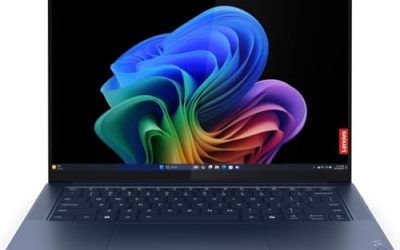
Lenovo Yoga Slim 7x
- Best for: Windows users who want the slimmest machine and accept the ARM translation route.
- Snapdragon X Elite X1E-78-100 processor, 12 cores, up to 3.4 GHz
- 32GB LPDDR5X-8448MT/s memory, soldered
- 1TB SSD M.2 2242 PCIe Gen4 TLC
- 14.5-inch 3K OLED touch display, 2944 x 1840, 90Hz, 1000 nits as listed
Windows users who want the slimmest machine and accept the ARM translation route.
Other Yoga Slim 7x listings ship with 16GB of memory and a 512GB SSD under near-identical titles, so match the ASIN to this 32GB and 1TB configuration before ordering.
The Yoga Slim 7x is the Windows pick for buyers who prize a thin body and a sharp screen: its 14.5-inch 3K OLED touch panel is the finest display in this guide, and the whole machine weighs 2.82 lbs. The honest catch sits in its Snapdragon X Elite chip. This is a Windows on ARM laptop, so it runs the Windows edition of the game through the system’s translation layer rather than natively, and it cannot touch the Mac edition at all. For a 2013 title with modest printed demands, that route is reasonable, but it should be a knowing choice.
ASUS Zenbook 14 OLED
- Best for: Windows users who want native x86 running in a light OLED laptop.
- AMD Ryzen 7 8840HS processor, 8 cores and 16 threads, up to 5.1 GHz as listed
- Integrated AMD Radeon 780M graphics
- 16GB LPDDR5X memory
- 512GB M.2 NVMe PCIe 4.0 SSD
Windows users who want native x86 running in a light OLED laptop.
This listing describes a touchscreen panel for this model; check the panel type on the page before ordering, since other Zenbook 14 configurations ship with non-touch displays.
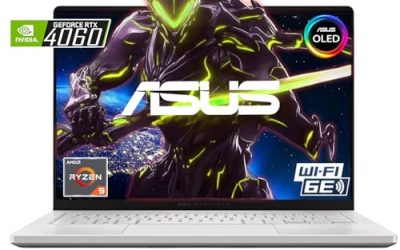
The Zenbook 14 OLED is the conventional Windows route in a compact frame: a Ryzen 7 8840HS processor, 16GB of memory and a 512GB SSD behind a 14-inch OLED touchscreen. It runs the Windows edition natively on x86 hardware, with no translation layer involved. Its Radeon 780M graphics are integrated rather than dedicated, which matters for newer games but sits comfortably against a published Windows line that names a 512 MB GeForce 220. The trade is simple: you give up a dedicated card and gain a lighter, quieter machine.
HP Victus 15
The Victus 15 is the pick for players who want the Windows edition on proper gaming hardware. Its Radeon RX 6550M is a dedicated card with 4 GB of its own GDDR6 memory, the only dedicated graphics in this guide, and the 15.6-inch screen refreshes at 144Hz. This configuration’s listing pairs the Ryzen 5 7535HS with 32GB of memory and a 1TB SSD, both far beyond the published 2 GB RAM recommended line. It is also the heaviest machine here at 5.06 lb, so it suits a desk more than a daily carry.
Specs
- AMD Ryzen 5 7535HS processor, 6 cores and 12 threads, up to 4.55 GHz as listed
- AMD Radeon RX 6550M graphics, 4 GB GDDR6 dedicated
- 32GB DDR5 memory, as listed
- 1TB NVMe SSD, as listed
- 15.6-inch FHD 144Hz IPS anti-glare display
- Backlit keyboard
- Wi-Fi 6
- Windows 11 Pro
- Mica Silver, 5.06 lb
Best for: Players who want the Windows edition on a gaming laptop with dedicated graphics.
Watch out for: This listing is a seller-upgraded configuration, so confirm the 32GB of memory and 1TB SSD shown on the page are what ships; other Victus 15 listings carry as little as 8GB and 512GB under similar titles.
ASIN: B0DK1JHG13
Which One Fits Your Situation
You want the Mac edition on a current Mac
Both MacBook Air models run the Mac edition that Steam sells today, with no Catalina block standing in the way. Take the 13-inch Air if the laptop travels with you daily, since it is the lightest machine in this guide. Take the 15-inch Air if most sessions happen at home and the bigger screen matters more than the extra weight in a bag.
You want Windows in the thinnest body you can find
The Yoga Slim 7x is the slim Windows option, with a 3K OLED touch screen and a 70Wh battery in a 2.82 lb frame. Go in knowing its Snapdragon chip runs the Windows edition through a translation layer rather than natively. If that trade bothers you, the Zenbook below covers similar ground on conventional hardware.
You want Windows with no translation layer involved
The Zenbook 14 OLED runs the Windows edition natively on an x86 Ryzen processor, so there is no emulation question to think about at all. Its integrated Radeon 780M graphics are the honest compromise: fine against this game’s printed 512 MB card line, less suited to newer releases. The OLED touchscreen and light frame make it the everyday-carry pick of the Windows group.
You want a gaming laptop first and this game second
The Victus 15 is the only pick built as a gaming laptop, with a dedicated Radeon RX 6550M, a 144Hz screen and room in its listing configuration for a much larger library. Brütal Legend itself needs almost none of that power, as its published lines show. Choose it when the rest of your collection will use the hardware and this game is one stop among many.
Common Mistakes
- Assuming the Mac edition is blocked because Costume Quest carries a Catalina notice; each Double Fine game has its own record, and this one’s Mac build is flagged 64-bit and notarized with no such notice.
- Taking the Snow Leopard OS line literally and shopping for an old Intel Mac, when the line is a 2013 leftover and current Macs run the edition Steam sells now.
- Reading the single Linux tier as a minimum specification, when the page heads that tier “Recommended:” and prints no separate minimum beside it.
- Buying the Yoga Slim 7x while expecting native Windows gaming, when its ARM processor runs the Windows build through a translation layer by design.
- Skipping the small print: the Windows block lists a broadband connection under Other Requirements, and the game was designed around a gamepad, so plan for both before the first session.
Frequently Asked Questions
Does Brütal Legend still run on macOS Catalina or later?
Yes, the Mac edition is a going concern. Steam sells it today, the app record flags the Mac build as 64-bit and notarized, and the page carries no Catalina incompatibility notice. The printed Mac lines date from the Snow Leopard era, so read them as history rather than as a verdict on a current Mac.
Why does the Linux section show only one tier of requirements?
Because that is how the page prints it. The Linux block holds a single tier, and the tier is headed “Recommended:”, with an OS line that prints “: Ubuntu 12.04 LTS, fully updated” and a 9 GB HD space line. There is no separate Linux minimum to quote, so this guide follows the shape of the page instead of inventing one.
Is integrated graphics enough for this game?
Against the published lines, the bar is low and printed in era terms: the Windows minimum names a 512 MB GeForce 220, and the Mac minimum asks for a card with at least 512 MB VRAM. Every pick in this guide meets or passes those printed figures on paper, including the integrated graphics in the Zenbook, the Lenovo and both Macs.
How much memory and storage does the game actually ask for?
Very little by current standards. The Windows block asks for 1 GB of RAM at minimum and 2 GB recommended, with “8 GB HD space”. The Mac block asks for 2 GB of RAM at minimum and 4 GB recommended, with 9 GB of drive space. Every laptop in this guide clears those figures with a wide margin.
More from Amazon
Programs that pair well with the guide above. Offers and eligibility are set by Amazon and may change.
A free business account with business pricing and bulk-buying tools for work, shop or home office.
Create a business accountFree shipping on eligible items, Prime Video and more. Eligible new members can start with a free trial.
Start a Prime free trialAudiobooks and podcasts to listen to on the go. Eligible new members can start with a free trial.
Try Audible freeAd-free music streaming. Eligible new subscribers can start with a free trial.
Try Music Unlimited freeAs an Amazon Associate we earn from qualifying purchases.



Write Your Review
No reviews yet. Be the first to share your experience!