

Our Top Picks
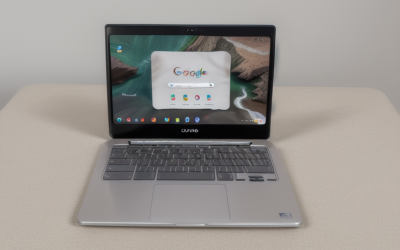
The best Chromebook under $250 in November 2026 is the HP Chromebook 14a with Intel N100 (14a-nf0019nr), at $230 list. It is the rare budget Chromebook that gets the two things that matter most right at once: a chip genuinely faster than the Celerons that dominate this price range, and automatic updates through June 2033 — six and a half years of security patches from a machine that costs less than a pair of decent headphones.
But $250 is also where the Chromebook market starts lying to you: the same model name can cover machines whose updates expired in June 2026 and machines supported until 2033, and marketplace listings inflate RAM figures and hide 16GB of storage behind a “1080p” headline. Every price and date here was checked against November 2026 sources.
Prices are November 2026 snapshots — check the current price on Amazon before buying.
Our top picks
Quick Picks
| Chromebook | Price | Screen | CPU / RAM / Storage | Updates Until | Best For |
|---|---|---|---|---|---|
| HP Chromebook 14a (14a-nf0019nr) ★ Top Pick | $230 list | 14″ HD 1366×768 | Intel N100 / 4GB / 64GB | June 2033 | Best overall, new |
| Lenovo IdeaPad Slim 3 Chromebook (83SX0000US) | $189 | 14″ WUXGA touch 1920×1200 | MediaTek Kompanio 540 / 4GB / 64GB | June 2033 | Best screen, new |
| Acer Chromebook 315 (Renewed) | $189.99 | 15.6″ Full HD 1920×1080 | Intel N50 / 8GB / 128GB | June 2033* | Only 8GB pick |
| ASUS Chromebook CX15 | $197 | 15.6″ Full HD 1920×1080 | Intel N50 / 4GB / 128GB | June 2033* | Biggest screen, new |
| Acer Chromebook Spin 713 (Renewed) | $194.99 | 13.5″ 2K touch 2256×1504 | Intel i5-10210U / 8GB / 128GB | June 2030 | Fastest chip, 2-in-1 |
* Verify the exact model on Google’s Auto Update list before buying — see the AUE section below.
How to Choose a Chromebook Under $250
ChromeOS Update Support (AUE Date)
This is the single most important spec on a cheap Chromebook, and it has nothing to do with performance. Google gives every Chromebook platform ten years of automatic updates, counted from when the chip platform shipped — and refurbishment does not reset the clock. A machine whose updates end in June 2029 still has two and a half years of life. A machine whose updates ended in June 2022 is e-waste with a screen: no security patches, and a browser that quietly stops getting safer.
Check the exact model on Google’s Auto Update list before you buy: HP’s “Chromebook 14a” covers machines that expired in June 2026 and the 14a-nf platform in our top pick, supported until June 2033. The Acer 311 name alone covers models expiring from June 2026 to June 2029.
RAM and Storage Floor
4GB of RAM and 64GB of storage is the floor at this price, and it is a real floor. Chrome OS is light, but 4GB still means a handful of tabs, not twenty. 8GB changes the experience completely, which is why two of our five picks carry it. Walk away from 2GB of RAM entirely.
Storage is the quieter trap. Chrome OS itself takes 10–15GB, so 32GB leaves almost nothing for Android apps and offline files. 64GB works if you live in Google Drive. 16GB is a walk-away spec unless the machine has a microSD slot — and several listings still hide 16GB behind a big screen or a “1080p” headline.
Screen Type
Four of our five picks have 14-inch or larger screens, and the difference between them is resolution, not size. A 1366×768 HD panel at 14 inches looks soft; a 1920×1080 Full HD panel is an upgrade usually worth trading a faster chip for. IPS panels hold their colors when tilted; TN panels wash out off-center.
CPU for Everyday Browsing
Intel’s N100 is the fastest budget chip here — a quad-core Alder Lake-N part that handles a dozen tabs, a video call, and a document without stuttering. The older Celeron N4000 and N4020 are dual-core chips from 2019: fine for one thing at a time, slow the moment you multitask. MediaTek’s Kompanio 520 and 540 are fanless ARM chips — quiet and good for about ten tabs, but they cannot run x86 Linux software. The Core i5-10210U in our fifth pick is a different class entirely: a 10th-gen laptop chip that still outruns every other processor in this guide, even refurbished.
Battery Life
Manufacturers rate these machines at 9.5 to 15.75 hours; expect roughly two-thirds of that with a browser full of tabs. Anything rated at 10 hours or more covers a school day. On a refurbished machine, battery health is the hidden variable: Amazon Renewed guarantees at least 80%, third-party refurbishers often guarantee nothing.
Keyboard
Budget keyboards vary wildly. The HP 14a’s is the best-reviewed in this price range — Chrome Unboxed singled it out — while some 11.6-inch education models have cramped, shallow keys. A backlit keyboard is rare under $250 and worth having in dim rooms.
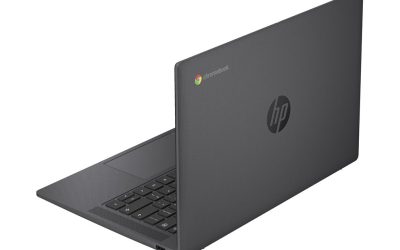
1. HP Chromebook 14a (14a-nf0019nr) — Our Top Pick
Specs: 14″ HD display (1366×768), Intel N100 (4 cores, up to 3.4 GHz), 4GB RAM, 64GB eMMC, up to 12 hours battery, 3.2 lb, Wi-Fi 6. Updates through June 2033.
Why it wins: The N100 is the story — a modern quad-core chip roughly twice as fast in everyday browsing as the Celeron N4000 and N4020 that fill the sub-$250 market, and it stays responsive with a video call running alongside a dozen tabs. The keyboard is the other half of the win: Chrome Unboxed praised it, and it is the best typing experience in this guide. Add the longest update runway here, through June 2033, and it is the cheapest honest new Chromebook with a current-generation chip.
Pros: Fastest budget chip here; best-reviewed keyboard; updates through June 2033; new with a full warranty; Wi-Fi 6.
Cons: Dim 1366×768 HD display; 4GB of RAM limits multitasking; 64GB of storage fills fast; no touchscreen or backlit keyboard.
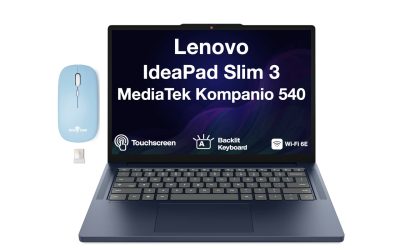
2. Lenovo IdeaPad Slim 3 Chromebook (83SX0000US)
Specs: 14″ WUXGA IPS touchscreen (1920×1200), MediaTek Kompanio 540, 4GB RAM, 64GB eMMC, up to 13.5 hours battery, fanless, 3.1 lb. Updates through June 2033.
Why it is here: It is the only touchscreen in this guide, and it has the best screen: a sharp 1920×1200 IPS panel that makes the top pick’s HD display look soft by comparison. At $189 on sale at Best Buy (verified by Slickdeals on October 30, 2026, and listed in a November 9 update), it is also $41 cheaper than the top pick. The fanless design means total silence, and the battery is rated at 13.5 hours. The trade-off is the chip: the Kompanio 540 tops out around ten tabs.
Pros: Sharpest screen here, and the only touchscreen; fanless and silent; longest rated battery; $189 deal price; new.
Cons: MediaTek chip is slower than the N100; 4GB of RAM; no backlit keyboard; ARM — no x86 Linux apps.
3. Acer Chromebook 315 (Renewed)

Specs: 15.6″ Full HD IPS display (1920×1080), Intel N50, 8GB RAM, 128GB storage, up to 12.5 hours battery, 3.7 lb. Updates through June 2033 — verify the exact model.
Why it is here: It is the only pick with 8GB of RAM and 128GB of storage, and that changes what the machine can do: twenty tabs, a video call, and a document open at once without the stutter that defines every 4GB Chromebook. At $189.99 on Amazon Renewed (PCWorld’s Black Friday Chromebook guide, updated November 16, 2026), it costs the same as the Slim 3 and $40 less than the top pick — for double the memory and double the storage. The catch is condition: it is renewed, so the battery may hold 80–90% of its original charge, and the exact model matters — the N50 version carries updates into the early 2030s, while older Celeron versions do not.
Pros: Only 8GB/128GB pick — the best multitasker here; biggest screen; Full HD IPS; $189.99 renewed.
Cons: Renewed — battery health varies; heaviest here at 3.7 lb; verify the exact model and AUE date; no touchscreen.
4. ASUS Chromebook CX15
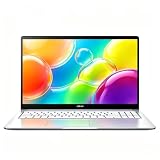
Specs: 15.6″ Full HD display (1920×1080), Intel N50, 4GB RAM, 128GB storage, up to 12 hours battery, MIL-STD 810H, full-size HDMI, 3.9 lb. Updates through June 2033 — verify the exact model.
Why it is here: It is the cheapest new 15.6-inch Chromebook with a Full HD screen: $197 at Walmart (PCWorld, November 16, 2026). New means a fresh battery, a full warranty, and no school-district wear — and MIL-STD 810H testing means it survives drops that would crack a cheaper chassis. The trade-offs are the 4GB of RAM and the screen: some CX15 panels are TN, which washes out off-angle, so check the listing. Like the Acer 315, the CX15 name covers more than one chip — the N50 version runs updates into the early 2030s, the older N4500 version ends in June 2031, so verify the model number.
Pros: Cheapest new big-screen Chromebook; Full HD; 128GB of storage; MIL-STD durability; full-size HDMI; new.
Cons: 4GB of RAM; some panels are TN with poor viewing angles; heaviest at 3.9 lb; AUE date depends on the exact model.
5. Acer Chromebook Spin 713 (Renewed)

Specs: 13.5″ 2K IPS touchscreen (2256×1504), Intel Core i5-10210U (4 cores, up to 4.2 GHz), 8GB RAM, 128GB SSD, backlit keyboard, 360-degree hinge, 3.0 lb. Updates through June 2030.
Why it is here: It is the fastest machine in this guide by a wide margin. The Core i5-10210U is a real laptop chip — four cores, eight threads, roughly twice the performance of the N100 in sustained work — and the only pick with 8GB of RAM, a 2K touchscreen, and a backlit keyboard at the same time. At $194.99 renewed (FindTheDeal, November 2026), it costs less than the top pick. The trade-offs are age and runway: it is a 2020 machine, so the battery is five years old even refurbished, and updates end in June 2030 — three years sooner than the top pick. That is still three and a half years of support, and for this performance, it is a fair trade.
Pros: Fastest chip here by far; 8GB/128GB; sharpest screen (2K); touchscreen and 360-degree hinge; backlit keyboard.
Cons: Refurbished 2020 machine — battery age is a real concern; updates end June 2030; 90-day third-party warranty; no Wi-Fi 6.
What to Avoid
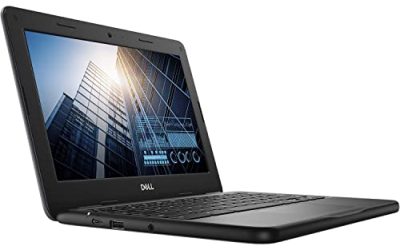
Expired models sold as bargains. The Lenovo N23 ($41–$55), Dell 3189 refurbished ($63), Acer C732 (under $45), and HP 11 G6 EE (under $55) all look like steals until you check their update dates: June 2022, June 2022, June 2024, and June 2024. None of them should touch a password. The Lenovo 500e (Renewed) under $60 is the subtler trap — updates end in June 2027.
Stale deal prices quoted as live. The Acer 315 at “$149 at Walmart” is a February 2024 deal — it costs $179 there now. The Lenovo Chromebook 3 at “$119 at Best Buy” is a 2022 deal. If a roundup does not date its prices, assume they are dead and check the listing yourself.
2GB of RAM and 16GB of storage. Both are walk-away specs at any price. 2GB cannot run a modern browser comfortably, and 16GB leaves almost nothing after Chrome OS itself. The Samsung XE303C12, still listed around $150 in some places, is the classic example: a 2012 machine with 2GB of RAM and 16GB of storage, long past its updates.
Inflated marketplace specs. Tabwee and Zonko-style listings advertise “18GB RAM” that turns out to be 6GB physical plus virtual expansion, and “1080p” screens that are actually 1280×800. If an unknown brand promises flagship specs at a third of the price, the specs are the lie.
Frequently Asked Questions
Is a Chromebook under $250 good enough for school?
Yes, for most schoolwork. Every pick here handles Google Docs, Classroom, video calls, and streaming. The 4GB models suit a handful of tabs; if your student keeps twenty tabs open, buy the 8GB Acer 315 or Spin 713 instead.
New, renewed, or refurbished — which should I buy?
New is the safest: fresh battery, full warranty, and the longest runway. Amazon Renewed guarantees at least 80% battery health and a 90-day guarantee. Refurbished from a marketplace seller varies — Grade A means near-mint, but check the return policy. Our top pick and the Slim 3 are new; the 8GB picks are renewed.
How long will a budget Chromebook get updates?
Chromebooks released from 2021 onward get ten years of automatic updates, counted from when the chip platform shipped. Our top pick runs through June 2033; older cheap models have less time left, and some have none at all.
Can a Chromebook under $250 run Android apps and Linux?
Yes to Android apps — every pick here runs the Google Play Store. Linux is more limited: the Intel models run Linux apps through Crostini, but the MediaTek ARM machines (the Slim 3) cannot run x86 Linux software.
Verdict
Buy the HP Chromebook 14a with Intel N100 for $230 — the fastest chip, the best keyboard, and updates through June 2033, all new with a full warranty. If you want the sharpest screen and a touchscreen, buy the Lenovo IdeaPad Slim 3 for $189 and pocket $41. If you multitask hard, buy the Acer Chromebook 315 (Renewed) for $189.99 — the only 8GB machine here.
Two honorable mentions from our earlier guides still fit this budget: the HP Chromebook 14a-na1043cl (Renewed) at $115.92 was the top pick of our under-$150 guide and remains the cheapest Full HD machine anywhere, and the Acer Chromebook 311 (Refurbished, Grade A) at $82.99 was the top pick of our under-$100 guide and remains the cheapest honest Chromebook you can buy. If you want a tablet too, the ASUS Chromebook CM30 (Refurbished) at $144.97 — the top pick of our under-$150 2-in-1 guide — is the only detachable here, with 8GB of RAM and updates until June 2033.
The one thing not to do is buy on price alone. A $45 Chromebook whose updates ended in 2022 is not a bargain — it cannot be trusted with a password. Spend the $230, get six and a half years of updates, and be done with it.
As an Amazon Associate, we earn from qualifying purchases.
Suggested Internal Links
- Best Chromebook Under $100 — the Acer Chromebook 311 top pick.
- Best Chromebook Under $200 — the Lenovo Chromebook M top pick.
- Best 2-in-1 Laptop Under $150 — the ASUS Chromebook CM30 top pick.
More from Amazon
Programs that pair well with the guide above. Offers and eligibility are set by Amazon and may change.
A free business account with business pricing and bulk-buying tools for work, shop or home office.
Create a business accountFree shipping on eligible items, Prime Video and more. Eligible new members can start with a free trial.
Start a Prime free trialAudiobooks and podcasts to listen to on the go. Eligible new members can start with a free trial.
Try Audible freeAd-free music streaming. Eligible new subscribers can start with a free trial.
Try Music Unlimited freeAs an Amazon Associate we earn from qualifying purchases.


Write Your Review
No reviews yet. Be the first to share your experience!