

Our Top Picks
A $400 budget buys a much better Chromebook than it did a year ago. At this price you can get 8GB of RAM, a full HD screen, and a model that keeps receiving ChromeOS updates well into the 2030s — if you pick carefully. The trap is that the same $400 also buys plenty of machines with 4GB of RAM, 32GB of storage, and an update deadline only a couple of years away.
The five picks below were sold on Amazon US in November 2026. Prices are snapshots — check the current price before buying — and we have not bench-tested these units.
Our top picks
Best for: Most buyers who want the strongest all-round Chromebook under $400
Check price on Amazon
Best for: Buyers who want a tablet first and a laptop second
Check price on Amazon
Best for: Buyers who want the longest support window under $400
Check price on Amazon
Best for: Buyers who want a full-size 14-inch Chromebook for the least money
Check price on Amazon
Best for: Buyers who want the biggest screen under $400
Check price on AmazonQuick Picks
| Product | Best for | Key specs | Price note |
|---|---|---|---|
| Lenovo IdeaPad Slim 3 Chromebook 14 (2026) | Best overall | Kompanio 540, 8GB / 128GB, 14″ 1200p touch | Check current price; around $299–$310 on Amazon |
| ASUS Chromebook CM30 Detachable | Best detachable | Kompanio 520, 8GB / 128GB, 10.5″ 1920×1200 touch | Check current price; around $288–$330 on Amazon |
| Lenovo Chromebook 2-in-1 (N150) | Best update support | Intel N150, 4GB / 128GB, 14″ touch | Check current price; $329.99 on Amazon |
| ASUS Chromebook CX14 (N50) | Best budget 14-inch | Intel N50, 4GB / 128GB, 14″ FHD | Check current price; around $279–$300 on Amazon |
| ASUS Chromebook CM15 | Best big screen | MediaTek, 4GB / 128GB, 15.6″ FHD | Check current price; around $326 on Amazon |
How to Choose a Chromebook Under $400
Check the update date first, before anything else. Every Chromebook has an Auto Update Expiration (AUE) date: the month Google stops sending it ChromeOS updates. A cheap Chromebook with updates ending in 2028 is a bad buy, however low the price. At this budget, aim for updates through at least June 2033. The exact date depends on the precise model number, not just the family name, so confirm it on Google’s official Auto Update list before you buy.
8GB of RAM is the goal; 4GB is the compromise. ChromeOS is light, but the browser is not. With a dozen tabs, a video call, and a document open, 4GB fills up and the machine starts reloading tabs. Two picks in this guide have 8GB, and they are the ones to buy if your budget stretches to them. The 4GB models here still work well for one job at a time, but they are not multitasking machines.
Processor: Kompanio 540 and Intel N150 lead this price band. The MediaTek Kompanio 540 is the strongest chip commonly found under $400, and it runs fanless and cool. Intel’s N150 is its closest rival: a small efficiency gain over the older N100. The older Celeron N4500 and N4020 still appear in budget models; they work, but they are a generation or two behind.
Storage: 128GB is the floor worth paying for. ChromeOS itself is small, but 32GB and 64GB of eMMC fill up fast once Android apps and offline files arrive. All five picks here have at least 64GB, and the best ones have 128GB. If a listing bundles a drive to inflate the storage number, count only the internal storage.
Screen and battery: FHD is non-negotiable, 1200p is a bonus. A 1366×768 screen on a 14-inch laptop looks washed out and cramped. Every pick here has at least a 1920×1080 panel, and two have sharper 1920×1200 screens. For battery, expect 10–12 hours of light use from the fanless MediaTek models.
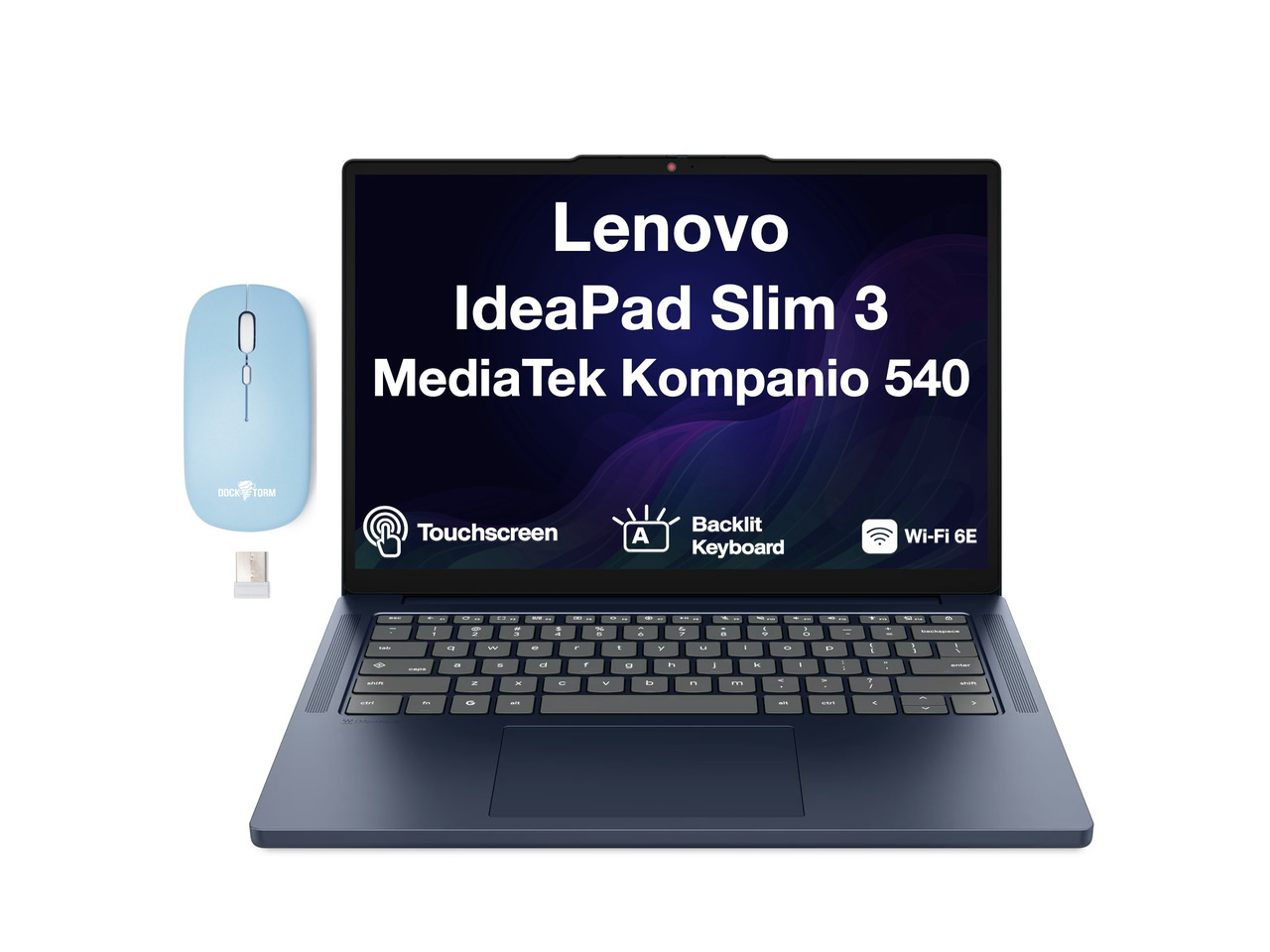
1. Lenovo IdeaPad Slim 3 Chromebook 14 (2026) — Best Overall
Best for: Most buyers who want the strongest all-round Chromebook under $400.
The IdeaPad Slim 3 makes the $400 budget feel generous. The 2026 edition pairs a MediaTek Kompanio 540 chip with 8GB of RAM and 128GB of storage, plus a 14-inch 1920×1200 touchscreen — sharper than the usual 1080p panel at this price. It was listed at $309.96 on Amazon in November 2026, down from a $429.99 list price, and the same configuration has been seen at $299.
The Kompanio 540 is the key part. It is an 8-core ARM chip that runs fanless, so the laptop is silent and cool, and it handles ChromeOS, Android apps, and video calls without the stutter you get from older Celeron chips. The 128GB of UFS storage is also a step up from the slow eMMC in most budget Chromebooks: apps open faster and the machine feels responsive rather than merely adequate.
Specs: MediaTek Kompanio 540, 8-core; 8GB RAM; 128GB UFS storage; 14″ 1920×1200 touchscreen; Wi-Fi 6; ChromeOS; fanless design.
Pros: 8GB of RAM and 128GB of storage at around $300; sharper 1200p touchscreen; silent fanless chip; good battery life.
Cons: The Slim 3 name covers several configurations, including older Kompanio 520 models with 4GB of RAM — verify the exact listing; support dates vary by model, so check the AUE date for the exact model number.
Who it is best for: Students and home users who want one Chromebook for browsing, documents, video calls, and streaming without compromise.
Check price on Amazon — Lenovo IdeaPad Slim 3 Chromebook 14
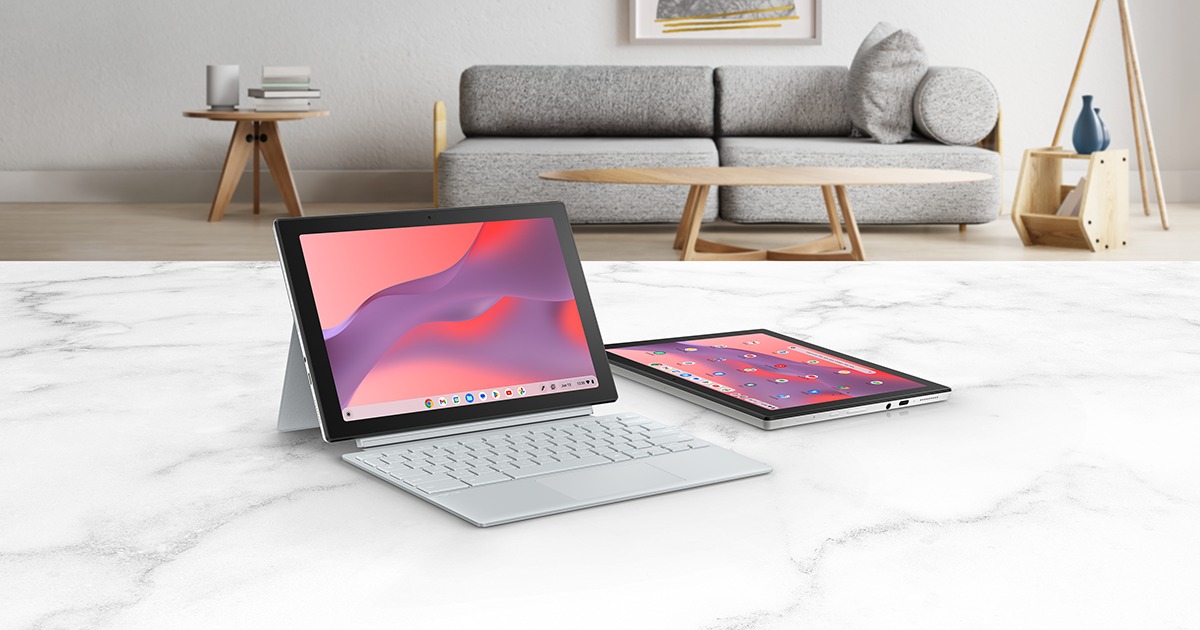
2. ASUS Chromebook CM30 Detachable — Best Detachable
Best for: Buyers who want a tablet first and a laptop second.
The CM30 is the most interesting pick in this guide because it refuses to be just a laptop. It is a 10.5-inch tablet with a detachable keyboard, a MediaTek Kompanio 520 chip, 8GB of RAM, and 128GB of storage, with a 1920×1200 touchscreen. Its list price is $329.99, and it was seen at $288 on Amazon in November 2026. Google lists updates through June 2033 for this model, which is a long support window at this price.
What makes it work is that 8GB of RAM is the exception, not the rule, among detachables this cheap. Most tablets and convertibles under $400 carry 4GB, which is fine for one app but tight for anything more. The keyboard cover turns it into a usable laptop for typing.
Specs: MediaTek Kompanio 520, 8-core; 8GB RAM; 128GB storage; 10.5″ 1920×1200 touchscreen; detachable keyboard included; stylus support; updates through June 2033.
Pros: Only detachable here with 8GB of RAM; sharp 1200p screen; light enough to carry as a tablet; long update support for the price.
Cons: The 10.5-inch screen is small for long typing sessions; the keyboard cover is cramped; it has been hard to find at some US stores, so check stock.
Who it is best for: Readers and note-takers who want a tablet for media and handwriting and a laptop for typing, in one device.
Check price on Amazon — ASUS Chromebook CM30 Detachable
3. Lenovo Chromebook 2-in-1 (N150) — Best Update Support
Best for: Buyers who want the longest support window under $400.
This is the pick for anyone who plans to keep a Chromebook for years. Lenovo’s 14-inch Chromebook 2-in-1 with the Intel N150 chip was listed at $329.99 on Amazon in November 2026, with 4GB of RAM and 128GB of storage, a touchscreen, and — the reason it is here — ChromeOS updates until June 2035, the longest support window in this guide.
The N150 is a modest but modern chip that handles ChromeOS, video calls, and documents comfortably. It is not the fastest chip here — the Kompanio 540 in the Slim 3 is stronger — but the trade is deliberate. You give up some speed and half the RAM to buy two extra years of updates, which matters more if this is a laptop for a younger student who will use it through several school years.
Specs: Intel Core N150; 4GB RAM; 128GB storage; 14″ touchscreen; 360-degree hinge; updates until June 2035.
Pros: Updates until June 2035 — the longest here; 128GB of storage; flexible 2-in-1 hinge for tent and tablet modes; straightforward, reliable build.
Cons: Only 4GB of RAM, so heavy multitasking will reload tabs; the N150 is slower than the Kompanio 540; standard 1080p screen rather than 1200p.
Who it is best for: Parents buying for a student, and anyone who values years of updates over speed.
Check price on Amazon — Lenovo Chromebook 2-in-1 N150
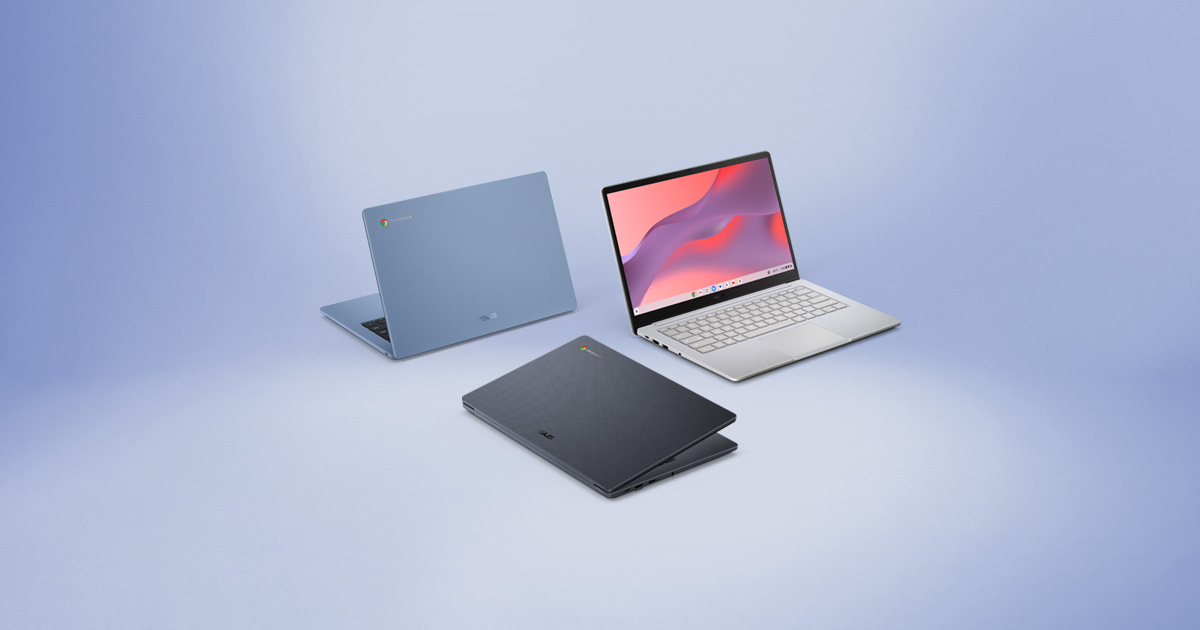
4. ASUS Chromebook CX14 (N50) — Best Budget 14-Inch
Best for: Buyers who want a full-size 14-inch Chromebook for the least money.
The CX14 is the cheapest way into a proper 14-inch full HD Chromebook. The CX1405 model with Intel’s Celeron N50 chip, 4GB of RAM, and 128GB of storage was listed at $278.99 on Amazon in November 2026, down from $359.99, and the same model has been seen at $299.99.
The N50 is a small step up from the older N4500 and runs cool and quiet. It will not win speed tests against the Kompanio 540, but for browsing, documents, email, and video, it is enough. The 128GB of storage matters more than the chip at this price.
Specs: Intel Celeron N50; 4GB RAM; 128GB SSD storage; 14″ 1920×1080 display; Wi-Fi 6; ChromeOS.
Pros: Lowest price for a 14-inch FHD Chromebook here; 128GB of storage instead of 64GB; light and portable; quiet running.
Cons: 4GB of RAM limits multitasking; the N50 is the slowest chip in this guide; check the exact model’s update date, as CX14 variants differ; no touchscreen on most configurations.
Who it is best for: Budget buyers who want a full-size screen and keyboard for schoolwork and browsing.
Check price on Amazon — ASUS Chromebook CX14
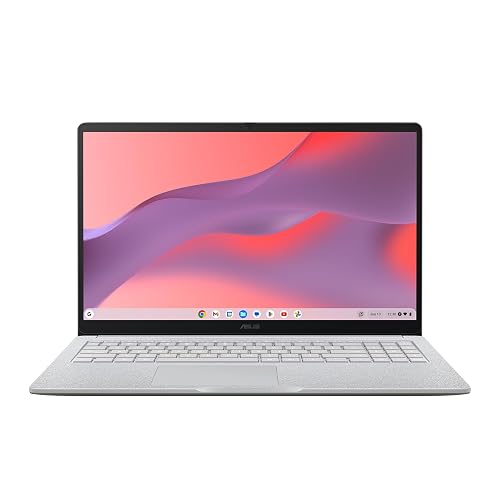
5. ASUS Chromebook CM15 — Best Big Screen
Best for: Buyers who want the biggest screen under $400.
The CM15 is the large-screen pick: a 15.6-inch full HD Chromebook with a MediaTek chip, 4GB of RAM, and 128GB of storage, seen at $325.99 on Amazon in November 2026. Do not confuse it with the CX15, a different ASUS model with an Intel N50 chip that appeared in our under-$300 guide — same screen size, different processor, so confirm the chip in the listing before buying.
Specs: MediaTek processor; 4GB RAM; 128GB storage; 15.6″ 1920×1080 display; Wi-Fi; ChromeOS.
Pros: Biggest screen in this guide at a fair price; full HD resolution, not the dim HD panel common on cheap 15-inch laptops; 128GB of storage; good value for desk-based use.
Cons: 4GB of RAM; heavier and less portable than the 14-inch picks; verify the exact model’s update date before buying.
Who it is best for: Home users who work at a desk and want a big, clear screen for documents and video.
Check price on Amazon — ASUS Chromebook CM15
What to Avoid
Do not buy on screen size alone. A 15.6-inch screen sounds better than a 14-inch one, but a 1366×768 panel on a big screen looks worse than a 1920×1080 panel on a smaller one. Check the resolution, not just the diagonal measurement.
Do not buy 32GB of storage. ChromeOS updates and Android apps eat that space quickly. Treat 128GB as the target and 64GB as the minimum.
Do not ignore the update date. A machine that stops receiving updates in 2028 loses security patches while it still works fine as hardware. Always confirm the AUE date for the exact model number on Google’s Auto Update list.
Do not assume the same name means the same machine. Chromebook families reuse names across years and chips. Read the configuration line — chip, RAM, storage — before comparing prices.
Do not pay near $400 for a 4GB Chromebook. 8GB models exist inside this budget, so a 4GB listing at that price is poor value.
FAQ
Is a Chromebook under $400 good enough for school?
Yes, for most schoolwork. Browsing, Google Docs, video calls, and streaming all run well on the models in this guide. The 8GB picks — the Lenovo IdeaPad Slim 3 and the ASUS CM30 — handle multitasking better, so choose one of those if the student keeps many tabs open.
How much RAM do I need in a Chromebook under $400?
8GB if you can get it. ChromeOS itself is light, but the Chrome browser uses memory fast, and 4GB means tabs reload when you switch between them. That said, 4GB is workable for one task at a time. If you buy 4GB, keep your tab count low and avoid running Android apps alongside a video call.
How long will a Chromebook under $400 keep getting updates?
It depends on the model, not the price. The Lenovo Chromebook 2-in-1 in this guide is supported until June 2035, and the ASUS CM30 Detachable until June 2033. Always check the exact model number on Google’s Auto Update page, because variants of the same family can have different dates.
Can a Chromebook under $400 run Android apps and Linux?
Yes. Chromebooks run Android apps from the Google Play Store, and most support Linux apps through the built-in Linux container. The Kompanio 540 and N150 handle Android apps comfortably, while older Celeron chips struggle with heavier apps.
Is it worth buying a renewed Chromebook under $400?
Sometimes. A renewed Acer Chromebook 315 with 8GB of RAM and 128GB of storage has been seen around $226 on Amazon, which is strong value for a 15.6-inch screen. Buy renewed only from a seller with a clear return policy, and check the update date first — a renewed machine with updates ending soon is no bargain.
Verdict
For most buyers, the Lenovo IdeaPad Slim 3 Chromebook 14 (2026) is the best Chromebook under $400. It is the only pick here that combines 8GB of RAM, 128GB of storage, a sharp 1200p touchscreen, and a modern fanless chip at around $300.
If you want a tablet as well as a laptop, choose the ASUS Chromebook CM30 Detachable for its 8GB of RAM and 1200p screen in a 10.5-inch tablet body. If you plan to keep the machine for years, choose the Lenovo Chromebook 2-in-1 (N150) for updates until June 2035. If money is tight, the ASUS Chromebook CX14 is the cheapest route to a full-size 14-inch screen. And if you want the biggest display, the ASUS Chromebook CM15 gives you 15.6 inches of full HD for around $326.
Whichever you choose, check the exact configuration and current price on Amazon before you buy — the same model name can hide very different chips, memory, and update dates.
As an Amazon Associate, we earn from qualifying purchases.
Suggested internal links for topbestlaptops.com
- Best Chromebook under $300 —
/best-chromebook-under-300/ - Best laptop for college students under $700 —
/best-laptop-for-college-students-under-700/ - Best 2-in-1 laptop under $1,000 —
/best-2-in-1-laptop-under-1000/
Prices and availability were checked in November 2026 and are subject to change. Check the current price on Amazon before buying.
More from Amazon
Programs that pair well with the guide above. Offers and eligibility are set by Amazon and may change.
A free business account with business pricing and bulk-buying tools for work, shop or home office.
Create a business accountFree shipping on eligible items, Prime Video and more. Eligible new members can start with a free trial.
Start a Prime free trialAudiobooks and podcasts to listen to on the go. Eligible new members can start with a free trial.
Try Audible freeAd-free music streaming. Eligible new subscribers can start with a free trial.
Try Music Unlimited freeAs an Amazon Associate we earn from qualifying purchases.


Write Your Review
No reviews yet. Be the first to share your experience!