

Our Top Picks

The best Chromebook under $300 is the HP Chromebook 14a (Intel N100): about $230 in its 4GB/64GB configuration, with a good keyboard and updates through June 2033. For a bigger screen, the ASUS Chromebook CX15 (2026) gives you a 15.6-inch Full HD display for around the same money. For the longest support, the Lenovo Chromebook m 14 runs through June 2036.
The $300 Chromebook market in November 2026 is full of traps: old models on closeout with a year or two of updates left, 4GB machines that choke on a dozen tabs, and dim 1366×768 screens sold as if they were Full HD. Every pick below is a real model with at least four years of updates left, verified against November 2026 listings. Prices move fast — check the current price on Amazon. We have not tested these machines.
Our top picks

Best for: Most buyers who want a dependable everyday Chromebook for school and office work
Check price on AmazonBest for: Buyers who want the biggest Full HD screen under $300
Check price on Amazon
Best for: Buyers who want the longest support and sharpest screen under $300
Check price on Amazon
Best for: Heavy multitaskers who need 8GB of RAM and a big touchscreen
Check price on AmazonBest for: Buyers who want a 2-in-1 for tablet mode, note-taking, and Android apps
Check price on AmazonQuick Picks
| Product | Best for | Key specs | Price note |
|---|---|---|---|
| HP Chromebook 14a (14a-nf, Intel N100) | Best overall | 14″ HD, N100, 4GB/64GB, ~12-hour battery, updates to June 2033 | Around $230 |
| ASUS Chromebook CX15 (2026) | Best 15.6-inch screen | 15.6″ FHD, N50, 4GB/128GB, HDMI | Around $229.50 on Amazon |
| Lenovo Chromebook m 14 | Best update support | 14″ 1920×1200 IPS, Kompanio 540, 8GB/64GB, fanless, updates to June 2036 | Around $287 on Amazon |
| Acer Chromebook 315 (CB315-7HT) | Best 8GB pick | 15.6″ FHD IPS touch, N100, 8GB/128GB, number pad, updates to June 2033 | Around $299 |
| HP Chromebook x360 14 (N150, 2026) | Best convertible | 14″ 1920×1200 touch, 300 nits, N150, 360-degree hinge, updates to June 2035 | Around $280 |
How to Choose a Chromebook Under $300
A Chromebook runs ChromeOS: the browser is the computer, with web and Android apps instead of desktop software. That is why a $300 Chromebook can feel fast while a $300 Windows laptop feels slow.
Check the Auto Update Expiration date first. Every Chromebook has an AUE date set by Google; after it, the machine stops getting ChromeOS updates. A Chromebook two years from expiration is a bad deal at any price — the date, not worn-out hardware, usually ends its useful life. Recent models are safe: HP 14a and Acer 315 through June 2033, HP x360 14 through June 2035, Lenovo m 14 through June 2036. Confirm the exact model’s date on Google’s schedule.
The processor: N100 or Kompanio 540, nothing older. Intel’s N100 is a quad-core x86 chip that handles a dozen browser tabs, video calls, and streaming without complaint. MediaTek’s Kompanio 540 is an eight-core ARM chip whose multi-core performance in April 2026 testing landed near the N100, with silent fanless running and strong battery life. Avoid older Celeron N4000, N4020, and N4500 chips — they stutter under a real workload. If a listing does not name the processor, do not buy it.
RAM: 4GB works, 8GB is the real target. Most Chromebooks under $300 ship with 4GB, and ChromeOS is light enough that 4GB covers schoolwork, email, and streaming. Open fifteen tabs plus a video call and ChromeOS starts unloading background tabs. Two picks here offer 8GB under $300: the Lenovo m 14 (about $287) and the Acer 315 CB315-7HT (about $299). RAM is soldered, so buy what you need for the laptop’s life.
Storage and screen. Budget Chromebooks ship with 64GB or 128GB of flash — but 64GB fills fast once you install Android apps, so prefer 128GB. On screens, resolution matters more than size: a 14-inch Full HD (1920×1080) display shows sharper text than a 15.6-inch 1366×768 one. The HP 14a’s 1366×768 panel is its main weakness; the Lenovo m 14’s 1920×1200 IPS panel is the best screen here.
Battery and ports. Expect 7 to 12 hours of real use: the HP 14a is rated around 12 hours, while testing of the ASUS CX15 measured about 7 hours 26 minutes of browsing. Look for USB-C, USB-A, and ideally full-size HDMI.
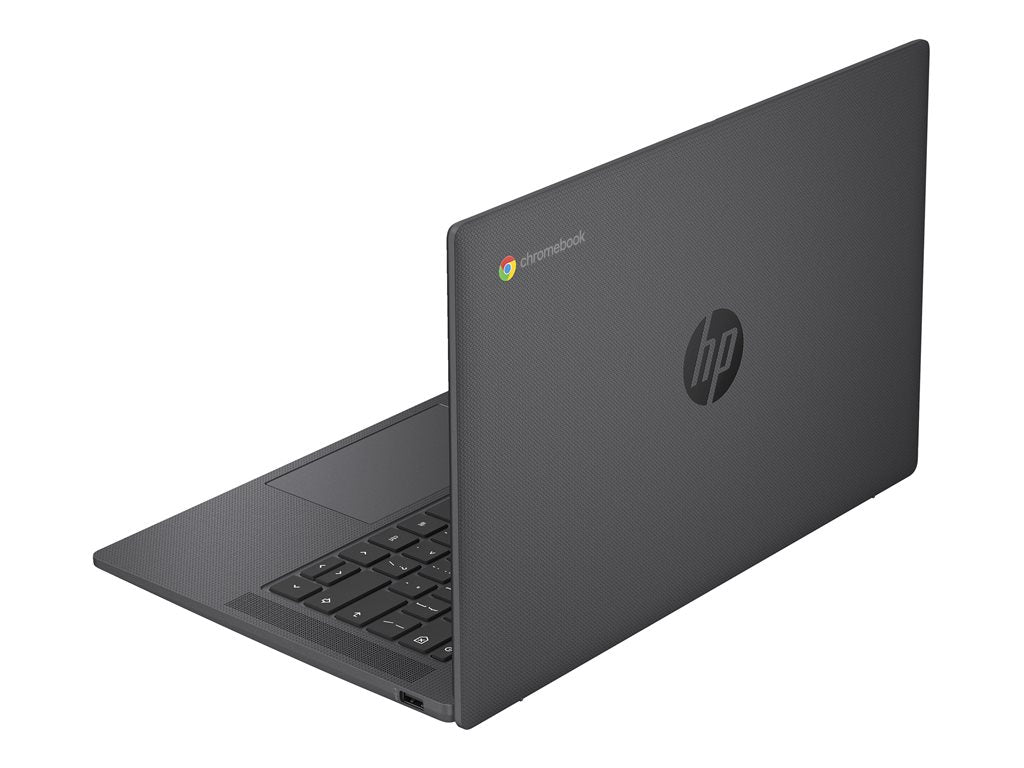
1. HP Chromebook 14a (14a-nf, Intel N100) — Best Overall
Best for: Most buyers who want a dependable everyday Chromebook for school and office work.
The HP Chromebook 14a (14a-nf series) is the default recommendation under $300: the N100 is the strongest chip at this price, the keyboard and trackpad are pleasant for long sessions, and the battery is rated around 12 hours. Updates run through June 2033.
Buy the 4GB/64GB model at about $230. The trade-off: 4GB means moderate tab counts, and 64GB means leaning on Google Drive. The 8GB/128GB build lists at $389.99 — over budget, so buy the Lenovo or Acer below instead.
Specs: 14-inch 1366×768 display; Intel N100; 4GB RAM; 64GB eMMC; Wi-Fi 6; HDMI; USB-C; ~12-hour battery; updates to June 2033.
Pros: Strongest common processor under $300; comfortable keyboard; long rated battery; updates through June 2033.
Cons: 1366×768 screen is the weakest panel here; 4GB limits heavy multitasking; 64GB fills fast without cloud storage.
Who it is best for: Students and office workers who want a reliable, long-supported laptop for browser work.
Check price on Amazon — HP Chromebook 14a (Intel N100)
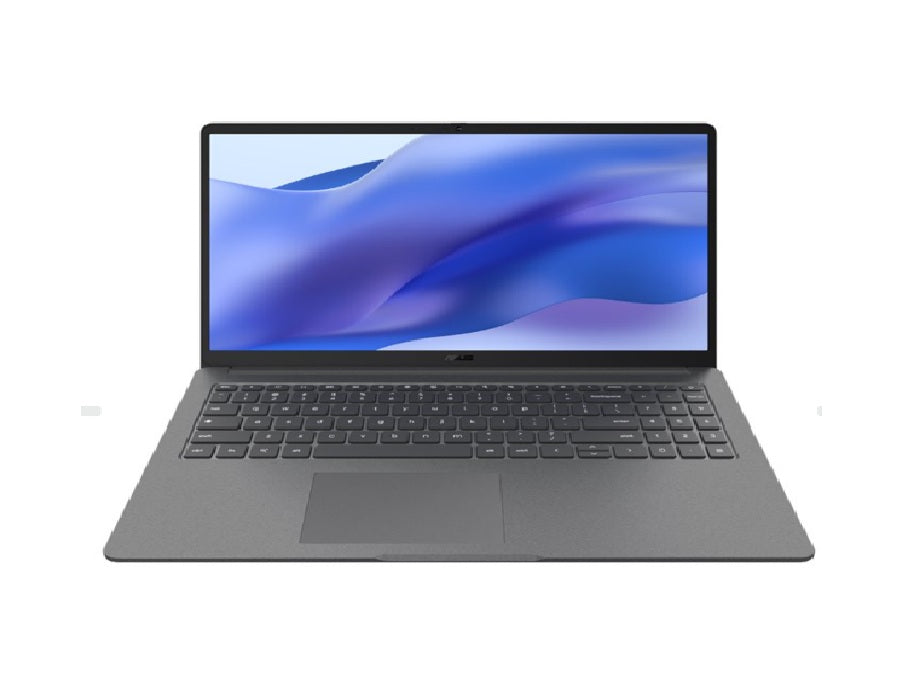
2. ASUS Chromebook CX15 (2026) — Best 15.6-Inch Screen
Best for: Buyers who want the biggest Full HD screen under $300.
RTINGS named the ASUS Chromebook CX15 (2026) the best laptop under $300 in its September 2026 ranking: a conventional 15.6-inch clamshell with a Full HD display, widely available and under budget. Recent Amazon listings put the 4GB/128GB model at about $229.50 ($197 at Walmart).
Its strength is the screen-plus-storage combination: a 15.6-inch Full HD panel, 128GB of storage (double the HP 14a), and HDMI. The trade-offs are 4GB of RAM — fine for light multitasking, tight for a dozen tabs — and battery life of about 7 hours 26 minutes in testing, which may not cover a full workday. RTINGS also noted a washed-out display and a touchpad that can miss movements.
Warning: ASUS sells several CX15 configurations, including the Chromebook Plus CX15 with up to 16GB of memory. Confirm the exact model, RAM, storage, seller, and live price. An 8GB CX15 is the preferred pick when a sale keeps it below $300.
Specs: 15.6-inch Full HD display; Intel N50; 4GB RAM (8GB on sale); 128GB storage; HDMI; USB-C.
Pros: Big Full HD screen at the budget; 128GB of storage; widely available under $300; full-size HDMI.
Cons: 4GB RAM; battery around 7.5 hours in testing; display described as washed-out by RTINGS.
Who it is best for: Anyone who wants the largest screen for the money and works mostly near a charger.
Check price on Amazon — ASUS Chromebook CX15 (2026)
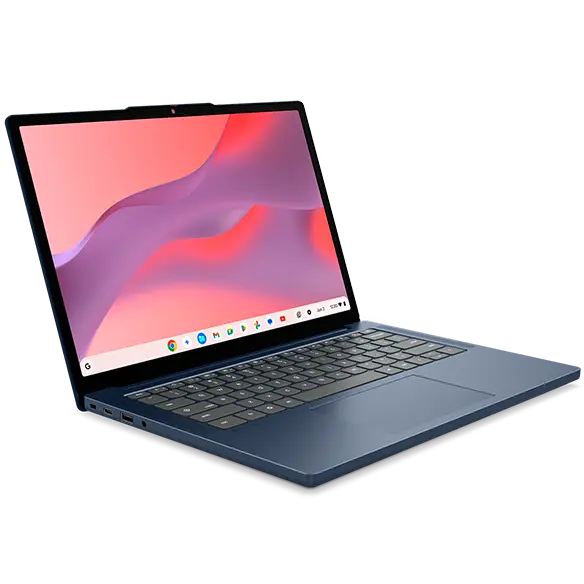
3. Lenovo Chromebook m 14 — Best Update Support
Best for: Buyers who want the longest support and sharpest screen under $300.
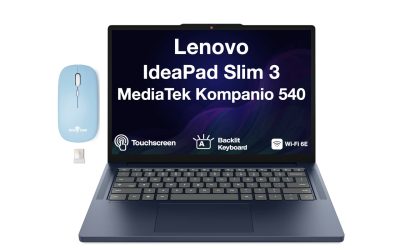
The Lenovo Chromebook m 14 is the most forward-looking machine here: a quiet, fanless 14-inch clamshell built around MediaTek’s Kompanio 540, an eight-core ARM chip whose multi-core performance sits near the Intel N100, with updates through June 2036 — the longest window of any pick here.
It is also the best-equipped pick for the money: 8GB of RAM, a 14-inch 1920×1200 IPS display sharper than anything else under $300, and a fanless design. Recent Amazon pricing puts it at about $287 (another roundup recorded $299.99 on November 16, 2026) — right at the ceiling, so check the live price. The compromises are 64GB of storage and no Chromebook Plus certification.
Specs: 14-inch 1920×1200 IPS display; Kompanio 540 (up to 2.6 GHz); 8GB RAM; 64GB storage; fanless; two USB-C and HDMI; updates to June 2036.
Pros: Updates through June 2036; 8GB of RAM; sharpest screen under $300; silent fanless design; strong battery life from the ARM chip.
Cons: Only 64GB of storage; not Chromebook Plus certified; price sits at the $300 ceiling.
Who it is best for: Buyers who want support into the mid-2030s and value a sharp screen and silent running.
Check price on Amazon — Lenovo Chromebook m 14
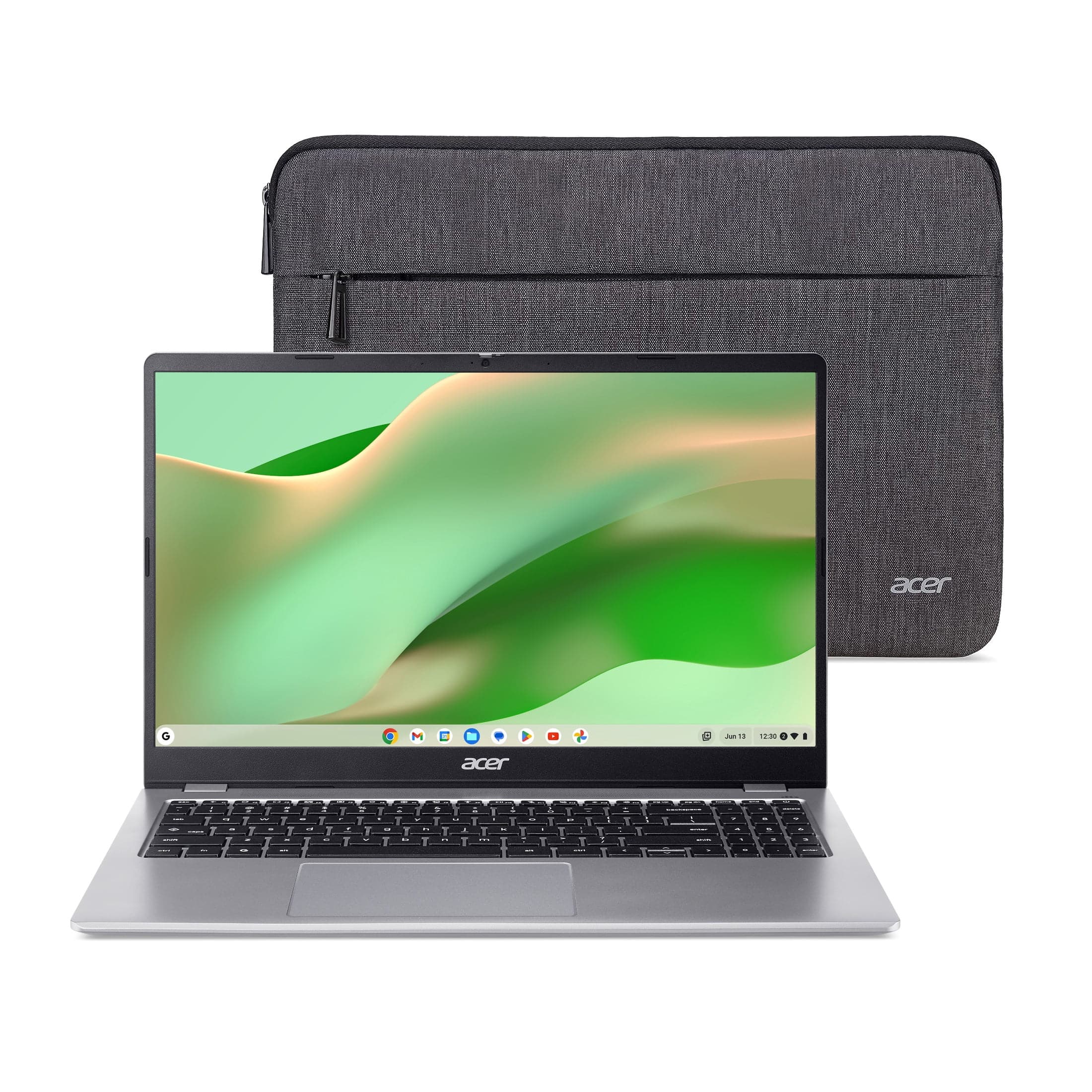
4. Acer Chromebook 315 (CB315-7HT) — Best 8GB Pick
Best for: Heavy multitaskers who need 8GB of RAM and a big touchscreen.
The Acer Chromebook 315 (CB315-7HT) is the only pick pairing 8GB of RAM with a 15.6-inch Full HD IPS touchscreen and 128GB of storage at $299. The N100 matches the HP 14a, the touchscreen makes Android apps pleasant, and the numeric keypad helps spreadsheets. Updates run through June 2033.
The price is the catch: $299 is exactly the budget ceiling, and a 15.6-inch laptop is not the most portable choice. The 315 family spans several configurations, including the CB315-5H (8GB/64GB) and the older CB315-4H (Celeron N4500) — buy the CB315-7HT and confirm the 8GB/128GB configuration.
Specs: 15.6-inch Full HD IPS touchscreen; Intel N100; 8GB RAM; 128GB storage; numeric keypad; HDMI; USB-C; updates to June 2033.
Pros: 8GB of RAM under $300; Full HD IPS touchscreen; 128GB of storage; numeric keypad; updates through June 2033.
Cons: Priced at the $300 ceiling; large and less portable; several similar model numbers — buy the CB315-7HT.
Who it is best for: Heavy multitaskers and spreadsheet users who want a big touchscreen and 8GB of RAM without crossing $300.
Check price on Amazon — Acer Chromebook 315 CB315-7HT
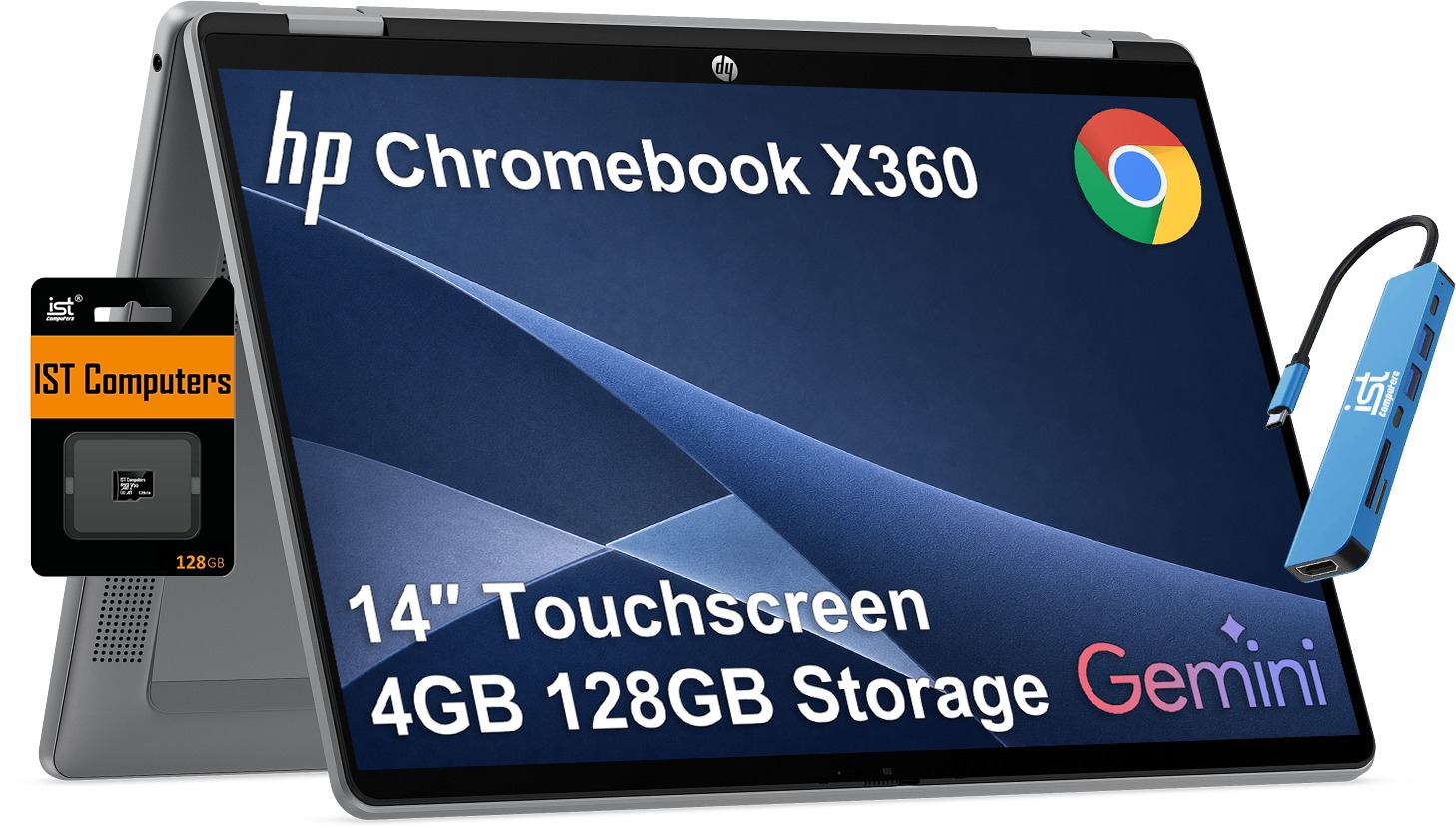
5. HP Chromebook x360 14 (N150, 2026) — Best Convertible
Best for: Buyers who want a 2-in-1 for tablet mode, note-taking, and Android apps.
The HP Chromebook x360 14 (2026, N150) is the convertible pick: a 14-inch 1920×1200 touchscreen rated at 300 nits on a 360-degree hinge, with updates through June 2035. Fold it flat for a large tablet; fold it back for a normal laptop.
Recent listings put the x360 14 at around $280, though prices vary by configuration — the closely related N100 build has been seen at $281.99 — so confirm the exact model and live price. The usual trade-offs apply: 4GB of RAM and 64GB of storage. The touchscreen and 1920×1200 resolution are what you pay for over the HP 14a, and for tablet use they are worth it.
Specs: 14-inch 1920×1200 touchscreen, 300 nits; Intel N150; 4GB RAM; 64GB storage; 360-degree hinge; USB-C; updates to June 2035.
Pros: Sharp Full HD+ touchscreen; versatile 2-in-1 design; updates through June 2035; good for Android apps and tablet mode.
Cons: 4GB RAM in the base configuration; 64GB storage; price varies by configuration — verify the exact model.
Who it is best for: Students and casual users who want one device for typing, reading, drawing, and video.
Check price on Amazon — HP Chromebook x360 14
What to Avoid
Do not buy on price alone. The cheapest listing is often an old model a year or two from its AUE date, or a renewed unit sold as new. A $150 Chromebook that stops getting updates in 2027 is worse value than a $230 one supported through 2033.
Do not buy a Chromebook with 2GB of RAM or 16GB of storage. These still appear on very old Samsung and education models. They cannot run a modern browser workload, and 16GB leaves almost no room.
Do not buy renewed without checking the condition. Many of the lowest prices for models like the Acer 315 are for renewed units. Confirm the condition, seller, return policy, and AUE date — support is set by the platform, not the purchase date.
Do not assume the same model name means the same machine. The HP 14a spans the 14a-nf (N100, to June 2033) and the 14a-nm0 (Kompanio 540, to June 2036), plus a Chromebook Plus version; the ASUS CX15 and Acer 315 families are the same story. Always confirm the processor, RAM, storage, and screen on the exact listing.
Do not expect a Chromebook to replace a Windows laptop. ChromeOS cannot install most Windows or macOS desktop software. If you need desktop Office, Adobe Creative Cloud, or locally installed PC games, a Chromebook is the wrong machine at any price. Cloud gaming works where your connection allows.
FAQ
What is the best Chromebook under $300?
The HP Chromebook 14a (Intel N100), at about $230 in its 4GB/64GB configuration, with a good keyboard, long battery life, and updates through June 2033. If you need 8GB, buy the Lenovo Chromebook m 14 at about $287 instead.
How long will a Chromebook under $300 receive updates?
It depends on the model’s AUE date, not the price. The picks here run through June 2033 (HP 14a, Acer 315), June 2035 (HP x360 14), and June 2036 (Lenovo m 14).
Is 4GB of RAM enough on a Chromebook?
For schoolwork, email, streaming, and a handful of tabs, yes. If you keep many tabs open, run video calls, or use Android apps heavily, 4GB feels tight as ChromeOS unloads background tabs. Then buy an 8GB pick.
Can a Chromebook under $300 run Microsoft Office?
It runs Microsoft 365 and Google Docs in the browser, and the Android versions of Word, Excel, and PowerPoint. It cannot install the Windows desktop versions of Office — but for browser-based schoolwork, that is enough.
Are Chromebooks good for students?
Yes — for most schoolwork it is the best value laptop under $300. It boots fast, stays secure with automatic updates, runs Google Classroom and Docs natively, and its battery usually lasts a school day. The exception: students who need Windows-only software.
Verdict
For most buyers, the HP Chromebook 14a (Intel N100) is the best Chromebook under $300. At about $230 it pairs the strongest budget processor with a comfortable keyboard, long battery life, and updates through June 2033. Its 1366×768 screen is the compromise — if that bothers you, the ASUS Chromebook CX15 (2026) gives you a 15.6-inch Full HD display.
For the longest-lasting machine, buy the Lenovo Chromebook m 14: its June 2036 update date, 8GB of RAM, and sharp 1920×1200 screen make it the best long-term buy at about $287, provided the live price stays under $300. If 8GB and a big touchscreen matter more than portability, the Acer Chromebook 315 CB315-7HT delivers both for $299. The HP Chromebook x360 14 is the only pick that folds into a tablet.
Whichever you choose, confirm the processor, RAM, screen resolution, and AUE date on the listing — those three details decide whether a $300 Chromebook is a bargain or a regret.
As an Amazon Associate, we earn from qualifying purchases.
Suggested internal links for topbestlaptops.com
- Best 2-in-1 laptop under $1,000 —
/best-2-in-1-laptop-under-1000/ - Best laptop for programming under $1,000 —
/best-laptop-for-programming-under-1000/ - Best business laptop under $1,000 —
/best-business-laptop-under-1000/
Prices and availability were checked in November 2026 and are subject to change. Check the current price on Amazon before buying.
More from Amazon
Programs that pair well with the guide above. Offers and eligibility are set by Amazon and may change.
A free business account with business pricing and bulk-buying tools for work, shop or home office.
Create a business accountFree shipping on eligible items, Prime Video and more. Eligible new members can start with a free trial.
Start a Prime free trialAudiobooks and podcasts to listen to on the go. Eligible new members can start with a free trial.
Try Audible freeAd-free music streaming. Eligible new subscribers can start with a free trial.
Try Music Unlimited freeAs an Amazon Associate we earn from qualifying purchases.

Write Your Review
No reviews yet. Be the first to share your experience!