

The best laptop for World of Warcraft in 2026 is a 16-inch model with an RTX 5060 or RTX 5070 graphics chip, a fast eight-core processor and a 165 Hz screen. The ASUS TUF Gaming A16 is the value pick, the Lenovo Legion 5i with an RTX 5070 and OLED panel is the balanced pick, and the ROG Zephyrus G14 is the choice if you want to carry the machine every day. WoW is not a graphics monster, but the Midnight-era client is far more demanding on the processor than older expansions, and raid-heavy play punishes weak cooling.
This guide ranks seven laptops by how well they handle Azeroth in 2026, translates Blizzard’s published requirements into laptop shopping terms, and covers the details that decide real play: single-core processor speed, memory, raid frame rates, thermals and battery behavior. Specifications come from manufacturers and reputable reviews; configurations differ by retailer, so confirm the model number.
Our top picks
 ASUS ROG Strix G16
- Unleash power with Windows 11 Home, an Intel…
- Multitask seamlessly with 16GB of DDR5-5600MHz memory and…
- Immerse yourself in stunning visuals with the smooth…
 ASUS ROG Strix G18
- Unleash power with Windows 11 Home, an Intel…
- Multitask seamlessly with 32GB of DDR5-5600MHz memory and…
- Immerse yourself in stunning visuals with the smooth…
 ASUS ROG Strix G16
- Multitask seamlessly with 32GB of DDR5-5600MHz memory and…
- Immerse yourself in stunning visuals with the ultra-fast…
- ROG’s advanced thermals keep your system cool, quiet…
| Product | Key specs | |
|---|---|---|
| ASUS ROG Strix G16 | Unleash power with Windows 11 Home, an Intel… Multitask seamlessly with 16GB of DDR5-5600MHz memory and… Immerse yourself in stunning visuals with the smooth… | Check price |
| ASUS ROG Strix G18 | Unleash power with Windows 11 Home, an Intel… Multitask seamlessly with 32GB of DDR5-5600MHz memory and… Immerse yourself in stunning visuals with the smooth… | Check price |
| ASUS ROG Strix G16 | Multitask seamlessly with 32GB of DDR5-5600MHz memory and… Immerse yourself in stunning visuals with the ultra-fast… ROG’s advanced thermals keep your system cool, quiet… | Check price |
 ASUS ROG Strix G16 ASUS ROG Strix G16 | Experience next-level performance with Windows 11 Home, an… Multitask seamlessly with 16GB of DDR5-5600MHz memory and… Immerse yourself in stunning visuals with a smooth… | Check price |
As an Amazon Associate we earn from qualifying purchases at no extra cost to you.
Quick comparison of the seven picks
| Pick | Best for | GPU | Screen | Weight | Battery |
|---|---|---|---|---|---|
| ASUS TUF Gaming A16 (FA608) | Best value | RTX 5060 (8 GB), Ryzen 7 260 | 16-inch 16:10, 144 or 165 Hz | 2.20 kg (4.85 lb) | 70 or 90 Wh by region |
| Lenovo Legion 5i Gen 10 (15.1-inch) | Best balance | RTX 5070 (8 GB) | 2560×1600 OLED, 165 Hz, 500 nits | about 1.9 kg (4.19 lb) | 80 Wh, user-replaceable |
| MSI Katana 15 HX | Best entry-level | RTX 5050 to 5070 | 15.6-inch FHD 144 Hz or QHD 165 Hz | about 2.4 kg | 75 Wh |
| ROG Strix G16 (2025) | Best cooling and screen | RTX 5060 or 5070 Ti | 16-inch, 165 Hz or 240 Hz | 2.73 kg (6.02 lb) | 90 Wh |
| Acer Predator Helios Neo 16 AI | Best 1440p performance | RTX 5070 Ti (12 GB) | 16-inch 2560×1600, 240 Hz | about 2.7 kg (5.95 lb) | 90 Wh |
| ROG Zephyrus G14 (2026) | Best portable | Up to RTX 5070 Ti (12 GB) | 14-inch 2880×1800 OLED, 120 Hz | 1.50 to 1.57 kg | 73 Wh |
| MacBook Pro 14-inch (M5) | Best for Mac players | Integrated 10-core GPU | 14.2-inch XDR | 1.55 kg (3.4 lb) | 72.4 Wh |
What Blizzard asks for in the Midnight era
According to Blizzard’s published requirements for Midnight (patch 12.0), the minimum Windows setup is a six-core processor with a 4.0 GHz boost (Coffee Lake or Ryzen Zen 2 class), a graphics card with 4 GB of memory such as a GTX 10-series, 8 GB of RAM and an SSD. The recommended setup is an eight-core processor with a 5.2 GHz boost (Core Ultra Series 2 or Ryzen Zen 5 class), an 8 GB graphics card from the RTX 40, RDNA 3 or Intel Arc B-series families, 16 GB of RAM and an SSD. Blizzard’s recommended Mac setup is an M4 chip with 16 GB of memory. Those numbers show where the real pressure is: the recommendation jumped from six cores at 3.5 GHz to eight cores at 5.2 GHz, which means the processor is now the main constraint, not the graphics card.
A laptop that meets the recommended tier is a gaming laptop with an RTX 5050 or better and a current HX-class Intel processor or a Ryzen 7 or 9 chip. Everything on this list clears that bar, and the differences between them are about how far above it you want to be.
Specifications that matter for WoW
Processor first, then graphics
WoW leans heavily on one or two fast cores to prepare each frame. In a crowded raid with dozens of player effects, add-ons and nameplates, frame rate falls when the main thread cannot keep up. Look for processors that boost above 5 GHz on laptop power budgets and avoid low-power chips that clock down under sustained load. For most players an RTX 5060 is more than enough for 1080p or 1200p at high settings, and an RTX 5070 provides headroom for 1440p with ray-traced shadows and high view distance.
Memory and storage
Sixteen gigabytes is the practical floor in 2026, and 32 GB helps if you also stream, run Discord, a browser and add-on managers alongside the game. The client is large, so a 1 TB drive keeps room for the game, several expansions’ worth of data and your other games.
Display refresh and panel type
A 165 Hz panel is already beyond what most raid situations deliver, so paying for 240 Hz only makes sense if you also play competitive shooters. For WoW, color and contrast matter more. OLED panels like the one in the Legion 5i and the Zephyrus G14 make dark dungeons and spell effects look striking, but the Helios Neo and Strix IPS panels are brighter and carry less risk of image retention from static action bars.
Thermals and sustained performance
A raid or a battleground can run for an hour. A laptop with a modest cooling system will lose clock speed after the first ten minutes, which shows as stutter in the biggest encounters. Larger 16- and 18-inch chassis with thicker heatsinks hold performance longer, which is why the heavier laptops here deliver steadier frame rates than the 14-inch options at similar rated power.
Best value: ASUS TUF Gaming A16 (FA608)
The TUF Gaming A16 pairs an AMD Ryzen 7 260, an eight-core processor with a 16 TOPS neural engine, with an RTX 5060 laptop GPU that has 8 GB of GDDR7 and runs at up to 115 W dynamic power. ASUS configurations include 16 GB or 32 GB of DDR5-5600 memory and a 512 GB or 1 TB PCIe 4.0 drive. Displays are 16-inch 16:10 panels: FHD+ (1920×1200) at 144 Hz or 165 Hz, or WQXGA (2560×1600) at 165 Hz with G-Sync. Ports include HDMI 2.1 and Thunderbolt 4 or USB4, and the chassis meets MIL-STD-810H durability testing. It weighs 2.20 kg (4.85 lb).
Who it suits: players who want a capable 1080p to 1200p WoW machine at the lowest sensible tier. It meets the recommended specification comfortably and leaves headroom for other games.
Main trade-off: battery capacity differs by region, with listings showing 70 Wh and 90 Wh versions, so check the exact SKU. The base 16 GB configuration is fine for WoW but tight if you stream.
Best balance: Lenovo Legion 5i Gen 10 (15.1-inch, RTX 5070)
This 15.1-inch Legion pairs an RTX 5070 laptop GPU (8 GB GDDR7, 115 W) with a 2560×1600 OLED panel at 165 Hz, 500 nits and 100 percent DCI-P3. CPU options include the Core Ultra 7 255HX, Core Ultra 9 275HX and Core i9-14900HX, and the 80 Wh battery is user-replaceable. At about 1.9 kg (4.19 lb) and under 22 mm thick, it is lighter than most 16-inch RTX 5070 laptops. Note that the 16-inch OLED variant with an RTX 5070 is the separate Legion Pro 5i, which weighs about 2.4 to 2.5 kg.
Who it suits: players who want 1440p-class quality, an OLED screen and a laptop that travels. It handles Midnight at high settings with room to spare and moves comfortably into other games.
Main trade-off: OLED panels can show burn-in if you leave static interface elements for years, and a few buyers report short battery life on high-end CPU configurations. Use a dark theme for the operating system and let the screen sleep.
Best entry-level: MSI Katana 15 HX
The Katana 15 HX (B14W series) offers RTX 5050, 5060 and 5070 options with an Intel Core i7-14650HX or i9-14900HX, 16 GB or 32 GB of DDR5 and one PCIe 4.0 M.2 slot. The 15.6-inch screen is FHD at 144 Hz or QHD at 165 Hz. The 75 Wh battery reportedly lasted around five to six hours of light use in reviews, and the laptop weighs about 2.4 kg. Ports include three USB-A, one USB-C with DisplayPort, HDMI 2.1 and Ethernet.
Who it suits: students and newcomers who want a WoW laptop that can handle other games at a mid-range tier. Even an RTX 5050 configuration meets the recommended GPU requirement for Midnight.
Main trade-off: it is heavy for a 15-inch laptop, and the RTX 5050 offers little headroom for future expansions. If you can stretch to the RTX 5060, do so.
Best cooling and screen: ROG Strix G16 (2025)
The 2025 Strix G16 comes with an RTX 5060 (paired with a Core i7-14650HX) or an RTX 5070 Ti (paired with a Core Ultra 9 275HX), a 90 Wh battery, and either a 16-inch WUXGA 165 Hz or a WQXGA 240 Hz IPS screen. The 5070 Ti version runs its GPU at up to 140 W per LaptopMedia, weighs about 2.73 kg (6.02 lb) with a large power adapter, and measured about 6 hours 28 minutes of battery life in Silent mode at 180 nits.
Who it suits: raiders who want the most stable frame rates during long encounters and the best screen options in a conventional gaming laptop. The big chassis keeps temperatures down.
Main trade-off: weight and size. It is a desk-based machine, and the power brick is heavy. Do not confuse it with the AMD G614 variant, which has different processors.
Best 1440p performance: Acer Predator Helios Neo 16 AI
The Helios Neo 16 AI (PHN16-73) uses an Intel Core Ultra 9 275HX with an RTX 5070 Ti laptop GPU that has 12 GB of GDDR7 and a power limit of up to 170 W, a 90 Wh battery and a 330 W adapter. The display is a 16-inch 2560×1600 panel at 240 Hz; some retail versions are IPS with 100 percent DCI-P3 and 500 nits, while Acer’s own page lists OLED options. It weighs about 2.7 kg (5.95 lb) and measures about 1.05 inches thick. Acer lists configurations up to 64 GB of RAM and 4 TB of storage.
Who it suits: players who want 1440p at maximum settings, ray-traced effects and plenty of headroom for streaming or recording. It is also a good fit if you play other demanding titles.
Main trade-off: battery life is short, with Acer quoting a maximum of around five hours, and the laptop gets loud under full load. Check the specific display panel in the listing.
Best portable: ROG Zephyrus G14 (2026)
The 2026 Zephyrus G14 combines a 14-inch 2880×1800 OLED panel at 120 Hz with GPU choices up to the RTX 5070 Ti (12 GB GDDR7, up to 115 W in Turbo mode and 130 W in manual mode). The battery is 73 Wh with fast charging to 50 percent in 30 minutes, and LaptopMedia measured 10 hours 46 minutes of video playback. It weighs 1.50 kg per ASUS and 1.57 kg as measured. CPUs vary: Notebookcheck’s review unit used an Intel Core Ultra 9 386H, while retail listings elsewhere use the Ryzen AI 9 HX 370.
Who it suits: players who commute, travel or move between rooms and want a gaming laptop that fits in a regular bag. It plays WoW at high settings at its native resolution.
Main trade-off: a compact chassis limits sustained power and raises fan noise in long raids. It has fewer ports than larger laptops and costs more than a similarly powered 16-inch model.
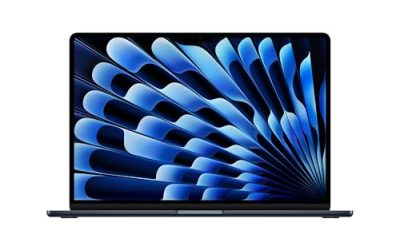
Best for Mac players: MacBook Pro 14-inch (M5)
World of Warcraft runs natively on Apple silicon, and Blizzard recommends an M4 chip with 16 GB of memory. The 14-inch MacBook Pro with an M5 has a 10-core CPU and 10-core GPU with 153 GB/s of memory bandwidth, a 14.2-inch Liquid Retina XDR display at 3024×1964, a 72.4 Wh battery and a weight of 1.55 kg. Apple rates it for up to 24 hours of video streaming.
Who it suits: players who already use a Mac for work and want to run WoW without buying a second machine. It stays quiet and keeps good frame rates at the native resolution with moderate settings.
Main trade-off: the integrated GPU cannot match an RTX 5070 in demanding settings, and a Mac limits the other games you can play. Buy it for the broader laptop experience, not as a dedicated gaming rig.
Decision matrix: which laptop for which player
| Player type | Choose | Why |
|---|---|---|
| Casual dungeon and quest player | MSI Katana 15 HX (RTX 5050 or 5060) | Meets Blizzard’s recommended spec at a low tier |
| Mythic+ and raid regular at 1080p or 1200p | ASUS TUF Gaming A16 | Eight-core CPU with RTX 5060 at a mid-range tier |
| 1440p with OLED and good travel weight | Lenovo Legion 5i Gen 10 | RTX 5070, 80 Wh battery, 1.9 kg |
| Guild raid leader streaming while playing | ROG Strix G16 or Acer Helios Neo 16 AI | Strong cooling, 90 Wh battery, RTX 5070 Ti |
| Player who travels often | ROG Zephyrus G14 | Light, long video battery life |
| Mac user | MacBook Pro 14-inch | Native client, silent operation |
A worked frame-time example
Frame rate and frame time are two views of the same number. At 60 frames per second, each frame has 16.7 milliseconds; at 120 fps, only 8.3 milliseconds; at 165 fps, about 6.1 milliseconds. In a crowded raid the processor has to prepare each frame, and if the main thread takes 10 milliseconds, you cannot exceed 100 fps no matter how powerful the graphics card is. That is why a laptop with a modest RTX 5060 and a fast processor can beat a machine with a stronger GPU and a slower processor in a busy Mythic encounter. When comparing laptops, therefore, check the processor’s boost clock and sustained power limit as carefully as the graphics chip, and match the screen’s refresh rate to the frame rate you will actually reach. A 165 Hz panel with variable refresh, such as G-Sync, smooths out the dips between 60 and 120 fps better than a fixed 240 Hz screen would.
Settings and maintenance for smooth raids
- Update the graphics driver and the game client before a new patch, since each major content patch changes performance characteristics.
- Use the manufacturer’s performance or turbo mode while plugged in, and keep the laptop on a hard surface or a stand so the air intakes stay clear.
- Reduce add-on load by disabling the ones you do not use. Heavy raid add-ons can consume as much processor time as the game itself in large groups.
- Lower shadow quality, view distance and particle density if frame rate dips during large fights; these affect the processor more than texture quality.
- Clean dust from the fans every six to twelve months. Blocked vents are the most common reason a laptop slows down after a year of use.
- Set the battery charge limit to 80 percent if your laptop offers it and you play mostly at a desk.
Ownership realities
- Noise: gaming laptops spin their fans loudly under load. Wear a headset or choose a quieter mode for casual play.
- Battery: gaming on battery is limited. Most of these laptops last two hours or less while playing, so plan to stay plugged in.
- Upgrades: most gaming laptops let you add RAM and storage, which extends their lifespan. Thin ultraportables like the Zephyrus often solder the memory.
- Display wear: OLED screens look excellent but dislike static images, so use auto-hide interface options where possible.
Frequently Asked Questions
Can a laptop with integrated graphics run World of Warcraft?
Yes, a current laptop with strong integrated graphics, including the MacBook Pro, can run WoW at moderate settings. A laptop with a dedicated RTX graphics chip delivers smoother frame rates in raids and allows higher settings.
Is an RTX 5050 enough for WoW in 2026?
An RTX 5050 meets Blizzard’s recommended graphics requirement, which asks for an 8 GB RTX 40-series class card. It works at 1080p with high settings, but an RTX 5060 gives you more headroom for future patches and other games.
How much RAM do I need for World of Warcraft?
Blizzard recommends 16 GB for Midnight. If you stream, record or run many add-ons and a browser at once, 32 GB makes the experience smoother.
Do I need a 240 Hz screen for WoW?
No. WoW rarely reaches 240 fps in busy content, so a 144 Hz or 165 Hz panel is enough. A 240 Hz display only makes sense if you also play fast shooters.
Is a 14-inch laptop good for WoW raiding?
It can be, as the Zephyrus G14 shows, but a small chassis cannot cool as well as a 16-inch laptop. If your raids run for hours at full load, a larger machine will keep frame rates steadier.
Should I buy an AMD or Intel gaming laptop for WoW?
Either works. Choose based on the specific model’s single-core boost, cooling and the graphics chip, rather than the brand. Both the Ryzen 7 in the TUF A16 and the Core Ultra and Core i9 HX chips in the other laptops exceed Blizzard’s recommended processor tier.

Write Your Review
No reviews yet. Be the first to share your experience!