

Key takeaways
- Choosing a Windows laptop looks easy until you open the listings. The same operating system runs on an 11-inch convertible with a Pentium chip.
Choosing a Windows laptop looks easy until you open the listings. The same operating system runs on an 11-inch convertible with a Pentium chip, a 15.6-inch Ryzen 3 machine, and a 13.8-inch touchscreen laptop with a Snapdragon X2 Elite processor. Windows 11 is the common thread, but the processor architecture, memory, and storage underneath change how the machine feels after the first month.
This guide is for buyers who want a Windows laptop for general use in 2026 and need to know which specs justify a higher tier. We compare eight models using only the facts in their listings, explain how to read the details, and match each laptop to a type of user, from a first-time owner on a tight budget to someone who wants a premium touchscreen.
Quick Picks
Our top picks
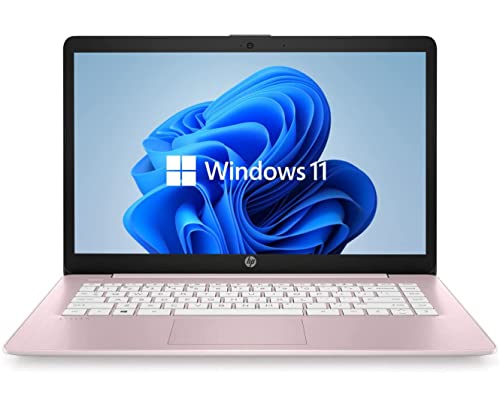
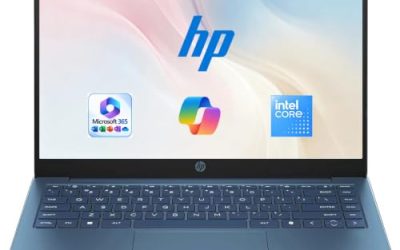
 HP 14 inch Laptop
- With virtually no bezel encircling the display, an…
- Improved graphics and performance for your everyday
- Enjoy vivid and immersive visuals in creative applications…

 Dell 15.6 Laptop
- Effortlessly chic
- Designed for easy learning: Energy-efficient batteries and Express…
- Stay connected to what you love: Spend more…
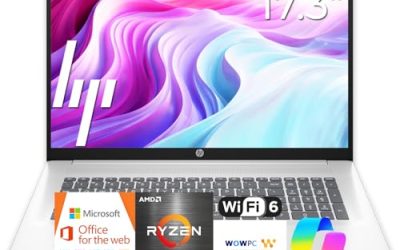
 HP 2027 Everyday Laptop
- 💻 EFFICIENT INTEL N150 QUAD-CORE PROCESSOR: Intel N150…
- ⚡ FAST STORAGE & SMOOTH MULTITASKING: 4GB LPDDR5-4800…
- 🎥 CRYSTAL-CLEAR VIDEO CONFERENCING & ALL-DAY BATTERY: HP…



As an Amazon Associate we earn from qualifying purchases at no extra cost to you.
| Product | Best for | Key spec from the title |
|---|---|---|
| HP 14-inch Laptop (N150) | Basic browsing and homework | Intel N150, 4GB RAM, 128GB UFS, 1-year Microsoft 365 |
| 15.6-inch Core i5-7Y57 Laptop | Upgrade-minded budget buyers | Core i5-7Y57, 4GB SO-DIMM, 128GB SSD, FHD IPS |
| Dell 15.6 (Core 3 100U) | Balanced home and office use | Core 3 100U, 8GB RAM, 512GB SSD, Wi-Fi 6 |
| HP Everyday Laptop | Families who want bundled software | 128GB storage, Office 365, 1TB cloud, fast charge |
| Microsoft Surface Laptop 13.8-inch | Premium touchscreen use | Snapdragon X2 Elite, 16GB RAM, 1TB SSD, touchscreen |
| HP 14 Celeron (Renewed) | Lowest-tier backup machine | Celeron dual-core, 4GB RAM, 64GB SSD |
| Dell 11-inch Convertible | Small touchscreen portability | 11-inch IPS touch, Pentium, 8GB RAM, 128GB SSD |
| Acer Aspire 3 A315-24P | Value 15.6-inch with modern AMD | Ryzen 3 7320U, 8GB LPDDR5, 128GB NVMe SSD |
How to Choose
Know the processor family before the brand
Windows runs on Intel, AMD, and Snapdragon chips. Intel N150 and Celeron processors suit light tasks, while Core 3, Ryzen 3, and Pentium chips offer a step up. A Snapdragon X2 Elite is an Arm-based processor, which usually brings strong battery life but can require checking compatibility for older apps. If you rely on niche or legacy software, confirm support before buying an Arm model.
RAM and storage thresholds that matter
For a Windows 11 laptop, 8GB of RAM is the practical floor if you multitask, and 16GB suits heavier work. For storage, 256GB is comfortable and 512GB is better. Listings with 4GB and 64GB or 128GB of eMMC or UFS storage work for basic tasks but fill up quickly with updates and apps.
Display type and touch
Look for FHD resolution and an IPS panel for wider viewing angles. Touch is helpful on convertibles and the Surface, but it adds cost and weight. A brightness figure like 250 nits is a modest level, so check the listing if you plan to use the laptop near windows. Budget laptops cut corners on panel quality more than on any other component.
Condition, upgrade paths, and ports
Renewed laptops can lower the cost of entry, but check warranty terms and battery condition on the listing. Some models advertise upgradeable RAM and SSD slots, which extend the life of a budget laptop. Ports such as USB-C, HDMI, and Wi-Fi 6 support matter for docks, displays, and modern routers.
The 8 Best Options
HP 14-inch Laptop (N150)
This HP is the simple, entry-level pick. The title lists a 14-inch HD display, an Intel N150, 4GB of RAM, 128GB of UFS storage, Intel graphics, Windows 11 Home, and a one-year Microsoft 365 Personal subscription. It targets browsing, streaming, and light schoolwork. Parents shopping for a younger student often land here because Windows 11 Home is familiar and the bundled subscription covers basic documents. Expect to manage storage carefully, since UFS drives are small and slower than a standard SSD.
- Strength: the included one-year subscription handles documents at the start.
- Strength: a 14-inch size is easy to carry.
- Trade-off: HD resolution and 4GB of RAM limit multitasking.
Skip it if you plan to keep it for demanding work.
15.6-inch Core i5-7Y57 Laptop
This unbranded 15.6-inch laptop lists a Core i5-7Y57, 4GB of SO-DIMM RAM, a 128GB SSD, a 15.6-inch FHD IPS display, a 2MP webcam, a cooling fan, and Type-C ports. The title says the RAM and SSD are upgradeable, which is its main selling point for a budget buyer. Its Core i5-7Y57 is an older-generation chip judging by the model number, so it suits light work rather than demanding tasks. The cooling fan and Type-C port are practical extras, though the truncated title does not list every port, so read the full listing.
- Strength: upgradeable RAM and SSD extend its useful life.
- Strength: an FHD IPS panel is a good match for the price tier.
- Trade-off: the title does not name a brand, so check the listing for warranty and support details.
Skip it if you want a recognized brand’s support network.
Dell 15.6 (Core 3 100U)
The Dell pairs a 15.6-inch FHD anti-glare IPS screen at 250 nits with an Intel Core 3 100U, 8GB of DDR4, and a 512GB SSD. Wi-Fi 6 and Bluetooth round it out. It is a sensible all-rounder for home and office work. The anti-glare finish helps in rooms with overhead lighting, and the large SSD means a family can store photos, school files, and tax documents without leaning on the cloud. DDR4 memory is the older standard, but 8GB is still a comfortable amount for daily tasks.
- Strength: 512GB of SSD storage leaves room for files.
- Strength: 8GB of RAM supports everyday multitasking.
- Trade-off: a 15.6-inch body is less portable than a 14-inch laptop.
Skip it if you carry your laptop daily across a large campus.
HP Everyday Laptop
This HP lists an Intel CPU, 128GB of storage, Copilot AI, Office 365, 1TB of cloud storage, Windows 11, fast charging, WiFi 6, and long battery life. It is aimed at households that want software included from the start. The fast charging claim is useful for a shared laptop that moves between rooms and rarely stays plugged in for long. Because the truncated title omits RAM and processor details, shoppers should confirm those on the listing before comparing it with the Dell.
- Strength: fast charging and WiFi 6 are practical for family use.
- Strength: Office 365 and cloud storage are part of the listing.
- Trade-off: the processor and memory are not clear from the truncated title.
Skip it if you need explicit RAM and CPU details before buying.
Microsoft Surface Laptop 13.8-inch
The Surface Laptop is the premium option, with a 13.8-inch touchscreen, a Snapdragon X2 Elite processor, 16GB of RAM, and a 1TB SSD. It is a good fit for professionals who want a refined design and ample storage. The Snapdragon X2 Elite is a different architecture from the Intel and AMD chips elsewhere on this list, so it is worth confirming that your key programs run natively or through Windows’ compatibility layer. For browser-based work, Microsoft 365, and video calls, that is rarely a problem.
- Strength: 16GB of RAM and 1TB of storage support long-term use.
- Strength: the touchscreen adds flexibility for notes and navigation.
- Trade-off: Arm-based Windows may need compatibility checks for older software.
Skip it if your work depends on niche legacy programs.
HP 14 Celeron (Renewed)
This renewed HP lists a 14-inch HD display, Windows 11, an Intel Celeron dual-core processor up to 2.60GHz, 4GB of RAM, a 64GB SSD, and a webcam. It is the lowest tier on the list, best treated as a basic secondary laptop. A renewed device has been refurbished and resold, so condition and warranty terms matter more than the spec line. It can work as a kitchen computer, a travel spare, or a machine for a child who only needs a browser.
- Strength: a renewed unit can reduce the cost of entry.
- Strength: it still includes a webcam and Windows 11.
- Trade-off: 64GB of storage fills up quickly with updates.
Skip it if this will be your only computer for years.
Dell 11-inch Convertible
This Dell is an 11-inch IPS touchscreen convertible with an Intel Pentium processor up to 3.3GHz, 8GB of RAM, a 128GB SSD, and sixth-generation Wi-Fi. The compact size suits reading, note-taking, and travel use. Convertible designs fold or rotate so the screen can be used like a tablet, which is handy for reading, sketching, and watching video on a plane. The Pentium processor keeps it in the light-use category.
- Strength: the convertible touchscreen supports tablet-style use.
- Strength: 8GB of RAM is generous for this size class.
- Trade-off: an 11-inch screen is cramped for long work sessions.
Skip it if you want a full-size keyboard and display.
Acer Aspire 3 A315-24P
The Aspire 3 lists a 15.6-inch Full HD display, an AMD Ryzen 3 7320U quad-core processor, Radeon graphics, 8GB of LPDDR5, a 128GB NVMe SSD, and Wi-Fi 6. It offers a modern AMD platform at a value tier. NVMe storage is typically faster than the SATA or UFS drives found in cheaper models, so boot times and app launches tend to feel quicker. Shoppers should note that the truncated title leaves out some details, such as weight and battery, so read the listing for those.
- Strength: LPDDR5 memory and an NVMe SSD are modern components.
- Strength: Ryzen 3 gives more headroom than Celeron-class chips.
- Trade-off: 128GB of storage is on the small side.
Skip it if you store large media libraries locally.
Which One Fits Your Situation
You want a premium Windows machine
The Microsoft Surface Laptop is the standout, with 16GB of RAM, 1TB of storage, and a touchscreen.
You want the best everyday balance
The Dell 15.6 with 8GB of RAM and a 512GB SSD is the most balanced pick here.
You are on a tight budget
The HP 14-inch with N150 or the renewed Celeron model keep costs low, and the unbranded Core i5 offers upgrade paths.
You want a small touchscreen
The Dell 11-inch Convertible fits note-taking and travel better than the larger models.
Common Mistakes
- Buying 4GB of RAM for a laptop meant to last for years.
- Ignoring the processor family on an Arm-based Windows laptop.
- Counting cloud storage as local storage.
- Choosing a renewed laptop without checking warranty and battery details.
- Paying for a touchscreen that you will rarely use.
Related guides
- Affordable Gaming Mouse For Alienware Laptop
- Laptop Docking Stations For Dual Monitors
- Travel Backpack With Laptop Compartment
Frequently Asked Questions
Is 8GB of RAM enough for Windows 11?
Yes, for everyday work. Choose 16GB if you edit media or run many apps together.
Are Arm-based Windows laptops a good idea?
They can offer strong battery life, but check that your key apps support Arm. Most popular software works, while some older tools, drivers for older printers, or specialist utilities may not. Compare your must-have programs with the manufacturer’s compatibility notes before you commit.
Should I buy a renewed Windows laptop?
It can save money, but check the warranty and battery details. Avoid it if you need a long service life from a single purchase.
What screen size should I choose?
Whichever size you pick, make sure the keyboard layout and trackpad suit your hands, because you will touch them all day. Choose 14 inches for portability and 15.6 inches for comfort at a desk. An 11-inch convertible is best as a secondary device.
Write Your Review
No reviews yet. Be the first to share your experience!