

The best laptop for working from home in 2026 is the MacBook Air with the M5 chip for people who want a quiet, long-lasting all-rounder, and the ThinkPad X1 Carbon Gen 13 for people on Windows who live in meetings and spreadsheets. A home-office laptop does not need the fastest processor available. It needs a camera and microphones that make you look and sound professional, a keyboard that stays comfortable across a full day, enough ports to dock to a monitor, and a battery that lets you take a call from the kitchen when the desk gets crowded.
This guide ranks seven current laptops by the style of remote work they fit, explains which specifications deserve your attention and which are marketing, and walks through a simple cost-per-day calculation for deciding how much to spend. Specifications come from manufacturer spec sheets and reputable review outlets; configurations vary, so check the exact model number before ordering.
Our top picks
 Apple 2026 MacBook Air 13-inch Laptop with
- BUILT FOR COLLEGE
- With its faster CPU and unified memory, the…
- Apple Intelligence helps you write, express yourself, and…
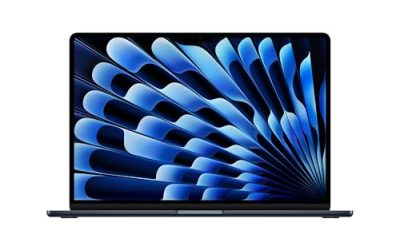
 Apple 2026 MacBook Air 15-inch Laptop with
- BUILT FOR COLLEGE
- With its faster CPU and unified memory, the…
- Apple Intelligence helps you write, express yourself, and…
| Product | Key specs | |
|---|---|---|
| Apple 2026 MacBook Air 13-inch Laptop with | BUILT FOR COLLEGE With its faster CPU and unified memory, the… Apple Intelligence helps you write, express yourself, and… | Check price |
| Apple 2026 MacBook Air 15-inch Laptop with | BUILT FOR COLLEGE With its faster CPU and unified memory, the… Apple Intelligence helps you write, express yourself, and… | Check price |
 Apple 2026 MacBook Air 13-inch Laptop with Apple 2026 MacBook Air 13-inch Laptop with | Check price | |
 Apple 2026 MacBook Air 15-inch Laptop with Apple 2026 MacBook Air 15-inch Laptop with | Check price |
As an Amazon Associate we earn from qualifying purchases at no extra cost to you.
Quick comparison of the seven picks
| Pick | Best for | Weight | Battery | Camera | Price tier |
|---|---|---|---|---|---|
| MacBook Air 13-inch (M5) | Best overall | 1.23 kg (2.7 lb) | 53.8 Wh, up to 18 h video | 12 MP Center Stage | Premium |
| ThinkPad X1 Carbon Gen 13 | Best for meetings and travel | about 1 kg | Roughly 16 h in one comparison | 1440p IR webcam, 5 MP class, shutter | Premium |
| HP EliteBook Ultra G1i 14 | Best business features | 1.19 kg (2.63 lb) | 64 Wh, 14 to 17 h in reviews | High-resolution IR camera, Poly software | Premium |
| Microsoft Surface Laptop 7 (13.8-inch) | Best for Microsoft 365 users | 1.34 kg (2.96 lb) | 54 Wh, up to 13 h active web | 1080p Surface Studio camera | Mid-range to premium |
| ASUS Zenbook A14 | Best lightweight Windows laptop | about 0.99 kg | 70 Wh on top models | Webcam with Windows Studio effects support varies by configuration | Mid-range |
| MacBook Neo | Best budget Mac | 1.23 kg (2.7 lb) | 36.5 Wh, up to 16 h video | 1080p FaceTime HD | Budget to mid-range |
| Acer Chromebook Plus 514 | Best for browser-based jobs | about 1.45 kg (3.2 lb) | 50 Wh, up to 12 h | 1080p with shutter | Budget |
What matters in a work-from-home laptop
Your job decides your hardware
Remote work covers wildly different workloads. A support agent living in a browser tab, a project manager moving between video calls and slide decks, and an analyst running large spreadsheets all need different things. Start by naming the heaviest task you do weekly, then buy for that task rather than for the specification sheet. For most office work, 16 GB of memory and a modern mid-range processor is plenty; extra graphics power is wasted.
Camera and microphones
You will spend hours a week on camera, so the webcam is not a minor feature. Look for a 1080p or higher sensor, a physical privacy shutter, and software features such as automatic framing and background blur. Laptops with a neural processing unit run these effects without draining the battery. Microphone arrays with noise suppression matter just as much because a clear voice makes you sound more credible than a sharp image does.
Keyboard, trackpad and display
A comfortable keyboard and a precise trackpad reduce fatigue across an eight-hour day. For the display, a 14-inch 16:10 panel gives more vertical room for documents than a 16:9 panel, and a brightness of at least 400 nits keeps it readable near windows. Matte finishes cut reflections; glossy OLED panels look richer but pick up glare.
Ports and docking
A home desk usually means one external monitor, a keyboard, a mouse and a headset. Two Thunderbolt or USB4 ports are the minimum for a single-cable dock that handles power, video and peripherals. If your laptop has only two ports, a compact hub is essential. A third port or an HDMI output makes the desk setup simpler.
Security features for company data
If your employer manages your device, look for a fingerprint reader or infrared camera for sign-in, a TPM chip and, for business models, management features such as Intel vPro. Personal laptops used for company work should still have disk encryption turned on.
Best overall: MacBook Air 13-inch (M5)
Apple’s 2026 MacBook Air with the M5 chip arrived in March with 16 GB of memory and a 512 GB drive as the starting configuration, Wi-Fi 7 and Bluetooth 6 through Apple’s N1 chip, and a 12 MP Center Stage camera that keeps you framed as you move. It weighs 1.23 kg (2.7 lb), has a 13.6-inch display at 2560×1664 and 500 nits, and Apple lists a 53.8 Wh battery with up to 18 hours of video streaming. Tom’s Hardware reported around 14.9 hours of mixed use, and Forbes Vetted named the Air its top pick for working from home.
Who it suits: people who want a laptop that just works. It has no fan, so video calls stay silent, the speakers are good enough for a conference call without a headset, and the Touch ID sensor unlocks the machine instantly. Two Thunderbolt 4 ports connect a single-cable dock.
Main trade-off: it runs macOS, so Windows-only company software may not work, and the port count is limited. Check your employer’s IT policy first.
Best for meetings and travel: ThinkPad X1 Carbon Gen 13
The ThinkPad X1 Carbon Gen 13 is the benchmark business ultraportable for Windows and Linux users. Reviews list an Intel Core Ultra 7 processor, memory up to 32 GB, an optional 2.8K OLED display and a weight of just under or around a kilogram. The webcam is built for meetings: a 1440p infrared camera in some configurations, a physical privacy shutter and AI noise cancellation. Battery claims range from 16 hours in a retail comparison to much higher manufacturer figures, so treat roughly 16 hours of light work as the realistic expectation.
Who it suits: managers, consultants and anyone who spends the day in calls, wants the best keyboard in a thin laptop and may travel to client sites. The MIL-STD-810H durability testing, the fingerprint reader and the infrared login make it a good company-issued machine.
Main trade-off: price. You pay a premium for the weight and build quality, and the standard display is a modest IPS panel unless you step up to the OLED.
Best business features: HP EliteBook Ultra G1i 14
HP’s EliteBook Ultra G1i is a 14-inch business laptop that weighs 1.19 kg (about 2.63 lb) without its charger. HP lists a 64 Wh battery, 32 GB of soldered LPDDR5X-8533 memory, a 2880×1800 OLED panel at 120 Hz, Wi-Fi 7, three Thunderbolt 4 ports and a USB-A port. Reviewers measured long battery life: Consumer Reports recorded about 17.5 hours of light web browsing, while another outlet measured nearly 14.7 hours in a modern-office benchmark. HP’s Poly Camera Pro software handles auto-framing, background replacement and meeting-friendly effects.
Who it suits: employees at companies that standardize on HP business devices and professionals who want strong audio, a high-resolution camera and enterprise management. Sources disagree on the exact camera resolution, quoting figures from about 5 MP to 9 MP depending on configuration, so verify the option you order.
Main trade-off: the memory is soldered, so choose the capacity you need on day one, and the premium price reflects business support rather than raw speed.
Best for Microsoft 365 users: Microsoft Surface Laptop 7 (13.8-inch)
The 13.8-inch Surface Laptop 7 uses a Snapdragon X Plus or X Elite processor with a 45 TOPS neural engine, 16 GB to 64 GB of LPDDR5x memory, a removable Gen 4 solid-state drive and a 2304×1536 touchscreen at 120 Hz. Microsoft rates the battery, nominally 54 Wh, at up to 20 hours of local video and up to 13 hours of active web use. The 1080p Surface Studio camera supports Windows Studio Effects and Windows Hello face sign-in. It weighs 1.34 kg (2.96 lb) and offers two USB-C/USB4 ports, one USB-A port, a headphone jack and a Surface Connect port.
Who it suits: people whose day revolves around Teams, Outlook, Word and Excel, who want a clean Windows experience without manufacturer clutter and a screen with taller 3:2 proportions that suits documents.
Main trade-off: it uses an Arm processor, so a few older Windows applications, certain drivers and some specialized work tools may not run natively. Confirm that your VPN and security tools support Arm before you buy.
Best lightweight Windows laptop: ASUS Zenbook A14
The Zenbook A14 is one of the lightest Windows laptops you can buy, at around 0.99 kg (2.18 lb) in the Snapdragon X1 Elite configuration with a 70 Wh battery. Lower-tier versions use a smaller 48 Wh battery, so the exact model matters. It is a quiet, cool machine that suits cafe work, commuting between home and an office, and long days away from a charger.
Who it suits: hybrid workers who carry their laptop daily and prioritize weight and endurance over performance. Office applications, browsers and video calls run comfortably.
Main trade-off: like the Surface, it relies on Windows on Arm, so compatibility checks apply. Heavy creative work or specialized engineering software belongs on a different machine.
Best budget Mac: MacBook Neo
Apple introduced the MacBook Neo in March 2026 as its entry-level laptop. It uses the A18 Pro chip with a 6-core CPU and 5-core GPU, 8 GB of unified memory, and 256 GB or 512 GB of storage. The 13-inch display runs at 2408×1506 with 500 nits, the battery is 36.5 Wh with Apple’s rating of up to 16 hours of video streaming, and the 1080p FaceTime HD camera is acceptable for calls. It weighs 1.23 kg (2.7 lb), has one fast USB-C port and one slower USB 2 port, and supports Wi-Fi 6E.
Who it suits: people whose work is mostly email, documents, video meetings and web apps, and who want macOS at the lowest tier. The Neo is also a sensible second machine for a home office.
Main trade-off: 8 GB of memory is tight for dozens of browser tabs plus video calls, and one fast port limits docking. If you keep many apps open, step up to the Air.
Best for browser-based jobs: Acer Chromebook Plus 514
Chromebook Plus machines are a cost-effective choice if your company runs on web apps. The Acer Chromebook Plus 514 pairs a 14-inch 1920×1200 touchscreen with an AMD Ryzen 3 7320U in the reviewed configuration, 8 GB of LPDDR5X memory, 128 GB of storage, a 1080p webcam with a privacy shutter and a 50 Wh battery rated for up to 12 hours. It weighs about 1.45 kg (3.2 lb). A newer convertible, the Chromebook Plus Spin 514, uses a MediaTek Kompanio Ultra processor and a 70 Wh battery, with one review recording over 13 hours.
Who it suits: support teams, sales staff, writers and anyone who works in Google Workspace, Microsoft 365 for the web and company web portals. Updates are automatic and maintenance is minimal.
Main trade-off: it cannot run Windows or macOS desktop software, so check that every application you need has a web version.
How to choose: a decision matrix
| Your situation | Choose | Reason |
|---|---|---|
| Mostly video calls, company uses Windows | ThinkPad X1 Carbon Gen 13 or HP EliteBook Ultra G1i | Camera hardware, privacy shutter, management features |
| Free choice of platform, want simplicity | MacBook Air 13-inch (M5) | Silent, strong battery, good camera |
| Heavy Microsoft 365 use | Surface Laptop 7 | 3:2 screen, clean Windows install |
| Hybrid worker carrying the laptop daily | ASUS Zenbook A14 | Around 1 kg weight, long endurance |
| Tight budget, light tasks | MacBook Neo or Chromebook Plus 514 | Lowest cost of entry |
A worked cost-per-day calculation
It is easier to justify a better laptop when you divide its cost by the days you will use it. Suppose you work 230 days a year. A laptop kept for four years then covers 920 working days, and one kept for six years covers 1,380 days. Call the purchase cost P. At four years the daily cost is P divided by 920; at six years it is P divided by 1,380, which is one third lower. Now compare two machines: a premium business laptop that costs 1.6 times as much as a budget model but lasts six years instead of four. Its daily cost is 1.6 divided by 1,380, or about 0.00116 P, against 1 divided by 920, or about 0.00109 P, for the budget model. In other words the premium machine costs only about 7 percent more per working day while delivering a better keyboard, a sharper camera and a replaceable battery. This is why durable business models such as the ThinkPad and EliteBook, which age well and have serviceable parts, often cost little more per day than a cheaper laptop that you replace sooner. Run the same arithmetic with real quotes from your own shopping list.
Setting up a home-office laptop properly
- Raise the laptop to eye level with a stand or a stack of books and use an external keyboard and mouse, so your neck and wrists stay neutral.
- Place your main light source in front of you, not behind. A window behind you turns you into a silhouette no matter how good the camera is.
- Connect to your router with a cable or a dock when possible, because stable Ethernet prevents the dropped calls that Wi-Fi congestion causes.
- Turn on battery-care settings that cap the charge at around 80 percent if the laptop sits on the dock most of the day.
- Back up work files to a company-approved cloud service and keep disk encryption enabled.
Ownership realities
- Soldered memory and storage: most thin laptops cannot be upgraded. Buy 16 GB for Windows and Mac laptops you plan to use for more than three years.
- Battery wear: expect capacity to drop gradually; business laptops often make battery replacement easier.
- Keyboard coatings: some finishes become shiny with use, which is cosmetic but visible on dark keycaps.
- Warranty: business-class laptops commonly offer on-site service options, which is valuable when your income depends on the machine.
Frequently Asked Questions
How much RAM do I need to work from home?
Sixteen gigabytes covers most office workloads, including video calls, dozens of browser tabs and a spreadsheet. Eight gigabytes works for light browser-only tasks, but it leaves little room as software grows heavier over the years.
Is a Chromebook good enough for remote work?
Yes, if your employer uses web-based tools and does not require Windows or macOS applications. Confirm that your VPN, video platform and collaboration apps work on ChromeOS before you decide.
Should I buy a laptop with a 2-in-1 design?
A convertible helps if you annotate documents with a pen or want tablet mode for reading. For typical office tasks a standard clamshell is lighter, cheaper and less likely to develop hinge problems.
What screen size is best for working at home?
A 14-inch laptop balances portability and workspace for most people. If you rarely leave your desk and always use an external monitor, a 15- or 16-inch model adds a larger screen for the times you do work away from it.
Do I need an external webcam?
Not with the laptops on this list, which have capable built-in cameras. A separate webcam or a good microphone is worth adding if you host webinars or present to clients daily.
How can I keep my home network reliable for video calls?
Use a wired connection or a modern Wi-Fi 6 or Wi-Fi 7 router placed close to your workspace. A 1080p video call typically needs a few megabits per second of upload speed, so a connection that is stable matters more than a fast headline number.
Write Your Review
No reviews yet. Be the first to share your experience!