
Our Short List of 3

- Best for: Mac players who carry their laptop daily and play in shorter sessions.
- Processor: Apple M4 chip
- Memory: 16GB unified memory
- Storage: 256GB SSD
- Display: 13.6-inch Liquid Retina, 2560 x 1664

- Best for: Mac players who mostly play at one desk and want the wider panel.
- Processor: Apple M4 chip
- Memory: 16GB unified memory
- Storage: 512GB SSD
- Display: 15.3-inch Liquid Retina

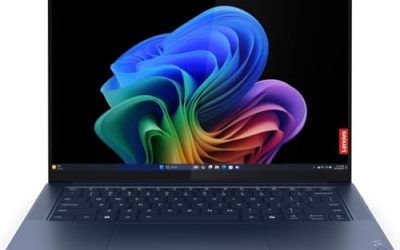
- Best for: frequent travellers who accept the ARM translation route for Windows play.
- Processor: Snapdragon X Elite X1E-78-100, 12 cores, up to 3.4 GHz
- Graphics: integrated Qualcomm Adreno GPU
- Memory: 32GB LPDDR5X, soldered
- Storage: 1TB SSD, M.2 2242 PCIe Gen4
All 4 Picks at a Glance
| Product | Specs | Action |
|---|---|---|
| MacBook Air 13 (M4) |
| Check price on Amazon |
| MacBook Air 15 (M4) |
| Check price on Amazon |
| Lenovo Yoga Slim 7x |
| Check price on Amazon |
 ASUS Zenbook 14 OLED |
| Check price on Amazon |
Odd Realm asks very little on paper: the published Windows minimum names a 2.2 Ghz processor, 4 GB RAM and 500 MB of storage. The harder part of this purchase is what the page leaves blank. The Windows block prints no graphics line at all, and the recommended tier adds nothing beyond a 64-bit preamble, so there is no official higher target to shop against. Your real decision is which edition you will play and how much headroom you want around a settlement that grows settler by settler.
This roundup serves three groups: Mac players, who get a genuine native edition with a macOS Big Sur 11 floor; Windows players choosing between thin machines and a dedicated graphics card; and anyone weighing the Windows-on-ARM route. The picks come straight from the listing names and specifications: two M4 MacBook Air sizes, a Snapdragon X Elite Yoga Slim 7x, a Ryzen Zenbook 14 OLED and a Victus 15 with a dedicated Radeon card.
Quick Picks
As an Amazon Associate we earn from qualifying purchases
| Product | Best for | Key spec from title |
|---|---|---|
| MacBook Air 13 (M4) | Playing the native Mac edition on the move | Apple M4 chip with 16GB unified memory |
| MacBook Air 15 (M4) | A bigger screen for long settlement sessions | 15.3-inch Liquid Retina display |
| Lenovo Yoga Slim 7x | Windows play away from a desk | Snapdragon X Elite with 32GB memory |
| ASUS Zenbook 14 OLED | A compact Windows machine with an OLED panel | Ryzen 7 8840HS with Radeon 780M graphics |
| HP Victus 15 | A dedicated graphics card on Windows | Radeon RX 6550M with 4GB GDDR6 |
How to Choose
Pick the edition before the hardware
Odd Realm is sold for Windows, Mac and Linux, and each edition carries its own published minimum. The Mac floor is macOS Big Sur 11, a current-era system, and the Mac build is 64-bit, so Mac buyers are shopping for a real native edition rather than a leftover port. Windows buyers get the broadest laptop choice. The Yoga Slim 7x below runs Windows on ARM, which means the Windows edition reaches it through a translation layer instead of running natively, a distinction worth settling before anything else in this guide.
Read the published block literally
Steam prints a Windows minimum of Windows 10, a 2.2 Ghz processor, 4 GB RAM, DirectX Version 11 and 500 MB of storage, plus one additional note: a minimum display resolution of 1200×768. Two gaps matter. The Windows block names no graphics hardware at all, and the recommended tier repeats only the 64-bit preamble line, while the Mac and Linux recommended tiers are empty shells. Treat those blanks as blanks. The only graphics figure published anywhere is the Mac minimum’s Intel HD Graphics 4000 1536 MB line.
Memory and storage headroom
The published floor is 4 GB of RAM and 500 MB of storage, numbers every laptop in this guide clears several times over. What differs is how that memory is packaged. Both MacBook Air models carry 16GB of unified memory that cannot be changed after purchase. The Yoga Slim 7x lists 32GB of soldered LPDDR5X. The Zenbook carries 16GB of LPDDR5X, and the Victus listing describes a seller-upgraded 32GB DDR5 configuration. Since the game itself is tiny, this choice is really about the rest of your library and how long you keep a machine.
Screen size against the 1200×768 note
Every pick clears the published 1200×768 minimum display resolution by a wide margin, so the screen decision is about how you like to read a colony map rather than about meeting a requirement. The 13.6-inch Air is the travel option. The 15.3-inch Air and the 15.6-inch Victus spread the interface across a larger panel for long sessions at one desk. The Yoga Slim 7x offers a 2944 x 1840 OLED touch panel, and the Zenbook a 1920 x 1200 OLED touchscreen, both sharper than the game’s note asks for.
The 5 Best Options
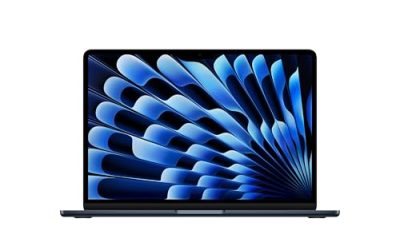
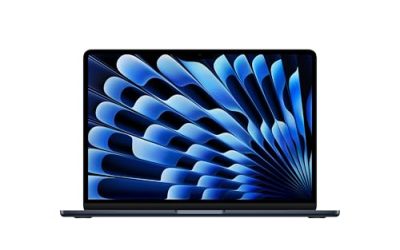
MacBook Air 13 (M4)
- Best for: Mac players who carry their laptop daily and play in shorter sessions.
- Processor: Apple M4 chip
- Memory: 16GB unified memory
- Storage: 256GB SSD
- Display: 13.6-inch Liquid Retina, 2560 x 1664
Mac players who carry their laptop daily and play in shorter sessions.
the listing is a family page covering several memory, storage and colour combinations, so confirm the 16GB and 256GB Midnight configuration is the one selected before ordering.
The smaller Air is the straightforward native route into Odd Realm. Its M4 chip and 16GB of unified memory sit far beyond the published Mac minimum of a 2.2 Ghz processor and 4 GB RAM, and the Mac edition it plays is a current one, floored at macOS Big Sur 11 with a 64-bit build behind it. At 2.73 pounds with a 13.6-inch screen, it suits players who move between rooms or buildings and settle in short sessions, opening the colony map wherever they land.
MacBook Air 15 (M4)
- Best for: Mac players who mostly play at one desk and want the wider panel.
- Processor: Apple M4 chip
- Memory: 16GB unified memory
- Storage: 512GB SSD
- Display: 15.3-inch Liquid Retina
Mac players who mostly play at one desk and want the wider panel.
this listing covers several capacity and colour combinations, and some page copies show a no-offers line, so confirm the 16GB and 512GB Midnight configuration and a live buy box before ordering.
Choose the 15-inch Air when the same native Mac edition needs more room to breathe. The published requirements stay identical, since both sizes run the same macOS build, but the 15.3-inch Liquid Retina panel spreads Odd Realm’s settlement view, research tree and settler panels across a wider canvas. This listing pairs the M4 chip with 16GB of unified memory and a 512GB SSD, double the storage of the 13-inch pick, which suits players whose Steam library extends well past one small colony game.
Lenovo Yoga Slim 7x
- Best for: frequent travellers who accept the ARM translation route for Windows play.
- Processor: Snapdragon X Elite X1E-78-100, 12 cores, up to 3.4 GHz
- Graphics: integrated Qualcomm Adreno GPU
- Memory: 32GB LPDDR5X, soldered
- Storage: 1TB SSD, M.2 2242 PCIe Gen4
frequent travellers who accept the ARM translation route for Windows play.
other listings under near-identical titles ship 16GB of memory and a 512GB drive, so match the ASIN to this 32GB and 1TB configuration rather than trusting the product name alone.
The Yoga Slim 7x is the Windows pick for players who value a sharp screen and a light bag, with one honest caveat up front. It runs Windows 11 Pro on ARM, so Odd Realm’s Windows edition plays through the system’s translation layer rather than natively, and it cannot run the Mac edition at all. Within that route, its Snapdragon X Elite chip, 32GB of memory and 1TB SSD tower over the published Windows minimum, and the 2944 x 1840 OLED touch display is the sharpest panel here.
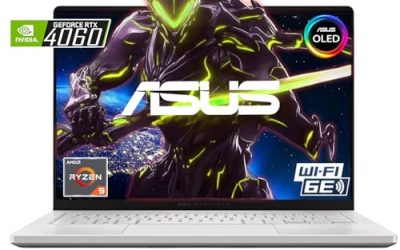
ASUS Zenbook 14 OLED
- Best for: Windows players who want native x86 play in a light OLED machine.
- Processor: AMD Ryzen 7 8840HS, 8 cores, up to 5.1 GHz
- Graphics: integrated AMD Radeon 780M
- Memory: 16GB LPDDR5X RAM
- Storage: 512GB M.2 NVMe PCIe 4.0 SSD
Windows players who want native x86 play in a light OLED machine.
the Zenbook 14 name also covers Intel-based models, so confirm the UM3406HA-WS74T model code and the Ryzen processor on the listing before ordering.
The Zenbook is the conventional Windows answer in this lineup: an x86 machine, so the Windows edition runs natively with no translation layer involved. Its Ryzen 7 8840HS and integrated Radeon 780M graphics answer a published block that names no Windows graphics hardware at all, while the Mac minimum’s Intel HD Graphics 4000 line gives a sense of the modest class of hardware the publisher had in mind. The 14-inch OLED touchscreen and 2.82-pound frame suit desk-to-sofa play.
HP Victus 15
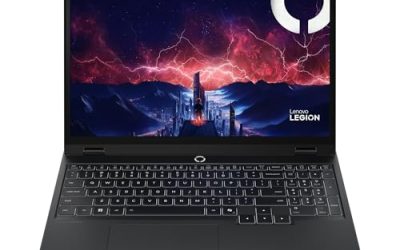
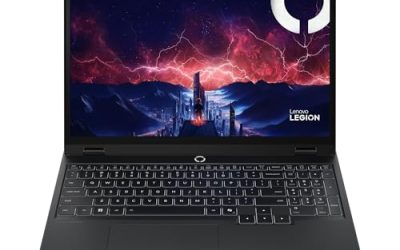
The Victus is the pick for players who simply want a dedicated graphics card and the largest screen in this guide. Its Radeon RX 6550M carries its own 4GB of GDDR6 memory, a different arrangement from the integrated graphics in the Zenbook and Yoga, and the 15.6-inch 144Hz panel gives the colony view the most room of any pick here. The listed configuration pairs that card with a Ryzen 5 7535HS, 32GB of DDR5 memory and a 1TB SSD under Windows 11 Pro.
Specs
- Processor: AMD Ryzen 5 7535HS, 6 cores, up to 4.55 GHz
- Graphics: AMD Radeon RX 6550M, 4GB GDDR6 dedicated
- Memory: 32GB DDR5 RAM (seller-upgraded configuration)
- Storage: 1TB NVMe SSD
- Display: 15.6-inch FHD 1920 x 1080, 144Hz, IPS, anti-glare
- Operating system: Windows 11 Pro
- Keyboard: backlit, with numeric pad
- Wireless: Wi-Fi 6
- Colour: Mica Silver
- Weight: 5.06 pounds
Best for: desk-based Windows players who want a dedicated card and a big panel.
Watch out for: this configuration is upgraded by the seller, who opens the manufacturer box to fit the 32GB memory and 1TB drive, and other Victus 15 listings ship 8GB and 512GB under similar titles, so read the configuration line carefully.
ASIN: B0DK1JHG13
Which One Fits Your Situation
You play on a Mac and want the native edition
Both Air models run the same native Mac edition, floored at macOS Big Sur 11, so the choice between them is size and storage rather than compatibility. Take the 13-inch Air for daily carrying, and the 15-inch Air if your sessions happen at one desk and the wider panel matters more than the extra weight in a bag.
You want Windows without a translation layer
The Zenbook 14 OLED is the fit here. Its Ryzen processor is a conventional x86 chip, so the Windows edition of Odd Realm installs and runs natively, with no ARM translation involved and no Mac edition needed. You also get an OLED touchscreen in a 2.82-pound frame, which keeps the machine easy to move between a desk and a sofa.
You travel constantly and accept the ARM trade
The Yoga Slim 7x earns its place if your laptop lives in a bag: 2.82 pounds, a 70Wh battery and the sharpest display in this guide. The trade is stated plainly in its section. Windows runs on ARM here, so the game plays through a translation layer, and buyers who dislike that idea should take the Zenbook instead.
You want a dedicated card and the biggest screen
The Victus 15 is built for a fixed spot rather than a commute. Its Radeon RX 6550M holds its own 4GB of GDDR6 memory, the 15.6-inch panel is the largest here, and the listed 32GB and 1TB configuration leaves generous room for a wide game library. At 5.06 pounds, it is the pick to leave plugged in at one desk.
Common Mistakes
- Treating the empty recommended tiers as a gap to fill with figures from elsewhere: the Windows recommended tier prints only the 64-bit preamble, and the Mac and Linux recommended tiers are empty shells, so any higher figure you meet is not the publisher’s.
- Assuming the missing Windows graphics line means graphics hardware is irrelevant, when the only graphics figure the publisher prints anywhere is the Mac minimum’s Intel HD Graphics 4000 1536 MB.
- Buying the Yoga Slim 7x as though it were a conventional Windows laptop, when its listing states Windows 11 Pro 64 ARM and the Windows edition plays through translation.
- Ordering a Victus 15 by name alone: configurations under the same name range from 8GB and 512GB factory builds to the seller-upgraded 32GB and 1TB listing used here.
- Shopping against the game’s old Early Access reputation: Odd Realm left Early Access with its full release on August 16, 2024, so check the current store page state rather than old coverage.
Frequently Asked Questions
Does Odd Realm run natively on a modern Mac?
Yes. Steam sells a Mac edition of the game, and its published Mac minimum starts at macOS Big Sur 11 with 4 GB RAM and a 500 MB storage figure. The build behind that edition is 64-bit, and the page carries no Catalina incompatibility notice, so either MacBook Air in this guide plays the native edition rather than a workaround.
Why is there no recommended specification to aim for?
Because the publisher never filled one in. The Windows recommended tier repeats only the line about needing a 64-bit processor and operating system, and the Mac and Linux recommended tiers are empty shells with no figures at all. The minimum block is therefore the only published target, and the picks here are chosen for headroom and fit rather than against a recommended list.
Can the Yoga Slim 7x play Odd Realm on Windows?
It plays the Windows edition, with a condition worth knowing before you order. The Yoga Slim 7x runs Windows 11 Pro on an ARM processor, so the game reaches it through the operating system’s translation layer instead of running natively, and the Mac edition is not an option on this machine. The Zenbook covers buyers who want plain native Windows play.
Is 4 GB of RAM really the whole requirement?
That is the figure the publisher prints, alongside a 2.2 Ghz processor and 500 MB of storage. It describes the floor for the game itself, nothing more. Every laptop in this guide carries at least 16GB of memory and at least 256GB of storage, so the requirement stops being the deciding factor and screen, weight and platform take over.
More from Amazon
Programs that pair well with the guide above. Offers and eligibility are set by Amazon and may change.
A free business account with business pricing and bulk-buying tools for work, shop or home office.
Create a business accountFree shipping on eligible items, Prime Video and more. Eligible new members can start with a free trial.
Start a Prime free trialAudiobooks and podcasts to listen to on the go. Eligible new members can start with a free trial.
Try Audible freeAd-free music streaming. Eligible new subscribers can start with a free trial.
Try Music Unlimited freeAs an Amazon Associate we earn from qualifying purchases.



Write Your Review
No reviews yet. Be the first to share your experience!