
Our Short List of 3

- Best for: Mac players who want the lightest machine that runs the native edition.
- Chip: Apple M4, 10-core CPU
- Memory: 16GB unified memory
- Storage: 256GB SSD
- Display: 13.6-inch Liquid Retina, 2560 x 1664, 500 nits

- Best for: readers who play long sessions and want the largest screen in the Mac lineup here.
- Chip: Apple M4, 10-core CPU, 10-core GPU
- Memory: 16GB unified memory
- Storage: 512GB SSD
- Display: 15.3-inch Liquid Retina, 2880 x 1864, 500 nits

- Best for: travelers who want a slim, light Windows laptop with a large battery.
- Processor: Snapdragon X Elite X1E-78-100, 12 cores, up to 3.4 GHz
- Memory: 32GB LPDDR5X, soldered
- Storage: 1TB SSD, M.2 2242 PCIe Gen4
- Display: 14.5-inch 3K OLED touch, 2944 x 1840, 90Hz, 1000 nits as listed
All 4 Picks at a Glance
| Product | Specs | Action |
|---|---|---|
| MacBook Air 13 M4 |
| Check price on Amazon |
| MacBook Air 15 M4 |
| Check price on Amazon |
| Lenovo Yoga Slim 7x |
| Check price on Amazon |
 ASUS Zenbook 14 OLED |
| Check price on Amazon |
Key takeaways
- Compare the best laptops for Queen's Wish: The Conqueror with five checked picks, the published requirements, and checks on memory and storage.
Queen’s Wish: The Conqueror asks almost nothing of a laptop. Spiderweb Software publishes a 1.2 GHZ processor, 250 MB of RAM, 256 MB of VRAM and 400 MB of storage, figures every machine in this guide clears many times over. The real decision is not power. It is which edition you will run, because Steam sells a native Mac build beside the Windows build, and the published sheet has gaps that confuse buyers: a Windows recommended tier that prints only a 64-bit preamble, and a Mac recommended tier that is an empty shell.
This guide is for three kinds of buyer: Mac users who want the native edition, Windows players who want one machine for this and heavier games, and travelers who play in short sessions. The five picks are the MacBook Air 13 and 15 with the M4 chip, Lenovo’s Yoga Slim 7x on Snapdragon X Elite, the ASUS Zenbook 14 OLED with a Ryzen 7 8840HS, and an HP Victus 15 with a dedicated Radeon RX 6550M.
Quick Picks
As an Amazon Associate we earn from qualifying purchases
| Product | Best for | Key spec from title |
|---|---|---|
| MacBook Air 13 M4 | Mac players who want the lightest native build | M4 chip, 16GB unified memory, 256GB SSD |
| MacBook Air 15 M4 | Readers who want the bigger screen | 15.3-inch Liquid Retina display, 512GB SSD |
| Lenovo Yoga Slim 7x | Travelers who want a slim Windows machine | Snapdragon X Elite, 32GB memory, 1TB SSD |
| ASUS Zenbook 14 OLED | Players who want an OLED touch screen | 14-inch WUXGA OLED touchscreen, Ryzen 7 8840HS |
| HP Victus 15 | Desk players who want a dedicated graphics card | Radeon RX 6550M, 32GB DDR5, 1TB SSD |
How to Choose
Start With the Edition You Will Run
Steam sells Queen’s Wish: The Conqueror in two native editions, and the laptop you buy decides which one you get. The Windows minimum asks for a 64-bit system, printed as “64-bit Vista or Later,” while the Mac minimum prints its operating system line as just “12.6,” the Monterey release from 2021. There is no Linux edition on the store record: the platform flag for Linux is off, and the Linux fields carry only empty minimum and recommended shells left in the record. Pick your operating system first, then compare machines, because a Windows laptop and a Mac laptop run different builds of the same game.
Read the Minimum Lines, Not the Empty Recommended Tiers
Most buyers shop by the recommended tier, and here that habit misleads. The Windows recommended tier prints a single line, “Requires a 64-bit processor and operating system,” and nothing else: no processor, memory, graphics or storage figure follows it. The Mac recommended tier is a completely empty shell with no lines at all. Neither gap means the game secretly needs more hardware. It means Spiderweb published only minimum figures, so judge every laptop against the minimum block: 1.2 GHZ, 250 MB of RAM, 256 MB of VRAM and 400 MB of storage. Any current machine passes, and padding a budget for a missing recommended figure buys nothing.
Memory and Storage Are Settled Before You Shop
The published memory line is 250 MB of RAM, a figure from another era of computing. The smallest memory configuration among these five picks is 16 GB, which is more than sixty times the printed line, and the game’s graphics line of 256 MB of VRAM is met by integrated graphics that share system memory as well as by dedicated cards. Storage is just as settled: the install needs 400 MB, while the smallest drive here holds 256 GB. What this means in practice is that memory and storage should not drive your choice at all. Spend your attention on the screen, the keyboard and battery life instead.
Choose the Screen and Battery for a Text-Heavy Game
Queen’s Wish is an open-ended fantasy role-playing game built around reading: long passages of story text, dialogue choices and menus, played in sessions that can stretch for hours. That makes the display the part of the laptop you will notice most. A 15.3-inch panel gives the text more room than a 13.6-inch one, an OLED screen renders the game’s hand-drawn maps with deep contrast, and a matte or anti-glare finish helps in bright rooms. Battery capacity matters for the same reason: figures such as the Zenbook’s 75Wh cell or the Yoga Slim 7x’s 70Wh cell decide how long a train or garden session lasts away from a socket.
The 5 Best Options
MacBook Air 13 M4
- Best for: Mac players who want the lightest machine that runs the native edition.
- Chip: Apple M4, 10-core CPU
- Memory: 16GB unified memory
- Storage: 256GB SSD
- Display: 13.6-inch Liquid Retina, 2560 x 1664, 500 nits
Mac players who want the lightest machine that runs the native edition.
memory and storage are fixed at purchase on this model, so confirm the 16GB and 256GB figures on the listing match the configuration in your cart before ordering.
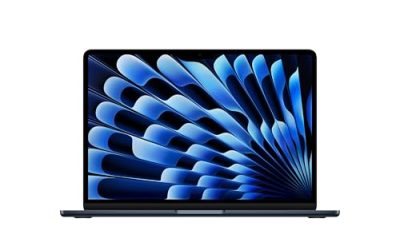
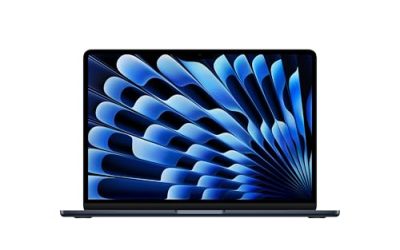
The 13-inch Air is the natural home for the native Mac edition. Its listing pairs the M4 chip with 16GB of unified memory and a 256GB SSD, which covers the Mac minimum block many times over: the game asks for a 1.2 GHZ processor and 250 MB of RAM under an operating system line that prints just “12.6.” At 2.73 pounds it is the lightest pick here, so it suits players who carry their laptop daily and play in short bursts. The 13.6-inch Liquid Retina display keeps the game’s dense text sharp, and Touch ID signs you back in quickly between sessions.
MacBook Air 15 M4
- Best for: readers who play long sessions and want the largest screen in the Mac lineup here.
- Chip: Apple M4, 10-core CPU, 10-core GPU
- Memory: 16GB unified memory
- Storage: 512GB SSD
- Display: 15.3-inch Liquid Retina, 2880 x 1864, 500 nits
readers who play long sessions and want the largest screen in the Mac lineup here.
this is a family listing with several memory, storage and color combinations, so check that the configuration selected on the page is the 16GB and 512GB build before you order.
Choose the 15-inch Air when the screen matters more than the last few ounces of weight. This listing combines the M4 chip with 16GB of unified memory and a 512GB SSD, double the storage of the 13-inch pick, behind a 15.3-inch Liquid Retina display at 2880 x 1864. For a game read as much as played, that extra width makes long dialogue passages and inventory screens easier on the eyes. It runs the same native Mac build, so the published Mac minimum, an operating system line of “12.6” with 250 MB of RAM, is cleared with the same huge margin as its smaller sibling.
Lenovo Yoga Slim 7x
- Best for: travelers who want a slim, light Windows laptop with a large battery.
- Processor: Snapdragon X Elite X1E-78-100, 12 cores, up to 3.4 GHz
- Memory: 32GB LPDDR5X, soldered
- Storage: 1TB SSD, M.2 2242 PCIe Gen4
- Display: 14.5-inch 3K OLED touch, 2944 x 1840, 90Hz, 1000 nits as listed
travelers who want a slim, light Windows laptop with a large battery.
confirm you are comfortable running the Windows edition through ARM translation; players who want a native build should pick one of the Mac or x86 Windows machines instead.
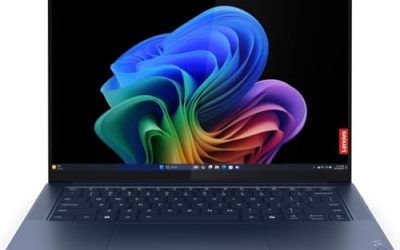
The Yoga Slim 7x is the Windows pick for people who move around. Its listing names a Snapdragon X Elite X1E-78-100 processor with 12 cores, 32GB of LPDDR5X memory and a 1TB SSD, all in a 2.82-pound Cosmic Blue chassis with a 70Wh battery. One honest caveat shapes this pick: it runs Windows 11 Pro on ARM, and the game’s Windows build is written for conventional x86 processors, so on this machine it runs through the Windows translation layer rather than natively. For a 2D game with a 1.2 GHZ minimum line that is a practical route, but it is not the same as a native build.
ASUS Zenbook 14 OLED
- Best for: Windows players who want an OLED screen and a native x86 build in a slim body.
- Processor: AMD Ryzen 7 8840HS, 8 cores, 16 threads
- Graphics: Radeon 780M integrated
- Memory: 16GB LPDDR5X
- Storage: 512GB Gen 4 SSD
Windows players who want an OLED screen and a native x86 build in a slim body.
this listing bundles a Mytrix accessory and its headline mentions Thunderbolt 4, so read the port list on the page carefully and confirm exactly what arrives in the box.
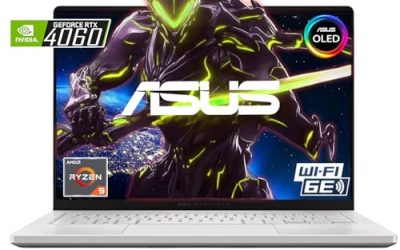
The Zenbook is the x86 Windows pick built around its screen. The listing gives a 14-inch WUXGA OLED touchscreen at 1920 x 1200 with 100 percent DCI-P3 coverage, driven by a Ryzen 7 8840HS with Radeon 780M integrated graphics, 16GB of LPDDR5X memory and a 512GB SSD. That integrated graphics chip shares system memory rather than holding its own, which is worth stating plainly, but the game’s graphics line is only 256 MB of VRAM, so the shared pool covers it comfortably. A 75Wh battery, listed at up to 17 hours, rounds out a machine aimed at long, quiet reading and playing sessions.
HP Victus 15
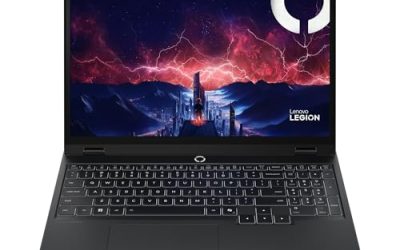
The Victus is the pick for buyers who want one laptop for Queen’s Wish and for far heavier games besides. This listing pairs a Ryzen 5 7535HS with a dedicated Radeon RX 6550M graphics card carrying 4 GB of its own GDDR6 memory, so the game’s 256 MB VRAM line is answered by hardware rather than a shared pool. It also carries 32GB of DDR5 memory, a 1TB NVMe SSD and a 15.6-inch Full HD screen running at 144Hz. At 5.06 pounds it is the heaviest machine here by a wide margin, which makes it a desk laptop first and a travel laptop second.
Specs
- Processor: AMD Ryzen 5 7535HS, 6 cores, 12 threads, up to 4.55 GHz
- Graphics: Radeon RX 6550M, 4 GB GDDR6 dedicated
- Memory: 32GB DDR5
- Storage: 1TB NVMe SSD
- Display: 15.6-inch FHD, 1920 x 1080, 144Hz, IPS, anti-glare
- Connectivity: Wi-Fi 6
- Keyboard: backlit, with numeric pad
- Operating system: Windows 11 Pro
- Weight: 5.06 pounds
- Color as listed: Mica Silver
Best for: desk-based players who also run demanding games and want dedicated graphics.
Watch out for: the listing describes the memory and storage as seller upgrades, so verify the 32GB and 1TB figures on the exact unit at checkout, since other Victus listings ship with less.
ASIN: B0DK1JHG13
Which One Fits Your Situation
You Play on a Mac and Want No Fuss
Take either MacBook Air and install the native Mac edition. The published Mac minimum is an operating system line of “12.6” with 250 MB of RAM, and both Air models ship with a far newer system and 16GB of memory. The 13-inch suits daily carrying at 2.73 pounds; the 15-inch suits a desk or sofa, where its wider screen makes the game’s long text passages easier to read.
You Travel and Play in Short Sessions
The Yoga Slim 7x and the MacBook Air 13 both weigh under three pounds and carry batteries sized for a day away from a desk, 70Wh in the Lenovo and a compact fanless build in the Apple. The difference is the edition: the Air runs the Mac build natively, while the Yoga runs the Windows build through ARM translation, which suits this game’s tiny published figures but is worth knowing before you buy.
You Want One Laptop for Every Game You Own
Pick the Victus 15. Queen’s Wish needs almost nothing, but the rest of a growing library may not, and the Victus answers with a dedicated Radeon RX 6550M, 32GB of memory and a 1TB SSD. The Zenbook 14 OLED is the lighter alternative in this situation: its integrated graphics and 16GB of memory still clear this game’s lines easily, and it halves the carrying weight.
You Read on Screen for Hours at a Time
Look at the displays first. The MacBook Air 15 spreads text across a 15.3-inch panel, the Zenbook’s OLED gives the strongest contrast for maps and menus, and the Victus adds an anti-glare finish that helps under bright room lighting. Any of the three clears the game’s requirements; the right choice is the screen your eyes prefer, at the size your desk or bag allows.
Common Mistakes
- Hunting for a higher recommended figure elsewhere: the Windows recommended tier prints only the 64-bit preamble and the Mac recommended tier is empty, so figures copied from other storefronts describe a different listing, not this one.
- Buying Queen’s Wish 2: The Tormentor by accident: it is a separate, later game with its own store page, and nothing from its requirements applies to this first game.
- Assuming a Linux edition exists because the record shows Linux headings: those fields are empty shells and the Linux platform flag is off, so there is no Linux build to plan around.
- Treating the Windows edition as native on an ARM laptop: on the Yoga Slim 7x it runs through the Windows translation layer, which is fine for this game but should not be assumed for every title.
- Paying for graphics power this game cannot use: the published line is 256 MB of VRAM, so a dedicated card is a choice for your other games, not a requirement here.
Frequently Asked Questions
Does Queen’s Wish: The Conqueror run on a Mac?
Yes. Steam sells a native Mac edition beside the Windows one. Its minimum block prints the operating system line as just “12.6,” alongside a 1.2 GHZ processor, 250 MB of RAM, 256 MB of VRAM and 400 MB of storage. Any current MacBook clears those figures easily, including both Air models in this guide.
Why is there no recommended specification to aim for?
Because the publisher left those tiers effectively blank. The Windows recommended tier prints only the line “Requires a 64-bit processor and operating system,” and the Mac recommended tier is a completely empty shell. There is no hidden higher figure to meet, so the minimum block is the whole requirement and every laptop here exceeds it.
Is this the first game, and does the sequel change anything?
This article covers the first game, released in 2019, in which a royal of the Haven empire is sent to reconquer its rebellious vassals. Queen’s Wish 2: The Tormentor is a separate game with its own store page and its own requirements. Owning or planning for the sequel changes nothing about the laptop this first game needs.
Do I need a gaming laptop for this game?
No. The published minimums are a 1.2 GHZ processor, 250 MB of RAM, 256 MB of VRAM and 400 MB of storage, which integrated graphics and entry-level processors clear without effort. A gaming laptop such as the Victus only makes sense if your wider library needs it. For this game alone, choose on screen, weight and battery.
More from Amazon
Programs that pair well with the guide above. Offers and eligibility are set by Amazon and may change.
A free business account with business pricing and bulk-buying tools for work, shop or home office.
Create a business accountFree shipping on eligible items, Prime Video and more. Eligible new members can start with a free trial.
Start a Prime free trialAudiobooks and podcasts to listen to on the go. Eligible new members can start with a free trial.
Try Audible freeAd-free music streaming. Eligible new subscribers can start with a free trial.
Try Music Unlimited freeAs an Amazon Associate we earn from qualifying purchases.



Write Your Review
No reviews yet. Be the first to share your experience!