

Our Top Picks
 acer Aspire 3 A315-24P-R7VH Slim Laptop15.6-inch14.29 x 0.74 x 9.35 inches3.92 poundsCheck on Amazon
A student laptop under $500 has one job: show up every day, open your notes, run your tabs, and still have battery left for the last class. The good news is that $500 buys a genuinely capable machine in November 2026: NVMe storage, quad-core and even eight-core processors, and full HD IPS screens have all moved down into this price range. The bad news is that the same model name can hide a much weaker machine, and the cheapest listings still sell 4GB of RAM, slow eMMC storage, and dim 1366 x 768 screens.
Every laptop here was verified as a real listing on Amazon US in November 2026. Prices are snapshots from that month and change constantly, so check the current price on Amazon before you buy.
Our top picks
Best for: Most students, especially anyone who multitasks hard or codes
Check price on Amazon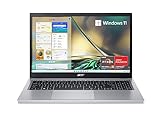
Best for: Students on the tightest budget who need a dependable Windows machine for classes and streaming
Check price on AmazonBest for: Students who want the nicest screen and keyboard under $500 and will check the exact part number
Check price on Amazon
Best for: Students who walk between classes and want a light, tough laptop
Check price on Amazon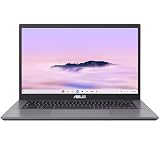
Best for: Browser-Based Students
Check price on AmazonQuick Picks
| Laptop | Best For | Key Specs | Price Note |
|---|---|---|---|
| HP 15 (15-fc0502nr) | Most students overall | Ryzen 7 5825U, 8GB RAM, 512GB SSD, 15.6″ FHD | Around $409–$499 |
| Acer Aspire 3 (A315-24P-R7VH) | Tightest budget | Ryzen 3 7320U, 8GB RAM, 256GB SSD, 15.6″ FHD IPS | Around $346 |
| Lenovo IdeaPad Slim 3 15AMN8 (82XQ00RSUS) | Best screen and keyboard | Ryzen 5 7520U, 8GB RAM, 512GB SSD, 15.6″ FHD touch IPS | Around $483 |
| ASUS Vivobook Go 15 (E1504FA-AS54) | Lightest carry, toughest build | Ryzen 5 7520U, 8GB RAM, 512GB SSD, 15.6″ FHD | Around $450 |
| ASUS Chromebook Plus CX34 | Browser-based students | Intel Core i3, 8GB RAM, 128GB storage, 14″ FHD | Around $350 |
How to Choose a Student Laptop Under $500
Start with RAM and storage, not the brand
Eight gigabytes of RAM is the minimum on Windows 11 in 2026. With 4GB, a dozen browser tabs plus a word processor will start swapping to disk and everything stutters. A 256GB NVMe SSD is the floor; 512GB is better, because Windows updates and class files fill a small drive fast. Avoid eMMC storage entirely — slow, phone-style storage soldered to the board — and avoid 128GB drives on Windows, which are full by spring.
Get a full HD IPS screen
A 1920 x 1080 IPS panel is the other non-negotiable. The older 1366 x 768 TN panels still sold at this price are dim, wash out at an angle, and cramp split-screen work. Brightness matters too: 250 nits is usable indoors, 300 nits is better near a window.
Processor, battery, and weight
At this budget you will mostly see AMD Ryzen 3, Ryzen 5, and Ryzen 7 5000-series chips, plus Intel Core i3-N305 and Core 3 processors. For essays, research, spreadsheets, and video calls, any of these is fine. The differences show up in heavier work: the eight-core Ryzen 7 5825U in our top pick handles coding and heavy multitasking far better than a quad-core chip. Chip names are misleading: a Ryzen 5 7520U uses older Zen 2 architecture, and a higher model number is not automatically faster.
A 15.6-inch laptop is the standard student size: expect 1.6 to 1.8 kg and 5 to 9 hours of real-world battery life. If your day is back-to-back classes with no outlet, prioritize battery life and weight over raw speed. A backlit keyboard is also worth having for late-night library sessions.
Windows or ChromeOS?
Windows is the safe default: it runs everything, including the desktop versions of Office, Zoom, and any specialist software your course requires. ChromeOS is faster on weak hardware and ideal if your classes run on Google Docs, Canvas, and web tools — but it cannot run Windows-only software. Check what your course requires before choosing a Chromebook.
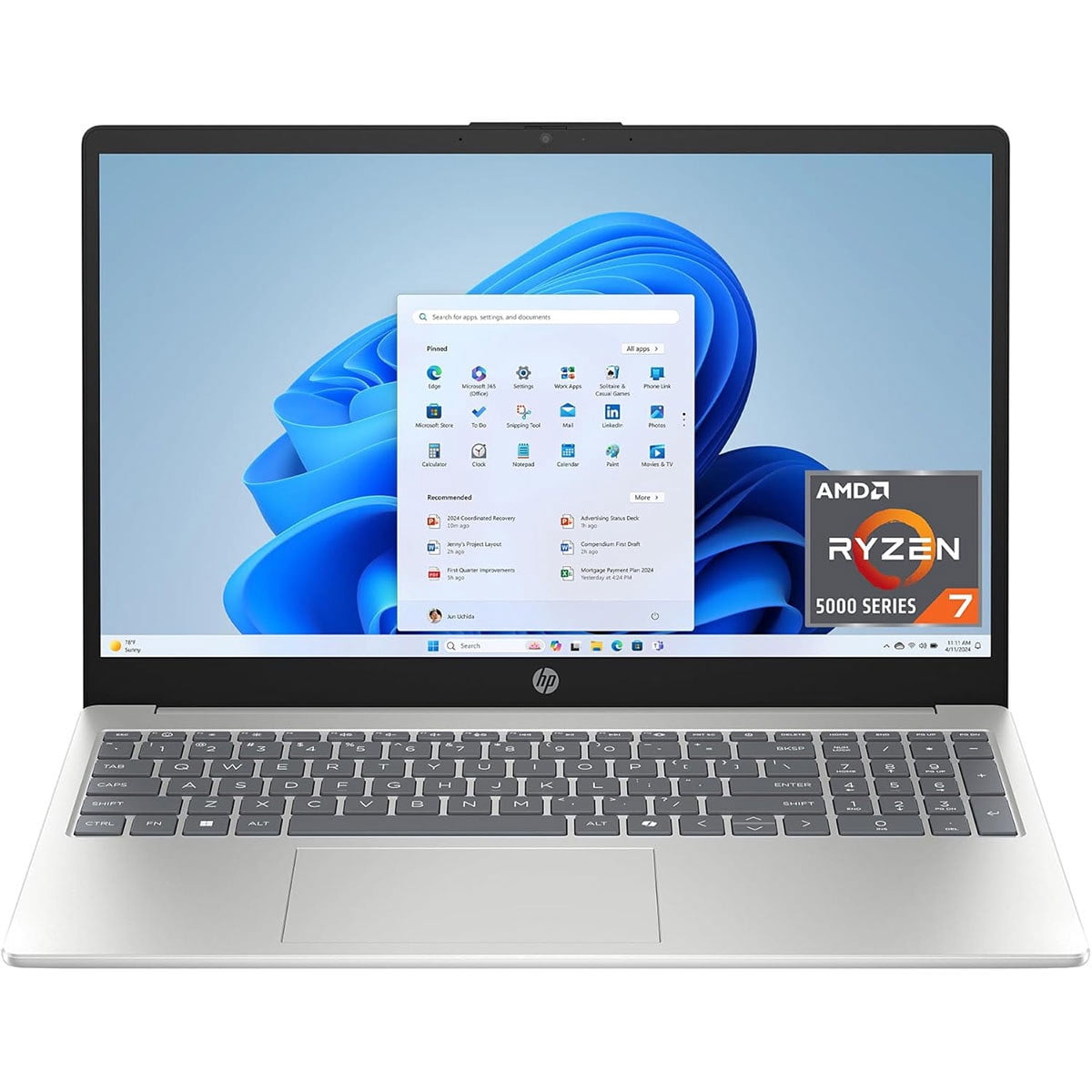
1. HP 15 (15-fc0502nr) — Best Overall
Specs: AMD Ryzen 7 5825U (8 cores, up to 4.5GHz), 8GB DDR4 RAM, 512GB PCIe Gen4 NVMe SSD, 15.6-inch Full HD anti-glare display, Windows 11 Home, Wi-Fi 6, 1.75 kg.
The HP 15 (15-fc0502nr) is the outlier in this price range. An eight-core Ryzen 7 processor normally shows up in machines closer to $700; here it sits under $500 — so heavy multitasking stays smooth with research tabs, a word processor, and a video call open at once. The 512GB Gen4 NVMe SSD is fast and roomy, and the 15.6-inch Full HD anti-glare screen is large enough for split-screen work.
Pros:
- Rare eight-core Ryzen 7 5825U under $500
- Fast 512GB Gen4 NVMe SSD
- Large Full HD anti-glare display
- Light at 1.75 kg for a 15.6-inch machine
Cons:
- 8GB of RAM is soldered in some configurations
- Screen is around 250 nits — fine indoors, weak in bright light
- USB-C port is data-only: no charging, no video output
- Battery life is around 5–6 hours
Best for: Most students, especially anyone who multitasks hard or codes.
Price note: Seen around $409 on Amazon in early 2026, and near $499 in November 2026 roundups. Check the current price on Amazon.
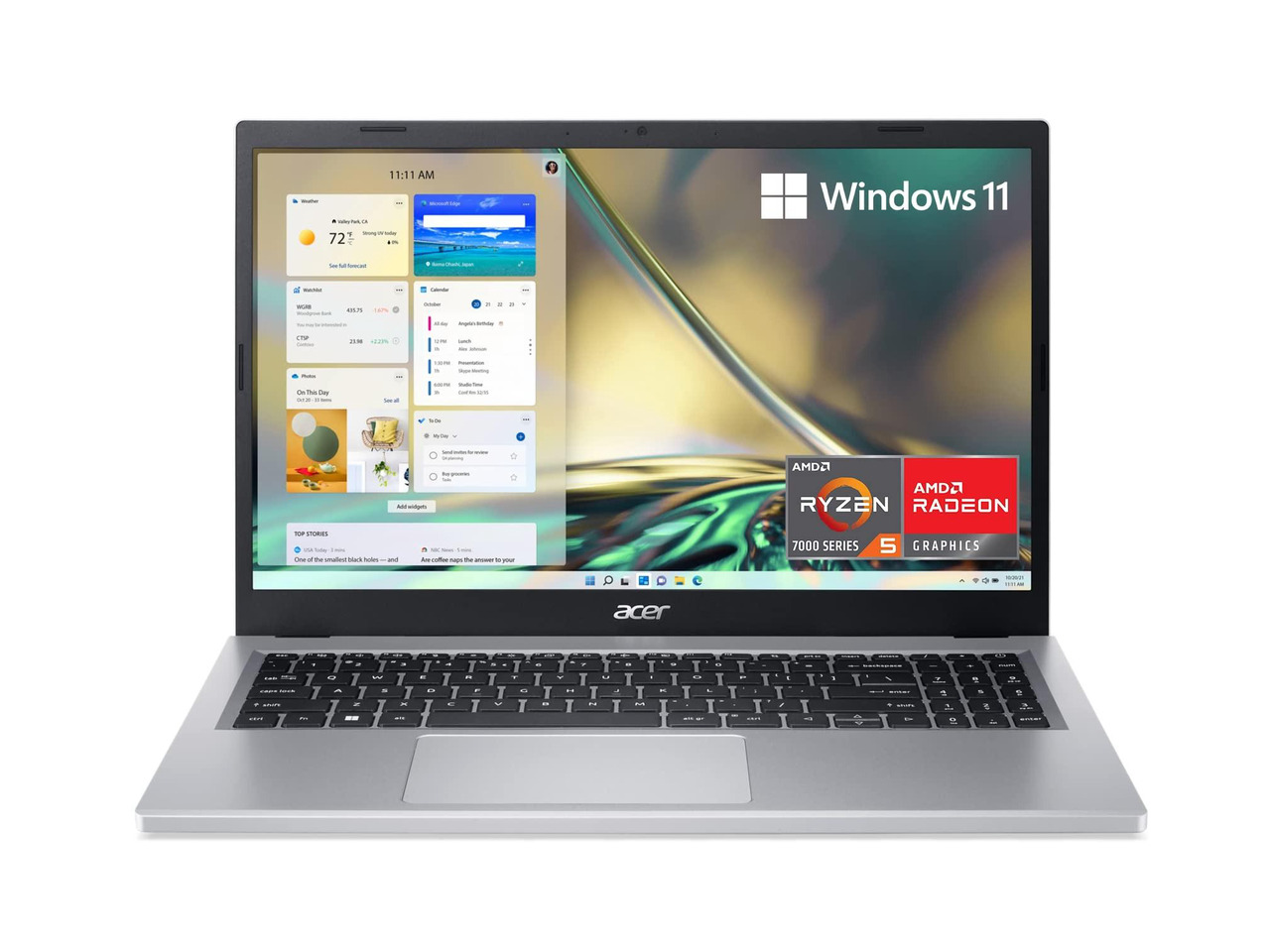
2. Acer Aspire 3 (A315-24P-R7VH) — Best Budget Pick
Specs: AMD Ryzen 3 7320U (4 cores, up to 4.1GHz), 8GB LPDDR5 RAM, 256GB NVMe SSD, 15.6-inch Full HD IPS display, Windows 11 Home in S mode, Wi-Fi 6, around 1.7 kg.
If your budget is truly tight, the Acer Aspire 3 A315-24P-R7VH is the cheapest real Windows laptop with a decent screen. At around $346 on Amazon in November 2026, it still gives you 8GB of fast LPDDR5 memory and a full HD IPS display — the two specs that matter most. The Ryzen 3 7320U handles essays, research, streaming, and video calls without drama, and its 4,681 verified Amazon ratings average 4.2 stars.
Pros:
- Lowest price in this guide for a proper Windows laptop
- Full HD IPS display, not a dim TN panel
- 8GB of fast LPDDR5 memory
- Thousands of verified owner reviews
Cons:
- Ships in Windows 11 S mode — switching out is free but one-way
- 256GB of storage is workable but tight; budget for cloud storage
- Some owners report a BIOS quirk that limits performance on battery until updated
- No backlit keyboard
Best for: Students on the tightest budget who need a dependable Windows machine for classes and streaming.
Price note: Around $346 on Amazon in November 2026, and below $300 during past sales. Check the current price on Amazon.
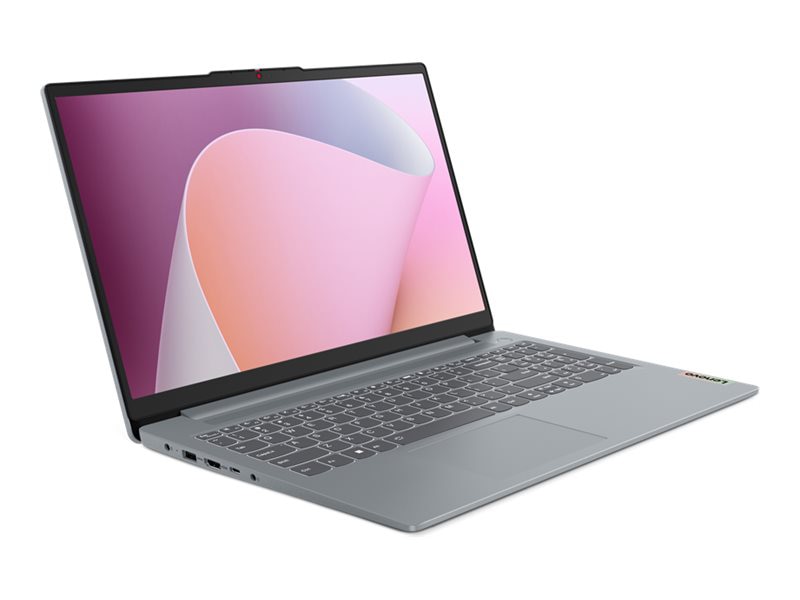
3. Lenovo IdeaPad Slim 3 15AMN8 (82XQ00RSUS) — Best Screen and Keyboard
Specs: AMD Ryzen 5 7520U (4 cores, up to 4.3GHz), 8GB LPDDR5 RAM, 512GB NVMe SSD, 15.6-inch Full HD IPS touchscreen (300 nits), backlit keyboard, fingerprint reader, Windows 11 Home.
The Lenovo IdeaPad Slim 3 15AMN8 is the most polished laptop in this guide. Its 300-nit IPS touchscreen is brighter than the rest of this list, and the difference shows near a window. The backlit keyboard, fingerprint reader, and webcam shutter are features that usually cost more. Under the hood, the Ryzen 5 7520U with 8GB of RAM and a 512GB SSD is a proven combination: fast enough for dozens of tabs and smooth for office apps.
Pros:
- Brightest screen in this guide at 300 nits, with touch
- Backlit keyboard and fingerprint reader
- 512GB SSD — no storage anxiety
- Webcam privacy shutter
Cons:
- 8GB of RAM is soldered and cannot be upgraded
- The same “IdeaPad Slim 3 15AMN8” name is sold with weaker screens and slower chips — buy by part number 82XQ00RSUS
- Some configurations ship with a dimmer 250-nit TN screen
- Ryzen 5 7520U uses older Zen 2 architecture
Best for: Students who want the nicest screen and keyboard under $500 and will check the exact part number.
Price note: Around $483 on Amazon in November 2026. Check the current price on Amazon, and confirm part number 82XQ00RSUS.
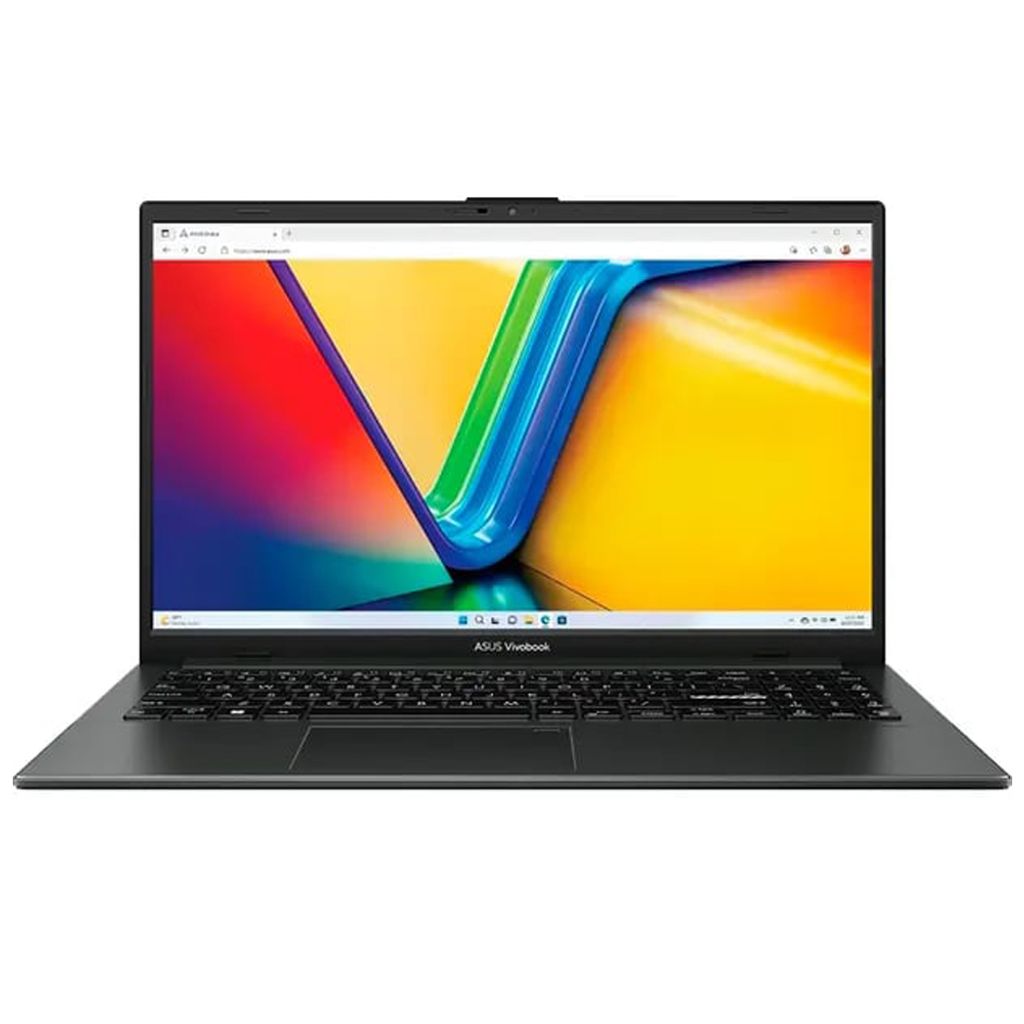
4. ASUS Vivobook Go 15 (E1504FA-AS54) — Best Portable All-Rounder
Specs: AMD Ryzen 5 7520U (4 cores, up to 4.3GHz), 8GB DDR5 RAM, 512GB NVMe SSD, 15.6-inch Full HD display (16:9), MIL-STD-810H durability rating, Windows 11 Home, 1.63 kg.
The ASUS Vivobook Go 15 is the laptop to buy if your bag takes a beating. Its MIL-STD-810H durability rating means it survives the drops and bumps of campus life better than most budget machines. At 1.63 kg, it is also the lightest 15.6-inch Windows laptop in this guide. Performance is the familiar Ryzen 5 7520U with 8GB of RAM and a 512GB SSD, the same combination as the Lenovo above.
Pros:
- MIL-STD-810H durability rating for campus life
- Lightest 15.6-inch pick here at 1.63 kg
- 512GB SSD and USB-C charging
- Low blue-light screen for long sessions
Cons:
- Screen is dimmer than the Lenovo’s 300-nit panel
- No backlit keyboard on most configurations
- Basic speakers — fine for calls, weak for music
- Same older Zen 2 chip as the Lenovo
Best for: Students who walk between classes and want a light, tough laptop.
Price note: Around $450 on Amazon in November 2026. Check the current price on Amazon.
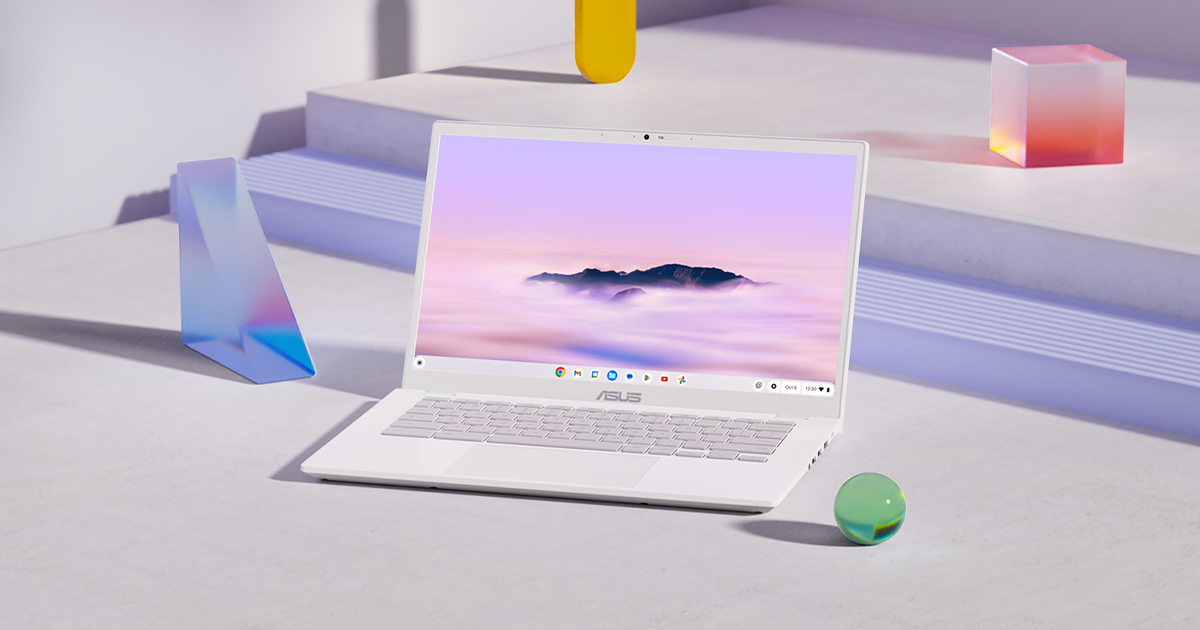
5. ASUS Chromebook Plus CX34 — Best for Browser-Based Students
Specs: Intel Core i3 processor, 8GB RAM, 128GB storage, 14-inch Full HD display, ChromeOS, around 1.4 kg.
Not every student needs Windows. If your classes run on Google Docs, Canvas, Gmail, and web apps, the ASUS Chromebook Plus CX34 is the fastest-feeling machine in this guide for the money. ChromeOS boots in seconds and stays quick on hardware that would make Windows feel slow. At around $350 on Amazon in November 2026, it leaves money in your budget for a mouse or a sleeve. The “Plus” badge guarantees at least 8GB of RAM, a Full HD display, and a faster processor than a basic Chromebook.
Pros:
- Fastest, simplest experience for web-based coursework
- Lightest pick in this guide at around 1.4 kg
- 1080p webcam and 8GB of RAM as standard
- Excellent battery life, typically 10 hours or more
Cons:
- Cannot run Windows-only software — check your course requirements first
- 128GB of storage is small, though ChromeOS leans on the cloud
- No Microsoft Office desktop apps (web versions only)
- Limited offline capability
Best for: Students whose coursework lives in the browser and who want the lightest, longest-lasting laptop under $500.
Price note: Around $350 on Amazon in November 2026. Check the current price on Amazon.
What to Avoid
4GB of RAM on Windows. It was barely enough in 2023 and it is not enough now. A Windows laptop with 4GB will stutter with a normal student workload.
eMMC storage. If a listing says eMMC instead of SSD, skip it. eMMC is slow, soldered, and cannot be upgraded — the single biggest reason cheap laptops feel cheap.
128GB drives on Windows. Windows updates alone will eat a 128GB drive. Get 256GB at minimum; 512GB is the comfortable choice.
1366 x 768 screens. The resolution is cramped for split-screen work, and these panels are almost always dim TN displays with poor viewing angles. Full HD IPS is the floor.
Buying by model name alone. The Lenovo IdeaPad Slim 3, the Acer Aspire 3, and the HP 15 are all sold in many configurations under the same name. One variant has a bright IPS screen and 512GB of storage; another has a dim TN screen and 128GB of eMMC. Always buy by the exact model or part number, and check the screen, RAM, and storage before you pay.
“Renewed” listings priced like new ones. Renewed laptops can be great value, but only when the discount reflects the condition. A renewed machine at 90% of the new price is a bad deal, and renewed units can arrive with worn batteries.
FAQ
What is the best laptop for students under $500?
For most students, the HP 15 (15-fc0502nr) is the best laptop under $500 in November 2026, because its eight-core Ryzen 7 processor and 512GB Gen4 SSD normally cost $700. If your budget is tighter, the Acer Aspire 3 A315-24P-R7VH at around $346 is the best cheap student laptop, and the Lenovo IdeaPad Slim 3 15AMN8 has the best screen and keyboard in this guide.
Is 8GB of RAM enough for a student laptop?
Yes, 8GB of RAM is enough for most student work in 2026 — essays, research with many browser tabs, spreadsheets, and video calls all run fine. Avoid 4GB on Windows, and consider 16GB only for virtual machines, heavy data analysis, or video editing.
Is a Chromebook good enough for college?
A Chromebook is good enough if your courses use web-based tools such as Google Docs, Canvas, and Gmail. It boots fast, lasts all day, and is lighter than most Windows laptops. It is not enough if your course requires Windows-only software such as full desktop Office, SPSS, or AutoCAD — check with your department first.
Should I buy a laptop with a touchscreen?
A touchscreen is a nice bonus for annotating PDFs and scrolling, but it is not essential. Do not pay a large premium for it, and do not accept a worse screen or less storage just to get touch.
When is the best time to buy a student laptop under $500?
The biggest discounts land at back-to-school season and Black Friday week. The prices in this guide are November 2026 snapshots — if a pick is above $500 when you check, wait a few days, because these models regularly dip back under the line.
Verdict
The best laptop for students under $500 is the HP 15 (15-fc0502nr). An eight-core Ryzen 7 processor and a fast 512GB Gen4 SSD under $500 is a combination no other laptop here matches, and it is the machine most likely to still feel fast in your third year.
If money is tight, buy the Acer Aspire 3 (A315-24P-R7VH) — the cheapest real Windows laptop here, with a full HD IPS screen and 8GB of RAM. For the nicest screen and keyboard, get the Lenovo IdeaPad Slim 3 15AMN8 (82XQ00RSUS), but buy by that exact part number. And if your academic life happens in a browser, the ASUS Chromebook Plus CX34 is lighter, faster-feeling, and cheaper than any Windows machine here.
Check the exact configuration in the listing before you buy — the model name alone is never enough at this price — and confirm the current price on Amazon.
As an Amazon Associate, we earn from qualifying purchases.
Suggested Internal Links
- Best Laptop for College Students Under $700
- Best Chromebook Under $300
- Best Laptop for Video Editing Under $1,000
More from Amazon
Programs that pair well with the guide above. Offers and eligibility are set by Amazon and may change.
A free business account with business pricing and bulk-buying tools for work, shop or home office.
Create a business accountFree shipping on eligible items, Prime Video and more. Eligible new members can start with a free trial.
Start a Prime free trialAudiobooks and podcasts to listen to on the go. Eligible new members can start with a free trial.
Try Audible freeAd-free music streaming. Eligible new subscribers can start with a free trial.
Try Music Unlimited freeAs an Amazon Associate we earn from qualifying purchases.










Write Your Review
No reviews yet. Be the first to share your experience!