

Our Top Picks
Eight hundred dollars is the first price where a college laptop stops being a compromise. Under $300, a usable new Windows laptop is rare. Under $400, only one or two models clear every bar at once. Under $800, 16GB of RAM, a 512GB SSD, a current-generation processor and an IPS screen can all fit in the same brand-new machine, with a warranty.
That matters more in November 2026 than it did a year ago: a memory shortage has pushed DRAM prices up sharply through 2026, and manufacturers are quietly cutting the memory in their cheapest machines. At $800 you can still lock in 16GB. Prices are November 2026 snapshots — check the current price on Amazon before buying.
Our top picks
Best for: Most college students — the default pick if you want the most laptop for the least money
Check price on Amazon
Best for: Students who want a desktop-sized screen in a laptop, and who mostly work at a desk or in a library
Check price on AmazonBest for: Commuters who want ultrabook feel and the strongest CPU under $800, and who will wait for the sale price
Check price on Amazon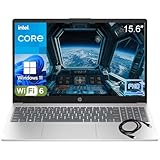
Best for: Students who want a big screen and 16GB of RAM for the least money, and who do not need the newest chip
Check price on Amazon
Best for: Students on a hard $550 ceiling who want a dependable Dell and a taller screen, and who keep their tab count under control
Check price on AmazonQuick Picks
| Laptop | CPU | RAM / Storage | Screen | Price checked Nov 2026 |
|---|---|---|---|---|
| Acer Aspire 14 AI | Core Ultra 5 226V | 16GB / 512GB | 14″ WUXGA IPS | $598 |
| Lenovo IdeaPad Slim 5i 16 | Core Ultra 5 322 | 16GB / 512GB | 16″ WUXGA IPS | $649.99 |
| Acer Swift Go 14 | Core Ultra 7 155H | 16GB / 512GB | 14″ WUXGA touch | ~$799 on sale |
| HP Pavilion 15 | Ryzen 5 5500U | 16GB / 512GB | 15.6″ FHD touch | $549.99 |
| Dell Inspiron 14 5440 | Core i5-1334U | 8GB / 512GB | 14″ FHD+ IPS | $549 |
How to Choose a Laptop for College Students
CPU: the floor is a modern 6-core chip
For mainstream coursework — Word, Excel, 30 Chrome tabs, Zoom, and the occasional Photoshop or coding assignment — aim for at least a Core i5 / Ryzen 5 from the current or previous generation. Every pick here clears that bar.
RAM: 16GB is the rule in late 2026
In late 2026, buy 16GB of RAM or do not buy the laptop. DRAM prices have roughly doubled as AI data centers bought up memory supply, and analysts do not expect relief before late 2027. Four of the five picks here ship with 16GB. The fifth, the Dell Inspiron 14 5440, ships with 8GB at $549 — the cheapest way into a solid 14-inch machine, but 8GB is the compromise.
Storage: 512GB NVMe SSD, nothing slower
A 512GB NVMe SSD is the floor. Anything with eMMC storage at this price is a trap — eMMC is phone-grade storage that turns a decent CPU into a slow machine, and it still shows up in listings under $800.
Screen: IPS, Full HD, 250 nits minimum
Every screen here is IPS, which means wide viewing angles and honest colors. The floor is 1920×1080 (or 1920×1200 on the 14-inch 16:10 models), and 250 nits is the minimum for a classroom with windows. Avoid TN panels, which wash out the moment you tilt the screen, and anything sold as “HD” at 1366×768.
Battery life, weight, and warranty
The Aspire 14 AI is the battery champion — reviewers consistently call its battery life exceptional for the price. The Swift Go 14 is the portability champion at 2.87 lb with dual Thunderbolt 4 ports. Every pick carries a one-year manufacturer warranty; Costco’s IdeaPad Slim 5i 16 adds a two-year warranty and a 90-day return policy.
1. Acer Aspire 14 AI (A14-52M-51S1) — Best Overall
Specs: Intel Core Ultra 5 226V (8 cores); 16GB LPDDR5X; 512GB PCIe Gen 4 SSD; 14″ WUXGA IPS; Intel Arc 130V; Thunderbolt 4; Wi-Fi 6E; 3.1 lb. Price checked November 2026: $598 (Amazon listings $598–$649).
The Aspire 14 AI gets the fundamentals right and charges the least for them. The Core Ultra 5 226V is a current-generation Copilot+ chip with a 40 TOPS NPU, the 16GB of LPDDR5X memory is the amount this price band demands in late 2026, and the 512GB Gen 4 SSD is fast.
The honest caveats: the 226V is weak by modern standards for heavy work — fine for coursework, coding and light photo editing, but not a video-editing or gaming chip. The 16GB of RAM is soldered, so there is no upgrade path. And the Aspire 14 AI name covers many configs: the 1TB touch version (A14-52MT-59DP) lists at $699.99 at Acer’s store and $749 at Newegg Check the full model number — the config is the product.
Pros: Cheapest 16GB current-gen laptop here; exceptional battery life; Thunderbolt 4; 3.1 lb.
Cons: CPU is weak for heavy workloads; RAM soldered at 16GB; screen has limited color coverage; many configs share the name.
Best for: Most college students — the default pick if you want the most laptop for the least money.
2. Lenovo IdeaPad Slim 5i 16 — Best Big Screen
Specs: Intel Core Ultra 5 322 (6 cores); 16GB DDR5; 512GB PCIe Gen 4 SSD; 16″ WUXGA IPS; Wi-Fi 7; backlit keyboard. Price checked November 2026: $649.99 (Slickdeals, November 6, 2026; list $1,350).
If you want the biggest screen under $800, this is it. A 16-inch 16:10 display gives spreadsheets, split-screen research and code editors real room, and the Core Ultra 5 322 with 16GB of DDR5 and a 512GB Gen 4 SSD is a current-generation platform with Wi-Fi 7 — the only pick here with the newest wireless standard.
The honest caveats: it is the heaviest pick here, around 4.2 lb, and you will feel that in a backpack by the third class of the day. The screen is a standard 300-nit IPS panel — fine indoors, not great in bright light, with no OLED option at this price. Costco sells a very similar configuration for $699 with a touchscreen, a 120Hz refresh rate and better colors, plus a two-year warranty and 90-day returns.
Pros: Biggest screen under $800; current-gen chip with Wi-Fi 7; 16GB DDR5.
Cons: Heaviest pick here; standard 300-nit screen; Costco’s $699 version is arguably better; many configs share the name.
Best for: Students who want a desktop-sized screen in a laptop, and who mostly work at a desk or in a library.
3. Acer Swift Go 14 (SFG14-73T-78YK) — Best Portable Workhorse
Specs: Intel Core Ultra 7 155H (16 cores); 16GB LPDDR5X; 512GB PCIe Gen 4 SSD; 14″ WUXGA IPS touchscreen; Intel Arc graphics; dual Thunderbolt 4; Wi-Fi 7; 2.87 lb. Price checked November 2026: ~$799 on sale (list $1,049.99 — check before buying).
The Swift Go 14 is the thin-and-light to beat under $800 — when it is actually on sale. The Core Ultra 7 155H is the fastest CPU in this guide, with 16 cores and Arc graphics that handle light creative work the other picks cannot.
The honest caveats are all about price. The list price is $1,049.99, and Amazon’s price for the 512GB build has swung from $549 at its lowest to $1,049.99 in mid-November 2026 — the $799 figure is a sale price, not a standing one, so verify it live before checkout. The RAM and storage are soldered, so there is no upgrade later. And there is a trap listing: one Amazon listing (B0D78QPSSC) is the 8GB version of the same laptop — same name, half the memory.
Pros: Fastest CPU here; lightest pick at 2.87 lb; touchscreen; dual Thunderbolt 4; Wi-Fi 7.
Cons: Price swings $549–$1,049.99 — $799 is a sale price, not a guarantee; RAM and storage soldered; 8GB trap listing shares the name.
Best for: Commuters who want ultrabook feel and the strongest CPU under $800, and who will wait for the sale price.
4. HP Pavilion 15 — Best Everyday 15.6-Inch Laptop
Specs: AMD Ryzen 5 5500U (6 cores); 16GB RAM; 512GB SSD; 15.6″ FHD IPS touchscreen, 250 nits; Bang & Olufsen audio. Price checked November 2026: $549.99 (8% off, list $599.99).
The Pavilion 15 is the reliable mid-tier choice: not the fastest, not the flashiest, but a consistent performer for note-taking, writing, Zoom and web research, with the cheapest 16GB configuration in this guide.
The honest caveats: the Ryzen 5 5500U is a 2022-era Zen 3 chip, the oldest silicon in this guide, and it shows in heavy multitasking next to the Core Ultra machines. The 250-nit screen is the dimmest here. The memory is DDR4, not DDR5, and HP sells the Pavilion 15 name in many configs — including 8GB versions and a Ryzen 5 7530U variant reported at $827, over budget. Buy the 16GB/512GB config at $549.99, and do not pay more for the same name.
Pros: Cheapest 16GB pick here; big touchscreen; good speakers.
Cons: Oldest CPU here (2022 Zen 3); dimmest screen at 250 nits; DDR4 memory; many configs share the name.
Best for: Students who want a big screen and 16GB of RAM for the least money, and who do not need the newest chip.
5. Dell Inspiron 14 5440 — Best Budget 14-Inch Laptop
Specs: Intel Core i5-1334U (10 cores); 8GB DDR5; 512GB SSD; 14″ FHD+ IPS, 16:10; onsite service included. Price checked November 2026: $549 (Amazon US, November 16, 2026; list $884.99).
The Inspiron 14 5440 is the cheapest way into a solid, brand-name 14-inch laptop with a 16:10 screen — and the price history proves it is a deal: this exact configuration has sold as low as $299.99, averaged $438, and sits at $549 in November 2026.
The honest caveats: 8GB of RAM. That is the compromise, stated plainly. In late 2026, with DRAM prices climbing, 8GB is the floor for Windows 11, not a comfortable amount — 30 Chrome tabs plus Zoom plus Word will use all of it. The 16GB version of this same laptop (Core 5 120U, 16GB DDR5, 512GB) exists, but its verified US pricing sits higher, so if you buy the $549 machine, you are buying 8GB on purpose. Buy this one if $549 is the real ceiling — not if you can stretch to $598 for the Aspire 14 AI’s 16GB.
Pros: Cheapest 14-inch pick; 16:10 IPS screen; 10-core CPU; onsite service.
Cons: Only 8GB of RAM when 16GB is the rule; weakest integrated graphics here; 16GB version costs more.
Best for: Students on a hard $550 ceiling who want a dependable Dell and a taller screen, and who keep their tab count under control.
What to Avoid
4GB of RAM and eMMC storage. At $800, any laptop with 4GB of RAM or eMMC storage is a leftover, not a deal. Both still appear in listings under this budget, usually on no-name brands. A 4GB Windows 11 machine stutters opening a second browser tab. Do not buy one.
TN panels and 1366×768 screens. A TN panel washes out the moment you tilt the screen, and a 1366×768 “HD” display at $800 is a panel from a cheaper era. Every pick here is IPS at 1920×1080 or better. If a listing does not say IPS, assume it is not.
The same name, a different machine. This is the biggest trap at $800 in November 2026. The Swift Go 14 has an 8GB listing under the same name. The Aspire 14 AI has a dozen configs from $598 to $1,099.99. The Pavilion 15 has 8GB versions and a $827 variant. Always match the full model number — A14-52M-51S1, SFG14-73T-78YK — to the screen, RAM, SSD and price you expect.
Gaming laptops, MacBooks and OLED flagships that are not under $800. The HP Victus 15 with a real RTX card is the only genuine gaming option near this price, but Best Buy’s early Black Friday listings show it at $949.99 — buy it when it dips under $800, not before. A new MacBook Air M5 now starts at $1,299 after the June 2026 price hike, and the ASUS Vivobook S 14 OLED with a current chip lists at $899.99 and up.
FAQs
Is 16GB of RAM really necessary for college?
Yes, in late 2026. Windows 11, a browser with 20 tabs, Zoom and Word open at once will use 10–12GB before you open anything else. With 8GB, the machine starts swapping to the SSD and everything slows down.
Is $800 enough for a laptop that lasts four years?
Yes, if you buy the right specs: a current-generation Core i5 / Ryzen 5 or better, 16GB of RAM, a 512GB NVMe SSD and an IPS screen. The Aspire 14 AI and IdeaPad Slim 5i 16 both meet that bar. What kills a laptop in year three is not the CPU — it is running out of memory or storage.
Should I buy a Chromebook instead?
Only if every class app runs in a browser. A Chromebook under $300 is fine for writing, research and video calls. But if your major needs Windows or Mac software — engineering tools, Adobe apps, accounting software, proctored exam software — a Chromebook cannot run it, and no price makes up for that.
Which laptop lasts longest on battery?
The Acer Aspire 14 AI, by a clear margin: reviewers consistently call its battery life exceptional for the price. The Swift Go 14 and IdeaPad Slim 5i 16 are solid all-day machines in normal use.
Verdict
The best laptop for college students under $800 is the Acer Aspire 14 AI (A14-52M-51S1). At $598 it is the cheapest current-generation 16GB laptop in this guide, with Thunderbolt 4, a 3.1 lb frame and the best battery life here. It is the default pick for most students.
If you want the biggest screen, buy the Lenovo IdeaPad Slim 5i 16 at $649.99 — a 16-inch display, Wi-Fi 7 and a current-gen chip, with Costco’s $699 touchscreen version as the smarter buy if you have a membership. If you want the lightest machine and the fastest CPU, the Acer Swift Go 14 is the pick — but only at its ~$799 sale price, never at its $1,049.99 list. If $550 is the real ceiling, the HP Pavilion 15 gives you 16GB and a big touchscreen for $549.99, while the Dell Inspiron 14 5440 gives you a dependable 14-inch Dell for $549 — with the honest trade-off of 8GB of RAM.
As an Amazon Associate, we earn from qualifying purchases.
Suggested internal links
- Best Laptop for College Students Under $300
- Best Laptop for College Students Under $400
- Best Laptop for College Students Under $600
More from Amazon
Programs that pair well with the guide above. Offers and eligibility are set by Amazon and may change.
A free business account with business pricing and bulk-buying tools for work, shop or home office.
Create a business accountFree shipping on eligible items, Prime Video and more. Eligible new members can start with a free trial.
Start a Prime free trialAudiobooks and podcasts to listen to on the go. Eligible new members can start with a free trial.
Try Audible freeAd-free music streaming. Eligible new subscribers can start with a free trial.
Try Music Unlimited freeAs an Amazon Associate we earn from qualifying purchases.










Write Your Review
No reviews yet. Be the first to share your experience!