

Our Top Picks
At $300, a college laptop is a compromise: 8GB of RAM if you are lucky, a dim screen, and storage you cannot upgrade. At $600, 16GB becomes the rule rather than the exception. At $900, something changes: this is the first price where a student laptop can have everything at once — a 2K OLED screen, a battery that lasts two full days of classes, a current-generation AI chip, and even a real graphics card for gaming after homework.
Every laptop below ships with 16GB of RAM and a proper SSD. All prices are November 2026 snapshots, checked against Meta Catalog data, manufacturer spec pages, and Amazon US listings — check the current price on Amazon before buying.
Our top picks

Best for: Students who want to leave the charger at home and carry the lightest bag on campus
Check price on Amazon
Best for: Students who want the biggest screen and the most storage for the least money
Check price on Amazon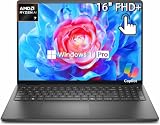
Best for: Students who want a big touchscreen and a machine they can upgrade later
Check price on Amazon
Best for: Students who edit photos or video, or play games on the side, and want the strongest integrated graphics under $900
Check price on AmazonQuick Picks
| Laptop | CPU | RAM / Storage | Screen | Weight | Price checked Nov 2026 |
|---|---|---|---|---|---|
| HP OmniBook 5 14 | Snapdragon X Plus | 16GB / 512GB | 14″ 2K OLED | ~3.0 lb | $859.99 |
| Acer Aspire 16 AI | Core Ultra 5 226V | 16GB / 1TB | 16″ WUXGA 120Hz touch | ~3.9 lb | $699.99 |
| Dell 16 (DC16255) | Ryzen 7 250 | 16GB / 512GB | 16″ FHD+ touch | ~4.2 lb | $799.99 |
| HP 16 | Ryzen AI 7 350 | 16GB / 512GB | 16″ FHD+ | ~4.0 lb | $889.99 |
| HP Victus 15 | i5-13420H / Ryzen 7 | 16GB / 512GB | 15.6″ FHD 144Hz | ~5.1 lb | $779.99 |
How to Choose a Laptop for College Students
The 16GB rule is now non-negotiable
If you remember one thing from this guide, make it this: in late 2026, buy 16GB of RAM or do not buy the laptop. A memory shortage has pushed DRAM prices up sharply through 2026 as AI data centers absorb supply, and manufacturers are quietly cutting the memory in their cheapest machines. Every pick here ships with 16GB — check the exact model number before checkout, because a cheaper config of the same name may cut the memory to 8GB.
CPU: current-gen AI chips are the floor, not the ceiling
Under $900 in November 2026, you are choosing between three families: Intel Core Ultra 5 (Lunar Lake, Arc graphics, 40+ TOPS NPU), AMD Ryzen AI 7 (8 cores, Radeon 860M graphics), and Qualcomm Snapdragon X Plus (ARM, 45 TOPS NPU). The differences that matter are battery life and software compatibility: Snapdragon machines last dramatically longer but run Windows on ARM, so check that your course software — CAD, statistics packages, engineering tools — has a native ARM version or runs acceptably through emulation before you buy one.
Storage, battery, screen, and weight
A 512GB SSD holds Windows, Office, a few semesters of files, and a modest game library. A 1TB drive, like the one in the Aspire 16 AI below, removes storage anxiety entirely.
Manufacturer battery claims are optimistic, so this guide leans on reviewer-measured figures where they exist — the OmniBook 5 14 below was measured at 34 hours and 48 minutes by PCMag, the longest laptop battery result they have ever recorded. For screens, 300 nits is the minimum for a bright classroom, IPS (or OLED) beats TN every time, and 1920 x 1200 beats 1366 x 768 by a mile.
1. HP OmniBook 5 14 — Best Overall
Specs: Snapdragon X Plus X1P-42-100 (8 cores, up to 3.4 GHz), 45 TOPS NPU, 16GB LPDDR5X (soldered), 512GB PCIe NVMe SSD, 14″ 2K (1920 x 1200) OLED, Wi-Fi 6E, 65W USB-C charging, Windows 11 Home. Price checked November 2026: $859.99 at Amazon; seen as low as $699.99 on HP’s own store.
The OmniBook 5 14 wins the two things students feel every day: battery life and screen quality. PCMag measured 34 hours and 48 minutes on its battery test — the longest result the publication has ever recorded. The 2K OLED panel brings deep blacks and vivid color.
The honest caveats: this is a Windows-on-ARM machine. Most modern apps run natively or through Microsoft’s Prism emulation layer, but some course software does not — if your major requires CAD, MATLAB, SPSS, or niche engineering tools, verify ARM compatibility first. The 16GB of RAM is soldered, and HP sells several OmniBook 5 14 configs, including a touch OLED 1TB version at $1,399.99 — confirm the exact SKU before checkout.
Pros: Record battery life (PCMag: 34h 48m); 2K OLED display; lightest pick at ~3 lb.
Cons: ARM compatibility — check course software first; 16GB RAM soldered; plastic keyboard deck; several configs share the same name.
Best for: Students who want to leave the charger at home and carry the lightest bag on campus.
2. Acer Aspire 16 AI — Best Big Screen
Specs: Intel Core Ultra 5 226V (8 cores, up to 5.0 GHz), Intel Arc 130V graphics, 40+ TOPS NPU, 16GB LPDDR5X, 1TB PCIe Gen4 NVMe SSD, 16″ WUXGA (1920 x 1200) IPS touchscreen, 120Hz, 65Wh battery, Wi-Fi 7, Windows 11 Home. Price checked November 2026: $699.99 (Acer.com list for the Core Ultra 5 226V / 16GB / 1TB touch config; CNET named it the best budget big-screen laptop at $691).
The Aspire 16 AI is the value pick of this guide: a current-generation Lunar Lake chip, 16GB of fast LPDDR5X memory, a full terabyte of storage, and a 16-inch 120Hz touchscreen — for $200 under the budget. The 120Hz panel makes scrolling noticeably smoother than the 60Hz screens on most budget laptops, and the 65Wh battery is generous for a 16-inch machine.
The honest caveats: the same-name trap is the biggest risk here. Acer sells the Aspire 16 AI with Intel, AMD Ryzen AI, and Qualcomm Snapdragon X processors, priced from $699.99 to $999.99 — the Snapdragon X version with 16GB and 1TB was listed around $689 on Amazon, while the Ryzen AI 5 version lists at $999.99. Match the exact model number (A16-52MT-53CW for the Intel version) to the specs you want.
Pros: 1TB SSD — the only pick here with a terabyte; 120Hz touchscreen; current-gen Lunar Lake chip; $200 under budget.
Cons: Three processor families share the “Aspire 16 AI” name — check the exact SKU; $699.99 config was out of stock on Acer’s store.
Best for: Students who want the biggest screen and the most storage for the least money.
3. Dell 16 (DC16255) — Best 16-Inch Touchscreen
Specs: AMD Ryzen 7 250 (8 cores, up to 5.1 GHz), Radeon 780M-class integrated graphics, 16GB DDR5 (1 x 16GB), 512GB M.2 2230 SSD, 16″ FHD+ (1920 x 1200) antiglare touchscreen, 300 nits, Wi-Fi 6, Windows 11 Home. Price checked November 2026: $799.99 at Dell.com for the Ryzen 7 250 / 16GB / 512GB touch config.
The Dell 16 is the straightforward pick: a big 16-inch touchscreen, an 8-core Ryzen 7, 16GB of DDR5, and a 512GB SSD, from the brand with the most familiar campus support network. The touchscreen suits annotating PDFs, and the 300-nit antiglare panel is bright enough for a classroom.
The honest caveats: the storage is a 2230-size M.2 SSD, the smaller form factor, so replacement and upgrade drives cost more per gigabyte and offer fewer choices than the standard 2280 size. The single 16GB stick also means the RAM runs in single-channel mode out of the box until you add a second stick.
Pros: 16-inch touchscreen; 8-core Ryzen 7; upgradeable RAM; 300-nit antiglare screen.
Cons: 2230-size SSD — pricier, fewer upgrade options; single-channel RAM until you add a second stick; ~4.2 lb.
Best for: Students who want a big touchscreen and a machine they can upgrade later.
4. HP 16 — Best AMD All-Rounder
Specs: AMD Ryzen AI 7 350 (8 cores, up to 5.0 GHz), Radeon 860M graphics, 50 TOPS NPU, 16GB DDR5, 512GB PCIe NVMe SSD, 16″ FHD+ (1920 x 1200) IPS, Wi-Fi 6E, Windows 11 Home. Price checked November 2026: $889.99 at Best Buy.
The HP 16 pairs the strongest integrated graphics in this guide — AMD’s Radeon 860M — with a current-generation Ryzen AI 7 chip, and that combination matters for students who do more than write essays. Light video editing, photo work, and casual gaming all run noticeably better on the 860M, and the 50 TOPS NPU makes it a full Copilot+ PC.
The honest caveats: the price sits just $10 under the ceiling, and the Best Buy listing at the time of checking was sold and shipped by a third-party marketplace seller, not by Best Buy itself — check who is fulfilling the order and what warranty support that means. The screen is a standard 60Hz IPS panel rather than the 120Hz display on the Aspire 16 AI.
Pros: Strongest integrated graphics here (Radeon 860M); current-gen Ryzen AI 7 with 50 TOPS NPU; 16-inch screen for side-by-side work.
Cons: $889.99 — only $10 under the ceiling; Best Buy listing fulfilled by a third-party seller; 60Hz screen, not 120Hz.
Best for: Students who edit photos or video, or play games on the side, and want the strongest integrated graphics under $900.
5. HP Victus 15 — Best for Gaming

Specs: Intel Core i5-13420H (10 cores) or AMD Ryzen 7 7445HS (8 cores), NVIDIA GeForce RTX 4050 6GB (up to 95W TGP), 16GB DDR5, 512GB NVMe SSD, 15.6″ FHD (1920 x 1080) IPS, 144Hz, backlit keyboard, Wi-Fi 6, Windows 11 Home. Price checked November 2026: $779.99 at Walmart (list $899.99); Best Buy $809; Amazon seen as low as $754.49 with very limited stock.
The Victus 15 is the only laptop in this guide with a real graphics card, and that changes what a student laptop can do. The RTX 4050 — with DLSS 3 frame generation and NVENC encoding — plays modern games at 1080p and accelerates video editing.
The honest caveats: the screen is the weak point. The cheapest Victus 15 configs use a 250-nit panel with only 45% NTSC color coverage — dim, washed-out, and a poor choice for photo or video work that needs accurate color. The price swings $754–$899 by seller and week, so do not pay over $800 for it.
Pros: Only real GPU here (RTX 4050, DLSS 3, NVENC); 144Hz display; 16GB RAM; genuinely under $900 on sale.
Cons: Base screen is 250 nits with 45% NTSC color — poor for visual work; heaviest pick at ~5.1 lb; fan noise under load; price swings $754–$899.
Best for: Students who game or edit video after class and can live with a heavy bag.
What to Avoid
4GB of RAM and eMMC storage. At $900, these should not exist — but they do, hiding in listings with big spec sheets and small print. A Windows laptop with 4GB of RAM and 64GB of eMMC storage will feel slow on day one and unusable by sophomore year. Every pick here has 16GB and a real SSD; accept nothing less.
TN panels sold as “HD”. A 1366 x 768 TN screen is the weakest display you can buy in 2026: narrow viewing angles, washed-out colors, and fuzzy text next to a 1080p IPS panel. If a listing does not say IPS or OLED, assume the worst and keep looking.
The same name, a different laptop. This is the biggest trap at $900. The Aspire 16 AI comes with three different processors, the OmniBook 5 14 in configs from $699.99 to $1,399.99, and the HP 16 and Dell 16 each have a dozen variants. Always match the exact model number — not just the name — to the specs you intend to buy.
No-name brands with big spec sheets. Catalog search results for this price band are full of unfamiliar brands promising 16GB and 1TB for $450. They cut corners on the screen, the battery, the keyboard, and — most importantly — warranty support.
Chromebooks for the wrong major. A Chromebook is a fine choice if every class app runs in a browser — and our Chromebook guides cover the good ones. But if your coursework needs Windows or macOS software, a Chromebook under $900 is the wrong machine at any price.
FAQs
Is 16GB of RAM really necessary for college?
Yes, in late 2026. With a browser, Office, Zoom, and a few background apps open, 8GB is already full — and DRAM prices have climbed steeply through 2026, so manufacturers are quietly shipping 8GB configs at prices that used to buy 16GB.
Can a laptop under $900 handle engineering or design coursework?
It depends on the software. For coding, writing, data analysis, and light CAD, yes — the Ryzen AI 7 and Core Ultra 5 picks here are genuinely capable. For heavy 3D rendering or professional video editing, the Victus 15’s RTX 4050 is the only pick with a real GPU, and even it is an entry-level card.
MacBook or Windows for college?
The Apple MacBook Neo starts at $699 ($649 through Apple’s education store) and is an excellent student laptop — it was the top pick in our under-$700 guide. But some coursework is Windows-only. If your classes are browser-based, the Neo is worth a look; if you need Windows, every pick here is a Windows machine.
Should I wait for a better sale?
Black Friday pricing is already live in November 2026, and several picks here — the OmniBook 5 14 at $699.99 on HP’s store, the Victus 15 at $779.99 — are at their sale prices now. Prices can dip further, but they can also rise as the memory shortage continues — if you find your pick at the listed price, buy it.
Verdict
The HP OmniBook 5 14 is the best laptop for college students under $900. At $859.99 on Amazon — or $699.99 on HP’s store — it pairs a 2K OLED display with the longest battery life PCMag has ever measured, in the lightest chassis in this guide.
If ARM worries you, buy the Acer Aspire 16 AI instead: a current-gen Intel chip, 16GB, 1TB of storage, and a 120Hz touchscreen for $699.99. The Dell 16 at $799.99 is the upgradeable touchscreen pick. The HP 16’s Radeon 860M at $889.99 is the strongest integrated-graphics option. And if you game, the HP Victus 15 is the only laptop here with a real GPU — buy it at $779.99 or below.
What $900 buys, honestly: 16GB of RAM, a proper SSD, a current-generation AI chip, and — for the first time in this series — a 2K OLED screen and a two-day battery.
As an Amazon Associate, we earn from qualifying purchases.
Suggested internal links
- Best Laptop for College Students Under $800
- Best Laptop for College Students Under $600
- Best Laptop for College Students Under $400
More from Amazon
Programs that pair well with the guide above. Offers and eligibility are set by Amazon and may change.
A free business account with business pricing and bulk-buying tools for work, shop or home office.
Create a business accountFree shipping on eligible items, Prime Video and more. Eligible new members can start with a free trial.
Start a Prime free trialAudiobooks and podcasts to listen to on the go. Eligible new members can start with a free trial.
Try Audible freeAd-free music streaming. Eligible new subscribers can start with a free trial.
Try Music Unlimited freeAs an Amazon Associate we earn from qualifying purchases.










Write Your Review
No reviews yet. Be the first to share your experience!