

Our Top Picks
 HP 14" Laptop Computer for 2026 Student Business4GB RAM + 628GB Storage12.76 x 8.86 x 0.71 Inches3.24 PoundsCheck on Amazon
 HP 14” Laptop Ultra-Portable Computer 2026 Student Business4GB RAM + 628GB Storage12.76 x 8.86 x 0.71 Inches3.24 poundsCheck on Amazon
 HP 14" Laptop 2025 Business Student Slim Computer16GB RAM + 628GB Storage12.76 x 8.86 x 0.71 inches3.24 poundsCheck on Amazon
 HP 14" HD Chromebook Laptop for StudentsN4120|64GB eMMC12.85 x 8.94 x 0.72 inches3.35 poundsCheck on Amazon
 HP 14" Ultra-Light Laptop for Student & Home4GB|128GB Storage12.76 x 8.86 x 0.71 inches3.24 poundsCheck on Amazon
The best laptop for a student under $500 is usually the one with the most RAM and the clearest storage details, and in this group that points away from the headline “628GB” listings and toward the single 16GB HP. Most of the ten listings below pair an entry-level Intel processor with 4GB of memory, so the real differences are the operating system, the screen size and how honestly the title describes storage. Two are Chromebooks, several are reseller bundles with accessory names in the title, and one lists no RAM at all. Read the flags before you click.
Top picks at a glance
HP 14" Laptop Computer for 2026 Student Business Productivity, MS Office & Win 11 Pro, Copilot AI, Intel 4-Core CPU, 4GB DDR5 RAM, 628GB Storage (128GB UFS+500GB Ext), Wi-Fi 6, HubxcelAddon, Lavender


As an Amazon Associate we earn from qualifying purchases. Product prices and availability are accurate as of the date/time indicated.

Phatom 15.6" FHD Laptop Computer 4GB RAM 128GB SSD Windows 11 Compatible | Student Laptop for School | Business Laptops 2026 | 1080P IPS Display | Lightweight 3.46 lb,Cooling Fan,HDMi,2MP Webcam, WiFi


As an Amazon Associate we earn from qualifying purchases. Product prices and availability are accurate as of the date/time indicated.
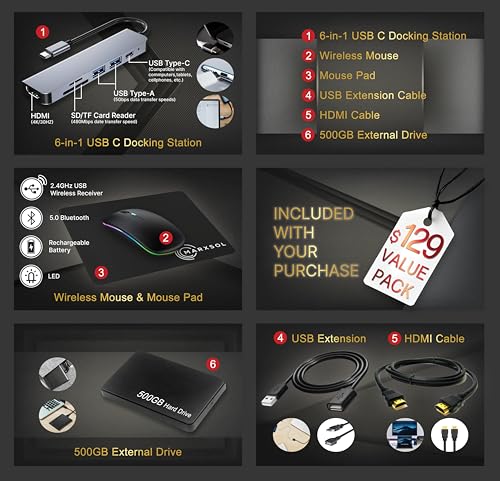
HP 14” Laptop Ultra-Portable Computer 2026 Student Business, MS Office, Copilot AI, Intel 4-Core CPU, 4GB RAM, 628GB Storage (128GB UFS+500GB Ext), Long Battery, MaxsolAccessory, Win 11 Pro, Sky Blue



As an Amazon Associate we earn from qualifying purchases. Product prices and availability are accurate as of the date/time indicated.
HP 14" Laptop 2025 Business Student Slim Computer, Lifetime MS Office, Copilot AI, Quad-Core Intel CPU, 16GB RAM, 628GB Storage (128GB UFS+500GB Ext), MarxsolAccessory, Wi-Fi 6, Win 11 Pro, Rose Gold


As an Amazon Associate we earn from qualifying purchases. Product prices and availability are accurate as of the date/time indicated.
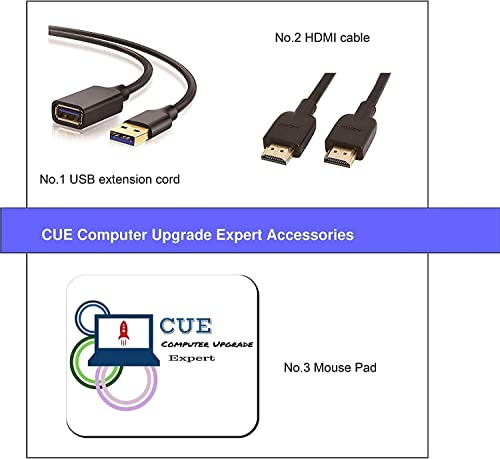
HP 14" HD Chromebook Laptop for Students, Intel Quad-Core N4120(> N4020), 4GB RAM, 64GB eMMC, WiFi, Webcam, HDMI, USB-A&C, 14 Hours Battery Life, Zoom, Chrome OS, CUE Accessories




As an Amazon Associate we earn from qualifying purchases. Product prices and availability are accurate as of the date/time indicated.
HP 14" Ultra-Light Laptop for Student & Home (1-Year Office 365, Intel Celeron N4500, 4GB RAM, 64GB eMMC + 64GB SD Card), 12-Hr Long Battery Life, Webcam, Fast Charge, Wi-Fi 6, Win 11 Home in S, White


As an Amazon Associate we earn from qualifying purchases. Product prices and availability are accurate as of the date/time indicated.

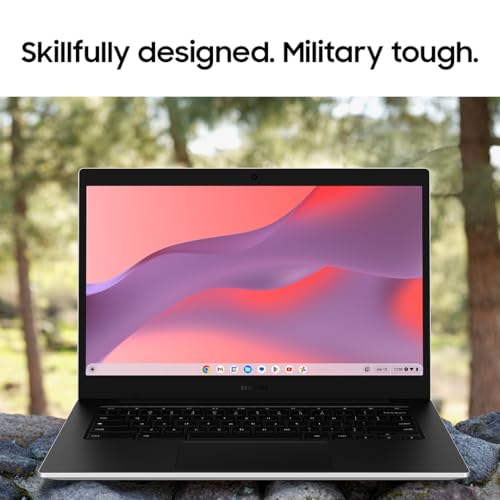
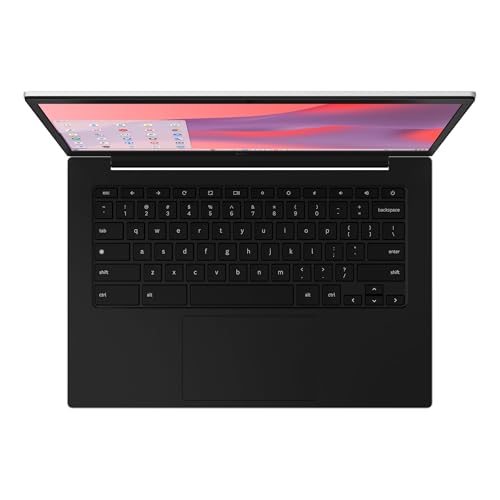
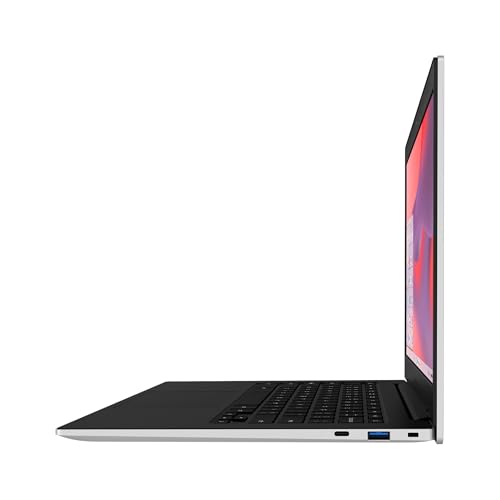
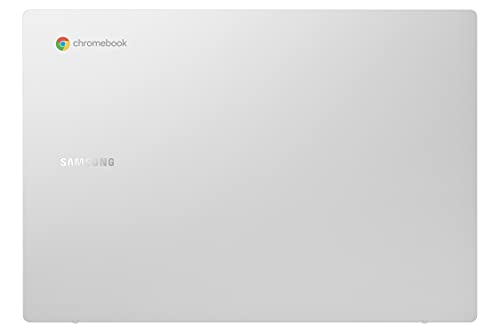
Samsung 14" Galaxy Chromebook Go Laptop PC Computer, Intel Celeron N4500 Processor, 4GB RAM, 64GB Storage, ChromeOS, XE340XDA-KA2US, Student Laptop, Silver






As an Amazon Associate we earn from qualifying purchases. Product prices and availability are accurate as of the date/time indicated.
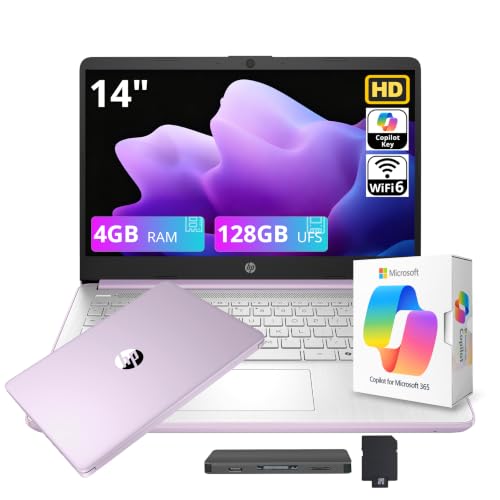
HP Stream 14" HD Student&Business Laptop with AI Copilot, Intel Processor N150, 4GB RAM, 128GB UFS&1TB Cloud Storage, 1 Year Office 365, Intel Graphics, Wi-Fi 6, Win 11, Lavender Purple


As an Amazon Associate we earn from qualifying purchases. Product prices and availability are accurate as of the date/time indicated.

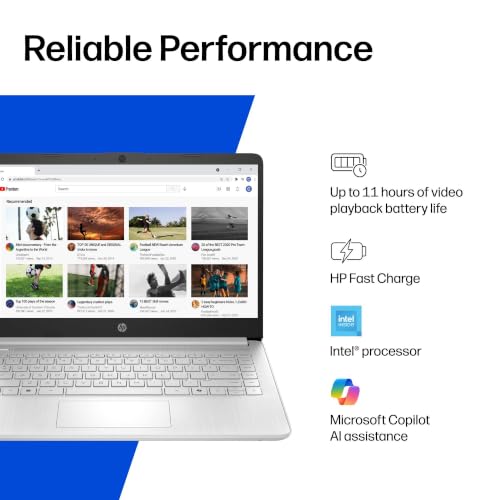
HP 2026 14" Laptop for Student, Intel N150, Office 365, 1TB Cloud Stroage | Copilot AI, Lightweight Portable Design, Longtime battery life, WiFi 6, Windows 11 Home for Business & Student, Silver




As an Amazon Associate we earn from qualifying purchases. Product prices and availability are accurate as of the date/time indicated.
| Model | Key point from title | Price tier | Best for |
|---|---|---|---|
| HP 14″ (16GB listing) | 16GB RAM, Win 11 Pro, Wi-Fi 6 | Premium | Multitasking on a budget |
| HP 14″ Student (Lavender) | 4GB DDR5, Win 11 Pro, 128GB UFS | Mid-range | Light coursework |
| HP 14″ Ultra-Portable (Sky Blue) | 4GB RAM, Win 11 Pro, long battery | Mid-range | Carrying between classes |
| HP Stream 14″ (N150) | 4GB, 128GB UFS, 1TB cloud, Office 365 | Mid-range | Web-first students |
| HP 14″ (N150, Silver) | Office 365, 1TB cloud, no RAM stated | Mid-range | Only after RAM is confirmed |
| HP 14″ Ultra-Light (white) | Celeron N4500, 4GB, 64GB eMMC + SD | Budget | Basic notes and email |
| Samsung Galaxy Chromebook Go 14″ | N4500, 4GB, 64GB, ChromeOS | Budget | Google-based classes |
| HP 14″ HD Chromebook | N4120, 4GB, 64GB eMMC, 14 hours | Budget | Typing and web research |
| PADIX 15.6″ Laptop | N4020, 4GB DDR4, 128GB eMMC, TF slot | Budget | Bigger screen, tight budget |
| Phatom 15.6″ FHD Laptop | 4GB, 128GB SSD, 3.46 lb | Budget | Cheapest 15.6 inch option |
What is changing in budget student laptops
Budget laptops have changed shape. A few years ago a student under a tight cap often had to pick between a Chromebook and a slow Windows machine with a hard drive. Today the listings above mix solid-state or flash storage, Wi-Fi 6, USB-C charging on some units and AI assistant branding on the Windows side. The headline specs have improved at the bottom of the market, but the memory has not: 4GB is still common, and the gap between 4GB and 8GB or 16GB is the main difference you will feel in daily use.
The second change is how listings are written. Many titles stack keywords like “Student Business Productivity,” “Copilot AI” and “MS Office” next to a processor family and a storage total. Some add the name of a reseller or an accessory bundle, which suggests the unit may be sold with extras, an external drive or a pre-installed software package. These bundles can be useful or confusing, and the title rarely explains which.
The third change is the line between local and cloud storage. Several titles advertise cloud storage or an external drive to reach a large total, while the internal drive is much smaller. For students who save a lot of video or large project files, internal capacity still matters. Finally, operating systems are diversifying: Windows 11 in different editions, including S mode, and ChromeOS both appear, and each suits different coursework. Treat every title as a seller claim and verify the details on the listing.
It is also worth remembering that a low price often means compromises elsewhere, such as a dimmer screen, a plastic body or a smaller battery than the title suggests. None of that makes these laptops bad, but it does mean the cheapest listing is not automatically the best value for a student who will use it for several years of study.
How we picked these
We compared the ten listings using only what each title states, plus general knowledge about laptops and student workloads. We looked for a spread of operating systems, screen sizes and price tiers within this set, and we flagged titles that were ambiguous, bundled or oddly worded. Nobody on the team used or measured these units. Anything not in a title is marked “check the listing,” and where a product looked weaker for its class, we say so plainly.
The ten listings compared
HP 14″ Laptop Business Student, 16GB RAM, Windows 11 Pro (Rose Gold)
This is the only listing with 16GB of RAM in the title, alongside a quad-core Intel CPU, Wi-Fi 6, Windows 11 Pro and “Lifetime MS Office.” The “628GB Storage (128GB UFS+500GB Ext)” wording suggests the internal drive is 128GB, with a 500GB external drive added. “Lifetime” Office is a seller claim, so check the license terms. The accessory name in the title points to a reseller bundle.
Scenario: a student who keeps many browser tabs, documents and a video call open at once. Who should skip it: anyone who needs a large internal drive or a first-party HP retail configuration.
- Pro: 16GB RAM is the standout in this group.
- Pro: Wi-Fi 6 and Windows 11 Pro are named.
- Con: highest price tier in the set.
- Con: storage total includes an external drive, and the Office claim needs checking.
Check the listing for the exact processor, internal drive type and the Office license terms. Question to ask: which parts are made by HP and which are added by the reseller?
The practical advice is to treat this as a premium-for-memory purchase. If the Office license and the external drive are real and usable, the bundle adds value; if not, you are paying for memory alone. Either way, 16GB gives the machine more room for browser tabs and background apps than any other listing here, which is why it leads on paper.
HP 14″ Laptop Computer Student Business Productivity, 4GB DDR5 (Lavender)
The title names Windows 11 Pro, Copilot AI, an Intel 4-core CPU, 4GB DDR5 RAM, 628GB total storage (128GB UFS plus 500GB external), Wi-Fi 6 and MS Office. The reseller tag in the title suggests an accessory bundle. DDR5 is stated, but the RAM amount is the same 4GB as cheaper listings.
Scenario: a student who writes papers and browses and wants a Windows laptop with the Office suite named. Who should skip it: heavy multitaskers, who will feel the 4GB limit.
- Pro: Windows 11 Pro and Wi-Fi 6 are named.
- Pro: 14 inch size suits a backpack.
- Con: 4GB RAM at a mid-range tier.
- Con: most of the storage total is external.
Check the listing for processor model, whether Office is licensed or a trial and what the external drive is. Question to ask: can the RAM be upgraded?
Because a near-identical listing sits one color away, compare the two side by side before choosing. Price differences between color variants often reflect the seller and not the hardware, so the cheaper one is usually the better buy unless the title shows a real difference. Neither title says whether the Office suite is a full license or a trial.
HP 14″ Ultra-Portable Laptop, 4GB RAM, Windows 11 Pro (Sky Blue)
This listing mirrors the Lavender unit: Intel 4-core CPU, 4GB RAM, 128GB UFS plus 500GB external, MS Office and Copilot, with a different accessory tag. It adds “Long Battery” and “Ultra-Portable” to the title, but gives no battery hours. It sits slightly lower in price tier than the Lavender listing in our data.
Scenario: a student commuting between campus buildings who wants a light machine and basic software. Who should skip it: buyers who want a stated battery life figure.
- Pro: lightweight design is the stated focus.
- Pro: slightly cheaper than the near-identical Lavender listing.
- Con: no battery hours are given.
- Con: 4GB RAM again.
Check the listing for weight, battery claims and what the accessory bundle includes. Question to ask: how does it differ from the Lavender listing besides color and price?
If you carry a laptop every day, weight and charger size matter more than a color name. The title gives neither, so check the listing for the weight figure and the charger type. Slim laptops with USB-C charging let you share a charger with a phone, but the title does not say whether this one has that.
HP Stream 14″ HD Student and Business Laptop, Intel N150, 4GB RAM
The title lists an Intel N150 processor, 4GB RAM, 128GB UFS plus 1TB of cloud storage, one year of Office 365, Intel Graphics, Wi-Fi 6 and Windows 11. The 1TB is cloud space, not a drive in the machine, and it may expire with the Office subscription. The Stream name in the title suggests a simple, cloud-leaning design, but the title does not confirm that.
Scenario: a student who lives in the browser and Office web apps and saves to the cloud. Who should skip it: anyone with large local files or poor campus Wi-Fi.
- Pro: processor, Wi-Fi 6 and Office are all named.
- Pro: Wi-Fi 6 and Office 365 are named.
- Con: 4GB RAM and 128GB local storage.
- Con: cloud storage depends on a subscription.
Check the listing for what happens when the cloud term ends and how much of the 128GB is free after setup. Question to ask: what is the renewal cost for Office 365?
Cloud-first laptops work best when the campus Wi-Fi is reliable and your files are mostly documents and slides. Keep a second copy of anything important on a USB drive, because a cloud plan can lapse. If your coursework includes video editing or large datasets, 128GB of local space will fill up quickly.
HP 14″ Laptop for Student, Intel N150, Office 365, 1TB Cloud (Silver)
The title names the N150 processor, Office 365, 1TB cloud storage, Copilot AI, Wi-Fi 6 and Windows 11 Home. It does not state RAM or local storage at all, which are the two specs that matter most. It is also the priciest of the N150 listings, and the spelling mistake in “Stroage” suggests the title was written hurriedly.
Scenario: only a candidate if the listing page confirms the memory and local drive. Who should skip it: anyone who cannot verify RAM before buying.
- Pro: Windows 11 Home and Wi-Fi 6 are named.
- Pro: lightweight design is mentioned.
- Con: RAM and internal storage are not in the title.
- Con: higher price tier than similar N150 listings.
Check the listing for RAM, storage type and capacity, and the Office term. Question to ask: why is this priced above the HP Stream if the title gives less detail?
The sensible way to treat this listing is as an incomplete advertisement. When a title leaves out the most important specs, the seller may have chosen to show only the flattering ones. Look at the full specification on the page, and if RAM and storage are not shown anywhere, move on to a listing that is more open.
HP 14″ Ultra-Light Laptop, Celeron N4500, 4GB RAM, 64GB eMMC + 64GB SD
The title lists a one-year Office 365 trial, a Celeron N4500, 4GB RAM, 64GB eMMC plus a 64GB SD card, a webcam, fast charge, Wi-Fi 6, a 12-hour battery claim and Windows 11 Home in S mode. S mode generally restricts apps to those from the Microsoft Store unless you switch out of it. The brand field shows a seller, not HP, so confirm who stands behind the warranty.
Scenario: a student who mostly uses web apps and Store apps for notes, email and video calls. Who should skip it: anyone who needs software from outside the Store.
- Pro: fast charge and a 12-hour battery claim are stated.
- Pro: low price tier.
- Con: only 64GB of eMMC, partly taken by the system.
- Con: S mode limits software.
Check the listing for S mode switching and warranty. Question to ask: do your courses need desktop software that S mode would block?
The SD card helps with storage but is slower and less convenient than internal space, and it can be lost. A 12-hour claim is a seller figure, so plan for less if you stream video or run the screen bright. The Office 365 term is one year, so budget for what comes after if you rely on those apps.
Samsung 14″ Galaxy Chromebook Go, Celeron N4500, 4GB, 64GB, ChromeOS
The title names a Celeron N4500, 4GB RAM, 64GB storage, ChromeOS and the model XE340XDA-KA2US in silver. It is the only listing here with a specific brand model number from a well-known maker. ChromeOS is a web-first system, and it suits schools that use Google tools.
Scenario: a student whose school uses Google Docs, Classroom and web-based tools. Who should skip it: students who need Windows-only programs, such as some engineering or design software.
- Pro: clear model number for support lookups.
- Pro: ChromeOS is simple and low-maintenance.
- Con: 64GB of storage is small.
- Con: no Windows software.
Check the listing for screen resolution and the support period for ChromeOS updates. Question to ask: do your course tools run on ChromeOS?
Chromebooks are popular in schools partly because they are simple to manage and quick to start. They also tend to lock down well, which helps if you share the machine. For coursework in a browser, this kind of laptop is a sensible budget pick, as long as no required program is Windows-only.
HP 14″ HD Chromebook Laptop for Students, Intel N4120, 4GB RAM, 64GB eMMC
The title lists a quad-core N4120, written as “(> N4020),” 4GB RAM, 64GB eMMC, Wi-Fi, a webcam, HDMI, USB-A and USB-C, a 14-hour battery claim, Zoom and ChromeOS. The odd “(> N4020)” notation is a seller’s comparison and not a spec. HD in the title suggests a 1366 by 768 style display, so check the resolution if you read a lot of text.
Scenario: a student who needs a cheap machine for typing, research and video calls. Who should skip it: anyone who wants a sharper screen or Windows software.
- Pro: USB-C and HDMI are named.
- Pro: 14-hour battery claim.
- Con: HD display is likely lower resolution.
- Con: 64GB of eMMC.
Check the listing for screen resolution and the ChromeOS update date. Question to ask: how long will the device receive updates?
Update support matters more on a Chromebook than on most laptops, because the system updates are tied to the model. If the support period ends soon, the device may stop getting security fixes. Check the manufacturer’s update schedule for the exact model before you buy, and favor a listing that states the end date.
PADIX 15.6 Inch Laptop, N4020, 4GB DDR4, 128GB eMMC, Windows 11
The title lists a 15.6 inch FHD display, an N4020 processor, 4GB DDR4, 128GB eMMC, Windows 11 and microSD (TF) expansion up to 1TB. Larger screens help with split-screen work, but add weight. PADIX is a lesser-known brand, so check support and warranty details on the listing.
Scenario: a student who works at a desk and values a bigger screen over portability. Who should skip it: anyone who wants a lightweight machine or a name-brand warranty.
- Pro: FHD display and 128GB are named.
- Pro: card expansion is listed.
- Con: lesser-known brand.
- Con: 4GB RAM and a slower processor.
Check the listing for weight, warranty and the exact card-size limits. Question to ask: who services the laptop if the battery or charger fails?
A 15.6 inch screen is handy for splitting windows between notes and a video lecture, but it adds weight to a backpack. The microSD slot is a convenience for photos and documents and should not be used as a replacement for backups. If the brand cannot be verified, keep the receipt and check the return policy early.
Phatom 15.6″ FHD Laptop, 4GB RAM, 128GB SSD, “Windows 11 Compatible”
The title lists a 15.6 inch 1080P IPS display, 4GB RAM, 128GB SSD, a 3.46 lb weight, a cooling fan, HDMI and a 2MP webcam. “Windows 11 Compatible” is vague: it may mean the OS is installed, or only that the machine can run it. The processor is not named, which is a significant omission, and the brand name is unfamiliar.
Scenario: the lowest-cost route to a large IPS screen, if you can confirm the details. Who should skip it: anyone who needs a named processor or reliable support.
- Pro: IPS display and SSD are named.
- Pro: low weight for 15.6 inches.
- Con: no processor named and the OS is unclear.
- Con: unfamiliar brand.
Check the listing for processor, OS and return terms. Question to ask: is Windows installed and activated when it arrives?
If the listing answers these questions and the seller offers easy returns, the screen and weight make it a reasonable low-cost option. If not, the missing processor name is a warning sign, because processor class decides how fast the machine feels. Treat this as a bargain-hunter’s pick and not a safe default.
Buying guide for student laptops under $500
Start with RAM
For coursework with a browser, documents and a video call, 4GB is tight and 8GB is more comfortable. Only one listing here names 16GB, and one other lists no RAM at all. If you can stretch to a model with more memory, you will usually feel it before you feel a faster processor. Our college laptop comparison goes deeper on memory, storage and battery for larger budgets.
Storage: internal versus total
A title with “628GB” is adding an external drive or cloud space to a small internal drive. Internal capacity is what holds the operating system and your files, so check that number. eMMC and UFS are flash storage types that tend to be slower than a full SSD, and 64GB leaves little room after Windows updates. Keep at least a fifth of the drive free where you can, because a nearly full drive slows down and cannot install updates.
Windows, S mode or ChromeOS
Windows runs the widest range of software. S mode limits you to Store apps, though many machines allow switching. ChromeOS is simple and web-focused. Match the system to your courses by asking the department which programs are required. Students heading into health programs may want to see our guides for medical students and nursing students, since software requirements can be stricter.
Screen, weight and battery
A 14 inch laptop is easier to carry, and a 15.6 inch screen is easier to work on. Full HD is better than HD for reading and splitting windows. Battery hours in titles are seller claims, and real use with video and Wi-Fi tends to be shorter. Use only the charger that comes with the laptop, and follow the manufacturer’s instructions if the battery swells or the charger overheats.
Reseller bundles and warranty
Accessory names in a title usually mean a third-party seller has bundled items with the laptop. Confirm the warranty, the return window and who handles support. Ask the seller whether a charger and any bundled drive are included in the box. For a wider look at everyday options, see our everyday Windows laptop picks.
Worked example with stated assumptions
Assume a first-year student using a browser with about ten tabs, a word processor and a weekly video call, working mostly on campus Wi-Fi and carrying the laptop daily. These are estimates, not measurements.
| Spec concept | What to look for | Why it matters |
|---|---|---|
| RAM | 8GB or more if possible; 4GB as a minimum | Many tabs plus a call can strain 4GB |
| Internal storage | At least 128GB | Leaves space for updates and files |
| Operating system | Windows or ChromeOS per course needs | Avoids software surprises |
| Screen | FHD if you read a lot | Less eye strain |
| Weight | Around 3.5 lb or less | Easier to carry daily |
Under these assumptions the 16GB HP is the best fit on memory, while the 128GB 4GB Windows models are acceptable for lighter use and the 64GB Chromebooks suit students who live in cloud apps.
Mistakes buyers make
- Reading 628GB as internal space. Much of it is an external drive or cloud plan.
- Ignoring RAM. The processor name matters less than memory at this price.
- Skipping the OS question. Check whether required software runs on ChromeOS or in S mode.
- Trusting “lifetime” claims. Office licenses and cloud terms need to be read.
- Buying without a return window. A weak build is common at this price.
- Overlooking a missing spec. If a title leaves out RAM, ask why.
Verdict by use case
Best on paper for multitasking: the 16GB HP, with the Office and storage claims verified. Windows on a lower budget: the HP Stream with the N150, or one of the 4GB HP Windows units. Google-based schools: the Samsung Galaxy Chromebook Go. Typing, research and calls: the HP Chromebook. Big screen on a budget: the PADIX or Phatom, after confirming support and specs. Skip for now: the Silver N150 listing until RAM is confirmed. Whatever you choose, keep the receipt, check the return window and back up your work from the first week.
Frequently asked questions
Is 4GB of RAM enough for a student laptop?
For light use such as a few browser tabs, email and a word processor, 4GB can work, especially on ChromeOS. It gets tight with many tabs, video calls and background apps. If you can find a model with 8GB or more in your budget, it is usually the better long-term choice. Check whether the memory can be upgraded on the listing, since many thin laptops have it soldered to the board.
Is a Chromebook good enough for college?
It depends on your courses. A Chromebook handles web apps, Google tools and video calls well, and is simple to maintain. It does not run Windows-only software, which some majors require. Ask your department which programs you need, and confirm how long the device will receive updates before buying. A Chromebook that fits your coursework can be an excellent value.
What does 628GB storage mean in a title?
It usually adds an external drive or cloud storage to a smaller internal drive. In these titles, 128GB UFS is the internal storage and 500GB is external. The internal drive is what holds Windows and your apps, so base your decision on that number. Check the listing for what the extra storage is and whether it is included in the box, and remember that an external drive can be lost or damaged more easily than internal storage.
Is Windows 11 in S mode a problem?
S mode generally restricts you to apps from the Microsoft Store and may limit some browsers and programs. Many users can switch out of S mode for free, but the change is typically one-way. If your courses need software from outside the Store, confirm that you can switch before buying. Also check whether the machine meets the requirements of any exam software your school uses.
Are reseller-bundled laptops safe to buy?
They can be, but check the seller’s reputation, the return window and the warranty. An accessory name in the title often means a third party added items. Confirm who supports the laptop, whether the software is licensed, and whether the hardware is as described before paying. Photograph the box and the serial number when it arrives so you have a record if there is a dispute.
How long should a budget student laptop last?
There is no guaranteed lifespan. Entry-level laptops are often used for a few school years, and memory and storage limits tend to be felt first. Treat the purchase as a short-term tool, keep backups in the cloud or on a drive, and follow the manufacturer’s instructions for charging and battery care to get the most from it. Replacing a laptop after two or three years is common at this price.




Write Your Review
No reviews yet. Be the first to share your experience!