

Key takeaways
- Cheap laptops under 100 are rare. Compare 12 renewed Chromebooks and 11.6-inch Windows picks, plus a checklist that helps you avoid weak RAM and tiny storage.
For cheap laptops under 100, the straight answer is that almost nothing new and Windows-ready exists at that level. What you can realistically find are renewed Chromebooks and aging 11.6-inch business machines, and this set of twelve shows how far the shelf really stretches. Only a few listings sit near the budget the keyword implies; the rest are the "slightly higher" step that often saves you from a frustrating purchase. Below: a comparison table, a short write-up of every listing, a renewed-laptop checklist, and the compromises to accept before you pay.
Quick comparison
Our top picks






As an Amazon Associate we earn from qualifying purchases at no extra cost to you.
| Model | Key point from the title | Price tier | Best for |
|---|---|---|---|
| Dell Latitude 3190 2-in-1 (8GB / 128GB) | Renewed, Pentium N5030, Windows 11 Pro, touchscreen | Mid-range | Windows tasks on a small screen |
| Dell Latitude 3190 (8GB / 256GB NVMe) | Renewed, same family, larger SSD, HDMI and webcam listed | Mid-range | Buyers who want more storage |
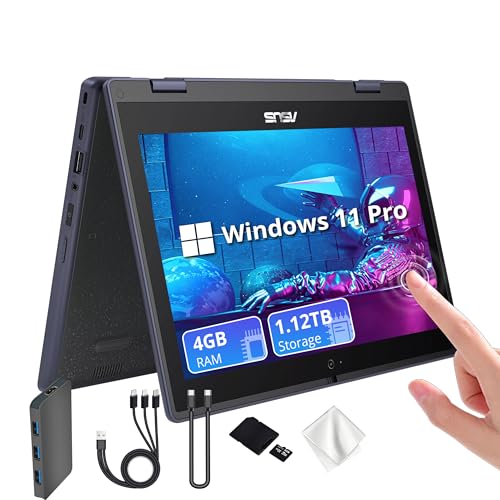
| ASUS 11.6 2-in-1 with docking set | Celeron N100, 4GB RAM, 128GB SSD plus 1TB dock | Premium | Storage-heavy light use |
| HP X360 convertible (8GB / 128GB) | Renewed, 4-core processor, Wi-Fi 6 | Mid-range | Tablet-style note taking |
| Lenovo 100E Chromebook 2nd Gen | Renewed, 4GB RAM, 16GB eMMC, Chrome OS | Budget | Web-only basics |
| Lenovo ThinkPad 11e Yoga Gen 6 | Renewed, Core m3-8100Y, 4GB / 128GB SSD | Budget | Compact Windows convertible |
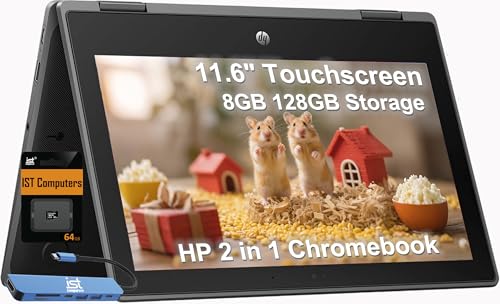
| HP Chromebook Pro X360 Fortis | Rugged, spill-resistant, 8GB RAM, 64GB eMMC plus 64GB SD | Premium | Classrooms and rough handling |
| Lenovo 100e 2nd Gen (Windows 11) | AMD 3015E, 4GB RAM, 64GB MMC | Budget | Lowest-cost Windows attempt |
| Lenovo 500e Chromebook 2-in-1 | Renewed, Celeron N3450, 32GB eMMC, no pen | Budget | Cheap touch Chromebook |
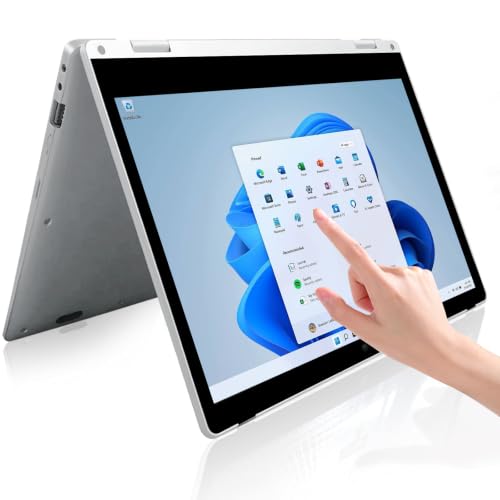
| SZTPSLS 2-in-1 Windows 11 | 8GB RAM, 256GB SSD, processor named only as Intel | Mid-range | Spec-sheet shoppers who accept an unknown brand |
| Lenovo Chromebook C330 2-in-1 | MediaTek MT8173C, 4GB RAM, 64GB storage | Mid-range | Chrome OS convertible |
| ASUS 11.6 educational 2-in-1 | Celeron N100, 4GB / 128GB SSD, spill resistant | Premium | Student coursework |
The twelve listings
Dell Latitude 3190 2-in-1 with 8GB and 128GB
A renewed business convertible. The title lists an Intel N5030, 8GB of RAM, a 128GB SSD and Windows 11 Professional. Eight gigabytes is the main reason it appears here, because that is the point where several browser tabs stop feeling fragile.
Pros
- 8GB RAM listed
- Touchscreen convertible
Cons
- Renewed condition varies by seller
- 128GB fills quickly with Windows updates
Who it’s for: Someone who needs real Windows software on a small budget and will check the battery photos.
Dell Latitude 3190 with 8GB and 256GB NVMe
Nearly the same machine as the one above, with a 256GB NVMe drive and an HDMI port mentioned. The title also says "up to 3.1G", which is a seller boost-clock claim rather than a sustained speed, so treat it as marketing. It is a near-duplicate listing, and the price gap is the real question.
Pros
- Larger SSD than its twin
- HDMI and webcam named in the title
Cons
- Near-duplicate of the cheaper Latitude
- Seller title is cluttered with claims
Who it’s for: Buyers who plan to keep local files and care more about storage than screen size.
ASUS 11.6 2-in-1 with 1TB docking set
This one stretches the idea of cheap. The title promises a Celeron N100, only 4GB of RAM, a 128GB SSD and a separate 1TB docking station counted as part of 1.12TB of storage. The dock is external storage, not an internal upgrade, so do not read the headline number as a bigger drive inside the laptop.
Pros
- Newer-class Celeron N100 listed
- Wi-Fi 6 and webcam in the title
Cons
- Only 4GB RAM for Windows 11 Pro
- Storage figure combines internal and dock
Who it’s for: A buyer who wants an extra file drive and will mostly browse and write.
HP X360 convertible, renewed
An 11.6-inch touchscreen that folds into tablet mode, with 8GB of memory, 128GB storage and Wi-Fi 6 in the title. The processor is described only as a four-core part "up to 3.29GHz", so identify the exact chip in the listing before you commit.
Pros
- 8GB RAM and Wi-Fi 6
- Folds flat for reading
Cons
- Processor model not named
- The year in the title is a marketing label, not a spec
Who it’s for: Casual readers and note-takers who prefer tablet posture.
Lenovo 100E Chromebook 2nd Gen, renewed
The lowest-cost route in the set. A MediaTek processor, 4GB of RAM and 16GB of eMMC storage run Chrome OS. That is enough for web apps and streaming, and not enough for downloads or offline files. Check the listing for the automatic update expiry date, because older Chromebooks stop getting updates.
Pros
- Lowest cost tier here
- Chrome OS is light on 4GB
Cons
- 16GB storage is very tight
- Update expiry may be near
Who it’s for: A short-term backup device or a child's browser-only laptop.
Lenovo ThinkPad 11e Yoga Gen 6, renewed
A rugged-leaning school convertible with a Core m3-8100Y, 4GB RAM and a 128GB SSD under Windows 11. The m3 chip is a low-power part, so expect patient multitasking. The SSD size is more generous than most Chromebooks in this set.
Pros
- 128GB SSD for the budget tier
- Full Windows on a convertible
Cons
- 4GB RAM limits tab counts
- Renewed battery wear is unknown
Who it’s for: Someone who wants Windows and a sturdier body at a low tier.
HP Chromebook Pro X360 Fortis
The title stresses a rugged, spill-resistant build, 8GB of RAM and 128GB made of 64GB eMMC plus a 64GB SD card. It sits at the upper end of this set and is much closer to a classroom device than a true cheap laptop. The seller name suggests a third-party listing, so check who ships and who handles returns.
Pros
- 8GB RAM on Chrome OS
- Spill-resistant claim in the title
Cons
- Priced far above the keyword
- Half the storage is a removable SD card
Who it’s for: Households with young kids who will drop things.
Lenovo 100e 2nd Gen with Windows 11
A listing not marked renewed, with AMD 3015E, 4GB RAM and 64GB of MMC storage. That drive is slower than an SSD, and Windows 11 plus updates will take a large share of it. It is the cheapest Windows attempt here and should be treated as a light-duty tool.
Pros
- Windows 11 at a low tier
- Not labeled renewed
Cons
- 64GB MMC fills fast
- 4GB RAM is the bare minimum for Windows
Who it’s for: Occasional email, forms and school portals.
Lenovo 500e Chromebook 2-in-1, renewed
A renewed touch Chromebook with a Celeron N3450, 4GB RAM and 32GB eMMC. The title says "NO Pen" twice, so do not expect the stylus. The N3450 is an older design, so look for the Chrome OS update end date in the listing.
Pros
- Touch and 2-in-1 flexibility
- Doubles the storage of the 100E
Cons
- No pen included
- Older processor generation
Who it’s for: Light browsing and video on a tight cap.
SZTPSLS 2-in-1 Windows 11 laptop
A little-known brand with 8GB RAM and a 256GB SSD, a spec line that looks generous at this price. The processor is called only "Intel Processor", which hides the one detail that decides speed. Read the questions and answers and check the warranty path before trusting it.
Pros
- 8GB RAM and 256GB SSD listed
- Type-C and webcam named
Cons
- Processor not identified
- Unfamiliar brand, support path unclear
Who it’s for: Spec-driven shoppers who accept brand risk.
Lenovo Chromebook C330 2-in-1
A convertible Chromebook with a MediaTek MT8173C, 4GB RAM and 64GB storage. The 64GB is a comfortable figure for Chrome OS. The MediaTek chip is modest, so heavy tab loads will slow it down.
Pros
- 64GB storage
- Convertible hinge
Cons
- Mid tier for a Chromebook
- Modest processor
Who it’s for: Students who live in web apps.
ASUS 11.6 educational 2-in-1
The title lists a Celeron N100, 4GB RAM, a 128GB SSD, Wi-Fi 6, Bluetooth 5.1, anti-glare coating and spill resistance on Windows 11 Pro. It has the newest chip generation of the Windows models here but sits in the premium tier of this set. The 4GB RAM is the weak point.
Pros
- N100 chip class
- Anti-glare, spill-resistant claims
Cons
- Top-tier price for 4GB RAM
- Windows 11 Pro is more than most users need
Who it’s for: Coursework buyers who will accept limited multitasking.
How we picked these
We worked from published specifications, manufacturer documentation and buyer reviews, and screened for 11.6-inch machines at the lower end of the listing range. Nobody on the team used or measured these units. Seller claims such as "up to" boost clocks or "beats" comparisons were treated as marketing, and near-duplicates and unlabeled processors are flagged where they appear.
What to look for at a tiny budget
Operating system and storage floor
Chrome OS runs happily on 4GB, while Windows 11 on 4GB feels tight even with only a browser open. If you pick Windows, aim for 8GB. A 64GB or smaller drive can fill quickly after system updates, so keep personal files in cloud storage.
Screen and battery compromises
Expect a 1366 x 768 panel on the lowest listings. It is readable for text but offers little room for side-by-side windows. Renewed batteries are the biggest unknown: ask the seller for a stated battery health or a return window long enough to run a full charge cycle.
Renewed versus new
Renewed listings are cheaper because the hardware has a history. Look for a clear grade description, a stated warranty length and a return policy. For Chromebooks, also look up the manufacturer update expiry for the exact model name.
A quick pre-purchase checklist
- Is the exact processor named in the title?
- Is RAM at least 4GB for Chrome OS or 8GB for Windows?
- Does the listing state a warranty and who provides it?
- Is a charger included?
- Is the update expiry date visible for a Chromebook?
- Can you return it for a few weeks?
If the answer to most of those is no, pay for the next tier up. A small extra spend usually buys a more reliable seller, and our guide on how much RAM you need in a laptop explains why the 4GB versus 8GB question matters so much.
Mistakes buyers make
- Reading dock storage as internal storage. A 1TB dock does not make the laptop drive bigger.
- Ignoring the update date. A cheap Chromebook with an expired support window is a risk for banking and email.
- Expecting gaming. None of these has a dedicated graphics card, so look at the compact gaming laptop category if games matter.
- Trusting "up to" clock speeds. Boost figures are brief peaks.
- Skipping the return window. Renewed units vary, so a long window is your safety net.
Verdict
If you must stay near the keyword, the Lenovo 100E and 500e Chromebooks are the clearest answers, as long as you accept small storage and check update dates. If you can stretch, the 8GB Dell Latitude 3190 listings give the most usable Windows experience in this set. The premium-tier ASUS and HP Fortis models are better judged as school devices than as bargains.
Related guides
- Affordable Gaming Mouse For Alienware Laptop
- Laptop Docking Stations For Dual Monitors
- Travel Backpack With Laptop Compartment
Frequently asked questions
Can you really buy a laptop for under 100 dollars?
Occasionally, yes, but it will usually be a renewed Chromebook or an older mini laptop with 4GB of RAM or less. Prices change often, so check the live listing. Expect compromises in storage, battery condition and update support, and treat the purchase as a short-term or secondary device.
Is a Chromebook or a Windows laptop better at this budget?
A Chromebook usually feels faster on weak hardware because Chrome OS needs fewer resources. Windows offers broader software but needs more memory. If your work is web-based, choose Chrome OS; if you need desktop programs, step up to 8GB of RAM.
Are renewed laptops safe to buy?
They can be, provided the seller offers a clear grade, a stated warranty and a return window. Read recent buyer comments about battery life and cosmetic condition, and avoid listings with no description of what renewed means.
Can these laptops play games?
Only simple browser games and light older titles. None of the listings names a dedicated graphics card, so modern PC games are out of reach. For real gaming you need a different budget class.
What should I check before paying?
Confirm the exact processor, RAM and storage, the warranty provider, the return window and the update end date for any Chromebook. Check that a charger is included, since missing chargers are a common complaint on renewed items.

Write Your Review
No reviews yet. Be the first to share your experience!