

Our Top Picks
The honest answer first: no new OLED laptop fits under $400 in November 2026. Not one. The cheapest new OLED laptop you can actually buy is the Acer Swift Go 14 OLED at $449.99 on sale at Staples — $50 over budget, and $759.99 on Amazon. The cheapest OLED Chromebook you can buy new is the Samsung Galaxy Chromebook Plus at $675.99 at Best Buy.
Exactly one real OLED laptop fits under $400, and it is used: a Lenovo Duet 5 at $279 on Amazon — a 2021 machine with 4GB of RAM and no warranty, and the top pick of our under-$300 guide because it is the only OLED that fits.
This guide reviews the five closest real options for a buyer with $400. Four are IPS laptops; the fifth is the real OLED to save up for. Every price below is a November 2026 snapshot — check the current price on Amazon before buying.
Our top picks
Best for: Anyone who wants the best new laptop $400 buys — school, work, browsing, and streaming, with storage and updates to last
Check price on Amazon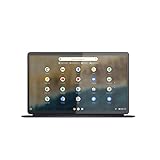
Best for: Movie watchers and OLED purists who accept a slow, old machine for a beautiful screen
Check price on AmazonBest for: Desk workers who want the largest screen and do not need a touchscreen
Check price on AmazonBest for: Students and cloud-first users who want the cheapest good laptop and keep their files online
Check price on Amazon
Best for: Buyers who can stretch $50 and want a real OLED laptop with a warranty
Check price on AmazonQuick Picks
| Pick | Model | Price | Screen | Updates Until | Best For |
|---|---|---|---|---|---|
| Best Overall | Acer Chromebook Plus 514 (CB514-6HT-368E) | $319 | 14″ WUXGA IPS touchscreen | June 2035* | Best new laptop under $400 |
| The Only Real OLED | Lenovo Duet 5 (Used) | $279 | 13.3″ OLED Full HD touchscreen | June 2029* | The only OLED that fits |
| Best Big Screen | Lenovo Chromebook Plus i (83T1000MUS) | $349 | 15.3″ WUXGA IPS | Early 2030s* | Biggest screen, Chromebook Plus |
| Best Value | Lenovo Chromebook m14 | $287 | 14″ WUXGA IPS | Early 2030s* | Best midrange value |
| The Real OLED | Acer Swift Go 14 OLED (New) | $449.99 | 14″ OLED 2.8K | N/A (Windows) | Save up for this |
*Verify the exact model on Google’s Auto Update policy page — the same model name often covers machines with different expiry dates.
Why No New OLED Fits Under $400
An OLED panel costs several times what a budget IPS panel costs, and every OLED laptop carries a burn-in warranty priced into the machine.
The cheapest new OLED laptop in the United States is the Acer Swift Go 14 OLED at $449.99 on sale at Staples (list $1,149.99; $759.99 on Amazon). The cheapest new OLED Chromebook is the Samsung Galaxy Chromebook Plus at $675.99 at Best Buy. Lenovo’s Chromebook Plus 14 OLED lists at $749 and the Zenbook 14 OLED runs $800–$1,000. There is no $399 OLED laptop hiding anywhere in that ladder. The single exception is the Lenovo Duet 5, the only OLED Chromebook ever made, and its $279 Amazon listing is the only used OLED anywhere near this budget. The honest math: a real OLED laptop costs $279 used or $449.99 new, and the $170 gap buys a warranty, a current chip, and far more RAM and storage.
How to Choose
OLED vs IPS panel
OLED gives you perfect blacks, infinite contrast, and colors that pop. IPS gives you good colors and no burn-in risk — but blacks look grey in a dark room. At $400, the new IPS wins on everything except contrast.
Screen resolution and brightness
Do not buy a laptop with a 1366×768 screen in 2026. The floor is 1920×1080 (Full HD), and the 1920×1200 (WUXGA) 16:10 screens in this guide show more of a document.
RAM and storage floor
8GB of RAM is the floor for a laptop you plan to keep; 4GB works for one browser tab at a time. For storage, 128GB is the minimum for a Chromebook, 256GB for Windows. 64GB is a trap: ChromeOS and its updates eat a third of it.
CPU for everyday use
The MediaTek Kompanio 540 is the fastest budget chip in this guide — fine for browsing, documents, and streaming. Intel’s Core 3 N355 is a step up: eight cores and the Chromebook Plus tier. The Celeron N4500 and N100 are the floor.
Battery life
Manufacturers quote 10–12 hours; real use is usually 7–9.
AUE and update support for Chromebooks
Every Chromebook has an Auto Update Expiration (AUE) date — the month Google stops sending it security updates. After that date the machine is unsafe for banking or email. The picks here run through at least June 2029; the top pick runs through June 2035.
1. Acer Chromebook Plus 514 (CB514-6HT-368E) — Best Overall
Specs: 14″ WUXGA (1920×1200) IPS touchscreen, matte anti-glare, 300 nits; Intel Core 3 N355 (8 cores); 8GB LPDDR5X RAM; 512GB PCIe Gen4 SSD; Wi-Fi 6E; backlit keyboard; HDMI, 2× USB-C, 2× USB-A; 3.09 lb; ChromeOS; updates through June 2035.
Price checked November 2026: $319 at Walmart, sold by Walmart and marked as a Black Friday deal (list $449.98). Check the current price on Amazon before buying.
This is the best new laptop under $400 in this series, and it is not close. The Chromebook Plus 514 pairs an eight-core Intel Core 3 N355 with 8GB of memory and 512GB of storage — four times the storage of every other pick — and its June 2035 update date is the longest runway here. The 14-inch touchscreen is 1920×1200, 16:10, matte anti-glare, and it has a backlit keyboard, a full-size HDMI port, and a USB-C and USB-A port on each side, so you never carry a dongle.
It lists at $449.98; Walmart has it at $319 as a Black Friday deal — $81 under budget. At $319 it undercuts the 15.3-inch Lenovo Chromebook Plus i by $30 while giving you four times the storage and a touchscreen.
Pros: Fastest chip in the guide; 512GB of storage; touchscreen; backlit keyboard; June 2035 updates; full port selection; $81 under budget.
Cons: Plastic chassis; unremarkable speakers; 8GB of memory is soldered and cannot be upgraded later; 300-nit screen is dim in direct sunlight.
Best for: Anyone who wants the best new laptop $400 buys — school, work, browsing, and streaming, with storage and updates to last.
2. Lenovo Duet 5 (Used) — The Only Real OLED
Specs: 13.3″ OLED touchscreen (1920×1080); Qualcomm Snapdragon 7c Gen 2; 4GB RAM; 128GB storage; detachable keyboard included; Wi-Fi 5; ChromeOS; updates through June 2029.
Price checked November 2026: $279 on Amazon (used). Check the current price on Amazon before buying.
This is the only OLED Chromebook ever made, and the $279 listing is the one to chase — other listings run $324.99 and higher. At $279 it is $121 under $400, and the screen is genuinely beautiful: perfect blacks, infinite contrast, colors no IPS panel in this guide can match.
But buy it with your eyes open — this is a 2021 machine. The Snapdragon 7c Gen 2 is the slowest chip in this guide. 4GB of RAM means one or two browser tabs at a time. There is no warranty, five years of burn-in risk, and updates end in June 2029 — the shortest runway by years. Our verdict in the under-$300 guide still holds: for most buyers, the new Chromebook at $287 is the smarter purchase. Buy the Duet 5 only if the OLED screen itself is the point.
Pros: The only OLED that fits; $121 under budget; detachable keyboard included; light and portable.
Cons: 2021 machine; slowest chip in the guide; 4GB RAM; no warranty; burn-in risk; updates end June 2029.
Best for: Movie watchers and OLED purists who accept a slow, old machine for a beautiful screen.
3. Lenovo Chromebook Plus i (83T1000MUS) — Best Big Screen
Specs: 15.3″ WUXGA (1920×1200) IPS display; Intel Core 3 N355; 8GB RAM; 128GB UFS storage; Wi-Fi 6; ChromeOS; updates into the early 2030s.
Price checked November 2026: $349 at Walmart ($399 crossed out). Check the current price on Amazon before buying.
This is the big-screen Chromebook Plus option: a 15.3-inch 1920×1200 display, the same eight-core Core 3 N355 chip as the top pick, and 8GB of RAM. At $349 it is $51 under budget.
The trade is storage. 128GB of UFS is a quarter of what the top pick gives you for $30 less, and UFS is slower than the PCIe SSD in the 514. There is no touchscreen on this configuration. Buy it for the screen size, not the value.
Pros: Biggest screen in the guide; same fast Core 3 N355 chip; Chromebook Plus tier; $51 under budget.
Cons: Only 128GB of storage; no touchscreen; heavier and less portable; $30 more than the better-equipped top pick.
Best for: Desk workers who want the largest screen and do not need a touchscreen.
4. Lenovo Chromebook m14 — Best Value
Specs: 14″ WUXGA (1920×1200) IPS display; MediaTek Kompanio 540; 8GB RAM; 64GB UFS storage; Wi-Fi 6; ChromeOS; updates into the early 2030s.
Price checked November 2026: $287 at Amazon. Check the current price on Amazon before buying.
This was the best midrange pick of our under-$300 guide: the cheapest 8GB Chromebook with a sharp 14-inch 1920×1200 screen. The Kompanio 540 is the fastest budget chip in this guide, and at $287 it is $113 under budget.
The compromise is storage: 64GB of UFS is a thin floor. No touchscreen, and 64GB makes it a cloud-first machine. If you can live with that, $287 buys a fast, sharp, well-supported laptop.
Pros: Cheapest good new laptop in the guide; fast Kompanio 540 chip; sharp 1920×1200 screen; 8GB RAM; $113 under budget.
Cons: Only 64GB of storage; no touchscreen; cloud-first machine.
Best for: Students and cloud-first users who want the cheapest good laptop and keep their files online.
5. Acer Swift Go 14 OLED (New) — The Real OLED
Specs: 14″ OLED display, 2.8K (2880×1800); Intel Core Ultra 5 125H; 8GB RAM; 512GB SSD; backlit keyboard; Wi-Fi 6E; Windows 11 Home.
Price checked November 2026: $449.99 on sale at Staples (list $1,149.99); $759.99 on Amazon. Check the current price on Amazon before buying.
This is the real OLED laptop, and it is $50 over budget. The Swift Go 14 OLED pairs a 14-inch 2.8K OLED display with an Intel Core Ultra 5 125H, 8GB of RAM, and a 512GB SSD — a current chip, a warranty, and far more RAM and storage than the Duet 5. It runs Windows 11, so it runs real desktop apps.
It is the “save up for this” pick for a reason. $449.99 is $50 over budget at Staples, and $759.99 on Amazon is nearly double the budget — buy it at Staples, or do not buy it at all. If your budget is a hard $400, buy the Chromebook Plus 514.
Pros: Cheapest new OLED laptop; 2.8K OLED display; current Core Ultra 5 chip; 512GB SSD; full Windows 11.
Cons: $50 over budget at Staples, $360 over on Amazon; sale price may not last; 8GB RAM is not upgradeable.
Best for: Buyers who can stretch $50 and want a real OLED laptop with a warranty.
What to Avoid
“OLED” listings at $19 and $52.82. Catalog search turned up listings labelled OLED at these prices. They are laptop skins, replacement batteries, and mislabelled parts. A Duet 5 listed at $52.82 is less than a fifth of its verified $279 price.
2GB of RAM and 16GB of storage. These are walk-away specs in 2026. A Samsung XE303C12 at $150 is a 2012 machine that cannot run a modern browser.
Inflated marketplace specs. Tabwee and Zonko listings advertise “18GB RAM” and “1080p” screens that are actually 1280×800.
Expired AUE dates. The HP “14a” name covers models expired in June 2026 through models good until June 2033. Expired models to avoid by name: Lenovo N23, Dell 3189, Acer C732, HP 11 G6 EE, and the Lenovo 500e, whose updates end in June 2027.
The “315” variant trap. The Acer Chromebook 315 name covers N4000, N4500, N50, and N100 variants priced from $142 to $380, with different update dates. Verify the exact model — the N50 8GB/128GB touchscreen version at $199 is the one worth buying.
Still Doesn’t Fit
The OLED price ladder, from cheapest to most expensive: the used Duet 5 at $279, the Swift Go 14 OLED at $449.99 on sale at Staples, the Samsung Galaxy Chromebook Plus at $675.99 at Best Buy, the Lenovo Chromebook Plus 14 OLED at $749 list, and the Zenbook 14 OLED at $800–$1,000. Nothing on that ladder sits between $279 and $449.99 — there is no $350 or $399 OLED laptop, new or used.
One near-miss is worth naming: the Acer Chromebook Plus 515 (CB515-2H) lists at $399.99 direct from Acer — a Core i5-1335U, 8GB of RAM, 256GB SSD, and a 15.6-inch screen — which fits by exactly one cent. It is not a touchscreen, and the 514 at $319 beats it for $81 less.
A real OLED laptop costs $279 used or $449.99 new, and the $50 stretch is the smallest gap in the whole series.
Frequently Asked Questions
Is there really no OLED laptop under $400?
No new one. The cheapest new OLED laptop is the Acer Swift Go 14 OLED at $449.99 on sale at Staples. The only OLED laptop under $400 is a used Lenovo Duet 5 at $279 on Amazon.
Is the used Duet 5 worth buying?
Only if the OLED screen is the point. It has the most beautiful screen in this guide and the slowest chip, the least RAM, and the shortest update runway.
How long will the Chromebook Plus 514 keep getting updates?
Through June 2035, according to Google’s Auto Update policy page — the longest runway of any laptop in this guide.
Should I buy the Swift Go 14 OLED on Amazon or at Staples?
At Staples, where it is $449.99 on sale. On Amazon it is $759.99 — $310 more for the same machine. Do not pay more than $450 for it.
Verdict
Buy the Acer Chromebook Plus 514 at $319. It is the best new laptop under $400 in this series: the fastest chip in the guide, 8GB of RAM, 512GB of storage, a touchscreen, a backlit keyboard, and updates through June 2035. It earns the spot by beating everything else at this price.
If the OLED screen itself is what you want, you have two honest choices. Buy the used Duet 5 for $279 and accept a slow 2021 machine with no warranty, or stretch $50 and buy the Swift Go 14 OLED new at $449.99 from Staples. There is no third option. The $50 stretch is the smallest gap in this whole series.
As an Amazon Associate, we earn from qualifying purchases.
Suggested Internal Links
More from Amazon
Programs that pair well with the guide above. Offers and eligibility are set by Amazon and may change.
A free business account with business pricing and bulk-buying tools for work, shop or home office.
Create a business accountFree shipping on eligible items, Prime Video and more. Eligible new members can start with a free trial.
Start a Prime free trialAudiobooks and podcasts to listen to on the go. Eligible new members can start with a free trial.
Try Audible freeAd-free music streaming. Eligible new subscribers can start with a free trial.
Try Music Unlimited freeAs an Amazon Associate we earn from qualifying purchases.










Write Your Review
No reviews yet. Be the first to share your experience!