

Our Top Picks
Something changed at $300. For five guides in this series — $100, $150, $200, $250 — the honest answer was the same: no OLED laptop fits, not new, not refurbished, not used. At $300, that answer finally changes, by $21. A used Lenovo Duet 5, the only OLED Chromebook ever made, was listed at $279 on Amazon in mid-November 2026.
That does not mean it is the laptop most readers should buy. It is a 2021 machine with 4GB of RAM, no warranty, and a used OLED panel that carries burn-in risk. This guide tells you when the Duet 5 is the right call and when a new Chromebook is the smarter buy.
Our top picks
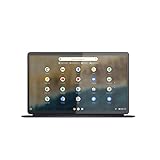
Best for: Anyone who wants OLED above everything else and accepts the trade-offs
Check price on AmazonBest for: Anyone who wants the best new laptop under $300, full stop
Check price on Amazon
Best for: Anyone who wants the most laptop for the least money
Check price on AmazonBest for: Anyone who wants the sharpest screen and the longest support
Check price on Amazon
Best for: Anyone who can wait and save
Check price on AmazonQuick Picks
| Pick | Model | Price | Screen | Updates Until | Best For |
|---|---|---|---|---|---|
| Best Overall | Lenovo Duet 5 (Used) | $279 | 13.3″ OLED Full HD | June 2029* | The only OLED that fits |
| Best New Laptop | Lenovo Chromebook m14 | $287 | 14″ WUXGA IPS | Early 2030s* | Best new machine under $300 |
| Best Value | Acer Chromebook 315 Touchscreen | $199 | 15.6″ Full HD IPS touchscreen | Early 2030s* | First 8GB Chromebook under $250 |
| Sharpest Screen | Lenovo IdeaPad Slim 3 Chromebook | $189 | 14″ WUXGA IPS touchscreen | June 2033* | Sharpest new screen |
| The Real OLED | Acer Swift Go 14 OLED (New) | $449.99 | 14″ OLED 2.8K | N/A (Windows) | Save up for this |
*Verify the exact model on Google’s Auto Update policy page — the same model name often covers machines with different expiry dates.
Why One OLED Finally Fits Under $300
The Duet 5 is the exception because it is five years old. Lenovo built exactly one OLED Chromebook — a 13.3-inch detachable with a 1920×1080 OLED panel, a Snapdragon 7c Gen 2 chip, 4GB of RAM, and 128GB of storage — and it has been depreciating ever since. In mid-November 2026 it was listed used at $279 on Amazon (other listings $324.99 and up). At $279 it fits under $300 with $21 to spare.
The catch is real. A used OLED panel has five years of someone else’s static taskbars and browser chrome baked into it, and there is no warranty if the burn-in shows up a month after you buy it. Four gigabytes of RAM is the floor, and updates end in June 2029 — under three years from now.
How to Choose
OLED vs IPS: what you are actually giving up
OLED pixels make their own light, so black pixels turn off completely. That gives perfect blacks, infinite contrast, and colors that look painted on. IPS panels use a backlight that is always on, so blacks look dark grey. At $300 you finally have a choice: a used OLED with real trade-offs, or a new IPS machine that is faster, better supported, and $80–$110 cheaper. The honest question is not “which OLED can I get?” but “is a five-year-old OLED worth more to you than a new laptop with 8GB of RAM?”
Screen resolution and brightness
Resolution is the first spec to check. 1920×1200 (WUXGA) or 1920×1080 (Full HD) on a 13- to 15.6-inch screen is sharp; 1366×768 (HD) on an 11.6-inch screen is visibly softer.
The RAM and storage floor
4GB of RAM and 64GB of storage is the floor, and neither is upgradeable later — RAM is soldered to the board. Do not buy 2GB of RAM — ChromeOS will stutter with two tabs open — and do not buy 16GB of storage unless the machine has a microSD slot. The good news at $300: 8GB of RAM is now within reach on a new machine, on the Lenovo Chromebook m14 at $287 and the Acer Chromebook 315 Touchscreen at $199.
CPU for everyday use
At this price, the processor only needs to do three things: browse the web, stream video, and run Google Docs without stuttering. The MediaTek Kompanio 540, Intel N50, and Snapdragon 7c Gen 2 all clear that bar. What no processor at this price can do is video editing or heavy multitasking.
Battery life
Battery life is where the Duet 5 quietly wins: Lenovo rated it at up to 15 hours, and an OLED panel sips power on dark content. The new Chromebooks here are rated around 10–13 hours.
AUE and update support
AUE — Auto Update Expiration — is the date Google stops sending ChromeOS updates to a Chromebook. After that date, the machine still turns on, but it stops getting security patches, making it unsafe for anything involving a password. The Duet 5’s June 2029 date is the shortest runway in this guide by years.
1. Lenovo Duet 5 (Used) — Best Overall: The Only OLED That Fits
Specs: 13.3″ OLED touchscreen (1920×1080) · Qualcomm Snapdragon 7c Gen 2 · 4GB RAM · 128GB storage · detachable keyboard included · ChromeOS · AUE June 2029* · up to 15 hours battery (when new)
Price: $279 used on Amazon (November 2026 snapshot — check the current price on Amazon before buying)
The Lenovo Duet 5 is the only OLED Chromebook ever made, and at $279 used it is the first real OLED laptop to fit a budget in this series — $21 under $300. A 13.3-inch OLED panel with perfect blacks and infinite contrast, in a detachable that works as a tablet when you pull the keyboard off.
Pros: The only real OLED laptop under $300; detachable 2-in-1 design; lightest machine here; $21 under budget.
Cons: Used, no warranty; 2021 chip is the slowest here; 4GB of RAM; burn-in risk on a five-year-old OLED; updates end June 2029; the $279 price is one listing, not a stable street price.
Best for: Anyone who wants OLED above everything else and accepts the trade-offs.
2. Lenovo Chromebook m14 — Best New Laptop
Specs: 14″ WUXGA IPS (1920×1200) · MediaTek Kompanio 540 · 8GB RAM · 64GB UFS storage · ChromeOS · Wi-Fi 6 · AUE early 2030s (verify the exact model)
Price: $287 at Amazon (November 2026 snapshot — check the current price on Amazon before buying)
The Lenovo Chromebook m14 is the best new laptop under $300, and the first time it has led a pick in this series. For $287 — $13 under budget — you get a 14-inch WUXGA display, the same Kompanio 540 chip as the Slim 3, and, crucially, 8GB of RAM: with 4GB, ChromeOS starts reloading tabs once you have a dozen open; with 8GB, a long row of tabs next to Android apps stays put.
Pros: 8GB of RAM on a new machine under $300; sharp 1920×1200 display; same fast Kompanio 540 chip as the Slim 3; $13 under budget.
Cons: 64GB of storage is the floor; no touchscreen; verify the exact model’s AUE date before buying.
Best for: Anyone who wants the best new laptop under $300, full stop.
3. Acer Chromebook 315 Touchscreen (Intel N50, 8GB/128GB) — Best Value
Specs: 15.6″ Full HD IPS touchscreen (1920×1080) · Intel Processor N50 · 8GB RAM · 128GB storage · ChromeOS · Wi-Fi 6 · full-size keyboard with numeric keypad · AUE early 2030s (verify the exact model)
Price: $199 at Walmart (November 2026 snapshot — check the current price on Amazon before buying)
This was the top pick of our OLED laptop under $250 guide, and it returns here as the value pick: the cheapest 8GB Chromebook with a touchscreen, at $199 — $101 under budget. A 15.6-inch Full HD touchscreen, an Intel N50 processor, 8GB of RAM, 128GB of storage, and a full-size keyboard with a numeric keypad.
Pros: 8GB of RAM and 128GB of storage for $199; biggest screen in the guide; touchscreen; full-size keyboard with a numeric keypad; $101 under budget.
Cons: The “315” name covers a dozen variants — N4000, N4500, N50, and N100 — with different prices and update dates, so verify the exact model number; no HDMI port, so a monitor needs a USB-C adapter.
Best for: Anyone who wants the most laptop for the least money.
4. Lenovo IdeaPad Slim 3 Chromebook (83SX0000US) — Sharpest Screen
Specs: 14″ WUXGA IPS touchscreen (1920×1200) · MediaTek Kompanio 540 (8-core, up to 2.6 GHz) · 4GB LPDDR5X RAM · 64GB eMMC storage · Wi-Fi 6 · ChromeOS · AUE June 2033* · fanless
Price: $189 at Best Buy (November 2026 snapshot — check the current price on Amazon before buying)
This was the top pick of our OLED laptop under $200 guide, and it returns here for one reason: it has the sharpest screen of any new laptop under $300. A 14-inch WUXGA touchscreen at 1920×1200, the Kompanio 540 chip, Wi-Fi 6, and a fanless silent design round out a machine that feels a class above its price.
Pros: Sharpest screen of any new laptop under $300 (1920×1200 touchscreen); fastest budget chip here; Wi-Fi 6; fanless and silent; longest update runway (June 2033).
Cons: 4GB of RAM and 64GB of storage are the floor, not the ceiling; Best Buy’s own Q&A gives conflicting AUE dates, so verify the exact unit on Google’s list; the 8GB/128GB version costs $299–$439.
Best for: Anyone who wants the sharpest screen and the longest support.
5. Acer Swift Go 14 OLED (New) — The Real OLED: Save Up For This
Specs: 14″ OLED 2.8K (2880×1800) · Intel Core Ultra 5 · 8GB RAM · 512GB SSD · Windows 11 · 100% DCI-P3
Price: $449.99 on sale at Staples (list $1,149.99); $759.99 on Amazon (November 2026 snapshot — check the current price on Amazon before buying)
This is the laptop the keyword promises, new, at $449.99 — $150 over budget. The Swift Go 14 OLED is a real OLED laptop with a warranty: a 2.8K OLED panel, 100% DCI-P3 color, an Intel Core Ultra 5 processor, 8GB of RAM, and a 512GB SSD.
Pros: A genuine new OLED panel with a warranty; 2.8K resolution; 100% DCI-P3; 8GB RAM and 512GB SSD; current-generation processor.
Cons: $150 over budget; the $449.99 price is a sale price — on Amazon it is $759.99; Windows, not ChromeOS, so no AUE date applies.
Best for: Anyone who can wait and save.
What to Avoid
- “OLED” laptops under $300 that are not the Duet 5. Our catalog search turned up “OLED” listings at $19 and $52.82 that were laptop skins, replacement batteries, and mislabelled parts, not laptops — including a Duet 5 listed at $52.82, less than a fifth of its verified $279 price. Treat any OLED laptop under $300 that is not a used Duet 5 as a mislabel or a scam until the seller proves otherwise.
- The Duet 5 at $325 and up. Other used listings run $324.99 and higher, and ShopAbunda’s used-like-new unit was $344.23 before selling out. At those prices the Duet 5 is over budget — buy the m14 instead.
- Expired AUE dates. The Lenovo N23, Dell 3189, Acer C732, and HP 11 G6 EE all stopped receiving updates in 2022–2024. Sellers still list them for $40–$60, but they are unsafe for anything involving a password.
- 2GB RAM and 16GB storage. These are walk-away specs. A 2GB Chromebook stutters with two tabs open, and 16GB of storage fills up after a handful of apps.
- Inflated marketplace specs. Tabwee and Zonko listings advertise “18GB RAM” and “1080p” screens that are actually 1280×800.
Still Doesn’t Fit: The Real OLED Price Ladder
- Used Lenovo Duet 5 (13.3″ OLED) — $279 on Amazon. The first real OLED to fit a budget in this series — used, 4GB RAM, no warranty, updates end June 2029.
- Acer Swift Go 14 OLED — $449.99 on sale at Staples (list $1,149.99); $759.99 on Amazon. The cheapest new OLED laptop.
- ASUS Vivobook S16 OLED — $699.99. The next step up, with a larger screen.
- ASUS Zenbook 14 OLED — $800–$1,000. The premium ultrabook tier.
- Cheapest used OLED laptops (Windows) — $330–$430. More than this budget, with someone else’s burn-in risk.
The honest math: a real OLED laptop costs $279 used, or $449.99 new — and the $170 gap between them buys a warranty, a current chip, twice the RAM, and four times the storage.
FAQs
Is there really an OLED laptop under $300?
Yes — exactly one, used. A used Lenovo Duet 5 was listed at $279 on Amazon in mid-November 2026. No new OLED laptop fits under $300; the cheapest new one is the Acer Swift Go 14 OLED at $449.99 on sale.
Should I buy the used Duet 5 or a new Chromebook?
It depends on what you value. Buy the Duet 5 if OLED is the whole point and you accept a 2021 machine with 4GB of RAM, no warranty, and burn-in risk. Buy the Lenovo Chromebook m14 at $287 if you want the best new laptop under $300 — 8GB of RAM and years of updates ahead of it.
How long will these Chromebooks keep getting updates?
The Lenovo IdeaPad Slim 3 runs through June 2033. The Lenovo Chromebook m14 and Acer Chromebook 315 run into the early 2030s, and the Duet 5 runs through June 2029 — the shortest runway here by years. Always verify the exact model on Google’s Auto Update policy page.
Is a used OLED panel safe to buy?
It is a calculated risk. OLED panels can develop burn-in from static images, and a five-year-old panel has had five years of exposure. Buy from a seller with a return policy, check the screen on a solid grey background as soon as it arrives, and return it if you see ghosting.
Verdict
The best OLED laptop under $300 finally exists — and it is a used Lenovo Duet 5 at $279, the only OLED Chromebook ever made, fitting a budget in this series for the first time. Buy it if OLED is the whole point and you understand the trade: a 2021 machine, 4GB of RAM, no warranty, and updates ending in June 2029. For most buyers, the smarter purchase is the Lenovo Chromebook m14 at $287 — the best new laptop under $300, with 8GB of RAM and years of updates ahead. On a tighter budget, the Acer Chromebook 315 Touchscreen at $199 gives you 8GB, 128GB, and a touchscreen for $101 under budget. And if you want OLED for real, with a warranty, save $150 more for the Acer Swift Go 14 OLED at $449.99.
As an Amazon Associate, we earn from qualifying purchases.
Suggested Internal Links
More from Amazon
Programs that pair well with the guide above. Offers and eligibility are set by Amazon and may change.
A free business account with business pricing and bulk-buying tools for work, shop or home office.
Create a business accountFree shipping on eligible items, Prime Video and more. Eligible new members can start with a free trial.
Start a Prime free trialAudiobooks and podcasts to listen to on the go. Eligible new members can start with a free trial.
Try Audible freeAd-free music streaming. Eligible new subscribers can start with a free trial.
Try Music Unlimited freeAs an Amazon Associate we earn from qualifying purchases.










Write Your Review
No reviews yet. Be the first to share your experience!