

Our Top Picks
Nine hundred dollars is a strange budget for a 2-in-1 laptop. It is enough to buy a genuinely premium convertible — an OLED screen, a modern AI chip, a stylus in the box — but it is also close enough to the $1,000-plus flagship tier that machines priced just over the line get recommended anyway. That is the trap this guide avoids. Every pick below was verified against real November 2026 listings, and every price is a snapshot from that month — check the current price on Amazon before you buy.
Here is the honest headline first: under $900, the market is mostly the same machines from our under-$500, under-$600 and under-$700 guides, plus one genuinely better tier. What the extra money buys is an OLED display, a 16-inch screen, or a newer AI chip. That is where our top two picks live.
Our top picks

Best for: Most buyers who want the best 2-in-1 under $900
Check price on Amazon
Best for: Buyers who want a 16-inch canvas for drawing or split-screen work
Check price on Amazon
Best for: Buyers who want a proper 16GB Windows convertible and would rather keep $300 in their pocket
Check price on Amazon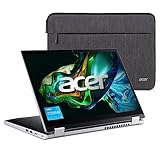
Best for: Buyers who want a convertible for the least money possible
Check price on AmazonQuick Picks
| Product | Best for | Key specs | Price note |
|---|---|---|---|
| HP OmniBook X Flip 14 OLED | Best overall | Ryzen AI 5 430, 16GB, 512GB, 14″ 2K OLED touch, stylus | $826–$899; check current price on Amazon |
| HP OmniBook X Flip 16 | Best big screen | Core Ultra 7 256V, 16GB, 512GB/1TB, 16″ 2K touch | $849–$899.99; check current price on Amazon |
| Dell Inspiron 14 7440 2-in-1 | Best for business | Core 5 120U, 16GB DDR5, 512GB, 14″ FHD+ touch | $849.99; check current price on Amazon |
| HP OmniBook 5 Flip 14 | Best value | Core 5 120U, 16GB, 512GB, 14″ 2K touch | $559.99–$659.99 at HP.com; check current price on Amazon |
| Acer Aspire 3 Spin 14 | Best budget | 14″ FHD IPS touch, Windows 11, 360° hinge | $439.99 at Acer direct; check current price on Amazon |
How to Choose a 2-in-1 Laptop Under $900
Decide Windows or ChromeOS first. Four of the five picks run Windows 11, and for most buyers that is the right call: full desktop apps, offline work, no compatibility questions. Chromebooks only make sense if your life already runs on Google apps. The Acer Chromebook Plus Spin 714 was the top pick in our under-$700 guide and still costs $679.99–$789.99 — a good machine, but it does not spend the extra $200 the way an OLED Windows convertible does.
Treat $900 as a ceiling, not a target. The best machine here costs $826 at Best Buy, and the best value pick costs $559.99 at HP.com. Spending the full budget is only worth it when the money buys something you can see or feel: an OLED panel, a bigger screen, a stylus, or a chip that will still feel fast in four years.
Demand 16GB of RAM. At this price there is no excuse for 8GB on a Windows machine. Every Windows pick here ships with 16GB. The budget Acer is the one exception — its base configuration is lighter on memory, which is why it sits at the bottom of the list.
Check the screen, not just the size. A 2-in-1 lives or dies by its display, because you will touch it, draw on it and fold it flat. OLED gives you perfect blacks and punchy color; a 2K (1920 x 1200) IPS panel is the minimum worth paying for at this budget; a dim 1080p panel is a sign the seller is charging premium money for a budget screen.
Mind the exact model number. HP sells several machines called “OmniBook X Flip 14.” The Ryzen AI 5 430 OLED version is the pick here; the Intel Core Ultra 5 226V version with 32GB of RAM lists at $959 on Amazon — over budget. Match the model number before you pay.
1. HP OmniBook X Flip 14 OLED — Best Overall
Best for: Most buyers who want the best 2-in-1 under $900.
The X Flip 14 OLED is the first convertible in this series that feels like a flagship rather than a good deal. The star is the 14-inch 2K OLED touchscreen: 1920 x 1200 resolution, 100% DCI-P3 color, 300 nits and Gorilla Glass 3. Next to a standard IPS panel the difference is obvious the moment you open a photo — blacks are truly black, and colors have a depth no budget screen can fake.
Under the screen sits AMD’s Ryzen AI 5 430, a 2026 chip with a 50 TOPS neural processor that qualifies this machine as a Copilot+ PC, paired with 16GB of LPDDR5X memory and a 512GB SSD. Wi-Fi 7 is included, and the stylus ships in the box — a $60–$100 saving against machines that make you buy the pen separately.
Specs: Ryzen AI 5 430 (50 TOPS NPU); 16GB LPDDR5X; 512GB SSD; 14″ 2K OLED touch, 100% DCI-P3; Wi-Fi 7; stylus included; about 3.09 lb.
Pros: The best screen you can buy under $900; modern AI chip; stylus included; Wi-Fi 7; sturdy 360-degree hinge.
Cons: The price sits right at the ceiling — $826.14 at Best Buy and $889–$899 on Amazon; RAM is soldered; the OLED panel is 60Hz, not 120Hz.
Who it is best for: Buyers who want one machine for work, media, note-taking and drawing — and will notice the OLED screen every day.
Check price on Amazon — HP OmniBook X Flip 14 OLED
2. HP OmniBook X Flip 16 — Best Big Screen
Best for: Buyers who want a 16-inch canvas for drawing or split-screen work.
If 14 inches feels cramped, the X Flip 16 is the same idea stretched out: a 16-inch 2K (1920 x 1200) touchscreen in a 360-degree hinge, driven by Intel’s Core Ultra 7 256V with Arc 140V graphics, 16GB of memory and 512GB or 1TB of storage. It is a Copilot+ PC too, and the larger chassis gives the keyboard room to breathe.
The trade-off is portability. At roughly 4 lb, this is a desk-and-couch machine. But as a drawing surface, the extra two inches matter more than the extra pound.
Specs: Core Ultra 7 256V (up to 4.8 GHz); Arc 140V graphics; 16GB LPDDR5X; 512GB or 1TB SSD; 16″ 2K touch; Wi-Fi 7.
Pros: The biggest screen in this guide; fast Core Ultra 7 chip; 1TB configurations exist under $900.
Cons: Heavy in tablet mode at around 4 lb; $849–$899.99, so it sits at the budget ceiling; RAM is soldered; the screen is IPS, not OLED.
Who it is best for: Artists, students and multitaskers who want the largest possible drawing and working surface.
Check price on Amazon — HP OmniBook X Flip 16
3. Dell Inspiron 14 7440 2-in-1 — Best for Business

Best for: Professionals and students who want business features and a proven track record.
The Inspiron 14 7440 was the top pick in our under-$800 guide, and it returns here deliberately: at $849.99 in November 2026 it is still one of the most sensible ways to spend this budget if you value reliability over flash. You get Intel’s Core 5 120U, 16GB of DDR5 memory, a 512GB SSD and a 14-inch FHD+ touchscreen, plus a 1080p webcam, a fingerprint reader and a backlit keyboard.
What it does not have is the OLED screen or the AI chip of the HP picks above. The display is a good IPS panel, not a great one, and the Core 5 120U is a workhorse rather than a showpiece. But nothing about this machine will surprise you in a bad way, and Dell’s support is a real advantage if this is a work laptop.
Specs: Core 5 120U (up to 5.0 GHz); 16GB DDR5; 512GB SSD; 14″ FHD+ touch; 1080p webcam; fingerprint reader; backlit keyboard; about 3.8 lb.
Pros: Proven, reliable pick with strong business features; fingerprint reader and 1080p webcam; 16GB of DDR5 and a 512GB SSD.
Cons: IPS screen, not OLED; the Core 5 120U trails the Ryzen AI and Core Ultra 7 chips above; heavier than the 14-inch HP at 3.8 lb; no stylus in the box.
Who it is best for: Anyone buying a 2-in-1 for work or school who would rather have a dependable machine than the flashiest screen.
Check price on Amazon — Dell Inspiron 14 7440 2-in-1
4. HP OmniBook 5 Flip 14 — Best Value
Best for: Buyers who want a proper 16GB Windows convertible and would rather keep $300 in their pocket.
The OmniBook 5 Flip 14 is the value pick of this guide: $559.99 for the 14-fp0000 configuration at HP.com in November 2026, and $659.99 for the 14-fp0057nr with 16GB of memory and a 512GB SSD. Both run Intel’s Core 5 120U — the same chip as the Dell above — with a 14-inch 2K touchscreen and an included active pen.
Specs: Core 5 120U (up to 5.0 GHz); 16GB in the recommended configuration; 512GB SSD; 14″ 1920 x 1200 touch; active stylus included.
Pros: The cheapest way to get a 16GB Windows convertible with a 2K touch screen; stylus included; the same chip as machines costing $200 more.
Cons: The base 8GB/256GB configuration is a trap — buy the 16GB/512GB version; build quality is a step below the X Flip line; no OLED option; confusing model numbering.
Who it is best for: Students and home users who want a capable Windows 2-in-1 without a flagship screen or chip.
Check price on Amazon — HP OmniBook 5 Flip 14
5. Acer Aspire 3 Spin 14 — Best Budget
Best for: Buyers who want a convertible for the least money possible.
The Aspire 3 Spin 14 is the cheapest real 2-in-1 in this guide: $439.99 at Acer’s own store in November 2026 for the A3SP14-31PT-37NV base configuration. It is a 14-inch convertible with a 1920 x 1200 IPS touchscreen and Windows 11 — a genuine 2-in-1, not a tablet with a keyboard glued on.
Be clear about what $440 buys: an entry-level machine with a modest processor, limited memory and a small SSD in the base configuration, and a plastic build that feels like its price. Higher configurations run $659–$847 on Amazon. But if your needs are web browsing, documents, video calls and streaming, it is a working convertible for less than half the price of the top pick.
Specs: 14″ 1920 x 1200 IPS touch; Windows 11 Home; 360° hinge; LPDDR5 memory; SSD storage (configuration-dependent); Wi-Fi 6.
Pros: The lowest price in this guide by a wide margin; a real 2K-class IPS touch screen; light and simple; a good second machine or student laptop.
Cons: Entry-level performance and storage in the base configuration; plastic build; no stylus included; higher configurations cost nearly as much as the HP OmniBook 5 Flip.
Who it is best for: Buyers on a tight budget, students who need a second machine, or anyone whose convertible will mostly browse the web.
Check price on Amazon — Acer Aspire 3 Spin 14
What to Avoid
The $1,000-plus machines that roundups recommend anyway. The Dell Inspiron 14 2-in-1 with a Ryzen 5 and 1TB lists over $1,000 on Amazon US in November 2026, and the Lenovo IdeaPad 5i 2-in-1 starts at $829.99 and climbs fast. Neither is actually under $900 in the configuration you would want.
The Intel version of the HP X Flip 14 at $999.99. HP sells an X Flip 14 with a Core Ultra 5 226V and 32GB of RAM on Amazon for $999.99 — $100 over budget, and the Ryzen AI OLED version in this guide is cheaper with the better screen.
Junk marketplace prices. Listings for the HP Pavilion x360 14 at $52.82 and a Chromebook Plus 2-in-1 at $25.04 from obscure sellers keep appearing in catalog searches. Those are not real prices. If a deal looks impossible, it is.
Old stock at new prices. The ASUS Vivobook Flip 14 TM420 — a 2021-era machine with a Ryzen 5 5500U — still shows up at $695.98–$698.98 at Walmart, and the Lenovo Flex 5i 15.6″ with an 11th-gen i5-1135G7 lists around $678.98.
The Samsung Chromebook Plus V2. A 2018 machine whose ChromeOS updates end in August 2027. It appears at $259 in catalog searches — a bargain until you realize it stops getting security updates in nine months.
FAQ
Is the HP OmniBook X Flip 14 OLED really under $900?
Yes — in the Ryzen AI 5 430 configuration with 16GB of memory and a 512GB SSD. It was $826.14 at Best Buy and $889–$899 on Amazon in November 2026. The Intel version with 32GB of RAM is $999.99, so match the model number and check the current price — it sits close to the ceiling.
Do any of these 2-in-1s include a stylus?
The HP OmniBook X Flip 14 OLED and the HP OmniBook 5 Flip 14 both include an active pen. The Dell, the X Flip 16 and the Acer do not — budget $60–$100 for a pen if you plan to take notes or draw.
Is 16GB of RAM really necessary?
On a Windows 2-in-1 at this price, yes. Windows 11 plus a browser with a dozen tabs will use most of 8GB, and the RAM in nearly every machine here is soldered. Every Windows pick here except the base Acer ships with 16GB.
Windows or ChromeOS under $900?
Windows, for most buyers — full desktop apps, offline work and no compatibility questions. ChromeOS only wins if your whole life already runs on Google apps. Even then, the best Chromebook convertible here, the Acer Chromebook Plus Spin 714 at $679.99–$789.99, is a previous guide’s top pick.
Can these laptops handle photo editing or light gaming?
The HP X Flip 14 OLED and X Flip 16 handle photo editing well, and the OLED panel is a genuine advantage for color work. None of these is a gaming laptop — integrated graphics will run older or lighter games at modest settings, but a discrete GPU is a different budget entirely.
Verdict
Buy the HP OmniBook X Flip 14 OLED if you want the best 2-in-1 under $900. The OLED screen alone justifies the price, and the Ryzen AI chip, the included stylus and Wi-Fi 7 mean it will still feel current in three or four years. Check the current price on Amazon before checkout — at $826–$899 it sits close to the line.
Buy the HP OmniBook X Flip 16 if you want the biggest screen, the Dell Inspiron 14 7440 if you want the safest business pick, the HP OmniBook 5 Flip 14 if you want to keep $300 and still get a proper 16GB convertible, or the Acer Aspire 3 Spin 14 if your budget is firm.
As an Amazon Associate, we earn from qualifying purchases.
Suggested Internal Links
More from Amazon
Programs that pair well with the guide above. Offers and eligibility are set by Amazon and may change.
A free business account with business pricing and bulk-buying tools for work, shop or home office.
Create a business accountFree shipping on eligible items, Prime Video and more. Eligible new members can start with a free trial.
Start a Prime free trialAudiobooks and podcasts to listen to on the go. Eligible new members can start with a free trial.
Try Audible freeAd-free music streaming. Eligible new subscribers can start with a free trial.
Try Music Unlimited freeAs an Amazon Associate we earn from qualifying purchases.










Write Your Review
No reviews yet. Be the first to share your experience!