

Our Top Picks
Pros & cons
verified on Amazon US….
A 2-in-1 laptop under $400 sounds like a compromise, and in one sense it is: you will not get a premium OLED screen, a fast Core Ultra chip, or 16GB of RAM at this price. What you can get, in November 2026, is a genuinely useful convertible — a touchscreen laptop with a 360-degree hinge that folds into tablet, tent, and stand modes.
Here is the honest part, up front. Most of the 2-in-1 laptops you can actually buy new on Amazon US for under $400 right now are Chromebooks, or older and entry-level Windows convertibles. The big-name Windows 2-in-1s that roundups love to list at this budget usually are not under $400 at all: the Dell Inspiron 14 2-in-1 sells for over $1,000 on Amazon US in November 2026, the Lenovo IdeaPad Flex 5i 14 with a Core i5 is around $480, and the ASUS Vivobook Flip 14 (J401MA) is currently listed at about $421.
Our top picks

Best for: Students and office workers who need Windows software and a proper 14-inch convertible for around $300
Check price on AmazonBest for: Students, note-takers, and travelers who want the smallest, lightest convertible and live mostly in a browser
Check price on Amazon
Best for: Younger students, second-laptop buyers, and anyone who wants the cheapest working convertible for browsing and online classes
Check price on Amazon
Best for: Chromebook fans who want a full-size 14-inch convertible with more storage than the budget picks
Check price on AmazonBest for: Home users who want the biggest touchscreen they can get for $299 and will mostly use it at a desk
Check price on AmazonQuick Picks: Best 2-in-1 Laptop Under $400
| Product | Best for | Key specs | Price note |
|---|---|---|---|
| HP Pavilion x360 14 (14m-dw1013dx) | Best overall | 14″ FHD touch, Core i3, 8GB RAM, 128GB SSD, Windows 11 | $299.99 on Amazon US, 17 Nov 2026 |
| Lenovo IdeaPad Flex 3i Chromebook 12.2″ | Best compact 2-in-1 | 12.2″ FHD+ touch, Intel N100, 4GB DDR5, 64GB eMMC + 64GB SD | $399.99 list; seen at $350 on sale |
| Acer Chromebook Spin 311 | Best budget 2-in-1 | 11.6″ HD touch, 4GB RAM, 64GB eMMC, ChromeOS | Around $229 on Amazon |
| HP Chromebook x360 14b | Best 14″ Chromebook | 14″ FHD+ touch, Intel N150, 4GB RAM, 128GB storage | $369.99 on sale, was $399.99 |
| Gateway 15.6″ 2-in-1 | Best big screen on a budget | 15.6″ FHD IPS touch, Windows 11 S | $299 in catalog search |
How to Choose a 2-in-1 Laptop Under $400
Windows or ChromeOS first
This is the decision that matters most at this budget. A Windows convertible, like the HP Pavilion x360 14, runs full desktop apps: Microsoft Office, Zoom, and any Windows software your school or job requires. A Chromebook, like the Flex 3i or Spin 311, runs ChromeOS: fast, simple, and secure, but no full Windows desktop software. If your classes need a specific Windows program, buy Windows. If your work lives in a browser, a Chromebook gives you better hardware for the money.
CPU: N100 is the floor, Core i3 is the sweet spot
At this price, expect an Intel N100, an Intel Core i3, or a MediaTek chip in Chromebooks. The N100 is a capable quad-core chip for browsing, documents, and streaming, but not a multitasking powerhouse. A Core i3, as in the Pavilion x360 14, handles heavier multitasking with less stutter. Avoid older Celeron and Pentium chips from before 2023, and be wary of no-name brands advertising a “Core i7” or 16GB of RAM for $250 — those listings are usually misleading.
RAM and storage: 8GB is ideal, 4GB is workable
8GB of RAM is the comfortable minimum for Windows; 4GB works on ChromeOS because the system is lighter, but it still limits how many tabs you can keep open. On storage, 128GB is the practical minimum — the Flex 3i’s 64GB eMMC fills up fast. On most budget convertibles the storage cannot be upgraded.
Screen, battery, and hinge
Look for an IPS panel rather than a TN panel: IPS keeps colors steady at an angle, which matters when you fold the screen back into tent or tablet mode. A 1080p (FHD) screen is noticeably sharper than a 1366 x 768 HD screen on a 14-inch display. Most budget panels are around 250 nits — fine indoors, washed out in sunlight. A stylus is rarely included at this price, so budget for a USI stylus on Chromebooks or a compatible active pen on Windows models. For battery, expect 8 to 10 hours of light use in the real world, and check reviews for hinge wobble: a hinge that is too loose will not hold tent mode. Finally, Chromebooks stop receiving ChromeOS updates on a fixed date, the Auto Update Expiration (AUE) date — check the exact model’s AUE date on Google’s Auto Update list before buying.
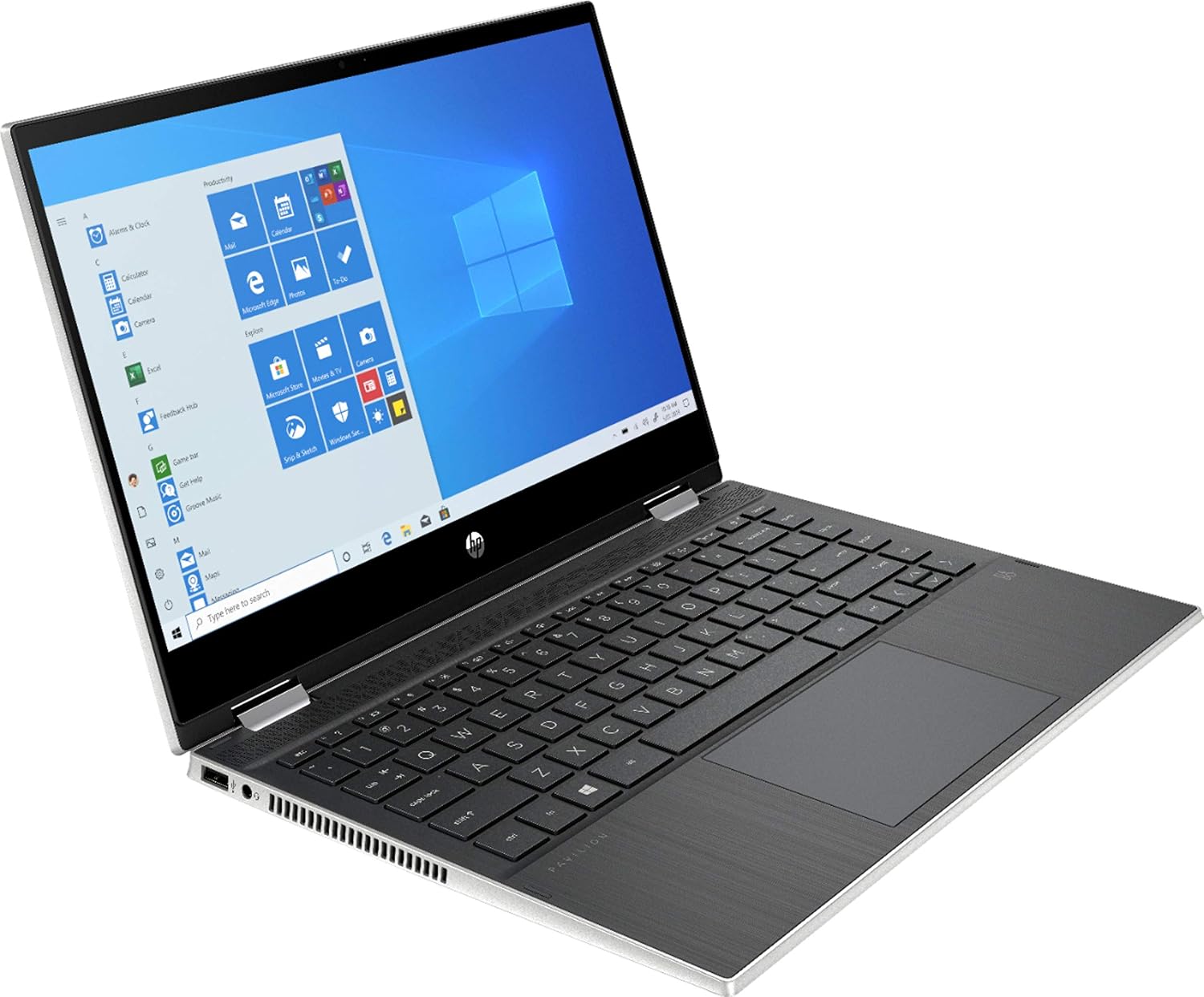
1. HP Pavilion x360 14 (14m-dw1013dx) — Best Overall
Key specs: 14-inch FHD touchscreen, 11th-gen Intel Core i3, 8GB DDR4 RAM, 128GB SSD, Windows 11, backlit keyboard, fingerprint reader. Price: $299.99 on Amazon US on 17 November 2026, down from $388 earlier in the month.
The Pavilion x360 14 is the best overall 2-in-1 laptop under $400 because it is the only pick here that gives you a full Windows laptop, a 14-inch Full HD touchscreen, and 8GB of RAM for about $300. The 11th-gen Core i3 handles a dozen browser tabs, Office documents, Zoom calls, and 1080p streaming without the constant stutter of entry-level Celeron machines.
The 128GB SSD is the main compromise. It is a real SSD, so the machine boots fast, but 128GB fills up quickly — keep your files in the cloud or add an external drive. The screen is a standard 250-nit panel: fine indoors, not great in bright sunlight.
Pros: Real Windows 11; 14-inch FHD IPS touchscreen; 8GB RAM; backlit keyboard and fingerprint reader; verified at $299.99 on Amazon in November 2026.
Cons: 128GB storage is tight; 250-nit screen is dim outdoors; Core i3 is last-generation silicon; no stylus included.
Best for: Students and office workers who need Windows software and a proper 14-inch convertible for around $300.
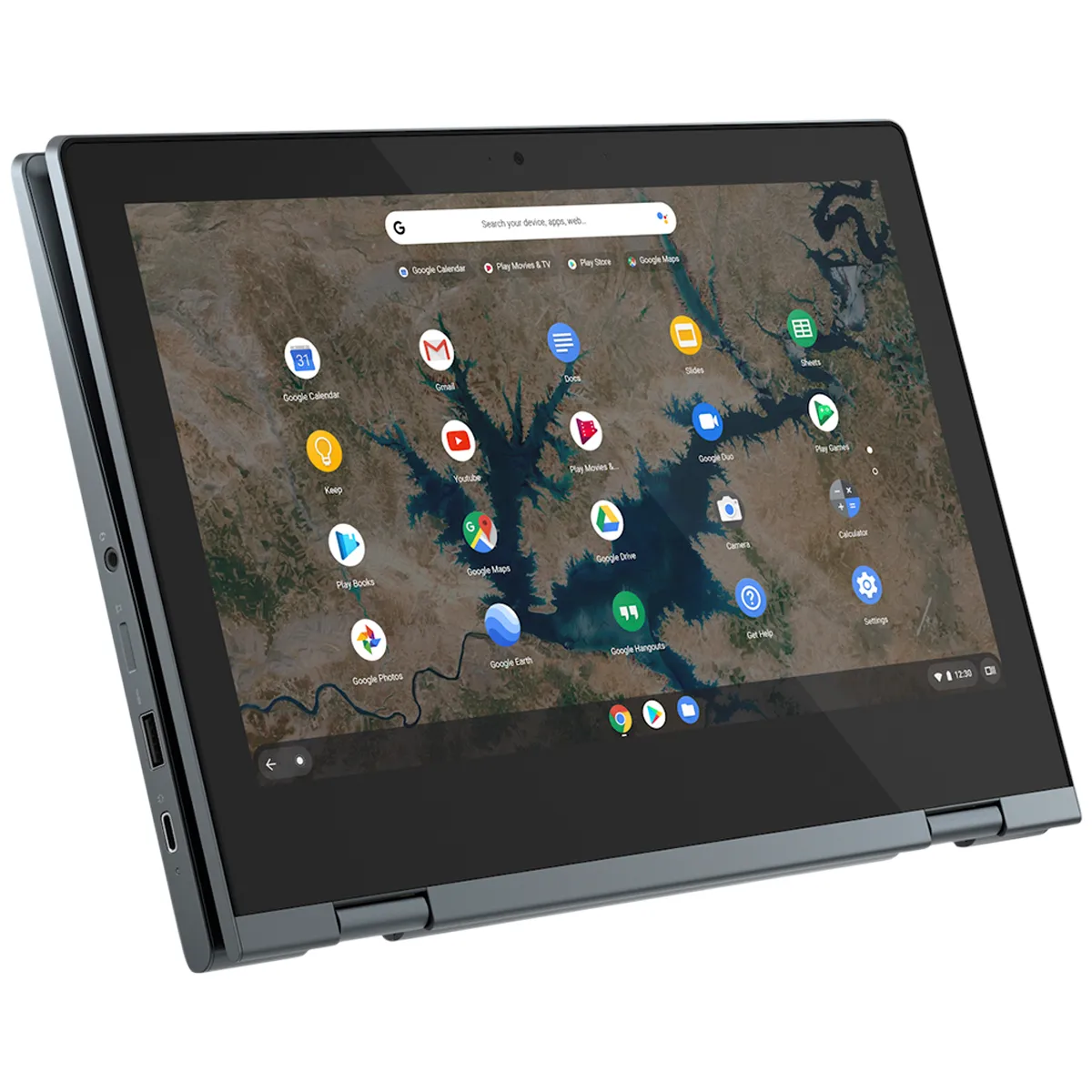
2. Lenovo IdeaPad Flex 3i Chromebook 12.2″ — Best Compact 2-in-1
Key specs: 12.2-inch 1920 x 1200 IPS touchscreen, Intel N100 quad-core up to 3.4GHz, 4GB DDR5 RAM, 64GB eMMC plus a bundled 64GB SD card, fanless design, 2.76 pounds, 47Wh battery, ChromeOS with updates through June 2033. Price: $399.99 list on Amazon, seen at $350 on sale in July and August 2026.
The Flex 3i is the smallest real 2-in-1 in this guide. At 12.2 inches and 2.76 pounds, it is the one machine here you will actually enjoy holding as a tablet. The 1920 x 1200 IPS touchscreen is sharper than most budget panels, the fanless N100 runs silently, and ChromeOS updates are guaranteed through June 2033.
The trade-offs are expected. 4GB of RAM and 64GB of eMMC storage mean this is a machine for the browser, Google Docs, video calls, and streaming — not for heavy multitasking or large local files. Some listings do not state the storage capacity clearly, so confirm the exact configuration before you buy.
Pros: Compact and light enough to use as a tablet; sharp 1920 x 1200 IPS touchscreen; silent fanless design; updates through June 2033; often on sale around $350.
Cons: 4GB RAM and 64GB eMMC limit multitasking and storage; no backlit keyboard; storage capacity is not stated on every listing; at $399.99 list it sits right at the budget ceiling.
Best for: Students, note-takers, and travelers who want the smallest, lightest convertible and live mostly in a browser.
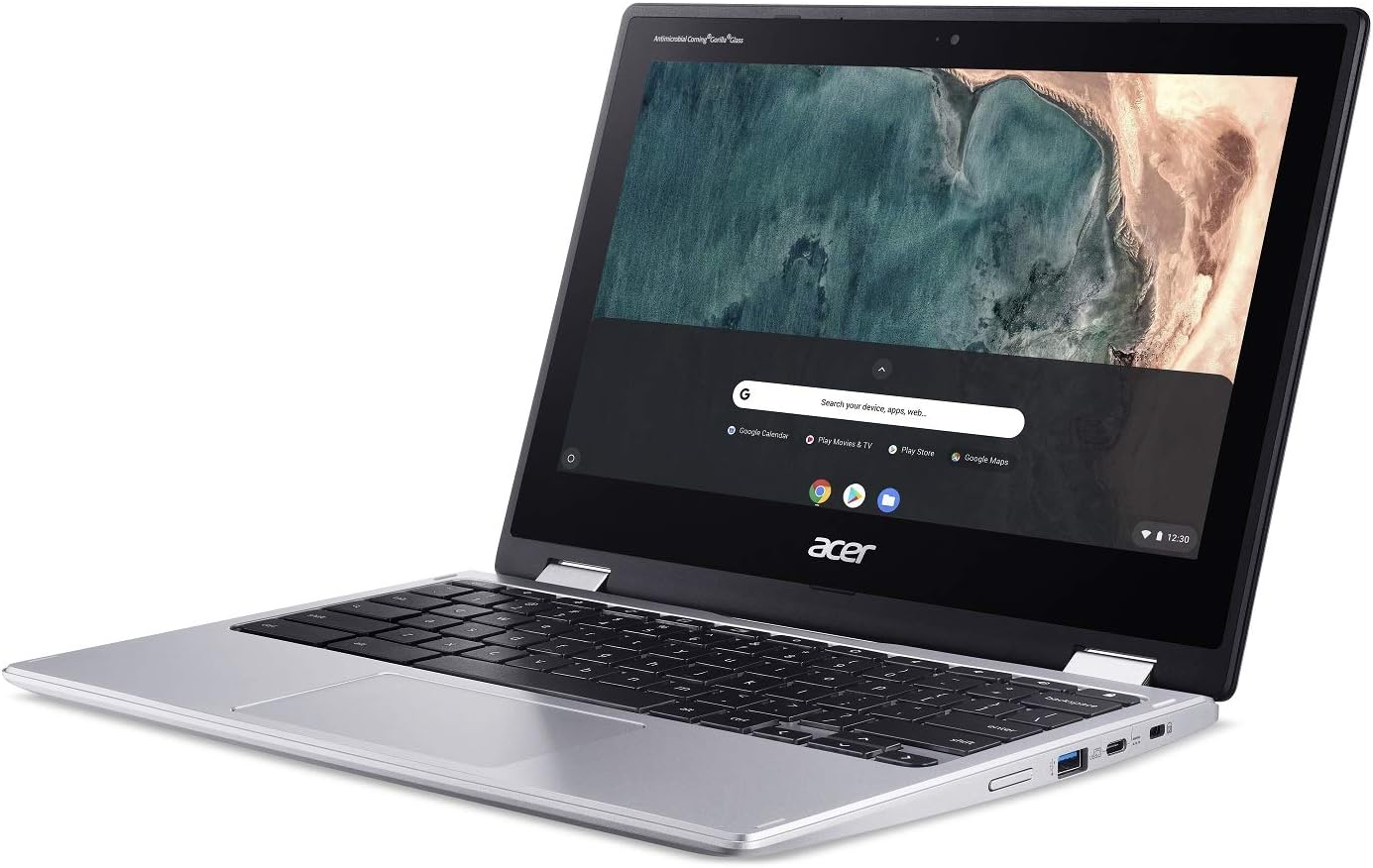
3. Acer Chromebook Spin 311 — Best Budget 2-in-1
Key specs: 11.6-inch HD touchscreen, 360-degree hinge, 4GB RAM, 64GB eMMC storage, ChromeOS. Price: Around $229 on Amazon in November 2026, with a 4.4 out of 5 star average rating.
The Spin 311 is the cheapest way into a real 2-in-1 in this guide. It is a small, light Chromebook with a touchscreen and a 360-degree hinge, built for web browsing, online classes, and streaming. At around $229 it costs less than a mid-range tablet.
Do not expect more than that. The 11.6-inch screen is 1366 x 768 HD, not Full HD, so text is less sharp than on the 14-inch picks. 4GB of RAM and 64GB of eMMC storage are enough for a handful of tabs and Google Docs, not for heavy multitasking. Check the exact model’s AUE date on Google’s Auto Update list before buying — update support varies by variant.
Pros: The lowest price in this guide at around $229; light and portable; 360-degree hinge; simple, fast ChromeOS; well rated by buyers.
Cons: 1366 x 768 HD screen is not sharp; 4GB RAM and 64GB eMMC are limiting; entry-level performance; AUE date varies by variant, so verify before buying.
Best for: Younger students, second-laptop buyers, and anyone who wants the cheapest working convertible for browsing and online classes.
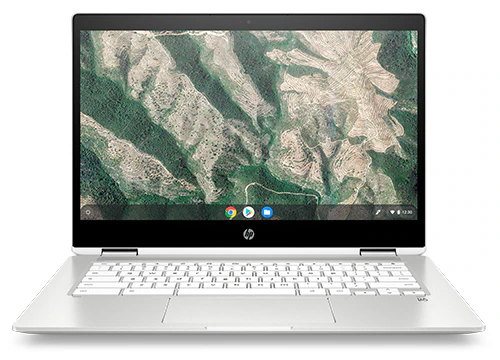
4. HP Chromebook x360 14b — Best 14″ Chromebook
Key specs: 14-inch FHD+ touchscreen, Intel N150 processor, 4GB RAM, 128GB storage, ChromeOS, backlit keyboard. Price: $369.99 on sale, list $399.99.
The HP Chromebook x360 14b is the pick for buyers who want a full-size Chromebook convertible: a 14-inch FHD+ touchscreen, a backlit keyboard, and 128GB of storage — double the storage of the cheaper Chromebooks here. The newer Intel N150 chip handles ChromeOS smoothly.
The 4GB of RAM is the weak point: fine for a moderate number of tabs, not for power users. The screen is a standard 250-nit panel, so indoor use is where it shines. HP sells the x360 14 in several configurations with similar names, so check the exact model number (14b-ce0141nr) and the AUE date on Google’s Auto Update list before you buy.
Pros: Full-size 14-inch FHD+ touchscreen; 128GB storage; backlit keyboard; newer Intel N150 chip; on sale at $369.99.
Cons: 4GB RAM limits heavy multitasking; 250-nit screen is dim outdoors; model names are confusing, so verify the exact configuration; AUE date must be checked per model.
Best for: Chromebook fans who want a full-size 14-inch convertible with more storage than the budget picks.
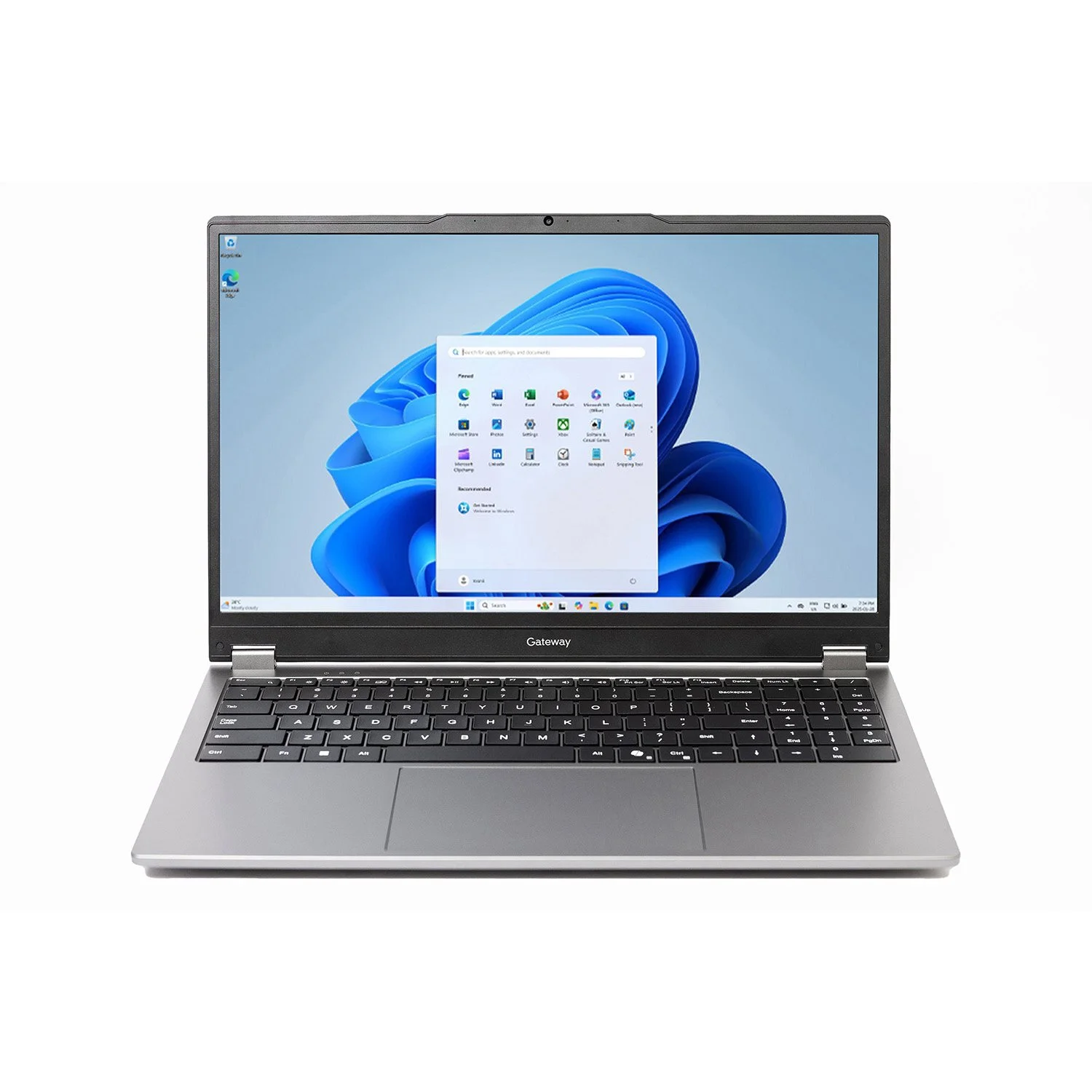
5. Gateway 15.6″ 2-in-1 — Best Big Screen on a Budget
Key specs: 15.6-inch FHD IPS touchscreen, Windows 11 S, Intel processor. Price: $299 in catalog search, November 2026.
The Gateway 15.6-inch 2-in-1 earns its place for one reason: it is the biggest screen in this guide for $299. If you want a large touchscreen for streaming, video calls, and documents — and you do not need to carry the laptop around all day — a 15.6-inch FHD IPS display is a genuine upgrade over an 11.6-inch panel. It runs Windows 11 S, which only runs apps from the Microsoft Store until you switch out of S mode (a free, one-way switch).
Be clear-eyed about what you are getting. Gateway is a value brand sold mainly through Walmart, and the listing details for this model are thin: the exact processor and RAM are not always stated clearly, so confirm them before you buy. Expect entry-level performance and a plastic build.
Pros: Large 15.6-inch FHD IPS touchscreen for $299; full Windows; good for streaming and calls at a desk.
Cons: Listing details are thin — confirm the exact processor and RAM before buying; entry-level performance; heavy for tablet use.
Best for: Home users who want the biggest touchscreen they can get for $299 and will mostly use it at a desk.
What to Avoid When Buying a 2-in-1 Laptop Under $400
Roundup picks that are not actually under $400. The Dell Inspiron 14 2-in-1 is a fine laptop, but its Amazon US listings run over $1,000 in November 2026. The Lenovo IdeaPad Flex 5i 14 with a Core i5 is around $480, and the ASUS Vivobook Flip 14 (J401MA) is about $421 right now — both are worth buying only on sale below $400.
No-name brands with impossible specs. Listings advertising 16GB of RAM, a 1TB SSD, and a “Core i7” for $250 are almost always misleading. Stick to HP, Lenovo, Acer, and ASUS at this budget.
A Chromebook with a short AUE date. A cheap Chromebook that stops getting updates in a year is a bad buy. Check the exact model’s AUE date on Google’s Auto Update list before you pay.
4GB of RAM on Windows. 4GB works on ChromeOS. On Windows 11, 4GB means constant stutter — 8GB is the minimum.
The wrong model number. HP, Lenovo, and Acer all sell several machines under nearly identical names. Always match the exact model number on the listing.
Frequently Asked Questions
Is a 2-in-1 laptop under $400 good enough for school?
Yes, for most schoolwork: web research, Google Docs or Office, video classes, and streaming. It is not the right tool for video editing, 3D work, or dozens of open tabs. If your coursework needs specific Windows software, buy a Windows convertible like the Pavilion x360 14; if it lives in a browser, a Chromebook like the Flex 3i is the better value.
Should I buy a Windows 2-in-1 or a Chromebook under $400?
Buy Windows if you need desktop apps that only run on Windows. Buy a Chromebook if your work is web-based: you get a better screen and a simpler machine for the same money.
How much RAM do I need in a 2-in-1 laptop under $400?
8GB is ideal and is what the HP Pavilion x360 14 offers. 4GB is workable on ChromeOS for light use, but it limits how many tabs you can keep open. Avoid 4GB on Windows 11.
Do budget 2-in-1 laptops come with a stylus?
Almost never at this price. The Pavilion x360 line supports active pens, sold separately, and Chromebooks support USI styluses for around $30 to $50.
When is the best time to buy a 2-in-1 laptop under $400?
Black Friday week in November is the best window: the Pavilion x360 14 dropped from $388 to $299.99 in November 2026, and the Flex 3i has repeatedly gone on sale for $350.
Verdict: Our Top Pick
The HP Pavilion x360 14 (14m-dw1013dx) is the best 2-in-1 laptop under $400. It is the only pick that combines a full Windows laptop, a 14-inch Full HD touchscreen, a Core i3 processor, and 8GB of RAM for about $300 — verified on Amazon US in November 2026.
If you want the smallest, lightest convertible and you live in a browser, buy the Lenovo IdeaPad Flex 3i Chromebook 12.2″ instead — its sharper 1920 x 1200 screen, silent fanless design, and updates through June 2033 make it the best compact pick. And if your budget is truly tight, the Acer Chromebook Spin 311 at around $229 is a working 2-in-1 for less than a tablet.
Whichever you choose, check the exact model number, confirm the AUE date on Chromebooks, and check the current price on Amazon.
As an Amazon Associate, we earn from qualifying purchases.
Suggested Internal Links
More from Amazon
Programs that pair well with the guide above. Offers and eligibility are set by Amazon and may change.
A free business account with business pricing and bulk-buying tools for work, shop or home office.
Create a business accountFree shipping on eligible items, Prime Video and more. Eligible new members can start with a free trial.
Start a Prime free trialAudiobooks and podcasts to listen to on the go. Eligible new members can start with a free trial.
Try Audible freeAd-free music streaming. Eligible new subscribers can start with a free trial.
Try Music Unlimited freeAs an Amazon Associate we earn from qualifying purchases.










Write Your Review
No reviews yet. Be the first to share your experience!