

Our Top Picks
Pros & cons
provided you are happy with ChromeOS. If you need Windows, the Lenovo….
Seven hundred dollars is where a 2-in-1 stops feeling like a compromise. At $400 and $500 the market is mostly Chromebooks plus one real Windows pick, as we said in our under $400 and under $500 guides. At $700 a genuinely better Chromebook appears: the Acer Chromebook Plus Spin 714, with a Core Ultra 5 chip, a bright 100% sRGB touchscreen and a stylus — plus a 512GB Acer Spin 514 and a student-focused HP convertible.
Not everything with a hinge belongs here: the Dell Inspiron 14 2-in-1 costs over $1,000 on Amazon US in November 2026, and the Lenovo IdeaPad 5i 2-in-1 starts around $829.99. Every pick was verified against real Amazon US listings and price trackers in November 2026 — check current price on Amazon before you buy.
Our top picks

Best for: Buyers who want the strongest Chromebook 2-in-1 under $700 and are happy living in ChromeOS
Check price on Amazon
Best for: Buyers who need real Windows — full desktop apps, not just a browser
Check price on Amazon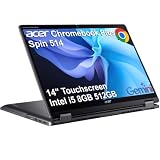
Best for: Buyers who want a Chromebook with room for everything — 512GB of local storage
Check price on Amazon
Best for: Buyers who want the Chromebook Plus badge — and a pen — for the least money
Check price on AmazonQuick Picks
| Product | Best for | Key specs | Price note |
|---|---|---|---|
| Acer Chromebook Plus Spin 714 | Best overall | Core Ultra 5 115U, 8GB RAM, 256GB SSD, 14″ WUXGA touch, stylus | $630 live read 16 Nov; Amazon $628.88–$639.99 |
| Lenovo IdeaPad Flex 5i 14 (Windows) | Best Windows 2-in-1 | Core i5, 8GB RAM, 512GB SSD, 14″ FHD touch, Windows 11 | ~$479.98 on Amazon in Nov 2026 |
| Acer Chromebook Plus Spin 514 | Best storage | Core i5-1334U, 8GB RAM, 512GB SSD, 14″ WUXGA touch | $595–$629 on Amazon, live reads 16 Nov |
| HP Chromebook Plus x360 14 | Best for students | Core i3-N305, 8GB RAM, 256GB UFS, 14″ touch, backlit keyboard | $569.99 on Amazon, live read 16 Nov |
| Lenovo Chromebook Plus 2-in-1 14 | Best value Chromebook Plus | Core 3 N355, 8GB RAM, 128GB UFS, 14″ FHD+ touch, pen | $497.99 at authorized retailers; $649.99 on Amazon |
How to Choose a 2-in-1 Laptop Under $700
Pick the operating system first — it matters more than the processor. A Windows 2-in-1 runs full desktop software: Office, Zoom, Photoshop, Steam, and any app your school or job requires. A Chromebook runs ChromeOS: fast and simple for web apps and Google Docs, but it will not run Windows-only software. If anyone needs a specific Windows program, buy Windows; if your work lives in a browser, a Chromebook Plus gives you more laptop for the money.
Treat $700 as a ceiling, not a target. The best value here costs about $480 — spend the full $700 only when it buys something concrete, like the Spin 714’s Core Ultra 5 chip and color-accurate screen, or the Spin 514’s 512GB of storage. And insist on 8GB of RAM: every pick here has it, because a 2-in-1 with 4GB feels slow the moment you open a dozen browser tabs.
Check the screen, not just the size. A 14-inch touchscreen is the sweet spot, and you want a Full HD (1920 x 1080) or WUXGA (1920 x 1200) IPS panel — the Spin 714’s 100% sRGB coverage is a real advantage for photo editing, while a dim 250-nit panel is the most common disappointment in this price class. On a Chromebook, also check the AUE date, the month Google stops sending updates: a 2025 Lenovo Chromebook Plus 2-in-1 is covered through June 2035, while older models can expire as soon as August 2027.
Match the exact model number. Acer sells several machines called “Spin 514” with different processors, and Lenovo’s “Chromebook Plus 2-in-1” comes in a dozen Best Buy bundles. The numbers here — CP714-1H-54UB, CP514-4HN — are the ones we verified.
1. Acer Chromebook Plus Spin 714 — Best Overall
Best for: Buyers who want the strongest Chromebook 2-in-1 under $700 and are happy living in ChromeOS.
The Spin 714 feels like a premium machine, not a budget machine with a hinge. The CP714-1H-54UB pairs an Intel Core Ultra 5 115U — eight cores, up to 4.2GHz — with 8GB of LPDDR5 and a 256GB SSD. Its 14-inch WUXGA touchscreen covers 100% of sRGB, rare under $700 and genuinely useful for photo editing, and a stylus is included.
Pricing is honest: a live read on 16 November 2026 showed $630, with Amazon listings at $628.88 to $639.99. Best Buy sold it for $529 in August, against a $799 list price.
Specs: Intel Core Ultra 5 115U, 8 cores up to 4.2GHz; 8GB LPDDR5; 256GB SSD; 14″ WUXGA IPS touchscreen, 100% sRGB; stylus included; Wi-Fi 6E; backlit keyboard; ChromeOS; ~3.1 lb.
Pros: Fastest Chromebook processor here; color-accurate 100% sRGB screen; stylus included; Wi-Fi 6E and backlit keyboard.
Cons: 256GB is modest next to the Spin 514’s 512GB; the $799 list price is fiction; ChromeOS only.
Who it is best for: Anyone who lives in a browser and wants the nicest Chromebook convertible under $700.
Check price on Amazon — Acer Chromebook Plus Spin 714
2. Lenovo IdeaPad Flex 5i 14 (Windows) — Best Windows 2-in-1
Best for: Buyers who need real Windows — full desktop apps, not just a browser.
The Flex 5i 14 is the only genuine Windows pick here, and the cheapest, at around $479.98 on Amazon in November 2026 per price-tracker data. It topped our under-$500 and under-$600 guides: an Intel Core i5, 8GB of RAM, a 512GB SSD, and a 14-inch Full HD touchscreen running full Windows 11.
The trade-off is the screen and the chip: a standard Full HD touchscreen rather than the Spin 714’s brighter, color-accurate display, and a mainstream Core i5 rather than a Core Ultra. For everyday work — Office, Zoom, streaming — you will not feel the difference.
Specs: Intel Core i5; 8GB RAM; 512GB SSD; 14″ Full HD touchscreen; Windows 11; 360-degree hinge; around 3.3 lb.
Pros: Full Windows 11 with 512GB for under $500; the cheapest pick here by a wide margin; a proven configuration.
Cons: Dimmer, less color-accurate screen than the Spin 714; the Core i5 trails the Core Ultra 5; match the exact Flex 5i configuration.
Who it is best for: Anyone who needs Windows software — students, office workers, and shared household laptops.
Check price on Amazon — Lenovo IdeaPad Flex 5i 14 Windows
3. Acer Chromebook Plus Spin 514 — Best Storage
Best for: Buyers who want a Chromebook with room for everything — 512GB of local storage.
The Spin 514 is the storage king here: a 10-core Intel Core i5-1334U (up to 4.6GHz) with 8GB of LPDDR5X and a 512GB PCIe Gen 4 SSD — double the Spin 714’s storage and four times the Lenovo’s. Its 14-inch WUXGA touchscreen matches the Spin 714’s sharpness, with a backlit keyboard, 1080p webcam, and Wi-Fi 6E.
Pricing is the thing to watch: live reads on 16 November showed $595 and $629 on Amazon, but other listings ran $659 to $679.99. The spread is the seller — buy the $595–$629 listing, not the $680 one.
Specs: Intel Core i5-1334U, 10 cores up to 4.6GHz; 8GB LPDDR5X; 512GB PCIe Gen 4 SSD; 14″ WUXGA IPS touchscreen; Wi-Fi 6E; backlit keyboard; 1080p webcam; ChromeOS.
Pros: 512GB of storage — the most here; fast 10-core i5; sharp WUXGA touchscreen; backlit keyboard and 1080p webcam.
Cons: Amazon prices range from $595 to $679.99 — check the seller; 8GB of RAM is soldered; no stylus in the box.
Who it is best for: Buyers who keep a lot of files offline and want a Chromebook that will not run out of room.
Check price on Amazon — Acer Chromebook Plus Spin 514
4. HP Chromebook Plus x360 14 — Best for Students

Best for: Students who want a sturdy, backlit, business-styled convertible with 256GB of storage.
HP’s Chromebook Plus x360 is the most student-focused convertible here: an 8-core Intel Core i3-N305 (up to 3.8GHz) with 8GB of RAM and 256GB of UFS storage in a 14-inch touchscreen body with a backlit keyboard, Wi-Fi 6, and Google’s AI study tools. A live read on 16 November showed $569.99 on Amazon — a stable price, not a one-day deal.
The i3-N305 is the honest compromise: an 8-core chip, but a modest one — fine for Docs, video calls, and streaming, and noticeably slower than the Spin 514’s Core i5 or the Spin 714’s Core Ultra 5 under load. What you get is the complete package — backlit keyboard, 256GB of storage, a 14-inch touchscreen — for $130 less than the Spin 714.
Specs: Intel Core i3-N305, 8 cores up to 3.8GHz; 8GB RAM; 256GB UFS; 14″ touchscreen; backlit keyboard; Wi-Fi 6; ChromeOS with Google AI; updates through June 2033.
Pros: Backlit keyboard and 256GB at $569.99; stable price; student-friendly styling; Google AI included.
Cons: The i3-N305 is the slowest processor here; UFS storage is slower than the Acers’ NVMe SSDs; match the Plus model exactly.
Who it is best for: Students who want a durable, backlit convertible with enough storage for a full school year.
Check price on Amazon — HP Chromebook Plus x360 14
5. Lenovo Chromebook Plus 2-in-1 14 — Best Value Chromebook Plus
Best for: Buyers who want the Chromebook Plus badge — and a pen — for the least money.
This is the budget pick, and it topped our guide to the best 2-in-1 laptop under $500. The 2025 Lenovo Chromebook Plus 2-in-1 14 pairs an 8-core Intel Core 3 N355 with 8GB of LPDDR5 and 128GB of UFS storage, in a 14-inch Full HD+ IPS touchscreen body with pen support, a 5MP camera, Wi-Fi 6E, and a fingerprint reader. Updates run through June 2035 — the longest window here.
The price depends on where you buy it: authorized retailers listed it at $497.99, Lenovo’s own store showed $599.99 (down from $799.99), and Amazon listed it at $649.99 on 16 November. Buy it at $497.99, or wait for Amazon to dip — at $649.99 it is not a good deal, because the Spin 714 costs less and is better.
Specs: Intel Core 3 N355, 8 cores; 8GB LPDDR5; 128GB UFS; 14″ FHD+ IPS touchscreen, 300 nits; pen support; 5MP camera; Wi-Fi 6E; fingerprint reader; updates through June 2035.
Pros: The lowest price here at the right retailer; pen support and fingerprint reader included; the longest update window here.
Cons: Only 128GB of storage; Amazon’s $649.99 is a bad deal next to the $497.99 retailer price; the weakest processor here.
Who it is best for: Budget buyers who want a modern Chromebook Plus with a pen and ten years of updates.
Check price on Amazon — Lenovo Chromebook Plus 2-in-1 14
What to Avoid
Paying over $700 for a “2-in-1 under $700.” The Dell Inspiron 14 2-in-1 costs over $1,000 on Amazon US in November 2026, and the Lenovo IdeaPad 5i 2-in-1 starts from $829.99. Any roundup listing them under $700 is quoting a sale price that no longer exists.
Junk marketplace prices. Two listings turned up during research that should set off alarms: an HP Pavilion x360 14 at $52.82 and a Lenovo Chromebook Plus 2-in-1 at $25.04, both from obscure sellers. A $700 laptop does not sell for $25.
The wrong Spin. Acer sells two very different machines under the Spin 514 name: the CP514-4HN is the Intel model here — Core i5-1334U, 8GB RAM, 512GB SSD — while the newer CP514-5HN uses MediaTek’s Kompanio Ultra 910 chip. And the CP714-1H-54UB in this guide is the Core Ultra 5 115U with 8GB and a 256GB SSD; other Spin 714 configurations with Core Ultra 7 and 16GB cost well over $700. Check the model number, not just the name.
Old stock at new prices. The ASUS Vivobook Flip 14 TM420 — Ryzen 5 5500U, 8GB RAM, 512GB SSD — still appears at $695.98 to $698.98 at Walmart. It is a 2021-era machine at the very top of this budget; the Flex 5i 14 gives you the same storage and a newer platform for about $200 less. The same goes for the Lenovo IdeaPad Flex 5i 15.6-inch at $678.98, an older 11th-generation Core i5-1135G7 machine.
Chromebooks near the end of updates. The Samsung Chromebook Plus V2 dates from 2018 and its ChromeOS updates end in August 2027. A cheap 2-in-1 that stops getting security updates in nine months is not a bargain.
FAQ
Is a Chromebook or a Windows laptop better under $700?
It depends on what you need to run. If your work lives in a browser, a Chromebook Plus gives you more hardware for the money. If you need Windows-only software, such as full Microsoft Office or course-specific programs, buy the Lenovo IdeaPad Flex 5i 14.
How much storage do I need in a 2-in-1 under $700?
128GB is enough if you live in the cloud. 256GB is the comfortable minimum, and 512GB — as in the Spin 514 and the Flex 5i 14 — is right if you download a lot of media. Chromebooks cannot easily add storage later, so buy the capacity you will need in two years.
Do I need a stylus with a 2-in-1?
Not necessarily, but it changes how you use the machine. The Spin 714 includes a stylus, and the Lenovo Chromebook Plus 2-in-1 supports pen input — both are genuinely useful for handwriting notes and marking up PDFs. If you only type, a stylus is a nice extra.
Can a 2-in-1 under $700 handle photo or video editing?
Light photo editing, yes — the Spin 714’s 100% sRGB screen is genuinely good for the price. Serious video editing is different: 8GB of RAM and integrated graphics feel slow with 4K timelines. If video editing is your main job, look at our guides to the best laptop for video editing under $1,000 and under $1,100 instead.
Why do prices for the same laptop vary so much?
Because the same model is sold by many sellers at different prices, and 2-in-1 prices move with sales. The Lenovo ranged from $497.99 to $649.99 across sellers in November 2026, and the Spin 514 from $595 to $679.99. The price on the listing you open is the only one that matters.
Verdict
The Acer Chromebook Plus Spin 714 is the best 2-in-1 laptop under $700 for most buyers: a Core Ultra 5 processor, a color-accurate touchscreen, an included stylus, and a $630 street price — provided you are happy with ChromeOS. If you need Windows, the Lenovo IdeaPad Flex 5i 14 is the obvious pick: full Windows 11, 512GB of storage, and a price around $480. And if storage is your priority, the Acer Chromebook Plus Spin 514 gives you 512GB for $595 to $629. Match the exact model number and compare sellers — the gap between the cheapest and most expensive listing for the same laptop was $150 in November 2026.
As an Amazon Associate, we earn from qualifying purchases.
Suggested Internal Links
- Best 2-in-1 Laptop Under $400 (2026)
- Best 2-in-1 Laptop Under $500 (2026)
- Best 2-in-1 Laptop Under $600 (2026)
More from Amazon
Programs that pair well with the guide above. Offers and eligibility are set by Amazon and may change.
A free business account with business pricing and bulk-buying tools for work, shop or home office.
Create a business accountFree shipping on eligible items, Prime Video and more. Eligible new members can start with a free trial.
Start a Prime free trialAudiobooks and podcasts to listen to on the go. Eligible new members can start with a free trial.
Try Audible freeAd-free music streaming. Eligible new subscribers can start with a free trial.
Try Music Unlimited freeAs an Amazon Associate we earn from qualifying purchases.










Write Your Review
No reviews yet. Be the first to share your experience!