
Our Short List of 3

- Best for: Players who want the native Mac edition on the most portable machine in this guide.
- Apple M4 chip
- 16GB unified memory
- 256GB SSD storage
- 13.6-inch Liquid Retina display

- Best for: Readers who play in long sittings and want the biggest screen that still travels easily.
- Apple M4 chip
- 16GB unified memory
- 512GB SSD storage
- 15.3-inch Liquid Retina display

- Best for: Windows households that want a premium OLED touchscreen and generous memory and storage headroom.
- Snapdragon X Elite X1E-78-100 processor, 12 cores, up to 3.4 GHz
- Integrated Qualcomm Adreno GPU
- 32GB LPDDR5X memory, soldered
- 1TB SSD, M.2 2242 PCIe Gen4
All 4 Picks at a Glance
| Product | Specs | Action |
|---|---|---|
| Apple MacBook Air 13 (M4) |
| Check price on Amazon |
| Apple MacBook Air 15 (M4) |
| Check price on Amazon |
| Lenovo Yoga Slim 7x |
| Check price on Amazon |
 ASUS Zenbook 14 OLED |
| Check price on Amazon |
In Other Waters asks very little on paper: a 2.0 GHz processor, 4 GB of memory, graphics with 2 GB of VRAM and 700 MB of storage. The real decision is not raw power but which published edition you will run, because Steam sells a Windows edition and a Mac edition, each with a minimum tier only. The recommended tiers are empty shells, so there is no higher official target to aim a purchase at.
This guide is for players picking between the native Mac edition on a current Mac and the Windows edition on x86 or ARM hardware, and for anyone replacing an ageing laptop mainly for story-led games. The five picks come from the names and figures on their product pages: two MacBook Air models, a Snapdragon-powered Lenovo, an OLED ASUS, and an HP with dedicated graphics.
Quick Picks
As an Amazon Associate we earn from qualifying purchases
| Product | Best for | Key spec from title |
|---|---|---|
| Apple MacBook Air 13 (M4) | The native Mac edition in the lightest bag | M4 chip, 16GB unified memory, 256GB SSD |
| Apple MacBook Air 15 (M4) | Long reading sessions on a bigger screen | M4 chip, 16GB unified memory, 512GB SSD |
| Lenovo Yoga Slim 7x | A Windows machine with a sharp OLED touch display | Snapdragon X Elite, 32GB memory, 1TB SSD |
| ASUS Zenbook 14 OLED | Native Windows x86 in a slim OLED body | Ryzen 7 8840HS, 16GB memory, 512GB SSD |
| HP Victus 15 | One laptop that also covers heavier games | Ryzen 5 7535HS, Radeon RX 6550M, 32GB memory |
How to Choose
Start with the edition you will actually run
Steam publishes two editions of this game, one for Windows and one for Mac, and a laptop only ever runs one of them. The Mac minimum floor is Mac OS X 10.10.5 or above, wording from the Yosemite era, and no Catalina notice applies to this title, so a current MacBook Air runs the native Mac edition as sold today. On the Windows side, check whether the machine is x86 or ARM before anything else: the Lenovo below runs Windows on a Snapdragon chip, while the ASUS and HP run the familiar x86 build.
Read the minimum block, because there is no recommended tier
The published Windows recommended tier prints only the line “Requires a 64-bit processor and operating system” and nothing beneath it, while the Mac recommended tier is a completely empty shell. Neither gives you a processor, memory or graphics figure to shop against. Work from the minimum block instead: Windows 7 or later in 64-bit form, a 2.0 GHz processor, 4 GB of RAM, graphics with 2 GB of VRAM and 700 MB of free storage. Every laptop in this guide clears those printed figures comfortably on paper.
Understand what the 2 GB VRAM line means for integrated graphics
The graphics requirement is a memory figure, not a named card, and the five picks meet it in different ways. The HP Victus carries a dedicated Radeon RX 6550M with its own 4 GB of GDDR6 memory. The MacBook Air models draw on unified memory shared with the M4 chip, the ASUS uses an integrated Radeon 780M that allocates from its 16 GB of system memory, and the Lenovo uses an integrated Adreno GPU. Integrated parts have no separate memory pool, so compare the total memory figure on the listing rather than hunting for a VRAM number that is not printed.
Match the screen and controls to a text-heavy game
You play as the AI inside a diving suit, steering a xenobiologist through menus, maps, scans and long passages of written dialogue, using a mouse or a gamepad as the maker describes. Sessions are mostly reading, so panel size and clarity matter more here than refresh figures. The 15.3-inch Air gives the text the most room, the Lenovo and ASUS answer with OLED touchscreens you can tap through menus on, and every pick has a trackpad suited to the pointer-led interface.
The 5 Best Options
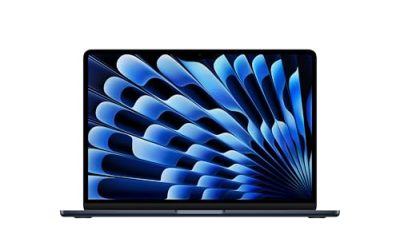
Apple MacBook Air 13 (M4)
- Best for: Players who want the native Mac edition on the most portable machine in this guide.
- Apple M4 chip
- 16GB unified memory
- 256GB SSD storage
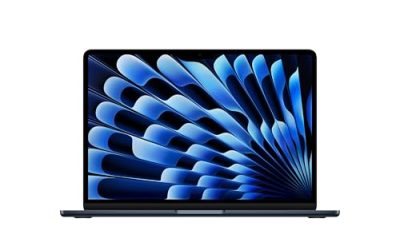
- 13.6-inch Liquid Retina display
Players who want the native Mac edition on the most portable machine in this guide.
This model line is sold in several memory and storage configurations under near-identical titles, so confirm the listing names model MW123LL/A with 16GB and 256GB before ordering.
For the native Mac edition in the lightest package here, this is the direct pick. The published Mac minimum names Mac OS X 10.10.5 or above, a 2.0 GHz processor, 4 GB of memory and 2 GB of VRAM, and because no Catalina notice applies, the current macOS release on this M4 machine runs the edition sold today. At 2.73 pounds it is easy to carry between rooms, the 13.6-inch Liquid Retina panel keeps dense dialogue readable, and the full install needs only 700 MB of its 256 GB SSD.
Apple MacBook Air 15 (M4)
- Best for: Readers who play in long sittings and want the biggest screen that still travels easily.
- Apple M4 chip
- 16GB unified memory
- 512GB SSD storage
- 15.3-inch Liquid Retina display
Readers who play in long sittings and want the biggest screen that still travels easily.
The 15-inch Air is also listed in 24GB and larger-storage builds with very similar titles, so check that the page you order from names the 16GB, 512GB configuration and model MW1M3LL/A.
Choose the larger Air if your sessions run long and the reading comfort of a bigger panel matters more than the last few hundred grams. It runs the same native Mac edition as the 13-inch model, against the same published Mac minimum block, and adds a 15.3-inch Liquid Retina display that gives Ellery’s journals and the specimen catalogue more room to breathe. Storage doubles to 512 GB, which leaves space for a wider library beside the game’s 700 MB, and the listing states up to 18 hours of battery life for unplugged play.
Lenovo Yoga Slim 7x
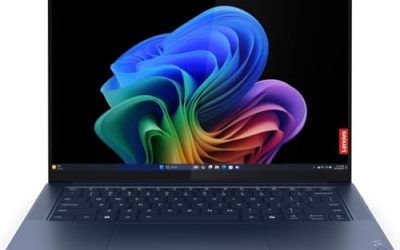
- Best for: Windows households that want a premium OLED touchscreen and generous memory and storage headroom.
- Snapdragon X Elite X1E-78-100 processor, 12 cores, up to 3.4 GHz
- Integrated Qualcomm Adreno GPU
- 32GB LPDDR5X memory, soldered
- 1TB SSD, M.2 2242 PCIe Gen4
Windows households that want a premium OLED touchscreen and generous memory and storage headroom.
The memory is soldered and cannot be upgraded later, and the ARM platform means older Windows software runs through translation, so check any must-have older programs before choosing this over an x86 machine.
The Yoga Slim 7x is the Windows pick for buyers who put the display first, with a 14.5-inch 3K OLED touch panel at 2944 x 1840 and a 90Hz refresh figure on the listing. Be clear about the platform, though: this laptop runs Windows 11 Pro on a Snapdragon X Elite chip, the ARM build of Windows, so the game’s Windows edition runs through the system’s translation layer rather than natively, and this machine cannot run the Mac edition at all. Its 32 GB of memory and 1 TB SSD are far beyond the published minimum figures.
ASUS Zenbook 14 OLED
- Best for: Buyers who want the ordinary x86 Windows edition in a light OLED laptop for mixed daily use.
- AMD Ryzen 7 8840HS processor, 8 cores, 16 threads, up to 5.1 GHz
- Integrated AMD Radeon 780M graphics
- 16GB LPDDR5X memory
- 512GB M.2 NVMe PCIe 4.0 SSD
Buyers who want the ordinary x86 Windows edition in a light OLED laptop for mixed daily use.
The maker’s sheet for this model line also lists non-touch panels, so confirm the exact listing you order from describes the touchscreen version, and note the memory is fixed at 16GB.
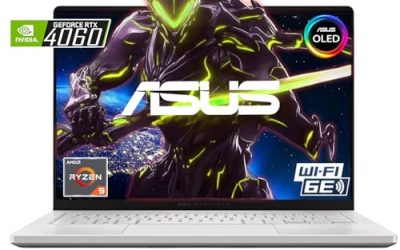
The Zenbook is the native Windows x86 option in a slim body, running the standard Windows edition on a Ryzen 7 8840HS with no translation layer involved. Its graphics are the integrated Radeon 780M, which has no memory pool of its own and allocates from the 16 GB of LPDDR5X system memory; the game’s published graphics line asks for 2 GB of VRAM, so judge this pick on that shared-memory arrangement rather than on a dedicated figure. The 14-inch WUXGA OLED touchscreen suits the pointer-led menus, and the chassis weighs about 2.82 pounds.
HP Victus 15
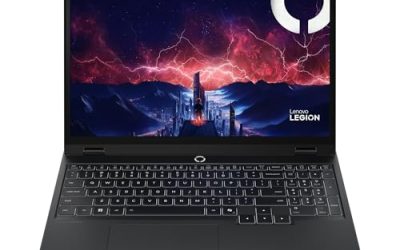
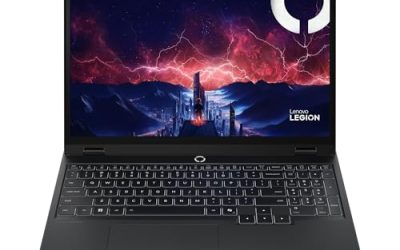
The Victus is the pick for anyone whose library extends well past gentle adventures, because it is the only machine here with a dedicated graphics card: a Radeon RX 6550M with 4 GB of its own GDDR6 memory, which answers the game’s 2 GB VRAM line directly rather than through shared memory. It runs the native Windows edition on x86 hardware, and its 15.6-inch 144Hz panel, 32 GB of memory and 1 TB SSD give heavier titles room alongside this one. The trade-off is size, at 5.06 pounds in a full gaming chassis.
Specs
- AMD Ryzen 5 7535HS processor, 6 cores, 12 threads, up to 4.55 GHz
- AMD Radeon RX 6550M graphics, 4 GB GDDR6 dedicated memory
- 32GB DDR5 memory
- 1TB NVMe SSD
- 15.6-inch Full HD display, 1920 x 1080, 144Hz, IPS, anti-glare
- Backlit keyboard
- Wi-Fi 6 and HDMI
- Windows 11 Pro
- Weight 5.06 pounds
- Colour: Mica Silver
Best for: Players who want one Windows laptop that handles this game and far more demanding ones on the same desk.
Watch out for: This listing is a seller-upgraded configuration, with the memory and SSD raised above the factory build, so confirm the exact configuration being shipped matches the 32GB and 1TB figures on the page.
ASIN: B0DK1JHG13
Which One Fits Your Situation
You want the Mac edition and the lightest possible bag
Take the MacBook Air 13. It runs the native Mac edition under current macOS with no compatibility notice attached to this title, weighs 2.73 pounds, and its 256 GB SSD swallows the 700 MB install many times over. The Yoga and the Windows machines cannot run that Mac edition at all.
You read for hours at a stretch
The MacBook Air 15 earns its place on panel size alone. The game’s interface is pages of text, charts and sketches, and the 15.3-inch Liquid Retina screen keeps long journal entries comfortable without an external monitor. The stated battery figure of up to 18 hours also suits a full afternoon away from a socket.
Your household is Windows-only and you love a sharp screen
The Yoga Slim 7x pairs the Windows edition with the finest display in this guide, a 3K OLED touch panel, plus 32 GB of memory and a 1 TB SSD. Accept the one condition before ordering: its Snapdragon chip runs Windows on ARM, so the game runs through translation rather than natively.
One machine has to cover your whole library
Pick the HP Victus 15. Its dedicated Radeon RX 6550M with 4 GB of GDDR6 is hardware this gentle game barely touches, but it means the same laptop stays useful when you move on to heavier titles. The Zenbook is the lighter Windows alternative if portability matters more than that graphics headroom.
Common Mistakes
- Treating the empty Linux requirement fields as a Linux edition: the platform flag for Linux is off and those fields are blank shells, so only Windows and Mac editions are actually sold.
- Reading the 2 GB VRAM line as the name of a required graphics card, when it is a memory figure that integrated and unified graphics handle in different ways.
- Ordering a MacBook Air under a near-identical title and receiving a different memory or storage configuration; match the model number on the listing to the one in this guide.
- Assuming the Yoga Slim 7x runs Windows games natively or can run the Mac edition; it is an ARM Windows machine and does neither.
- Filling in the blank recommended tiers with figures copied from other stores or other games, when the publisher prints no recommended hardware figures at all.
Frequently Asked Questions
Does In Other Waters run on current Apple silicon Macs?
Yes. Steam sells a Mac edition of the game, its published Mac minimum floor is Mac OS X 10.10.5 or above, and no Catalina compatibility notice applies to this title. Both MacBook Air models in this guide run current macOS, which is far newer than that Yosemite-era floor, so they run the native edition as published today.
Is there a Linux version of the game?
No. The game’s data carries Linux requirement fields, but they are empty shells with no figures in them, and the Linux platform flag is switched off. That combination means no Linux edition is sold; the leftover fields are a quirk of the record, not a version you can buy or install.
Why does this guide keep mentioning empty recommended tiers?
Because the publisher prints no usable recommended hardware figures for this game. The Windows recommended tier contains only the 64-bit processor and operating system line, and the Mac recommended tier is an empty heading with nothing beneath it. Every comparison in this guide is therefore made against the published minimum block instead.
Can I play comfortably with just a trackpad?
Yes. The maker describes an interface navigated by mouse or gamepad, built around setting headings, reading signals and working through menus rather than fast keyboard input. Every laptop here has a full-size trackpad, and the Lenovo and ASUS add touchscreens, which suit the game’s chart-and-menu style of play well.
More from Amazon
Programs that pair well with the guide above. Offers and eligibility are set by Amazon and may change.
A free business account with business pricing and bulk-buying tools for work, shop or home office.
Create a business accountFree shipping on eligible items, Prime Video and more. Eligible new members can start with a free trial.
Start a Prime free trialAudiobooks and podcasts to listen to on the go. Eligible new members can start with a free trial.
Try Audible freeAd-free music streaming. Eligible new subscribers can start with a free trial.
Try Music Unlimited freeAs an Amazon Associate we earn from qualifying purchases.



Write Your Review
No reviews yet. Be the first to share your experience!