

Our Top Picks
A $600 budget for a 2-in-1 laptop sounds generous until you start shopping. Most of the convertibles that review sites love — the Dell Inspiron 14 2-in-1, the Lenovo IdeaPad 5i 2-in-1, the current HP Pavilion x360 14 — cost $700 to well over $1,000 on Amazon US in November 2026. What actually fits under $600 is narrower: a handful of Chromebooks, one good Windows convertible with a Core i5, and a few older Windows machines sold at a discount.
We checked real Amazon US listings and price trackers in November 2026. Every price below is a November 2026 snapshot — check the current price on Amazon before you buy. The five picks below are all real, purchasable 2-in-1s with a 360-degree hinge and a touchscreen.
Our top picks

Best for: Buyers who want a real Windows 2-in-1 under $600 and do not want to live in a browser
Check price on Amazon
Best for: Buyers who live in Chrome and want the best-built Chromebook convertible under $600
Check price on Amazon
Best for: Buyers who want a large, bright Chromebook touchscreen for the lowest honest price
Check price on Amazon
Best for: Buyers who need Windows for under $300 and can live with an older processor
Check price on Amazon
Best for: Buyers who want the lightest, cheapest Windows convertible and only do light work
Check price on AmazonQuick Picks
| Product | Best for | Key specs | Price note |
|---|---|---|---|
| Lenovo IdeaPad Flex 5i 14 (Windows) | Best overall | Core i5, 8GB RAM, 512GB SSD, 14″ FHD touch, Windows 11 | ~$479.98 on Amazon in Nov 2026 |
| Lenovo Chromebook Plus 2-in-1 14 | Best Chromebook | Core 3 N355, 8GB RAM, 128GB UFS, 14″ FHD+ touch, pen support | $497.99 at authorized retailers; $649.99 on Amazon — buy on a dip |
| Acer Chromebook Spin 314 | Best big-screen value | Core i3-N305, 8GB RAM, 14″ WUXGA IPS touch | $479.99 direct from Acer; ~$500 on Amazon |
| HP Pavilion x360 14 (14m-dw1013dx) | Best budget Windows | Core i3-1115G4, 8GB RAM, 128GB SSD, 14″ FHD touch | $299.99 on Amazon US, 17 Nov 2026 |
| ASUS Vivobook Go 14 Flip J1400KA | Best ultra-budget flip | Pentium Silver N6000, 4GB RAM, 128GB eMMC, 14″ FHD touch | $411.99 in catalog listings; ~$329.99 on Amazon when in stock |
How to Choose a 2-in-1 Laptop Under $600
Pick the operating system first. Under $600, Chromebooks give you the newest hardware for the money: a Core 3 or Core i3-N305 chip, 8GB of RAM, and a bright touchscreen for around $480. Windows machines at this price are older models on clearance or entry-level chips. If your work lives in a browser, Google Docs, and Android apps, a Chromebook is the better machine. If you need desktop software, you need Windows, and the Flex 5i below is the pick.
Do not buy a 2-in-1 with 4GB of RAM unless the price is very low. Four gigabytes is enough for a few browser tabs and nothing else, so 8GB should be the target — three of our five picks have it. The two 4GB machines here are cheap, not good.
Check the hinge, the screen, and the update date. A 2-in-1 lives or dies by its hinge: it should hold the screen steady in tent mode. For the screen, 14 inches at 1920 x 1080 (or 1920 x 1200) is the sweet spot. For Chromebooks, check the Auto Update Expiration (AUE) date — the Chromebook Plus 2-in-1 below gets updates through June 2035, while a machine whose updates end in 2027 is a bad buy.
Match the exact model number. The same product name covers different processors, amounts of RAM, and storage. The HP Pavilion x360 14 is sold in i3, i5, and i7 versions at wildly different prices, and only the i3 model 14m-dw1013dx was $299.99 on Amazon in November 2026. Confirm the model number first.
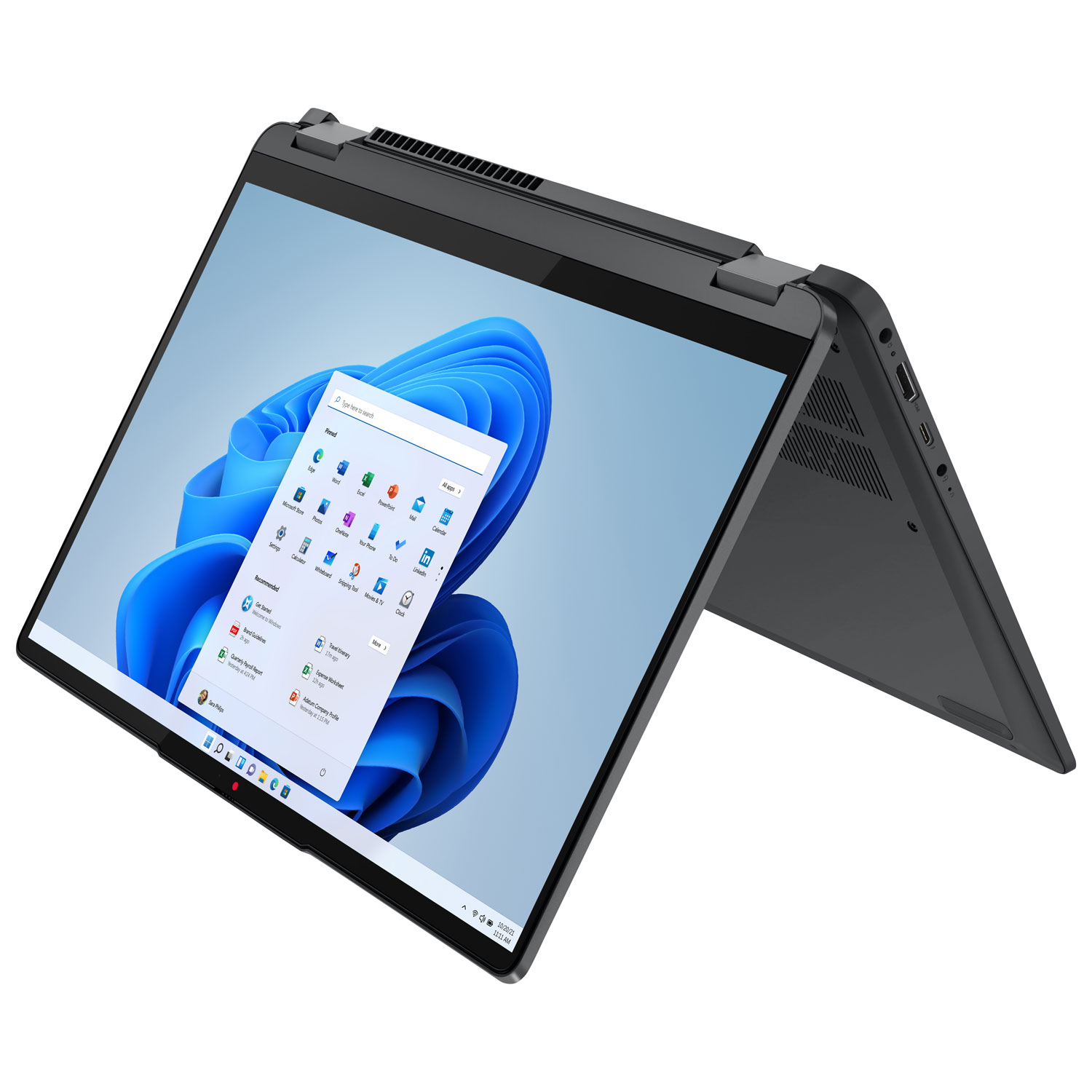
1. Lenovo IdeaPad Flex 5i 14 (Windows) — Best Overall
Best for: Buyers who want a real Windows 2-in-1 under $600 and do not want to live in a browser.
The Flex 5i 14 is the only Windows convertible in this guide that feels like a proper laptop rather than a clearance compromise. The configuration to look for pairs a 12th- or 13th-generation Intel Core i5 with 8GB of RAM and a 512GB SSD, driving a 14-inch Full HD touchscreen on a 360-degree hinge. It runs Windows 11, has a backlit keyboard and a fingerprint reader, and handles desktop Office and Windows-only software. Price-tracker offer data showed the i5 / 8GB / 512GB configuration at around $479.98 on Amazon in November 2026 — less than the Chromebook Plus 2-in-1 costs on Amazon right now.
Specs: Core i5 (12th/13th-gen, varies by listing), 8GB RAM, 512GB SSD, 14″ FHD touchscreen, 360-degree hinge, Windows 11, backlit keyboard, fingerprint reader.
Pros: The only genuinely capable Windows 2-in-1 under $600; 512GB SSD is twice the storage of most picks here.
Cons: The exact processor generation varies by listing, so check before buying; battery life is ordinary rather than great.
Who it is best for: Students and home-office buyers who need Windows software and one machine that does everything.
Check price on Amazon — Lenovo IdeaPad Flex 5i 14
2. Lenovo Chromebook Plus 2-in-1 14 — Best Chromebook
Best for: Buyers who live in Chrome and want the best-built Chromebook convertible under $600.
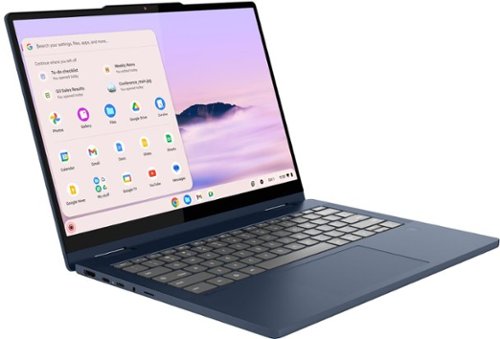
This topped our under-$500 guide and is still the best Chromebook 2-in-1 in this price range — with one warning about price. The Chromebook Plus 2-in-1 (model 83LN) runs the 8-core Intel Core 3 N355 with 8GB of RAM and 128GB of UFS storage, in an aluminum chassis. The 14-inch FHD+ touchscreen supports a pen, the keyboard is backlit, and Google provides updates through June 2035.
The warning is the price. Our catalog search found this machine at $497.99 from an authorized retailer in November 2026, but the Amazon listing for the same machine (sold under the IdeaPad Flex 5i Chromebook Plus name) was $649.99 on Amazon on 16 November 2026. Buy it at the sub-$500 retailer price or wait for Amazon to dip under $600 — do not pay $649.99.
Specs: Intel Core 3 N355 (8 cores, up to 3.9 GHz), 8GB DDR5 RAM, 128GB UFS storage, 14″ FHD+ touchscreen, pen support, backlit keyboard, fingerprint reader, updates through June 2035.
Pros: Best build quality of any Chromebook here — aluminum, not plastic; the Core 3 N355 is a real step up from Celeron and N100 chips; pen support; updates through June 2035.
Cons: $649.99 on Amazon in mid-November 2026 — over budget there, so you must shop around; 128GB of storage is tight if you keep files locally.
Who it is best for: Chromebook buyers who want a premium-feeling convertible and will shop around for the price.
Check price on Amazon — Lenovo Chromebook Plus 2-in-1 14
3. Acer Chromebook Spin 314 — Best Big-Screen Value
Best for: Buyers who want a large, bright Chromebook touchscreen for the lowest honest price.
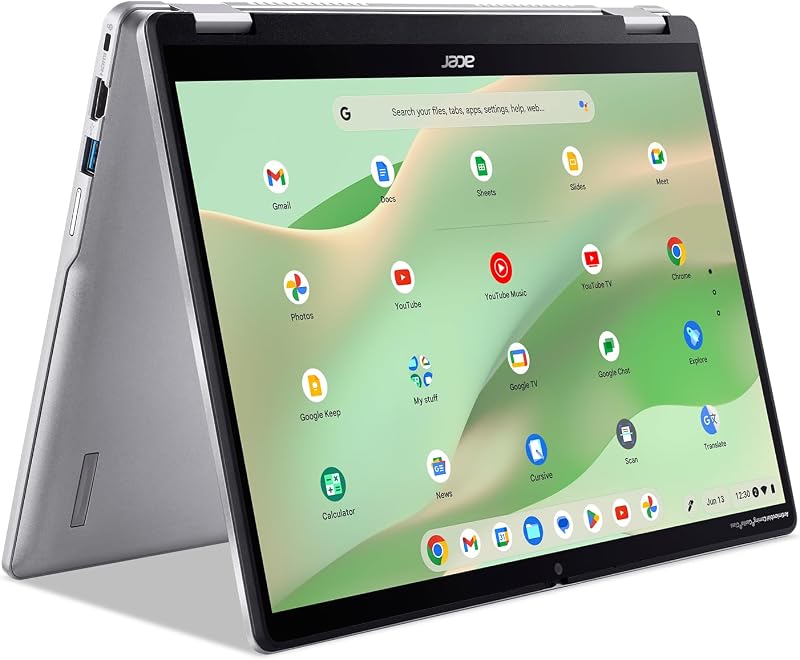
The Spin 314 is the value pick of the Chromebook trio. It pairs Intel’s Core i3-N305 with 8GB of RAM and a 14-inch WUXGA IPS touchscreen (1920 x 1200), a noticeably better panel than the dim HD screens on cheaper convertibles. It is a Chromebook Plus machine with long update support, and the IPS display holds up well at an angle in tent mode.
Our catalog search found the Spin 314 at $479.99 direct from Acer in November 2026, and Amazon listings showed it at around $500 at the end of October 2026. It is the cheapest way to get a 14-inch IPS touchscreen Chromebook with 8GB of RAM.
Specs: Intel Core i3-N305, 8GB RAM, 14″ WUXGA IPS touchscreen (1920 x 1200), Chromebook Plus, ChromeOS.
Pros: Best screen per dollar here; 8GB of RAM; Chromebook Plus badge with long update support; reliably under $500.
Cons: No pen included and no fingerprint reader; the i3-N305 is a step behind the Core 3 N355 in the Lenovo; all-plastic build feels cheaper than the Lenovo.
Who it is best for: Students and families who want a big-screen Chromebook for schoolwork and streaming.
Check price on Amazon — Acer Chromebook Spin 314
4. HP Pavilion x360 14 (14m-dw1013dx) — Best Budget Windows
Best for: Buyers who need Windows for under $300 and can live with an older processor.
This is the cheapest real Windows 2-in-1 in the guide, and the price is verified, not a guess: price-history tracking showed the HP Pavilion x360 14, model 14m-dw1013dx, at $299.99 on Amazon US on 17 November 2026, down from $388 earlier in the month. For that you get an 11th-generation Core i3-1115G4, 8GB of RAM, a 128GB SSD, and a 14-inch Full HD touchscreen, running Windows 11.
Be clear about what you are buying. The i3-1115G4 is a 2020-era dual-core chip: fine for browsing, Office, and video calls, but not for heavy multitasking or photo editing. The 128GB SSD fills up fast, and this is an older clearance configuration — HP’s current Pavilion x360 14 starts at around $599. Match model 14m-dw1013dx exactly — other Pavilion x360 14 listings are different machines.
Specs: Intel Core i3-1115G4, 8GB RAM, 128GB SSD, 14″ FHD touchscreen, 360-degree hinge, Windows 11.
Pros: Cheapest Windows 2-in-1 here by far — $299.99 verified on Amazon in November 2026; 8GB of RAM; 14-inch FHD touchscreen.
Cons: 2020-era dual-core processor; only 128GB of storage; older model, so stock may disappear.
Who it is best for: Budget buyers who need Windows and a touchscreen for basic work and school.
Check price on Amazon — HP Pavilion x360 14
5. ASUS Vivobook Go 14 Flip J1400KA — Best Ultra-Budget Flip
Best for: Buyers who want the lightest, cheapest Windows convertible and only do light work.
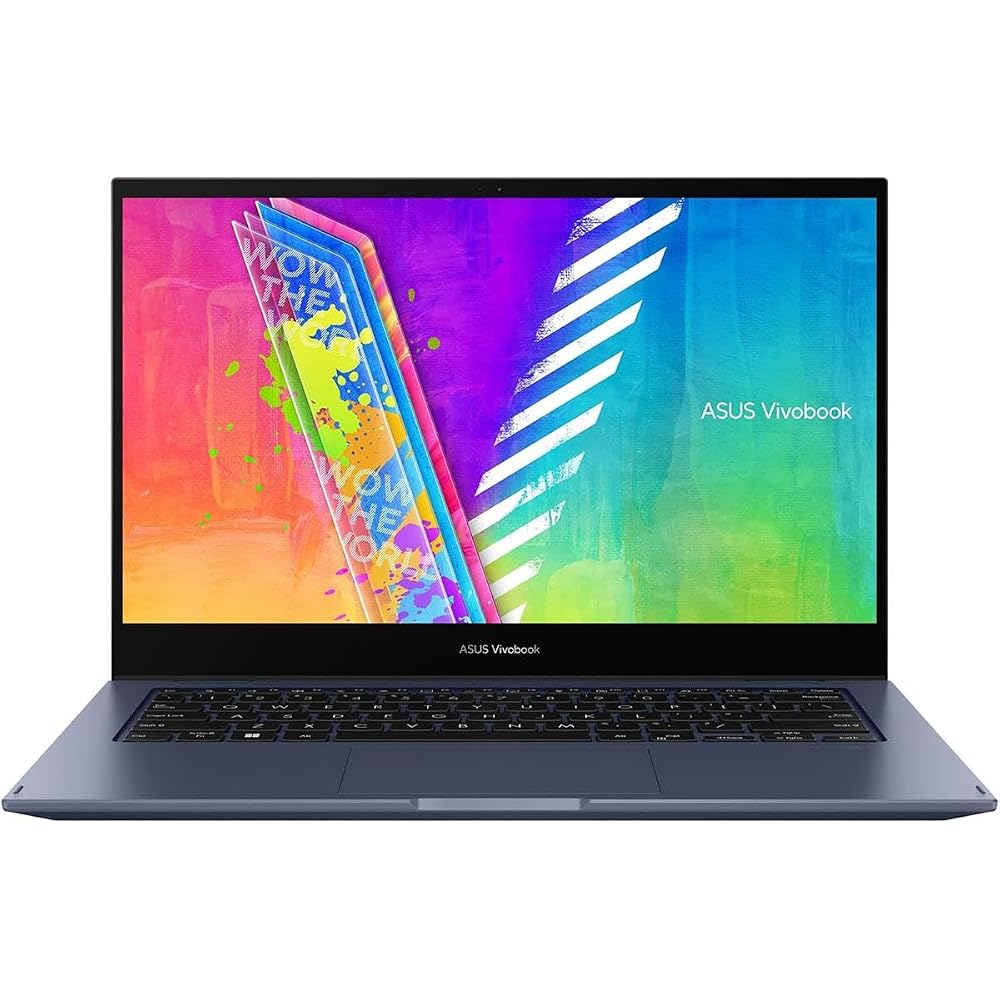
The Vivobook Go 14 Flip is the lightest machine in this guide at 1.5 kg (3.31 lb), and the only pick here that regularly sells for not much more than $300. Look for the J1400KA-ES21T: a 14-inch Full HD touchscreen, Pentium Silver N6000, 4GB of RAM, 128GB of eMMC storage, a fingerprint reader, and Windows 11 Home in S mode. Our catalog search found it at $411.99 from an authorized retailer in November 2026, and Amazon listings showed it at $329.99 when in stock.
Be honest about what this is: the Pentium Silver N6000 is a slow chip, 4GB of RAM is the minimum, and eMMC storage is slower than an SSD. This machine is for browsing, email, documents, and video — one or two things at a time. It ships in Windows 11 Home in S mode, which only runs Store apps until you switch out (free). The model line is a variant minefield: the J1400KA also comes with a Celeron N4500, a 64GB eMMC, and even an HD (1366 x 768) screen. Get the FHD touchscreen version with the N6000 and 128GB, or do not buy it.
Specs: Intel Pentium Silver N6000 (up to 3.3 GHz, 4 cores), 4GB DDR4 RAM, 128GB eMMC, 14″ FHD touchscreen, 360-degree hinge, fingerprint reader, Windows 11 Home in S mode, 1.5 kg.
Pros: Lightest pick here at 1.5 kg; cheapest Windows flip when in stock (~$329.99); FHD touchscreen and fingerprint reader.
Cons: Weakest processor in the guide; only 4GB of RAM and slow eMMC storage; Windows 11 in S mode; many weaker variants share the name.
Who it is best for: Light users who carry their laptop everywhere and only need a browser, documents, and video.
Check price on Amazon — ASUS Vivobook Go 14 Flip
What to Avoid
Old Chromebooks with short update lives. The Samsung Chromebook Plus V2 (XE521QAB), a 2018 machine with a Celeron 3965Y and 4GB of RAM, still appears in listings around $259 to $359. Its ChromeOS updates end in August 2027. A $259 laptop that stops getting security updates next summer is not a bargain.
Junk marketplace listings. Our catalog search turned up HP Pavilion x360 14 and Dell Inspiron 14 2-in-1 listings at $52.82 from obscure sellers. Those prices are not real. A $52 laptop is a scam listing or a part — never the laptop in the title.
New Windows 2-in-1s with current chips. The Dell Inspiron 14 2-in-1 costs over $1,000 on Amazon US in November 2026, and the Lenovo IdeaPad 5i 2-in-1 (14-inch) starts at $829.99 direct from Lenovo. They are good machines, but they are not under-$600 machines.
Clamshells dressed up as 2-in-1s. The ASUS Chromebook Plus CX14, seen at $349 in our catalog search, is a regular clamshell laptop — it does not fold back and has no touchscreen. Check the listing says “2-in-1” and shows a touchscreen before you buy.
FAQ
Is $600 enough for a good 2-in-1 laptop?
Yes, but only just. At $600 you can get one good Windows convertible (the Flex 5i) or a very good Chromebook (the Chromebook Plus 2-in-1 or the Spin 314). A current-generation Windows 2-in-1 with a Core Ultra or Ryzen AI chip starts around $700 to $800.
Should I buy a Chromebook or a Windows 2-in-1 under $600?
Buy a Chromebook if your work is in a browser, Google Docs, and Android apps — you get newer hardware for the money. Buy Windows if you need desktop software or Windows-only programs. The Flex 5i is the Windows pick; the Lenovo Chromebook Plus 2-in-1 is the Chromebook pick.
Is 8GB of RAM enough in a 2-in-1 under $600?
Yes, for browsing, documents, streaming, and video calls. It is not enough for heavy photo editing or gaming. Avoid 4GB unless your use is very light.
How long will a Chromebook under $600 keep getting updates?
It depends on the model. The Lenovo Chromebook Plus 2-in-1 gets updates through June 2035, but the 2018 Samsung Chromebook Plus V2 stops in August 2027. Always check the AUE date for the exact model.
Verdict
The best 2-in-1 laptop under $600 in November 2026 is the Lenovo IdeaPad Flex 5i 14 (Windows). At around $479.98 on Amazon, it is the only pick that gives you a Core i5, 8GB of RAM, a 512GB SSD, and full Windows 11 — no need to hunt for a sale price. If you live in Chrome, the Lenovo Chromebook Plus 2-in-1 14 is the better Chromebook — but only at the $497.99 retailer price, not the $649.99 Amazon charged in mid-November. On a tight budget, the HP Pavilion x360 14 (14m-dw1013dx) at $299.99 is the cheapest honest Windows convertible available. Whichever you choose, match the exact model number and check the current price before checkout.
As an Amazon Associate, we earn from qualifying purchases.
Suggested Internal Links
- Best 2-in-1 Laptop Under $400 — if $600 is more than you need to spend, the cheaper tier has the same HP Pavilion x360 14 top pick.
- Best 2-in-1 Laptop Under $500 — the middle tier, where the Chromebook Plus 2-in-1 was our top pick.
- Best Chromebook Under $400 — for buyers who decide a regular Chromebook is enough and do not need the folding hinge.
More from Amazon
Programs that pair well with the guide above. Offers and eligibility are set by Amazon and may change.
A free business account with business pricing and bulk-buying tools for work, shop or home office.
Create a business accountFree shipping on eligible items, Prime Video and more. Eligible new members can start with a free trial.
Start a Prime free trialAudiobooks and podcasts to listen to on the go. Eligible new members can start with a free trial.
Try Audible freeAd-free music streaming. Eligible new subscribers can start with a free trial.
Try Music Unlimited freeAs an Amazon Associate we earn from qualifying purchases.










Write Your Review
No reviews yet. Be the first to share your experience!