

Our Top Picks
The best 2 in 1 laptops for note taking are the ones that pair a bright touchscreen with a pen that is actually supported, and in this group the Dell Inspiron 14 2-in-1 is the strongest all-round machine on paper while the Lenovo Flex 14 is the only full-size laptop whose title says a pen is included. That second fact matters more than most buyers expect. Out of eight listings, only two (the Lenovo and the Cleriver) mention a pen or stylus in the title, which means that for the other six you must confirm pen support on the listing before counting on handwritten notes.
This guide is built around that catch. It starts with a seven-point checklist for evaluating any convertible for notes, works through a semester of note storage and battery arithmetic, compares the eight options, and ends with a short decision guide by student type. Prices appear as tiers (Budget, Mid-range, Premium) relative to this set, since listing prices change.
The seven-point note-taking checklist

Tunhail 10.1 2 in 1 inch Laptop 12GB RAM 256GB SSD, 360°Flip Touchscreen Laptop with m3-8100Y(Up to 3.40 GH) 800 * 1280 IPS FHD, Backlit Keyboard Laptop Computer for Students/Commuters/Business


As an Amazon Associate we earn from qualifying purchases. Product prices and availability are accurate as of the date/time indicated.

Dell 14 2-in-1 Laptop, FHD+, AMD Ryzen 7 8840HS, 16GB RAM, Windows 11 Home | Touchscreen Display, AMD Radeon Graphics, DDR5, 1TB SSD, Wi‑Fi 6E, Indigo, Productivity Ready, INSPIRON-14-2


As an Amazon Associate we earn from qualifying purchases. Product prices and availability are accurate as of the date/time indicated.

Lenovo Flex 14 2-in-1 Convertible Laptop, 14 Inch FHD Touchscreen Display, AMD Ryzen 5 3500U Processor, 12GB DDR4 RAM, 256GB NVMe SSD, Windows 10, 81SS000DUS, Black, Pen Included


As an Amazon Associate we earn from qualifying purchases. Product prices and availability are accurate as of the date/time indicated.
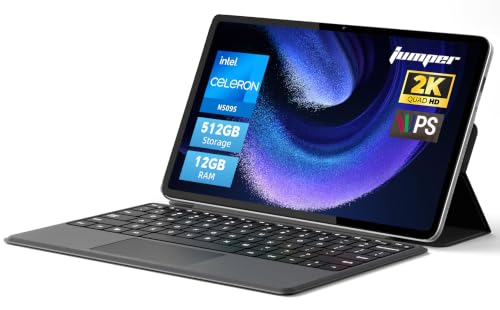
2-in-1 Laptop Tablet,12" 2K Touchscreen, N5095 Processor,12GB RAM 512GB SSD


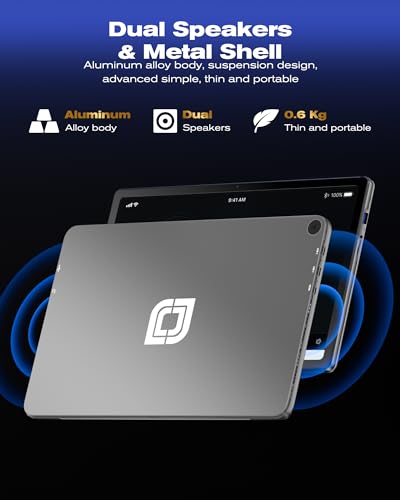


As an Amazon Associate we earn from qualifying purchases. Product prices and availability are accurate as of the date/time indicated.
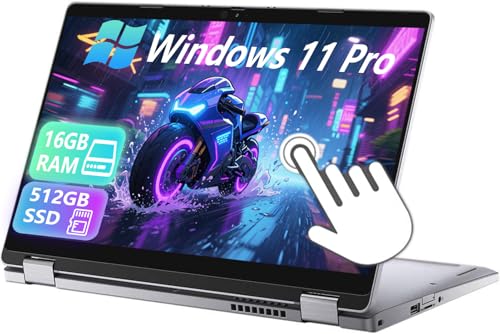
Dell Latitude 5310 2-in-1 Laptop Touchscreen Business, 13.3" FHD(1920x1080), Intel i5-10210 1.6GHz, 16GB DDR4 RAM, 512GB SSD, Windows 11 Pro (Renewed)


As an Amazon Associate we earn from qualifying purchases. Product prices and availability are accurate as of the date/time indicated.

Cleriver 2 in 1 Laptop 10.1" Win11 Pro Tablet PC with Keyboard & Stylus Pen | Core m3 (Up to 3.4GHz), 12GB RAM 256GB SSD, Mini Computer with Office Suite for Student, USB-C, Micro HDMI


As an Amazon Associate we earn from qualifying purchases. Product prices and availability are accurate as of the date/time indicated.

dahongyun 11.6 inch 2 in 1 Touchscreen Laptop, FHD 1080P Display, Intel Celeron CPU, 8GB RAM 256GB SSD, 360°Convertible Flip Ultra Thin Lightweight Tablet Laptop,Webcam,Type-C,WiFi,Window s 11,Silver


As an Amazon Associate we earn from qualifying purchases. Product prices and availability are accurate as of the date/time indicated.
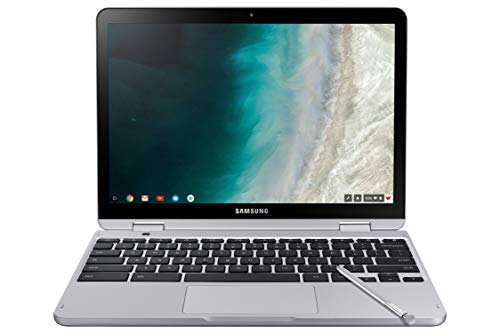
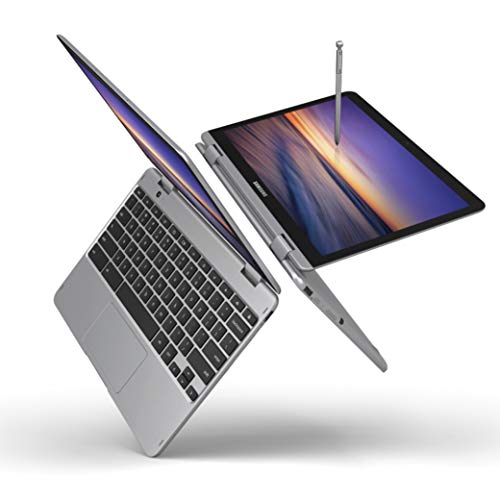
Samsung Chromebook Plus V2 2-in-1 Laptop- 4GB RAM, 64GB eMMC, 13MP Camera, Chrome OS, 12.2", 16:10 Aspect Ratio- XE520QAB-K03US Light Titan



As an Amazon Associate we earn from qualifying purchases. Product prices and availability are accurate as of the date/time indicated.
Run any 2-in-1 through these questions before looking at the processor. A fast chip with a screen that cannot take a pen is a laptop with a touchscreen, not a note-taking machine.
- Is a pen included or clearly supported? Look for “pen included,” “stylus,” or a named pen protocol on the listing. If the page is silent, assume you are buying the pen separately and verify compatibility first.
- Active or capacitive? An active pen talks to the screen and usually offers pressure sensitivity and palm rejection. A capacitive stylus works like a fingertip and feels more like a marker on glass. Only active pens give you a natural handwriting feel.
- Can the screen fold flat or into tent mode? A 360-degree hinge lets you write on the screen like a tablet. Detachable designs also work but are lighter at the top and need a stand.
- Screen size and aspect ratio. A 16:10 or 3:2 panel gives more vertical room for lined pages than a 16:9 one. Below 11 inches, a full page of handwriting gets cramped.
- Weight when held as a tablet. Writing for an hour with a 3-pound laptop in your lap or on one arm is tiring. The titles here do not list weights, so check the listing.
- Battery for a full day. You need hours of writing between outlets. Titles give no battery capacity, so look for watt-hours on the listing.
- Software. Handwriting apps on Windows, Chrome OS and other systems differ in features. Pick the app first if you have a preference, then check the platform.
A semester of notes, in numbers
Storage worries are usually overblown for note taking, but battery worries are not. Here is a worked example with stated assumptions, so you can swap in your own habits.
Storage. Assume a student writes 5 handwritten pages a day for 150 school days. That is 750 pages. If each page of digital ink averages about 0.5 MB (an assumption; apps vary and some store much more), the semester comes to roughly 375 MB. Add six courses with about 150 MB of slides and PDFs each, or 900 MB, and the total is around 1.3 GB. Even at four times the ink size, you are under 3 GB. Storage for the notes is a rounding error on a 64GB, 256GB or 1TB drive; what takes the space is the operating system and apps, and the fact that Windows needs a large share of a small drive for updates. That is why a 64GB eMMC machine is workable for notes but tight for anything else.
Battery. Runtime in hours is roughly battery capacity in watt-hours divided by average power draw. Assume a low-power laptop draws about 8 watts while you write with the screen at medium brightness (an estimate that varies with the chip, display and Wi-Fi). A hypothetical 38 Wh battery would last about 4.75 hours; a 50 Wh battery about 6 hours. A full day of classes may need a charge or a USB-C power bank. The point is to look up the battery’s watt-hour figure on the listing, since the titles do not give it, and do this arithmetic yourself.
Screen density. One title has a built-in inconsistency worth knowing about: the Tunhail lists “800 * 1280 IPS FHD,” but full HD is 1920 x 1080, which is about 2.07 million pixels, and 800 x 1280 is about 1.02 million. On a 10.1-inch panel, 800 x 1280 works out to roughly 149 pixels per inch (diagonal pixels divided by diagonal inches), which will look softer than a true FHD screen of the same size. Check the listing for the real resolution.
Comparison snapshot
| Model | What the title confirms | Price tier | Stylus in title? |
|---|---|---|---|
| Dell Inspiron 14 2-in-1 (Ryzen 7 8840HS) | FHD+ touchscreen, 16GB DDR5, 1TB SSD, Wi-Fi 6E, Windows 11 Home | Premium | No |
| Lenovo Flex 14 | 14 in FHD touch, Ryzen 5 3500U, 12GB DDR4, 256GB NVMe, Windows 10 | Mid-range | Yes, pen included |
| Dell Latitude 5310 2-in-1 (Renewed) | 13.3 in FHD, Core i5-10210, 16GB, 512GB SSD, Windows 11 Pro | Budget | No |
| Cleriver 10.1 in | Core m3, 12GB, 256GB, Windows 11 Pro, keyboard and stylus pen | Budget | Yes |
| Tunhail 10.1 in | m3-8100Y, 12GB, 256GB SSD, 360 degree flip, backlit keyboard | Budget | No |
| Unbranded 12 in “2K” 2-in-1 | N5095 processor, 12GB, 512GB SSD, 2K touchscreen | Mid-range | No |
| Samsung Chromebook Plus V2 | 12.2 in 16:10, 4GB, 64GB eMMC, Chrome OS, 13MP camera | Budget | No |
| dahongyun 11.6 in | FHD 1080P touch, Celeron, 8GB, 256GB, Windows 11 | Budget | No |
The eight, in order of how well their listings support note taking
Dell Inspiron 14 2-in-1: the capable one with no pen in the title
On paper this is the most powerful option here, and the title lists a lot: a 14-inch class FHD+ touchscreen, an AMD Ryzen 7 8840HS, 16GB of DDR5 memory, a 1TB SSD, Wi-Fi 6E, AMD Radeon graphics, Windows 11 Home and an Indigo finish. For note taking, the specifics that matter are the 16GB of memory, which keeps dozens of tabs, a PDF reader and a notes app open together, and the 1TB drive, which will hold years of lecture material.
The gap is the pen. The title never says a stylus is included or supported. Dell’s 2-in-1 line may support an active pen sold separately, but that is a general expectation and not a statement on this listing, so verify the exact pen model and whether this Inspiron’s screen supports it before buying. If the listing offers no pen compatibility, you are buying a good convertible for typing, not for handwriting.
The processor is far beyond what note taking needs. If your goal is only writing and reading, you are paying for headroom. That headroom does help with video editing, programming, or running heavier study software, and it should keep the machine feeling fast longer.
At the Premium tier in this set, it costs several times the cheapest laptops. For a note-taking-only use case, it is hard to justify unless you want a laptop that does everything.
Pros
- 16GB DDR5 and 1TB SSD, per the title
- Ryzen 7 8840HS processor with room to grow
- Wi-Fi 6E and Windows 11 Home
- Touchscreen with a 360-degree style 2-in-1 design
Cons
- No stylus mentioned in the title
- Premium price tier, overkill for notes alone
- Weight and battery capacity are not in the title
- 14-inch class size is heavier to hold as a tablet
Who it’s for: the student or professional who wants one machine for notes, coding and media, and who will confirm pen compatibility first.
Lenovo Flex 14: the pen is right there in the title
This is the clearest note-taking listing in the set. The title says 14-inch FHD touchscreen, AMD Ryzen 5 3500U, 12GB of DDR4 memory, a 256GB NVMe SSD, Windows 10, model number 81SS000DUS, in black, with a pen included. That last phrase is rare and helpful: you do not have to chase down a separate stylus and worry about compatibility.
The caveat is age. The 3500U is an older processor generation, and Windows 10 is the installed system. Microsoft’s published schedule has ended standard Windows 10 support, so check the listing and Microsoft’s guidance on security updates and whether the machine can upgrade to Windows 11. A note-taking laptop stays online for cloud sync and web apps, so the update question is a safety issue, not just a feature one.
For handwriting, a 14-inch FHD screen is a comfortable size, near a notebook page. 12GB of memory is enough for a notes app plus a browser and a PDF reader. The 256GB drive holds a semester of notes many times over, per the storage math above.
Mid-range in price tier, it costs roughly two thirds of the Inspiron by the price field but more than most of the budget convertibles. Whether the included pen is active or capacitive, and what the screen supports, is not in the title.
Pros
- Pen included, per the title
- 14-inch FHD touchscreen, a comfortable writing size
- 12GB RAM and 256GB NVMe SSD
- Mid-range price tier
Cons
- Windows 10 installed, so support and upgrade status need checking
- Older Ryzen 5 3500U generation
- Pen type is not specified in the title
- Weight and battery capacity not stated
Who it’s for: a student who wants a full-size screen and a bundled pen at a reasonable price and is willing to check the Windows update path.
Dell Latitude 5310 2-in-1 (Renewed): business hardware, second hand
The title calls this a business touchscreen 2-in-1: 13.3-inch FHD (1920 x 1080), an Intel Core i5-10210 at 1.6 GHz, 16GB of DDR4 memory, a 512GB SSD and Windows 11 Pro. It carries the word “Renewed,” which is the most important word in the listing.
“Renewed” means a seller refurbished a used machine. Quality, cosmetic condition and battery health vary, and the warranty depends on the seller’s program. Before buying, check the return window, the length of the warranty and how battery condition is handled, because a worn battery would hurt a note-taking laptop more than anything. Pay attention to whether the pen is included: the title does not mention one.
Specs suit the purpose well. 16GB is generous, a 512GB SSD is roomy, and a 13.3-inch screen is a manageable size for writing on a lap. FHD resolution is sharp enough that handwriting looks clean. The Windows 11 Pro system should keep receiving updates if the machine meets the requirements, which the listing should confirm.
Business-class laptops tend to be sturdier than consumer models, but that is a general tendency and not a claim in this title. It is in the Budget price tier here, making it one of the best spec-for-price options in the set if the renewed condition checks out. Ask the seller what grade of renewal this is, what is included in the box (charger, pen, none), and whether the keyboard and hinge show wear, since a loose hinge is the first thing to annoy someone who flips the screen daily.
Pros
- 16GB DDR4 and 512GB SSD at a Budget tier
- 13.3-inch FHD, a good size for handwriting
- Windows 11 Pro installed
- Business-oriented model
Cons
- Renewed condition, with variable battery and cosmetic wear
- No pen or stylus in the title
- Older Intel 10th-generation processor
- Warranty depends on the seller
Who it’s for: a value-focused buyer who is comfortable buying renewed and will confirm the pen and battery details before committing.
Cleriver 10.1 in 2 in 1: small, with a stylus in the title
The Cleriver title describes a 10.1-inch Win11 Pro tablet PC with keyboard and stylus pen, a Core m3 processor (up to 3.4GHz), 12GB RAM, 256GB SSD, an Office suite for students, USB-C and Micro HDMI. It is a small machine with a stylus named in the title, which puts it ahead of most budget convertibles for handwriting intent.
Honest caveats: a 10.1-inch screen is small for full-page notes, so you will be zooming and scrolling. And “with Office suite” needs scrutiny. Check whether a genuine license is included, whether it is a trial, and how long it lasts. A listing can mention Office without including a lasting license.
This listing looks nearly identical to the Tunhail in processor class, RAM, storage and price, so they may be the same hardware sold under different names. The Cleriver title adds the stylus and the keyboard in the bundle, so it is the better note-taking pick of the two on the available information.
The title says “tablet PC with keyboard,” which may mean a detachable keyboard. If it does, the keyboard is light, so confirm how it attaches. A small screen with 12GB of RAM is workable for notes, PDFs and light browsing. The price tier is Budget. Because the title also promises an Office suite, USB-C and Micro HDMI, ask what charges the device and whether a monitor can be attached for desk work, which would turn this small unit into a basic desktop at home.
Pros
- Stylus pen mentioned in the title
- 12GB RAM and 256GB SSD
- USB-C and Micro HDMI ports, per the title
- Budget price tier
Cons
- 10.1-inch screen is small for page-sized handwriting
- Office suite claim needs license verification
- Seller and warranty details are unclear
- Near-duplicate of the Tunhail in specs
Who it’s for: a budget buyer who wants a small, light device for quick handwritten notes and does not mind a small screen.
Tunhail 10.1 in 2 in 1: check the resolution claim
The Tunhail title lists a 10.1-inch 360-degree flip touchscreen, 12GB of RAM, a 256GB SSD, an “m3-8100Y (up to 3.40 GHz)” processor, a backlit keyboard, and a screen described as “800 * 1280 IPS FHD.” The target audience listed is students, commuters and business users.
The resolution wording contradicts itself. FHD stands for 1920 x 1080, but 800 x 1280 is roughly half as many pixels. That does not make the device bad, but it does mean you should read the specification table on the listing and not rely on the headline label. An 800 x 1280 panel at 10.1 inches is around 149 pixels per inch by the arithmetic above; handwriting looks fine, small text looks a bit soft.
The title does not mention a stylus. A 360-degree hinge means you can fold the screen back into tablet mode, but you need a compatible pen. Check what the listing says about pen support, and how it is sold. If you want a bundled stylus at this size, the Cleriver listing looks stronger.
The title does not state the operating system, so confirm Windows and edition. Budget tier.
The processor name is a low-power chip with a boost clock stated in the title. Boost clocks apply briefly, and sustained speed is often lower, so expect a machine that handles notes, browsing and documents rather than heavy work.
Pros
- 12GB RAM and 256GB SSD for a Budget tier
- 360-degree flip design with a backlit keyboard
- Light and small, suiting bags and commuting
- Lists student and commuter use
Cons
- Resolution claim is inconsistent (800 x 1280 is not FHD)
- No stylus in the title
- Operating system is not stated in the title
- 10.1-inch screen is cramped for full pages
Who it’s for: someone who mainly needs a very small convertible for typing and light notes and is prepared to verify the display and pen details.
Unbranded 12 in “2K” 2-in-1 with N5095: the mystery box
This listing has no brand in its title. It says: 2-in-1 laptop tablet, 12-inch 2K touchscreen, N5095 processor, 12GB RAM and a 512GB SSD. For the money it offers more storage than most of the budget options and a larger screen than the 10-inch models. It also leaves out nearly everything else: no operating system, no stylus, no ports, no battery.
A buyer should not skip these checks. Confirm the operating system and whether it is genuine and activated. Confirm whether the keyboard is detachable and how the stand works. Confirm whether there is a pen and whether the screen supports an active one. Confirm who handles warranty and returns, because an unbranded seller may offer limited support.
“2K” is a vague term; it can mean a resolution somewhat above 1080p. The listing should state the actual pixel dimensions. If it is a sharp 12-inch panel in a 3:2 ratio, it could be a good writing surface; if it is a plain 16:9 panel, it is more cramped for portrait pages. Ask the seller for the exact pixel dimensions and the panel’s aspect ratio, then run the same pixels-per-inch arithmetic used for the Tunhail to see how sharp the handwriting will look.
The N5095 processor is a low-power part, so the machine suits notes, documents and browsing with a modest workload. It sits in the Mid-range price tier here, which is above several branded alternatives, so the extra storage is the reason to consider it.
Pros
- 512GB SSD and 12GB RAM, per the title
- 12-inch screen is bigger than the 10-inch options
- 2K touchscreen claim
- Tablet-style 2-in-1 form factor
Cons
- No brand, so support and warranty are uncertain
- No operating system, stylus or port details in the title
- “2K” is a vague resolution claim
- Mid-range price tier without a recognizable name
Who it’s for: a bargain hunter who is willing to read the full listing and verify every missing detail.
Samsung Chromebook Plus V2: a different kind of 2-in-1
This one is a Chromebook, not a Windows laptop, and that changes the note-taking calculation. The title lists 4GB of RAM, 64GB of eMMC storage, a 13MP camera, Chrome OS, a 12.2-inch 16:10 screen, model XE520QAB-K03US, in Light Titan. The 16:10 ratio is helpful for portrait pages, giving more vertical space than a standard 16:9 display.
The 64GB eMMC is small and slower than an SSD, but notes are tiny, and Chrome OS leans on cloud storage anyway. Per the storage math earlier, a semester of handwritten notes takes a very small fraction of that. The 4GB of RAM is the real constraint: Chrome OS runs fine on it, but opening many tabs alongside a notes app and a video call will slow it down.
The title does not mention a pen. A pen may come with the device or be sold separately, so check the listing. Chrome OS handwriting depends on apps and web tools, and the experience differs from Windows apps like OneNote. If you already live in Google’s tools, it is a natural fit. If you rely on desktop software, it is not.
The title does not state an update schedule, and Chromebooks have a fixed support end date. Check the listing or the manufacturer’s page for that date before buying. Price tier: Budget. If you buy it, sign in with the account you plan to keep for school, because Chromebook settings and apps follow the account and a clean setup saves effort later.
Pros
- 12.2-inch 16:10 screen is well suited to portrait pages
- Chrome OS is simple and light
- 13MP camera is handy for photographing whiteboards
- Budget price tier
Cons
- 4GB RAM limits heavy multitasking
- 64GB eMMC is small
- Pen is not mentioned in the title
- Cannot run desktop Windows software
Who it’s for: a student already working in web apps and cloud storage who wants a light, simple machine for notes.
dahongyun 11.6 in 2-in-1: FHD on a Celeron
The dahongyun title lists an 11.6-inch 2-in-1 touchscreen laptop with an FHD 1080P display, an Intel Celeron CPU, 8GB RAM, 256GB SSD, a 360-degree flip, ultra-thin lightweight design, a webcam, Type-C, Wi-Fi and Windows 11, in silver. It describes itself as a “tablet laptop.”
The positives for note taking: a 1080P panel is sharp at 11.6 inches, and the 360-degree flip allows tablet-style writing. 8GB is the lowest RAM among the Windows machines here, which still handles a notes app plus a browser if you keep things lean. The 256GB SSD is ample for notes.
The negatives are the usual gaps. No stylus is mentioned, so you would be buying a pen separately and checking compatibility. The Celeron is an entry-level processor, so expect modest speed. The brand is unfamiliar, so look closely at warranty and return terms. And the title’s wording is jumbled (“Window s 11”), which can be a sign of a hastily written listing, so compare the details on the page with the title.
At the lowest price in the set, this is the cheapest convertible, and it is the cheapest way to get an FHD screen with a flip hinge. If you choose it, set expectations: it is a basic laptop. Budget tier. Check the full listing for battery capacity, charging method and weight, since an ultra-thin shell may carry a small battery, and a short-lived battery hurts a device that is meant to go to class.
Pros
- FHD 1080P display at the lowest price in the set
- 360-degree convertible design
- Type-C port and webcam, per the title
- Light and thin by the listing’s description
Cons
- No stylus in the title
- Entry-level Celeron processor
- 8GB RAM is the lowest of the Windows machines
- Unfamiliar brand, so warranty details need checking
Who it’s for: a student on the tightest budget who wants an FHD flip screen and will buy a compatible pen separately.
How we picked these
The Editorial team put this list together from published specifications, manufacturer documentation and buyer reviews. Nobody on the team used or measured these units, so we cannot tell you how the pens feel, how bright the screens are or how long the batteries last. What we can do is read each title carefully, flag contradictions like the Tunhail’s resolution wording, and tell you what to look for on the full listing.
To qualify, a laptop had to be sold as a 2-in-1 or convertible with a touchscreen, and the group needed to span operating systems and sizes: Windows and Chrome OS, 10 to 14 inches, renewed and new, branded and unbranded. We ranked them by how much of the note-taking story the title itself supports, not by an overall score, because the titles leave out too much for a single ranking to be fair.
Reading the spec lines
RAM. For notes, 8GB is workable, 12GB is comfortable and 16GB is generous. The 4GB Chromebook relies on Chrome OS being light. Storage. SSD and NVMe drives are faster than eMMC, which is typically found in cheaper devices. Processor. Celeron, N5095 and m3 chips are entry-level parts that handle notes and browsing but struggle with heavy multitasking; the Ryzen 7 is the only high-performance chip in the group. Display. FHD means 1920 x 1080, FHD+ is generally a bit taller than that but the exact figure should be on the listing, and “2K” is vague.
Operating system. Windows 11 receives updates under Microsoft’s schedule. Windows 10 has reached the end of its standard support period according to Microsoft’s published schedule, so confirm the update path. Chrome OS devices have their own end-of-support dates. Renewed. This means refurbished; ask about warranty and battery condition.
Because these laptops are for students and commuters, weight and battery matter as much as the processor, and none of the titles list them. Read the full specification table, and consider our broader pages on lightweight laptops and touchscreen laptops for comparison.
Which student or worker should buy which
If you want one machine for everything and can confirm pen support, the Dell Inspiron 14 is the most capable. If you want a pen in the box on a full-size screen, the Lenovo Flex 14. If you prefer a renewed business laptop with strong specs for the money, the Dell Latitude 5310 2-in-1. For a tiny budget machine with a stylus named, the Cleriver. For a Chromebook-based workflow, the Samsung. If you write a lot, our guide to laptops for writers covers keyboards and screens in more depth, and teachers who annotate in front of a class may find laptops for teachers more relevant. For a broader look at convertibles and detachables, see our 2-in-1 laptop guide.
Whatever you choose, buy from a seller with a clear return policy so that you can confirm the pen feels right and the battery lasts through a class day.
Questions about 2-in-1s for notes
Do I need an active stylus for note taking?
For natural handwriting, yes. An active pen communicates with the screen, which enables palm rejection and pressure sensitivity. A capacitive stylus works like a fingertip and feels more like drawing on glass with a marker. If a listing only says “touchscreen,” confirm which pen types are supported and whether one comes in the box before buying. Also check the return policy, so you can send the laptop back if the writing feel is not what you expected.
Is 4GB of RAM enough for a note-taking Chromebook?
It can be, as Chrome OS is light and notes apps are small. The problem comes with many open tabs, video calls and extra apps at once, which slow things down. If you plan to multitask heavily, look at 8GB or more. Keep an eye on the support end date for Chrome OS devices as well, because it determines how many years of security updates the device will receive.
Is a renewed laptop a good idea for a student?
It can be good value, because renewed business laptops often carry better specs per dollar. The risks are battery wear, cosmetic damage and weaker warranties. Check the seller’s return window, warranty length and what they say about battery health. If the policies are vague, a new budget model may be the safer choice, even if it has weaker specifications on paper.
How much storage do I need for notes?
Less than most people think. As an estimate, a semester of handwritten notes and course PDFs may take a few gigabytes. What fills small drives is the operating system, updates and apps. A 256GB SSD is comfortable for most students; a 64GB eMMC drive works if you rely on cloud storage and keep downloads limited, though updates may squeeze free space over time.
Is a 10-inch 2-in-1 too small for notes?
For quick notes, lists and annotations, it can work well and is easy to carry. For full-page handwriting, math or diagrams, a 10-inch screen is cramped and you will zoom and scroll more. An 11- to 14-inch screen is closer to the size of a notebook page, though heavier to hold as a tablet, so think about whether you will mostly write on a desk or hold the device in your arm.



Write Your Review
No reviews yet. Be the first to share your experience!