
Graviteam Tactics: Mius-Front publishes a small hardware block: the minimum tier asks for 2 GB of memory and a 256 MB graphics card, and the recommended tier asks for 4 GB and a 1 GB card. Almost any current Windows laptop clears those figures, so the decision is not whether a machine qualifies. It is what machine you want around the game: a dedicated-graphics laptop with headroom for your library, or a slim portable that treats this 2016 tactics title as one workload among many.
This roundup is for Windows buyers, because the game is sold for Windows only. The five picks are four gaming laptops with dedicated graphics spanning the RTX 4050 to RTX 5060 classes, plus one slim OLED model whose integrated graphics are framed honestly against the dedicated-card lines. Every pick runs Windows 11 with at least 16 GB of memory and a 512 GB SSD, far beyond the published figures, so the differences are graphics type, upgrade room and weight.
Quick Picks
As an Amazon Associate we earn from qualifying purchases
| Product | Best for | Key spec from title |
|---|---|---|
| HP Victus 15 | A bundled desk setup with memory and storage already maxed | RTX 5060, 32GB DDR5, 1TB SSD |
| Lenovo Legion 5 Gen 10 | The strongest dedicated graphics and screen in this set | RTX 5060 8GB GDDR7, 15.1-inch WQXGA OLED |
| Acer Nitro V 15 | Buyers who want upgrade slots for memory and storage | Core i9-13900H, RTX 4060, 180Hz display |
| MSI Katana 15 | A straightforward dedicated-graphics gaming laptop | Core i7-13620H, RTX 4050 6GB GDDR6 |
| ASUS Zenbook 14 OLED | Portability first, with the graphics trade stated plainly | Ryzen 7 8840HS, Radeon 780M, OLED touch |
How to Choose
Read Both Published Tiers Before Comparing Machines
The published minimum tier lists Windows 7 SP1, an AMD Athlon 2000 or Intel Pentium at 2.4 GHz, 2 GB of memory, an AMD Radeon 9500 or nVidia GeForce 6600 with 256 MB, DirectX 9.0c and 3 GB of storage. The recommended tier lifts that to Windows 10/11, an AMD FX-8350 or Intel Core i5-2400S, 4 GB of memory, a Radeon HD5850 or GeForce GTX 460 with 1 GB, and 5 GB of storage. Judge every laptop here against the recommended tier, not the minimum: the minimum describes the oldest hardware the publisher lists, while the recommended tier is the publisher’s own picture of a comfortable machine.
Dedicated Graphics Versus Integrated Graphics
Both published graphics lines name dedicated cards with their own memory: 256 MB at minimum and 1 GB at recommended. Four picks here follow that shape with dedicated RTX cards carrying 6 GB or 8 GB of their own memory. The Zenbook is the exception: its Radeon 780M is integrated and shares system memory, so it does not match the published lines in kind, only in the sense that modern integrated graphics are far newer than the named cards. Treat the Zenbook as a portability pick with a known trade, and the other four as the picks that answer the published graphics lines directly.
Processor Headroom for Two Layers of Play
Mius-Front pairs a turn-based operational layer, where you shift and resupply battalion-scale forces, with real-time tactical battles. The published processor lines are old dual-purpose chips: an Athlon 2000 or Pentium at minimum, an FX-8350 or Core i5-2400S at recommended. Every pick here carries a modern multi-core processor well beyond those names, from the Katana’s Core i7-13620H to the Nitro’s Core i9-13900H. Where the picks differ is headroom for everything else you run alongside: streaming tools, voice chat, a browser full of reference pages, or a second game installing in the background.
Memory and Storage Beyond the Published Floor
The recommended tier’s 4 GB of memory and 5 GB of storage are floors from 2016, not targets for a machine bought today. Each pick here carries 16 GB or 32 GB of memory and at least 512 GB of SSD storage, which leaves room for the game, its updates, and a wider library. If you keep machines for years, upgrade paths matter too: the Nitro lists two memory slots reaching 32 GB and two M.2 storage slots, and the Legion lists memory expandable to 32 GB. The Victus arrives already fitted with 32 GB and 1 TB by its seller, while the Zenbook’s memory is fixed, so its 16 GB is what you keep.
The 5 Best Options
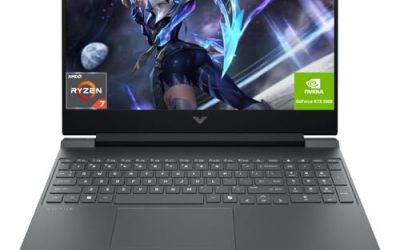
HP Victus 15

This seller-bundled Victus is the pick for buyers who want the memory and storage question settled on day one: the listing fits 32 GB of DDR5 memory and a 1 TB SSD, pairs them with an RTX 5060 and a Ryzen AI 7 350, and bundles a Thunderobot 7-in-1 USB-C hub. Against a game whose recommended tier asks for 4 GB of memory and a 1 GB graphics card, that is generous headroom, and the 15.6-inch 144Hz screen suits operational-layer sessions. The honest caveat is that this is a seller configuration, so the fitted parts and bundle are the seller’s work.
Specs
- Processor: AMD Ryzen AI 7 350, up to 5.0 GHz as listed
- Graphics: NVIDIA GeForce RTX 5060, dedicated
- Memory: 32 GB DDR5
- Storage: 1 TB SSD
- Display: 15.6-inch FHD, 1920 x 1080, 144Hz
- Operating system: Windows 11 Home
- Extras: bundled Thunderobot 7-in-1 USB-C hub, RGB backlit keyboard, RJ-45 Ethernet
- Model: TPN-Q279, Black
Best for: buyers who want 32 GB of memory, 1 TB of storage and a USB-C hub without ordering upgrades separately.
Watch out for: this is a seller-upgraded bundle, and other Victus listings under similar titles ship different memory and storage, so confirm the 32 GB / 1 TB configuration on the listing before ordering.
ASIN: B0G1N8R9Z4
Lenovo Legion 5 Gen 10

The Legion is the strongest all-round gaming pick in this set. Its listing pairs a Ryzen 7 260 with an RTX 5060 Laptop GPU carrying 8 GB of GDDR7 memory, and puts it behind a 15.1-inch WQXGA OLED panel at 2560 x 1600 with 500 nits and a non-touch finish. The published recommended graphics line asks for a 1 GB card, so this machine answers it with a modern card and a far sharper screen than the game was built for. Memory is 16 GB of DDR5-5600 with a listed maximum of 32 GB, and storage is a 1 TB PCIe Gen4 SSD.
Specs
- Processor: AMD Ryzen 7 260, 3.80 GHz up to 5.10 GHz
- Graphics: NVIDIA GeForce RTX 5060 Laptop GPU, 8 GB GDDR7
- Memory: 16 GB DDR5-5600 SODIMM, maximum 32 GB as listed
- Storage: 1 TB SSD M.2 2242 PCIe Gen4 TLC
- Display: 15.1-inch WQXGA OLED, 2560 x 1600, 500 nits, non-touch
- Ports: USB4, HDMI 2.1, Ethernet RJ-45 as listed
- Keyboard: 24-zone RGB backlit
- Operating system: Windows 11 Home
Best for: players who want the most capable dedicated graphics and the sharpest screen in this roundup.
Watch out for: the listing prints an item weight of 7.09 pounds, which reads as a packaged figure rather than the machine alone, so check the seller’s configuration details before ordering.
ASIN: B0FXMY8FYW
Acer Nitro V 15

The Nitro V 15, model ANV15-51-99XD, is the pick built around a high-core-count Intel processor and open upgrade paths. The listing fits a Core i9-13900H with an RTX 4060 Laptop GPU, 16 GB of DDR5 memory across two slots with a 32 GB maximum, and a 1 TB PCIe Gen 4 SSD with two M.2 slots, so both can grow later. Its 15.6-inch FHD IPS panel runs at 180Hz as listed. Against the published recommended tier (an FX-8350 or i5-2400S and a 1 GB card), the Nitro’s processor headroom is the widest here, which suits players who keep other programs open.
Specs
- Processor: Intel Core i9-13900H
- Graphics: NVIDIA GeForce RTX 4060 Laptop GPU
- Memory: 16 GB DDR5, two slots, 32 GB maximum as listed
- Storage: 1 TB PCIe Gen 4 SSD, two M.2 slots as listed
- Display: 15.6-inch FHD IPS, 180Hz as listed
- Ports: Thunderbolt 4, HDMI 2.1, Ethernet RJ-45 as listed
- Connectivity: Wi-Fi 6, backlit keyboard
- Operating system: Windows 11 Home
Best for: buyers who value processor headroom and the option to add memory and storage later.
Watch out for: the listing’s body copy drifts into Nitro V 16 wording in places, so match the model code ANV15-51-99XD when ordering, and note the headline text does not print a graphics-memory figure for the RTX 4060.
ASIN: B0D8JTYXQM
MSI Katana 15

The Katana 15 B13VEK-277US is the straightforward dedicated-graphics option: a Core i7-13620H, an RTX 4050 with 6 GB of GDDR6 memory as the listing’s bullet text states, 16 GB of DDR5-4800 memory and a 1 TB NVMe SSD. That specification clears the published recommended tier (4 GB of memory, a 1 GB GTX 460-class card) by a wide margin without reaching for the newest GPU generation. The 15.6-inch Full HD IPS panel runs at 144Hz, and the machine keeps a USB Type-C port alongside its standard connections. For a 2016 tactics game, this pick answers every published line and stops there.
Specs
- Processor: Intel Core i7-13620H
- Graphics: NVIDIA GeForce RTX 4050, 6 GB GDDR6 per the listing bullet text
- Memory: 16 GB DDR5-4800
- Storage: 1 TB NVMe SSD
- Display: 15.6-inch Full HD IPS, 144Hz
- Ports: USB Type-C as listed
- Operating system: Windows 11 Home
- Colour: Black, model B13VEK-277US
Best for: players who want a dedicated-graphics laptop that answers the published requirements without paying for the newest GPU tier.
Watch out for: the listing’s summary table prints the processor at 1.8 GHz, which is the chip’s base figure rather than its boost speed, so read the full processor name rather than that single number.
ASIN: B0BZBN3857
ASUS Zenbook 14 OLED

The Zenbook is the portability pick, and its trade must be stated plainly: its Radeon 780M graphics are integrated and share the 16 GB of system memory, while both published graphics lines for this game name dedicated cards. In practice the 780M is a far newer design than the GeForce 6600 or GTX 460 the publisher lists, and the Ryzen 7 8840HS is well beyond the published processor lines, but there is no dedicated graphics memory here. What you gain is a 14-inch WUXGA OLED touchscreen machine in Jade Black that is built for carrying, with 512 GB of SSD storage for the game and your everyday files.
Specs
- Processor: AMD Ryzen 7 8840HS, up to 5.1 GHz as listed
- Graphics: AMD Radeon 780M, integrated
- Memory: 16 GB LPDDR5X
- Storage: 512 GB M.2 NVMe PCIe 4.0 SSD
- Display: 14-inch WUXGA OLED touchscreen, 1920 x 1200 as listed
- Connectivity: Wi-Fi 6E as listed
- Operating system: Windows 11 Home
- Model: UM3406HA-WS74T, Jade Black
Best for: buyers who carry their laptop daily and want this game playable within a slim, light machine.
Watch out for: the integrated graphics share system memory with no dedicated pool, so this pick does not answer the published dedicated-card lines in the literal sense; also confirm the panel type, as the model line includes non-touch variants.
ASIN: B0DFWZ77LB
Which One Fits Your Situation
You Play Long Real-Time Battles and Want the Strongest Graphics Here
Choose the Legion 5 Gen 10. Its RTX 5060 carries 8 GB of GDDR7 dedicated memory, the most in this set alongside the Victus, and its 2560 x 1600 OLED panel gives the tactical view more room than the 1080p screens here. The published recommended card is a 1 GB GTX 460-class part, so this is headroom you feel across your whole library, not just this game.
You Keep Other Programs Open During the Operational Layer
Choose the Acer Nitro V 15. The Core i9-13900H is the highest-core-count processor in this roundup, and the two memory slots and two M.2 slots mean the 16 GB and 1 TB it ships with are a starting point rather than a ceiling. If your sessions involve reference pages, voice chat and a second install running, that combination fits best.
You Want Everything Fitted and Bundled on Day One
Choose the HP Victus 15. The seller fits 32 GB of memory and a 1 TB SSD before shipping and includes a 7-in-1 USB-C hub, so there is nothing left to upgrade for this game or the rest of a modest library. Just confirm the exact configuration on the listing first, because sibling Victus listings ship with less memory and storage under similar titles.
You Carry Your Laptop Every Day and Game at a Desk Later
Choose the ASUS Zenbook 14 OLED, knowing the trade. It is the smallest and most portable machine here, with an OLED touchscreen for everyday work, and its integrated Radeon 780M is far newer than the cards the publisher names. It does not offer dedicated graphics memory, so pick it for portability first and treat this game’s modest published block as the reason it still belongs in the set.
Common Mistakes
- Assuming a Mac or Linux edition exists because database records carry empty requirement shells for those platforms; the game is sold for Windows only, and those shells hold no lines and no edition.
- Reading the minimum tier’s Windows 7 SP1 line as a practical plan today, when the Steam Client itself has supported only Windows 10 and later since January 1st, 2024.
- Treating the minimum figures (2 GB of memory, a 256 MB card) as a comfort target instead of the oldest hardware the publisher lists; the recommended tier is the better yardstick.
- Mixing this game up with the older entry in the same Graviteam Tactics line, which is a separate app with its own requirement block; figures from that block do not describe Mius-Front.
- Ordering a Victus or Katana from a near-identical title without confirming the fitted memory, storage and graphics, since sellers list several configurations under similar names.
Frequently Asked Questions
Is Graviteam Tactics: Mius-Front available for Mac or Linux?
No. The game is sold for Windows only. Some database records carry Mac and Linux requirement fields, but those fields are empty shells with headings and no specification lines, which means they are leftovers in the data rather than editions you can buy. Every laptop in this roundup runs Windows 11, which matches the only edition sold.
What exactly do the published requirements ask for?
The minimum tier lists Windows 7 SP1, an AMD Athlon 2000 or Intel Pentium at 2.4 GHz, 2 GB of memory, a Radeon 9500 or GeForce 6600 with 256 MB, DirectX 9.0c and 3 GB of storage. The recommended tier lists Windows 10/11, an FX-8350 or Core i5-2400S, 4 GB of memory, a Radeon HD5850 or GeForce GTX 460 with 1 GB, and 5 GB of storage.
Can a laptop with integrated graphics run this game?
The published graphics lines name dedicated cards at both tiers, so a dedicated card is the literal match, and four of the five picks here have one. The Zenbook’s integrated Radeon 780M is a much newer design than the named cards but shares system memory and has no dedicated pool. It is included as a portability pick with that trade stated, not as an equivalent to a dedicated card.
How much storage should I set aside for the game?
The publisher lists 3 GB of available space at minimum and 5 GB at recommended, which is tiny by current standards. Every pick here carries at least 512 GB of SSD storage, so the game itself is never the constraint. The real question is the rest of your library: buyers with several large games installed should favour the 1 TB models, or the Nitro with its second M.2 slot.
More from Amazon
Programs that pair well with the guide above. Offers and eligibility are set by Amazon and may change.
A free business account with business pricing and bulk-buying tools for work, shop or home office.
Create a business accountFree shipping on eligible items, Prime Video and more. Eligible new members can start with a free trial.
Start a Prime free trialAudiobooks and podcasts to listen to on the go. Eligible new members can start with a free trial.
Try Audible freeAd-free music streaming. Eligible new subscribers can start with a free trial.
Try Music Unlimited freeAs an Amazon Associate we earn from qualifying purchases.









Write Your Review
No reviews yet. Be the first to share your experience!