

Our Top Picks
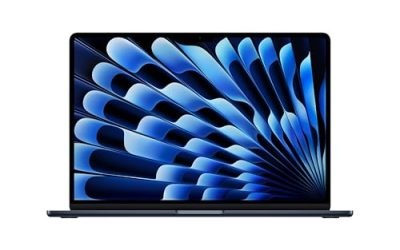
 Apple 2026 MacBook Neo 13-inch Laptop with A18256GB8.12 x 11.71 x 0.5 inches2.7 poundsCheck on Amazon


The best student laptop for most people in 2026 is the Apple MacBook Air 13-inch with the M5 chip; the Apple MacBook Neo is the cheaper Apple route, the Lenovo IdeaPad Slim 3x and IdeaPad Slim 3i are the sensible budget Windows picks, the Dell XPS 13 and ASUS Zenbook 14 OLED are the premium Windows ultraportables, and the Acer Swift Go 16 AI is the choice for heavy multitasking and creative coursework. The right one depends less on brand than on four numbers: memory, battery life, weight, and whether your degree requires specific software.
How we chose
This guide is built from research, not from bench work. We compared manufacturer specification pages and the recurring picks in 2026 college-laptop roundups, then filtered for the criteria that decide a four-year purchase: at least 16 GB of memory for new Windows laptops, an all-day battery, a weight under about 3.3 pounds for carrying across campus, a keyboard and trackpad suited to note-taking, and software compatibility with common coursework. Where we could not confirm a specification from a manufacturer source, the laptop is described by spec class and flagged. Prices are described as tiers only, because they change weekly during back-to-school sales.
What matters most when buying a student laptop
Memory: the spec that decides longevity
A student laptop is a four-year tool. In 2026, 16 GB of RAM is the practical threshold for a Windows machine: a browser with a dozen tabs, a video call, a document editor and a note app can use 8 GB on their own. Memory is soldered in nearly all thin laptops and cannot be upgraded later, so buy the configuration you will need in year three, not the one that looks cheapest today. Apple’s chips use unified memory that is used efficiently, but the same advice applies: avoid the smallest configuration if you plan to keep the laptop through graduate school.
Storage
256 GB fills quickly once you add cloud sync folders, lecture recordings and course software. A 512 GB drive is a comfortable minimum, and 1 TB is worth it for film, design, or engineering majors. Cloud storage supplied by many universities can offset this, but offline files for exams and travel still need local space.
Battery life
Manufacturer battery claims are measured under light workloads. Real-world use with a bright screen, video calls and many tabs often lands at 60 to 70 percent of the claim. Aim for a rated or reported all-day figure of 12 hours or more so you can skip carrying a charger to lectures.
Weight and size
A 13- or 14-inch laptop between roughly 2.4 and 3.3 pounds is easy to carry in a backpack all day. A 15- or 16-inch laptop gives a larger workspace but adds weight and usually a larger charger, so choose it only if you work in video, 3D or data tools where screen space matters.
Operating system and software
Check the syllabus or department page first. Engineering, architecture and some business programs require specific Windows-only software, while design, music and software-development programs often favor macOS. Laptops with Arm-based Windows chips run most mainstream apps well, but some specialized tools, lockdown exam browsers and older VPN clients can have compatibility problems, so confirm before buying.
Screen and keyboard
For long reading and writing sessions, look for a 16:10 aspect ratio, which shows more of a page, at least 300 nits of brightness, and a keyboard with comfortable key travel. A touchscreen or a 2-in-1 hinge matters only if you plan to handwrite notes with a stylus.
Quick comparison table
| Laptop | Chip class | Memory / storage | Screen | Tier | Best fit |
|---|---|---|---|---|---|
| Apple MacBook Air 13 (M5) | Apple M5 | 16 GB class / 512 GB class | 13-inch Liquid Retina | Premium | Most majors, longest useful life |
| Apple MacBook Neo | Apple A18 Pro | Entry configs, 512 GB option | Compact Apple display | Entry-level for Apple | Writing, browsing, light coursework |
| Dell XPS 13 (2026) | Current Intel or Arm-class ultraportable chip | 16 GB class | 13.4-inch touchscreen | Premium | Windows ultraportable, about 1 kg |
| ASUS Zenbook 14 OLED | Core Ultra 7 class | 16 GB / 1 TB (as listed) | 14-inch OLED | Mid-range to premium | Best screen and weight for the tier |
| Lenovo IdeaPad Slim 3x | Snapdragon X class (Arm) | 16 GB class | 15.3-inch class | Mid-range | Battery-first Windows |
| Lenovo IdeaPad Slim 3i (Gen 11) | Intel Core class | 16 GB class | 15.6-inch class | Mid-range | Windows compatibility on a budget |
| Acer Swift Go 16 AI | Ryzen AI 9 465 | 32 GB / 1 TB (as listed) | 16-inch | Premium | Heavy multitasking, creative work |
Best student laptops by buyer need
1. Apple MacBook Air 13-inch (M5): best overall
Spec line: Apple M5 chip · 13-inch Liquid Retina display · 16 GB memory configuration · SSD storage from 512 GB class · fanless design · all-day battery.
Best for: Students in writing, business, design, music, and software-development programs who want a laptop that stays fast for years and holds resale value.
Skip if: Your program requires Windows-only software, or you need a larger screen without paying for the 15-inch model.
- Pros: Silent fanless operation, strong battery life, excellent trackpad and speakers, long software support window.
- Cons: Memory and storage upgrades are priced steeply, few ports, and Windows-only apps need a workaround.
As an Amazon Associate we earn from qualifying purchases at no extra cost to you.

2. Apple MacBook Neo: best entry-level Apple laptop
Spec line: Apple A18 Pro chip · compact Apple display · 512 GB storage option · lightweight build · entry-level Apple tier.
Best for: Students who live in the browser, documents, slides, and video calls and want an Apple laptop without paying for an Air.
Skip if: You run heavy local software, keep many apps open at once, or want the longest possible lifespan. Base memory is limited, so confirm the exact configuration before you buy; we could not verify every spec from a manufacturer page.
- Pros: Lowest entry point to the Apple ecosystem, light, quiet, and efficient.
- Cons: Lower performance ceiling than the Air, limited memory in base configurations, and fewer ports.

3. Dell XPS 13 (2026): best premium Windows ultraportable
Spec line: 13.4-inch touchscreen · about 1 kg weight · 16 GB class memory · premium aluminum chassis · all-day battery class.
Best for: Students who want a compact, premium Windows laptop for lectures, libraries, and travel.
Skip if: You need a large screen or a wide port selection, or if budget is tight; the IdeaPad range delivers similar everyday results for less.
- Pros: Very light, premium build, bright touch display, full Windows compatibility.
- Cons: Premium tier, few ports, and battery run time trails the best Arm-based and Apple models in published comparisons.

4. ASUS Zenbook 14 OLED: best screen and weight for the tier
Spec line: 14-inch OLED display · Intel Core Ultra 7 class (as listed) · 16 GB memory (as listed) · 1 TB SSD (as listed) · lightweight chassis.
Best for: Students who watch a lot of video, edit photos, or just spend long hours on a screen and want high contrast and sharp text without a premium price.
Skip if: You are sensitive to the screen flicker some people notice on OLED panels at low brightness, or you want the longest battery life.
- Pros: Excellent display, light, strong memory and storage configuration for the tier.
- Cons: OLED can drain battery faster on bright, white backgrounds, and configurations vary by retailer.

5. Lenovo IdeaPad Slim 3x: best battery-first Windows laptop
Spec line: Snapdragon X class Arm processor · 16 GB class memory · 15-inch class display · long-lasting battery (roundups report well over 15 hours in light use).
Best for: Students who mostly write, browse, join video calls, and use cloud apps, and who value a long charge over raw speed.
Skip if: Your coursework uses specialized Windows software, older drivers, or lockdown exam browsers that may not run on Arm.
- Pros: Excellent battery life, efficient and cool, strong value for the tier.
- Cons: Compatibility checks are required, and the build is plain.

6. Lenovo IdeaPad Slim 3i (Gen 11): best all-around budget Windows
Spec line: Intel Core class processor · 16 GB class memory · 15.6-inch class display · mid-range tier · standard x86 Windows.
Best for: Students who need guaranteed compatibility with campus software and want a straightforward Windows laptop at a mid-range tier.
Skip if: You want a thin, premium build or the longest battery life.
- Pros: Runs everything Windows runs, practical port set, solid memory for the tier.
- Cons: Heavier than ultraportables, a modest display, and the exact configuration varies.

7. Acer Swift Go 16 AI: best for heavy multitasking and creative coursework
Spec line: AMD Ryzen AI 9 465 · 32 GB memory (as listed) · 1 TB SSD (as listed) · 16-inch display · premium tier.
Best for: Students in film, design, data science, and architecture who juggle large files and many windows at once.
Skip if: You want a light, compact laptop for daily carrying; the 16-inch size and charger add weight.
- Pros: Large workspace, generous memory and storage, strong multi-core performance.
- Cons: Premium tier and heavier to carry, and it is a poor fit for students who mainly write and browse.

Decision matrix: match your major to a laptop class
| Your situation | Threshold | Shop this class |
|---|---|---|
| Writing, humanities, business, mostly browser and docs | 16 GB, 12+ hours battery | MacBook Air M5, IdeaPad Slim 3x, MacBook Neo |
| Engineering or architecture with Windows-only tools | x86 Windows, 16 GB minimum, 32 GB for CAD | IdeaPad Slim 3i, Zenbook 14 OLED, Swift Go 16 AI |
| Design, film, music production | Strong display, 16 to 32 GB, 1 TB | MacBook Air M5, Zenbook 14 OLED, Swift Go 16 AI |
| Software development and data science | 16 GB or more, fast storage | MacBook Air M5, Swift Go 16 AI, XPS 13 |
| Tight budget, needs all-day battery | 16 GB, mid-range tier | IdeaPad Slim 3x or IdeaPad Slim 3i |
| Lots of walking between buildings | Under about 3.0 pounds | XPS 13, MacBook Air M5, Zenbook 14 OLED |
Worked example: how much battery do you need?
Suppose you spend 6 hours on campus between charging opportunities, using the laptop for notes, a browser, and a video call.
- Real-world run time is often about 65 percent of a rated figure once screen brightness and background apps are included.
- Divide your required hours by that factor: 6 hours divided by 0.65 is about 9.2 hours of real-world run time needed in the best case.
- Add 20 percent for battery wear after two years: 9.2 divided by 0.8 gives about 11.5 hours.
That is why we set 12 hours as the minimum rated figure for a laptop you will keep for four years. If your campus has plentiful outlets in lecture halls, you can drop the threshold to about 9 to 10 hours and spend the savings on memory instead. Repeat the same arithmetic with your own schedule: required hours divided by 0.65, then divided by 0.8.
Worked example: the memory test
Count the memory your typical workday needs: a browser with 15 tabs often uses about 3 to 4 GB, a video call about 1 GB, an office suite 1 to 2 GB, a note app and cloud sync another 1 GB, and the operating system itself 3 to 4 GB. That is already 9 to 12 GB. If you add a code editor, a design tool, or a statistics package, you cross 16 GB quickly. Plan for 16 GB as the floor and 32 GB if your major involves video, CAD, virtual machines, or large datasets.
How to choose: thresholds that separate a good pick from a risky one
Use these cut-offs to shrink the list quickly before comparing brands.
- Memory: 16 GB for any new Windows laptop you plan to keep four years. 8 GB is acceptable only on macOS or ChromeOS, and only for browser-and-documents work.
- Storage: 256 GB is the floor, 512 GB is comfortable, and 1 TB suits video, design and engineering files. Soldered drives cannot be swapped later on most thin models.
- Battery: look for a rated 12 hours or more, and expect real use to land near 60 to 70 percent of the claim.
- Weight: under about 3.3 pounds for a laptop that rides in a backpack daily. A 16-inch machine above 4 pounds is a desk laptop in practice.
- Screen: at least 300 nits of brightness and a 16:10 ratio for reading. OLED adds contrast but can look glossy under bright classroom lights.
- Graphics: a dedicated GPU only pays off for 3D, game development, video rendering or machine-learning coursework. Otherwise integrated graphics are enough.
- Platform: confirm Windows-only, macOS-only or Arm compatibility with your department before buying, especially for engineering and exam software.
- Tier: if two laptops meet every threshold above, take the cheaper tier and spend the difference on a case, a charger and warranty cover.
A quick rule: pick the platform first, then the weight class, then memory and storage, and only then compare screens and brands.
Student buying checklist
- Ask your department which operating systems and specific software versions are required, and whether lockdown exam browsers are used.
- Check for education discounts from manufacturers and your university’s bookstore, which can lower the tier you need.
- Choose memory and storage first, then everything else; both are usually fixed at purchase.
- Look at the port selection: a student with a USB flash drive, projector, or HDMI classroom setup may need a small adapter.
- Check the warranty and accidental-damage options; a laptop that travels in a backpack faces more risk than a desktop.
- Decide on a stylus or touch support only if you handwrite notes, since it changes which models fit.
More student laptops worth shortlisting
The seven picks above cover the common cases, but several other current models come up constantly in college-laptop roundups and buyer comparisons. These six fill the gaps: a bigger Apple screen, a convertible for handwritten notes, a Chromebook for cloud-only coursework, a large-screen mid-range option, an Arm clamshell, and a graphics-capable laptop for majors that need it.
Apple MacBook Air 15-inch (M5): best for a larger Apple workspace
Spec line: Apple M5 chip · 15.3-inch Liquid Retina display · 16 GB unified memory · 512 GB SSD · Touch ID · 12 MP Center Stage camera · Wi-Fi 7.
It is the same platform as the 13-inch Air with more screen, which helps when you keep two documents or a spreadsheet and a lecture video side by side.
Best for: students in design, music, video and software programs who want macOS and a roomy display without moving to a Pro.
Skip if: you carry the laptop all day or have a small desk; the larger body is the main trade-off.
Pros: Fanless and quiet, strong battery class, roomy display for split-screen work.
Cons: Larger and heavier than the 13-inch model, premium tier, and few ports.

Lenovo Yoga 7i 2-in-1 (14-inch): best convertible for handwritten notes
Spec line: 14-inch 2K OLED touchscreen · Intel Core Ultra 5 322 class · 16 GB LPDDR5X · 1 TB SSD · Wi-Fi 7 · Thunderbolt 4 · fingerprint reader.
The 360-degree hinge lets the screen fold flat for annotating lecture slides and PDFs, and the OLED panel keeps text sharp for long reading sessions.
Best for: students who annotate readings, sketch diagrams or switch between laptop and tablet posture in lecture halls.
Skip if: you never write by hand, since a plain clamshell costs less for the same memory and storage; also confirm whether a pen is included with the exact listing.
Pros: Flexible hinge, sharp OLED, 16 GB memory and 1 TB storage in this configuration.
Cons: OLED draws more power on bright pages, and convertibles weigh a little more than clamshells.

ASUS Chromebook Plus CX34: best for cloud-based coursework
Spec line: 14-inch Full HD display · Intel Core i3-1215U class · 8 GB memory · 128 GB flash storage · ChromeOS.
ChromeOS boots fast, updates itself and runs Google Docs, Slides, web-based learning portals and video calls without fuss, which keeps the price tier low.
Best for: students whose courses live in a browser, and parents buying a dependable secondary or first-year laptop.
Skip if: your program needs Windows or macOS desktop software, lockdown exam apps that are not ChromeOS-compatible, or heavy local files.
Pros: Simple, secure, light, and an entry-level tier for the memory it offers.
Cons: Limited local storage, no desktop-class creative or engineering software, and a plain build.

Acer Aspire 16 AI: best large-screen mid-range pick
Spec line: 16-inch WUXGA 120 Hz touch display · Intel Core Ultra 7 256V · Intel Arc 140V graphics · 16 GB LPDDR5X · 512 GB PCIe Gen 4 SSD · Wi-Fi 7.
A 16-inch panel with a 120 Hz refresh rate gives scrolling a smoother feel, and the Core Ultra 7 256V class chip is aimed at efficiency rather than raw speed.
Best for: students who work mostly at a desk or in the library and want screen space for research, spreadsheets and writing.
Skip if: you walk across campus all day; a 16-inch body is bulkier than a 14-inch ultraportable.
Pros: Big display, 16 GB memory, efficient chip class, touch support.
Cons: Heavier to carry, and the keyboard and build are functional rather than premium.
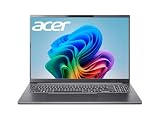
Acer Swift 14 AI: best Arm clamshell with a high-resolution touch screen
Spec line: 14.5-inch 2.5K 120 Hz touchscreen · Qualcomm Snapdragon X Plus 10-core · 16 GB LPDDR5X · 1 TB SSD · Wi-Fi 7 · fingerprint reader.
It pairs a sharp, fast panel with an efficient Arm chip, so it suits long days of browsing, documents and video calls away from a charger.
Best for: students who want a thin Windows laptop with a crisp screen and strong efficiency, and whose software is mainstream.
Skip if: your program depends on specialized Windows tools, older drivers or exam-lockdown browsers; check Arm compatibility with the school first.
Pros: High-resolution touch display, 16 GB memory and 1 TB storage in this configuration, efficient chip.
Cons: Arm software compatibility must be confirmed, and graphics power is modest.

Acer Nitro V 16S AI: best for game design, 3D and GPU coursework
Spec line: AMD Ryzen 7 260 · NVIDIA GeForce RTX 5060 laptop GPU · 16-inch WUXGA IPS 180 Hz display · 32 GB DDR5 · 1 TB Gen 4 SSD · Wi-Fi 6.
A dedicated graphics chip is the only reason to pick this class, and it matters for 3D modeling, game engines, machine-learning labs and GPU-accelerated rendering.
Best for: game design, animation, architecture visualization and data-science students whose coursework uses the GPU.
Skip if: you mainly write and browse; battery life, weight and charger size will all be worse than on an ultraportable, and a lighter laptop costs less.
Pros: Strong graphics and 32 GB memory in this configuration, fast display, plenty of cooling headroom.
Cons: Heavy, short battery life under load, and a bulky power brick.

All 13 student laptops compared
This table puts every laptop from the guide side by side. Memory and storage reflect the configurations referenced in each listing; confirm the exact configuration before you order.
| Laptop | Chip class | Memory / storage | Screen | Tier | Best fit |
|---|---|---|---|---|---|
| Apple MacBook Air 13 (M5) | Apple M5 | 16 GB / 512 GB | 13.6-inch Liquid Retina | Premium | Most majors, longest life |
| Apple MacBook Air 15 (M5) | Apple M5 | 16 GB / 512 GB | 15.3-inch Liquid Retina | Premium | Larger Apple workspace |
| Apple MacBook Neo | Apple A18 Pro | 8 GB class | 13-inch Liquid Retina | Entry-level | Light coursework on Apple |
| Dell XPS 13 (2026) | Intel Core 5 320 class | 16 GB class / 512 GB | 13.4-inch touch | Premium | Light premium Windows |
| ASUS Zenbook 14 OLED | Ryzen AI or Core Ultra class | 16 GB to 32 GB / 1 TB | 14-inch OLED | Mid-range to premium | Screen quality per weight |
| Lenovo IdeaPad Slim 3x | Snapdragon X (Arm) | 16 GB / 512 GB | 15.3-inch | Mid-range | Battery-first Windows |
| Lenovo IdeaPad Slim 3i | Intel Core class | 16 GB class | 15.x-inch | Mid-range | Compatibility on a budget |
| Acer Swift Go 16 AI | Ryzen AI 9 465 | 32 GB / 1 TB | 16-inch 120 Hz touch | Premium | Heavy multitasking |
| Lenovo Yoga 7i 2-in-1 | Core Ultra 5 class | 16 GB / 1 TB | 14-inch 2K OLED touch | Mid-range to premium | Handwritten notes |
| ASUS Chromebook Plus CX34 | Intel Core i3 class | 8 GB / 128 GB | 14-inch Full HD | Entry-level | Cloud-only coursework |
| Acer Aspire 16 AI | Core Ultra 7 256V | 16 GB / 512 GB | 16-inch 120 Hz touch | Mid-range | Big screen at a desk |
| Acer Swift 14 AI | Snapdragon X Plus (Arm) | 16 GB / 1 TB | 14.5-inch 2.5K touch | Mid-range to premium | Thin Arm clamshell |
| Acer Nitro V 16S AI | Ryzen 7 260 + RTX 5060 | 32 GB / 1 TB | 16-inch 180 Hz | Premium | GPU coursework |
Frequently asked questions
What is the best laptop for college students in 2026?
The Apple MacBook Air 13-inch with the M5 chip is the best all-around choice, with the Lenovo IdeaPad Slim 3x as the best battery-first Windows alternative. Pick by software needs first.
If your major requires Windows-only tools, choose the IdeaPad Slim 3i or Zenbook 14 OLED instead.
How much RAM does a student laptop need?
Aim for 16 GB on a new Windows laptop, and 32 GB if you work with video, CAD, virtual machines, or large datasets. Eight gigabytes is workable for basic browsing but ages quickly.
Is a MacBook or a Windows laptop better for college?
A MacBook is better for long battery life, resale value, and creative or software work, while Windows is better when your program needs Windows-only software or you want more choice at lower tiers.
Check your syllabus before deciding, because required software settles the question for many majors.
Is the MacBook Neo enough for a student?
For writing, browsing, video calls, and cloud apps, yes. For heavy multitasking or specialized software, move up to the MacBook Air M5, and verify the memory configuration first.
Are Arm-based Windows laptops safe for college?
They are fine for mainstream apps and offer great battery life, but confirm that required software, drivers, and exam browsers support Arm before you buy.
When in doubt, ask your IT help desk, or choose an Intel or AMD laptop.
Should I buy a touchscreen or 2-in-1 laptop?
Only if you plan to handwrite notes or sketch with a stylus. Otherwise a standard clamshell laptop is lighter, cheaper, and often has better battery life.
How long should a student laptop last?
Four years is a realistic target if you buy enough memory and storage at the start. Battery wear and software demands are the main reasons laptops feel slow after that.
Do I need a gaming laptop for college?
No, unless you play demanding games or study 3D, game design, or machine learning. A gaming laptop is heavier and has shorter battery life, which makes it harder to carry around campus.
Final recommendation
Buy the MacBook Air M5 if your program does not require Windows, the IdeaPad Slim 3x if battery life and a mid-range tier matter most, and the IdeaPad Slim 3i or Zenbook 14 OLED if you need standard Windows software. Spend extra on memory before you spend it on anything else, because it is the one decision you cannot reverse.
More from Amazon
Programs that pair well with the guide above. Offers and eligibility are set by Amazon and may change.
A free business account with business pricing and bulk-buying tools for work, shop or home office.
Create a business accountFree shipping on eligible items, Prime Video and more. Eligible new members can start with a free trial.
Start a Prime free trialAudiobooks and podcasts to listen to on the go. Eligible new members can start with a free trial.
Try Audible freeAd-free music streaming. Eligible new subscribers can start with a free trial.
Try Music Unlimited freeAs an Amazon Associate we earn from qualifying purchases.



Write Your Review
No reviews yet. Be the first to share your experience!