

Key takeaways
- Battery life. A laptop that lasts a full day without a charger is more useful than one that is twice as fast. Look for independent measurements of web-browsing runtime, which are shorter than the manufacturer’s video-playback figures.
- Display. You read text for hours. A 1920×1200 or higher panel with good brightness (300 nits or more) reduces eye strain. A 16:10 or 3:2 aspect ratio shows more of a web page or an inbox than a 16:9 panel.
- Keyboard and touchpad. Email is mostly typing. Key travel of about 1.3 mm or more and a large, precise glass touchpad matter more than any chip.
- RAM. 8GB works for light use, but modern browsers with many tabs and an email client reward 16GB. Because memory is soldered on most thin laptops, buy what you need up front.
- Weight and size. A 13- or 14-inch laptop under 1.4 kg moves easily from desk to couch to travel bag.
- Update support. Security updates keep browsing safe. Apple, Google and Microsoft all publish update policies, and Chromebook Plus models list a guaranteed end date.
The best laptop for web browsing and email in 2026 is a light, quiet machine with a bright screen, a comfortable keyboard and a full day of battery, not a powerful one, and the Apple MacBook Air with the M5 chip is the easiest recommendation for most people. If you want to spend less, a Chromebook Plus or an efficient Windows laptop such as the HP OmniBook 5 14 does the same job. Browsing and email use very little processing power, so the features that decide your happiness are battery life, display quality, keyboard feel and how long the laptop keeps getting updates.
Our top picks


As an Amazon Associate we earn from qualifying purchases at no extra cost to you.
Quick comparison of the seven picks
| Pick | Best for | Key specs | Price tier |
|---|---|---|---|
| Apple MacBook Air 13-inch (M5) | Best overall | M5 chip, 16GB or more, about 2.7 lb, up to 18 hours | Premium |
| Apple MacBook Neo | Best value Mac | A18 Pro, 8GB fixed, 13-inch 2408×1506, 2.7 lb, up to 16 hours | Mid-range |
| Lenovo Chromebook Plus 14 | Best Chromebook | OLED display, MediaTek Kompanio Ultra 910, over 14 hours video | Budget to mid-range |
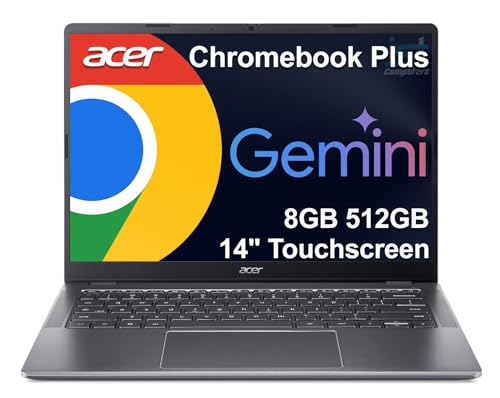
| Acer Chromebook Plus Spin 714 | Best convertible Chromebook | 14-inch touchscreen, Core Ultra 5, 8GB, 3.2 lb, updates to 2034 | Mid-range |
| HP OmniBook 5 14 | Best battery life on Windows | 14-inch 1920×1200 OLED, 59 Wh, about 1.34 kg | Budget to mid-range |
| Acer Aspire 14 AI | Best low-cost Windows laptop | 14-inch 16:10 IPS, 65 Wh battery, 120 Hz option, about 1.4 kg | Budget |
| ASUS Zenbook 14 OLED (UX3405) | Best screen and portability | 14-inch 3K OLED, 75 Wh, 14.9 mm thin, about 1.2-1.28 kg | Mid-range to premium |
What matters for browsing and email, and what does not
Modern websites are heavier than they used to be, because they run scripts, video and ads, but a current mid-range processor handles them without effort. The worry for everyday users is usually not speed. It is paying for performance they never use while overlooking the things that affect every minute of use.
- Battery life. A laptop that lasts a full day without a charger is more useful than one that is twice as fast. Look for independent measurements of web-browsing runtime, which are shorter than the manufacturer’s video-playback figures.
- Display. You read text for hours. A 1920×1200 or higher panel with good brightness (300 nits or more) reduces eye strain. A 16:10 or 3:2 aspect ratio shows more of a web page or an inbox than a 16:9 panel.
- Keyboard and touchpad. Email is mostly typing. Key travel of about 1.3 mm or more and a large, precise glass touchpad matter more than any chip.
- RAM. 8GB works for light use, but modern browsers with many tabs and an email client reward 16GB. Because memory is soldered on most thin laptops, buy what you need up front.
- Weight and size. A 13- or 14-inch laptop under 1.4 kg moves easily from desk to couch to travel bag.
- Update support. Security updates keep browsing safe. Apple, Google and Microsoft all publish update policies, and Chromebook Plus models list a guaranteed end date.
Best overall: Apple MacBook Air 13-inch (M5)
The MacBook Air with the M5 chip is the pick for people who want a laptop that simply works and lasts. Engadget, Tom’s Guide and TechRadar all name it the best laptop for most people. Engadget lists a 10-core M5, memory from 16GB to 24GB, storage from 512GB to 4TB, two Thunderbolt 4 ports, MagSafe 3 and a headphone jack, with battery life up to 18 hours. The 13-inch model weighs about 2.7 lb. TechRadar says the M5 refresh doubles base storage, adds Wi-Fi 7 support and gives a modest battery boost.
Who it suits: anyone who wants a quiet, fanless laptop with a great screen and a long update window, and who likes the Apple ecosystem for iMessage and photos. The trade-offs are the premium price tier, limited ports without a hub, and memory that cannot be upgraded later. For browsing and email alone, it is more performance than you need, which is the reason it stays fast for many years.
- Pros: up to 18 hours of battery, silent, excellent keyboard and trackpad, long software support.
- Cons: premium price tier, only two ports, non-upgradeable memory.
Best value Mac: Apple MacBook Neo
The MacBook Neo is Apple’s 2026 entry-level laptop. Reviews from Macworld, Tom’s Hardware and MacRumors describe a 13-inch 2408×1506 Liquid Retina display, the A18 Pro chip with a 6-core CPU and 5-core GPU, 8GB of unified memory with no upgrade option, a 256GB or 512GB SSD, two USB-C ports (one USB 3, one USB 2), Wi-Fi 6E and a weight of 2.7 lb. Apple rates the battery at up to 16 hours, and the laptop comes in Silver, Blush, Citrus and Indigo.
It suits students, retirees and families who want macOS at the lowest tier. Reviewers report that single-core speed beats the M3 MacBook Air, which is what browsing needs. The common criticism is the fixed 8GB of memory: ten to twenty browser tabs work well, but if you keep fifty tabs, a video call and a document open at once, the Air with 16GB is the safer choice. The display covers sRGB rather than the wider gamut of the Air, which suits reading but is not ideal for photo editing.
- Pros: light and colorful, good single-core speed, strong battery, macOS support for years.
- Cons: 8GB limit, limited ports, narrower color gamut than the Air.
Best Chromebook: Lenovo Chromebook Plus 14
For people who live in a browser, this model is among the best-regarded Chromebooks. Engadget’s 2026 roundup credits it with an OLED display, the MediaTek Kompanio Ultra 910 chip, excellent performance for its class, a premium thin and light design, a favored keyboard, and battery life the publication calls the best of any Chromebook it has covered: over 14 hours of video playback and around 10 hours of a normal workday.
Who it suits: anyone whose email, documents, streaming and shopping are all browser-based, and who wants simplicity with automatic updates and strong built-in security. Trade-offs are limited offline software compared with Windows and macOS, no support for desktop-only programs, and storage that is modest. If you rely on a specific Windows program, such as a tax package, a Chromebook will not run it.
- Pros: OLED screen, long battery, automatic updates, virus-resistant design.
- Cons: no Windows or Mac apps, limited local storage, fewer ports.
Best convertible Chromebook: Acer Chromebook Plus Spin 714
The Chromebook Plus Spin 714 folds into a tablet, which suits reading and couch browsing. Reviewers at Digital Trends and PCWorld describe a 14-inch 1920×1200 touchscreen, an Intel Core Ultra 5 115U, 8GB of LPDDR5X, a 256GB SSD, a 1440p webcam, two Thunderbolt 4 ports, a USB-A port, HDMI, a 53 Wh battery and a weight of 3.21 lb. Consumer Reports measured about 15.75 hours of light web browsing, while Digital Trends measured roughly eight hours in its own browsing run, so real-world results vary with brightness and settings. Consumer Reports notes Google updates until June 2034.
It suits households that want a touch-friendly device for reading, video calls and school. Trade-offs include a heavier body than the lightest rivals, 8GB of memory that limits heavy multitasking, and mid-range pricing for a Chromebook. Its processor has no neural engine, but PCWorld found everyday ChromeOS use excellent.
- Pros: flexible 2-in-1 design, many ports, long update promise, bright touchscreen.
- Cons: heavier, 8GB memory, battery runtime varies by report.
Best battery life on Windows: HP OmniBook 5 14
The HP OmniBook 5 14 launched in its 2026 form in January and is aimed squarely at everyday users. It has a 14-inch 1920×1200 OLED screen, a 59 Wh battery and a weight of about 1.34 kg. Battery reviews are strong: Consumer Reports recorded 17 hours of web browsing, PCWorld reported up to 25 hours in its battery run, and TechRadar reported over 16 hours.
The reviewed configurations use Snapdragon X Plus processors, which are efficient and handle browsing and email easily. They run Windows on ARM, which works with mainstream apps like Chrome, Edge, Outlook and Microsoft 365, but older specialist software can be a problem. TechRadar noted that it runs a bit warm, build quality could be better, and general performance is middling. It is an excellent choice if you want Windows and a long battery, but check your favorite software, such as printer utilities, before buying.
- Pros: excellent battery results in reviews, OLED panel, light, good for Microsoft 365.
- Cons: Windows on ARM compatibility limits, middling build, can run warm.
Best low-cost Windows laptop: Acer Aspire 14 AI
The Aspire 14 AI undercuts most rivals while still offering a 14-inch 16:10 1920×1200 IPS screen, a 65 Wh battery and a weight near 1.4 kg. Notebookcheck’s listing shows a Snapdragon X variant with 32GB of memory and a 120 Hz panel, and a separate Intel Core Ultra 5 226V version has also been sold. One review calls it well suited to streaming, browser-based work, Google Docs and basic Word and Excel use.
If you want maximum compatibility with older Windows programs, pick the Intel version. If you want the longest battery life, the Snapdragon version helps. The trade-offs are plastic construction, an average speaker system and a keyboard that feels functional rather than refined. For a spare laptop, a student machine or a first computer for a relative, it provides everything needed for browsing and email at a budget tier.
- Pros: large battery, 16:10 screen, low price tier, light.
- Cons: plastic build, average speakers, version choice affects compatibility.
Best screen and portability: ASUS Zenbook 14 OLED (UX3405)
The Zenbook 14 OLED is the choice when you want the nicest display in a thin laptop. ASUS lists a 14-inch 3K (2880×1800) OLED at 120 Hz with 100 percent DCI-P3 coverage, a 75 Wh battery with fast charging to 70 percent in as little as 49 minutes, a thickness of 14.9 mm and a weight of about 1.2 to 1.28 kg. Processors across regional listings range from Core Ultra 5 225H to Core Ultra 9 285H, with 8GB to 32GB of soldered LPDDR5X and a 512GB or 1TB SSD. ASUS’s up to 18 hours battery claim refers to video playback in its own run, so expect fewer hours in browsing.
Who it suits: readers, travelers and anyone who spends hours looking at text and photos. Trade-offs are the mid-range to premium price tier, the glossy OLED panel that reflects in bright rooms, and soldered memory, so buy 16GB. For pure email and browsing the processor is more than enough.
- Pros: beautiful OLED, thin and light, fast charging, strong battery.
- Cons: glossy screen, soldered memory, higher price tier than basic laptops.
Decision matrix
| If you are… | Choose | Reason |
|---|---|---|
| Happy to spend more for the best all-round laptop | MacBook Air M5 | Speed, battery, quiet design, long support |
| Looking for the lowest-cost Mac | MacBook Neo | Fast single-core speed, macOS |
| Living entirely in a browser | Lenovo Chromebook Plus 14 | Simple, light, long battery |
| Wanting a touchscreen for reading and school | Acer Chromebook Plus Spin 714 | 2-in-1 with long update promise |
| On Windows and traveling often | HP OmniBook 5 14 | Long battery, OLED |
| On a tight budget with older Windows software | Acer Aspire 14 AI (Intel) | Compatibility at the lowest tier |
| Valuing the best display | ASUS Zenbook 14 OLED | 3K OLED in a thin body |
Battery math: how many hours will you really get?
Manufacturers quote video-playback hours at low brightness, so use a conversion. A rough rule is to take the watt-hours of the battery and divide by the average power draw. Browsing and email on an efficient laptop draws roughly 5 to 8 watts at moderate brightness.
Worked example: the HP OmniBook 5 14 has a 59 Wh battery. At 6 W of average draw, it runs about 9.8 hours (59 divided by 6). At 4 W, which efficient ARM chips can approach with brightness lowered, it runs about 14.8 hours. The Acer Aspire 14 AI with 65 Wh at 7 W gives about 9.3 hours. A 75 Wh Zenbook at 8 W, with a bright OLED, gives about 9.4 hours. The point is that screen brightness and the number of open tabs, not the headline claim, decide the result. Cut brightness by a notch or two and you add an hour or more.
How to choose RAM and storage
- Count your tabs. Up to about 15 tabs and an email app fits in 8GB. Heavy tab users, video-call users and people who run office apps alongside should take 16GB.
- Consider the lifespan. Browsers and websites grow heavier every year. If you want five or more years of use, 16GB gives room for that growth.
- Size storage for photos. Browsing and email need little space, but photos, downloads and offline mail archives add up. 256GB is workable with cloud storage; 512GB is more comfortable.
- Check for upgrade slots. Most thin laptops solder RAM. If you want to upgrade later, choose a model with socketed memory, such as a business ThinkPad.
Ownership realities
- Browser hygiene. Slowness comes from too many extensions and open tabs, not the laptop. Remove unused extensions before blaming the hardware.
- Updates. Keep the operating system and browser updated. Chromebook Plus models state a guaranteed support date, and Apple and Microsoft publish theirs.
- Security basics. Use a password manager, two-factor authentication on your email account and a screen lock. Phishing, not malware, is the main risk to email users.
- Battery care. Avoid leaving the laptop at 100 percent plugged in for months. Many models have a charge-limit setting that stops at 80 percent.
- Keyboard wear. Glossy OLED screens show fingerprints and keyboards shine with use; a screen wipe and a keyboard cover keep them tidy.
Frequently Asked Questions
What specs do I need for web browsing and email?
A current dual- or quad-core processor, 8GB of RAM (16GB if you keep many tabs open), a 256GB SSD and a 1920×1200 display are enough. Battery life and keyboard quality matter more than processing speed for this kind of use.
Is a Chromebook enough for browsing and email?
Yes, for most people. A Chromebook Plus runs Gmail, Outlook on the web, Google Docs and streaming services well, and it receives automatic updates. It cannot run Windows or Mac desktop programs, so check your needs first.
Is 8GB of RAM enough in 2026?
For light use, yes. It handles around fifteen browser tabs and an email app on a well-optimized system like macOS or ChromeOS. If you often use video calls, many tabs or office apps together, 16GB is a safer choice and extends the laptop’s useful life.
Should I buy a Windows ARM laptop?
For browsing and email they are excellent, with strong battery life and mainstream apps that run well. Older specialist programs and some peripheral drivers may not work, so check compatibility. If you need broad support, choose an Intel or AMD version.
Does screen type matter for reading email?
Yes. An OLED panel offers deep contrast and sharp text, while a good IPS panel is easier in bright rooms because it is less reflective. Pick a matte or low-glare finish if you work near windows.
How long should a browsing laptop last?
Four to six years is typical with a quality model. Longer support windows, upgradeable or generous RAM, and a replaceable battery all extend the lifespan.


Write Your Review
No reviews yet. Be the first to share your experience!